
1. Introduction
The ulafbwur Security M501 A Car Immobilizer is an effective mini auto security system designed to protect your vehicle from theft. This intelligent security system acts as an alarm system and immobilizer, preventing unauthorized engine starts. Its compact design and advanced anti-interference technology ensure reliable performance.
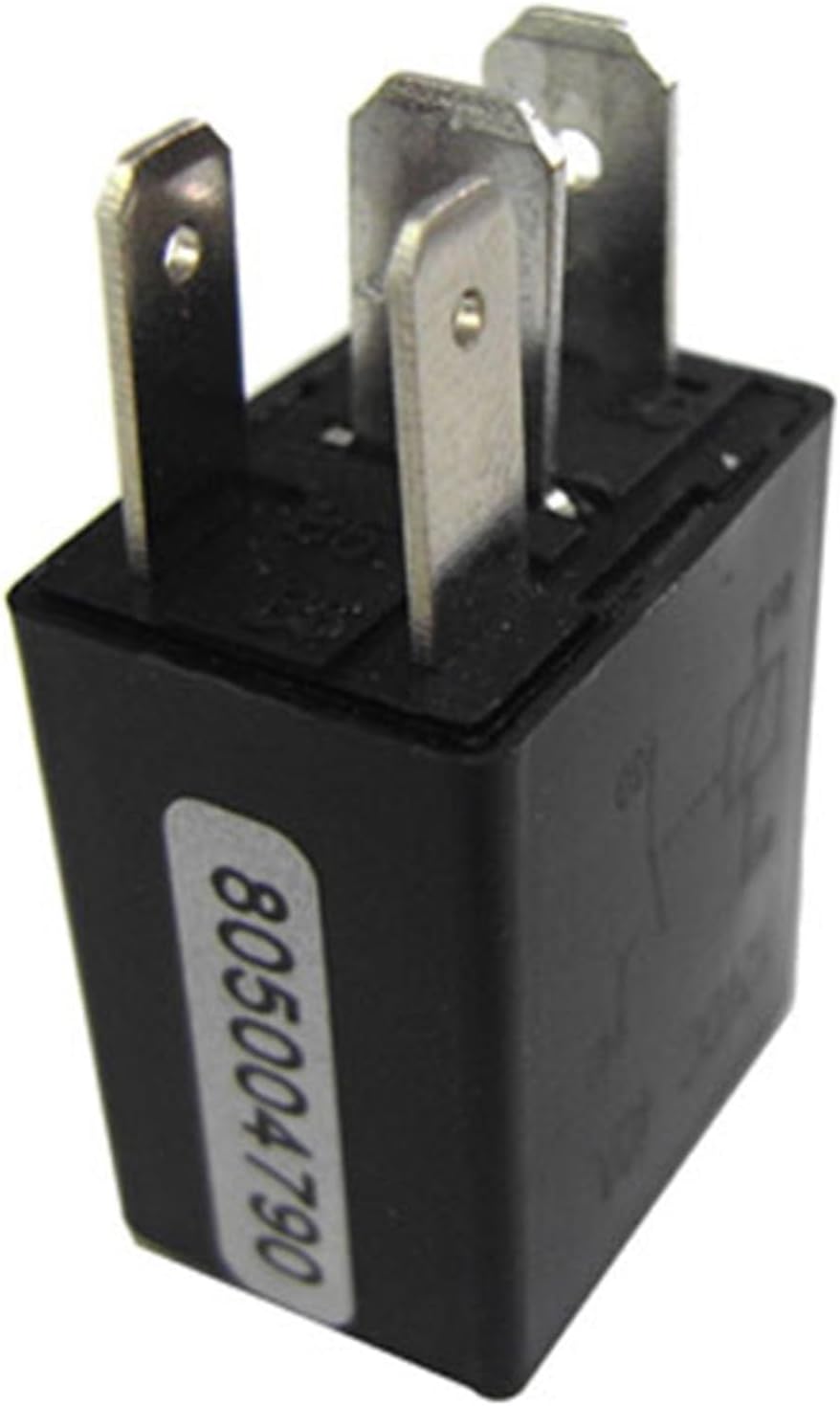
Figure 1.1: The ulafbwur Security M501 A Car Immobilizer unit, a compact device designed for vehicle anti-theft protection.
2. Package Contents
Please verify that all items listed below are included in your package:
- 1 x Car Immobilizer Unit
- 2 x Remote Controllers (each with CR2032 Button Battery included)
- 1 x User Manual (this document)

Figure 2.1: Contents of the package, showing the main immobilizer unit and the two remote controllers.
3. Specifications
Below are the technical specifications for the Security M501 A Car Immobilizer:
| Feature | Detail |
|---|---|
| Item Name | Car Immobilizer |
| Material | ABS |
| Load Current | 30A |
| Warning Distance (Remote Range) | 15m (approx. 49 feet) |
| Supply Voltage | 12V DC |
| Batteries (Remote) | CR2032 Button Battery (Included) |
| Working Current (Remote Controller) | 5mA |
| Working Current (Car Immobilizer) | 20mA |
| Dimensions (L x W x H) | 3.5cm x 2cm x 1.5cm (Approx. 1.38" x 0.79" x 0.59") |
| Wireless Remote | Yes |

Figure 3.1: Visual representation of the immobilizer unit's dimensions.

Figure 3.2: Detailed view of the immobilizer's connection pins, highlighting its robust construction.
4. Setup and Installation
The Security M501 A Car Immobilizer is designed for straightforward installation. However, due to its integration with vehicle electrical systems, professional installation is highly recommended to ensure proper function and avoid damage to your vehicle.
4.1. General Installation Guidelines
- Disconnect Vehicle Battery: Before beginning any electrical work, always disconnect the negative terminal of your vehicle's battery to prevent short circuits or electrical damage.
- Identify Power Source: The immobilizer requires a 12V DC power supply. Identify a suitable constant 12V power source within your vehicle's wiring harness.
- Integrate with Ignition System: The immobilizer unit must be wired into your vehicle's ignition or fuel pump circuit to effectively prevent the engine from starting when armed. Consult a professional auto electrician for precise wiring diagrams specific to your vehicle model.
- Secure Placement: Mount the immobilizer unit in a secure, hidden location within the vehicle, away from excessive heat, moisture, and vibration.
- Reconnect Battery: Once all wiring is complete and secured, reconnect the vehicle battery.
4.2. Remote Controller Pairing (If applicable)
The remote controllers are typically pre-paired with the immobilizer unit. If re-pairing is necessary, refer to the specific instructions provided by your installer or contact customer support for guidance. Ensure the CR2032 button battery is correctly inserted into each remote controller.

Figure 4.1: The immobilizer unit, symbolizing enhanced vehicle security against theft.
5. Operating Instructions
The Security M501 A Car Immobilizer operates wirelessly using the provided remote controllers. It is designed to automatically arm and disarm based on the proximity of the remote.
5.1. Arming the System
When the remote controller is moved out of the 15-meter warning distance from the vehicle, the immobilizer system will automatically arm. This prevents the engine from starting, providing anti-theft protection. No manual action is typically required on the remote for arming.
5.2. Disarming the System
When the remote controller is brought within the 15-meter warning distance of the vehicle, the immobilizer system will automatically disarm. This allows the engine to start normally. Ensure the remote is always with you when attempting to start the vehicle.

Figure 5.1: A hand operating the remote controller, which wirelessly communicates with the immobilizer unit.
5.3. Remote Controller Buttons (If applicable)
While the primary function is proximity-based auto arm/disarm, some remote controllers may have additional buttons (e.g., lock/unlock icons). These buttons may offer supplementary functions depending on the specific model and installation. Refer to your installer or specific product documentation for details on these additional features.
6. Maintenance
The Security M501 A Car Immobilizer is designed for low maintenance. Follow these guidelines to ensure optimal performance:
- Remote Battery Replacement: The remote controllers use CR2032 button batteries. If the remote's range decreases or it becomes unresponsive, replace the battery. Open the remote casing carefully, replace the battery with a new CR2032, ensuring correct polarity, and reassemble.
- Keep Unit Dry: Ensure the main immobilizer unit remains dry and free from moisture.
- Clean Remotes: Wipe the remote controllers with a soft, dry cloth to keep them clean. Avoid using harsh chemicals.
- Avoid Extreme Temperatures: Do not expose the immobilizer unit or remotes to extreme temperatures for prolonged periods.
7. Troubleshooting
If you encounter issues with your Security M501 A Car Immobilizer, please refer to the following common troubleshooting steps:
- Vehicle Won't Start:
- Ensure the remote controller is within the 15-meter disarming range.
- Check the battery in the remote controller and replace if necessary.
- Verify that the immobilizer unit's connections to the vehicle's electrical system are secure.
- Remote Not Responding:
- Replace the CR2032 battery in the remote.
- Ensure there are no strong electromagnetic interferences in the vicinity.
- System Malfunction:
- If issues persist after basic troubleshooting, it is recommended to consult a professional auto electrician or contact customer support.
8. Warranty and Support
For warranty information, technical support, or service inquiries regarding your ulafbwur Security M501 A Car Immobilizer, please contact the seller or manufacturer directly. Keep your purchase receipt as proof of purchase for any warranty claims.
For further assistance, please refer to the contact information provided at the point of purchase or on the product packaging.