
Introduction
The DOVIICO Smart Watch ZL54C is designed to enhance your daily fitness and communication experience. This device tracks various exercises, monitors health metrics, and keeps you connected with calls and notifications directly from your wrist. This manual provides detailed instructions for setup, operation, and maintenance of your smartwatch.
Setup Guide
1. App Download
To begin, download and install the official "DaFit" application on your smartphone. You can find the app on the Apple App Store for iOS devices or Google Play Store for Android devices. Alternatively, scan the QR code provided in your product packaging to directly access the download link.
2. Device Pairing
- Open the "DaFit" app on your smartphone.
- Ensure Bluetooth is activated on your phone.
- Within the "DaFit" app, search for available devices to pair. The device name for your smartwatch is "ZL54C". You may also scan a QR code displayed on the smartwatch itself to initiate pairing.
- Follow the on-screen prompts in the app or on the device to complete the binding process.
3. Bluetooth Phone Call Functionality
For successful call making and receiving directly from your smartwatch, ensure that the device is correctly bound to the Bluetooth connection named "ZL54C" on your phone. This is a separate Bluetooth connection for call audio.
Important Pairing Tips
- Upon logging into the "DaFit" app, a pop-up window will request various permissions. Always allow the app to access necessary mobile phone functions such as sending/viewing information, device location, address book, managing calls, call records, and device information. Denying these permissions may limit smartwatch functionality.
- During the Bluetooth connection process, your mobile phone may display a Bluetooth pairing request. Select "Allow Pairing" to establish the connection.

Image: The DOVIICO Smart Watch ZL54C, illustrating its design and display.
Operating Instructions
1. Call and Message Management
The smartwatch supports Bluetooth calls, allowing you to answer or make calls directly from your wrist. It also provides ringtone reminders for incoming calls and displays notifications for text messages and other applications. You can store contacts and view call history on the watch.

Image: The smartwatch displaying real-time notifications from social media and messaging applications.
2. Health Monitoring and Activity Tracking
The ZL54C smartwatch offers comprehensive health monitoring features:
- Heart Rate Monitoring: Continuously tracks your heart rate throughout the day.
- Blood Oxygen (SpO2) Tracking: Measures your blood oxygen saturation levels.
- Sleep Monitoring: Analyzes your sleep patterns, including deep sleep, light sleep, and wake-up times, to help improve sleep quality.
- Activity Tracking: Automatically records daily steps, distance covered, calories burned, and active minutes.
- Female Physiological Reminders: Provides tracking for menstrual cycles, fertile windows, and estimated ovulation.

Image: Display of the smartwatch showing health monitoring data for heart rate, blood pressure, and SpO2.

Image: The smartwatch interface showing sleep patterns and female health tracking features.
3. Sports Modes
The smartwatch features over 123 built-in sports modes to accurately record your exercise data. It can provide detailed data for 8 types of exercise, including steps, exercise time, GPS exercise track (viewable in the DaFit app), calories burned, exercise heart rate tracking, and mileage.
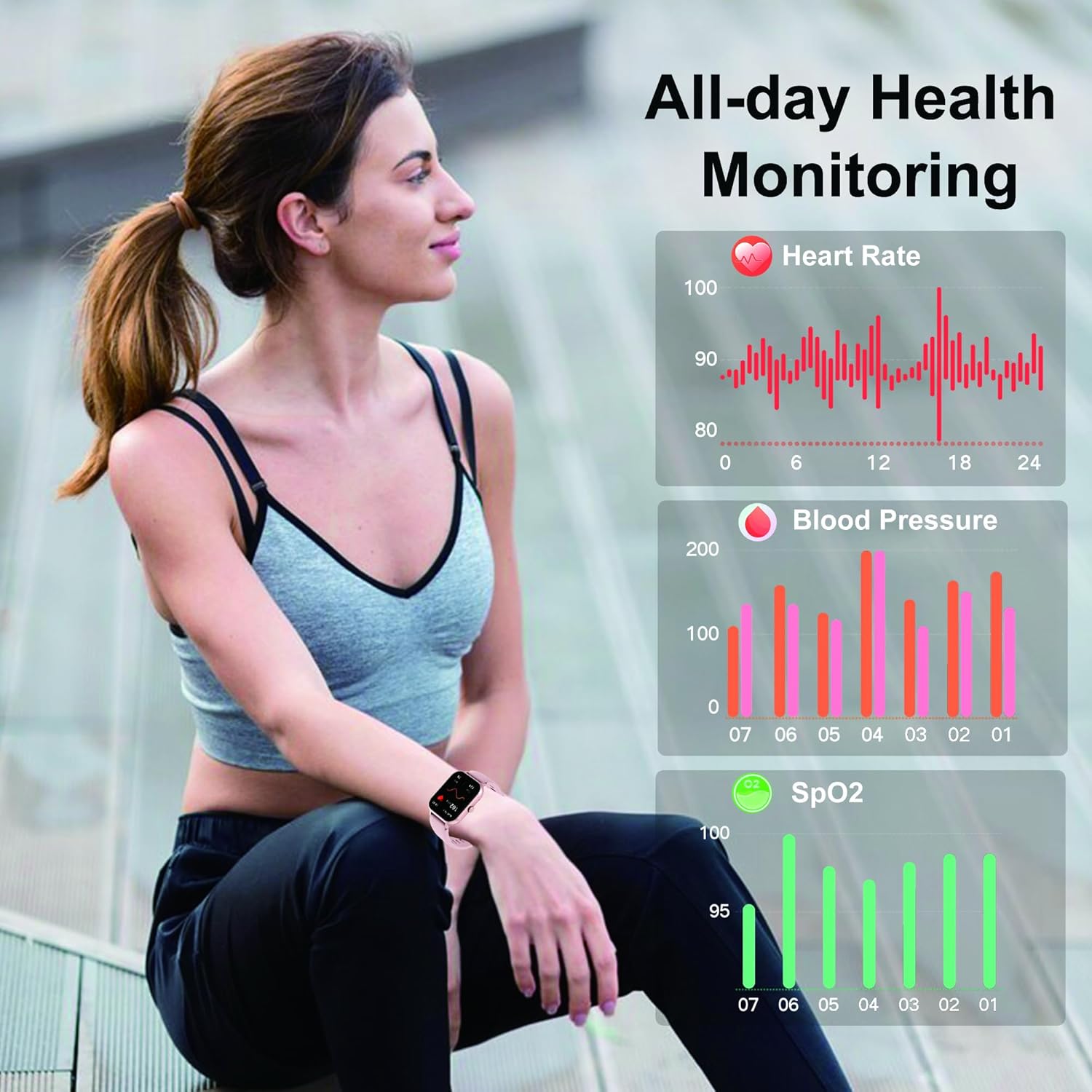
Image: The smartwatch interface showcasing its 123+ sport modes and detailed exercise data tracking.
4. Voice Assistant
Utilize the integrated voice assistant for hands-free control. You can use voice commands to make calls, play music, set alarms, inquire about weather conditions, and perform other tasks, enhancing convenience during activities like driving or exercising.
5. Customization and Display
- Watch Faces: Choose from over 100 DIY watch faces available for download and use within the "DaFit" app. You can also switch between watch interfaces by long-pressing on the watch dial or through the app.
- Menu Modes: Multiple main menu modes are available, allowing you to select styles that suit your preferences.
- Display: The smartwatch features a 1.83-inch full touch screen with a resolution of 240x284 pixels, providing a clear and interactive visual experience.

Image: The smartwatch showcasing its 1.83-inch touch screen, customizable watch faces, and battery performance details.

Image: Overview of the smartwatch features and smart life assistant functions.
Maintenance
1. Charging
To charge your smartwatch, connect the provided charging cable to the charging contacts on the back of the watch and a compatible USB power source. A full charge typically takes 2.5 to 3 hours. The battery provides 5-10 days of normal use and up to 30 days of standby time.
2. Water Resistance
The DOVIICO Smart Watch ZL54C is IP68 waterproof, meaning it is resistant to dust and can withstand immersion in water up to 1.5 meters for 30 minutes. It is suitable for daily activities such as washing hands, anti-sweat, and rain exposure. However, it is not recommended for hot showers, saunas, or diving, as steam and hot water may compromise the seal.

Image: The smartwatch highlighting its IP68 waterproof rating, suitable for various water-related daily activities.
3. Cleaning and Care
Wipe the watch and strap regularly with a soft, dry cloth. Avoid using harsh chemicals or abrasive materials. Ensure the charging contacts are clean and dry before charging to prevent corrosion.
Troubleshooting
- Device not turning on: Ensure the watch is fully charged. Connect it to the charger and wait a few minutes before attempting to power it on.
- Cannot pair with phone:
- Verify that Bluetooth is enabled on your smartphone.
- Ensure the "DaFit" app has all necessary permissions granted.
- Restart both your phone and the smartwatch.
- Try unpairing and re-pairing the device through the "DaFit" app.
- Notifications not received:
- Check app permissions on your phone to ensure the "DaFit" app can access notifications.
- Confirm that notification settings are enabled within the "DaFit" app for specific applications.
- Ensure the smartwatch is connected via Bluetooth to your phone.
- Inaccurate health data: Ensure the watch is worn snugly on your wrist, but not too tight. Clean the sensor on the back of the watch regularly.
- Bluetooth call issues: Confirm that the "ZL54C" Bluetooth audio connection is active and paired on your phone, in addition to the main app connection.
Specifications
| Feature | Detail |
|---|---|
| Model | ZL54C |
| Display | 1.83-inch LCD Full Touch Screen |
| Resolution | 240 x 284 pixels |
| Battery Capacity | 230 mAh |
| Charging Time | Approximately 2.5 - 3 hours |
| Battery Life (Normal Use) | 5 - 10 days |
| Battery Life (Standby) | Up to 30 days |
| Water Resistance | IP68 (Dust and water resistant) |
| Connectivity | Bluetooth |
| Compatible OS | Android, iOS (via DaFit app) |
| RAM Memory | 578 KB |
| Mounting Hardware | Smartwatch, Charging Cable |
| Health Monitoring | Heart Rate, SpO2, Sleep, Female Physiological Cycle |
| Activity Modes | 123+ Sports Modes |
| Special Features | Bluetooth Call, Voice Assistant, Customizable Watch Faces, Notifications, Alarm, Timer, Stopwatch, Music Control, Remote Camera Shutter, Weather |

