
1. Product Overview
These propellers are designed as replacement accessories for the K101 MAX Foldable Quadcopter. They are crucial components for flight stability and performance. The set includes both Clockwise (CW) and Counter-Clockwise (CCW) rotating blades, which are essential for the drone's lift and control. Always ensure you use the correct propeller type in the designated motor position.
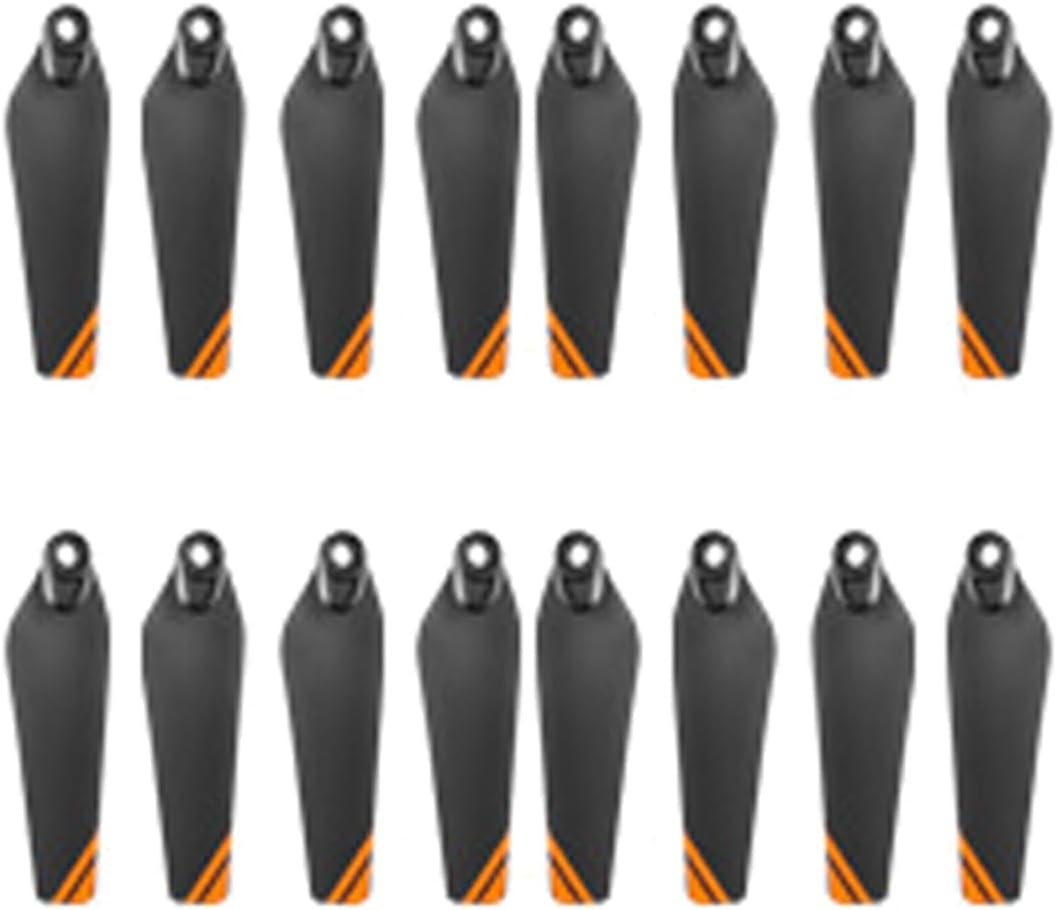
Image 1.1: DAYUDDRICAR K101 MAX Drone Propellers. This image displays a set of drone propellers, highlighting their design and form factor, ready for installation on the K101 MAX quadcopter.
2. Setup and Installation
Proper installation of propellers is vital for the safe and stable operation of your K101 MAX drone. Follow these steps carefully:
- Identify Propeller Types: Propellers are typically marked with 'A' or 'B', or have a distinct shape to indicate their rotation direction (CW or CCW). Match these markings to the corresponding motor arms on your K101 MAX drone. Incorrect placement can lead to unstable flight or inability to take off.
- Remove Old Propellers: If replacing existing propellers, carefully unscrew the retaining screws that secure the old propeller to the motor shaft. Keep the screws in a safe place.
- Position New Propeller: Place the new propeller onto the motor shaft, ensuring it sits flush and the screw holes align. Verify that you are installing the correct CW or CCW propeller for that specific motor.
- Secure Propeller: Use the original screws to firmly attach the propeller. Do not overtighten, as this can damage the propeller or motor. Ensure the propeller is secure and does not wobble.
- Repeat for All Propellers: Install all remaining propellers, double-checking each for correct type and secure attachment.
Safety Note: Always ensure the drone's power is off and the battery is disconnected before handling or installing propellers. Propellers can be sharp; handle with care.
3. Pre-Flight Checks (Operating)
Before each flight, perform the following checks to ensure propeller integrity and safety:
- Visual Inspection: Examine each propeller for any signs of damage, such as cracks, bends, chips, or deformities. Even minor damage can affect flight performance and safety.
- Secure Attachment: Gently try to rotate each propeller by hand to confirm it is securely fastened to the motor shaft and does not have excessive play.
- Correct Orientation: Double-check that CW and CCW propellers are installed on their respective motor arms as per the drone's manual.
- Cleanliness: Ensure propellers are free from dirt, dust, or debris that could unbalance them during flight.
4. Maintenance
Regular maintenance extends the lifespan of your propellers and ensures consistent flight performance:
- Cleaning: After flights, especially in dusty or sandy environments, gently wipe the propellers with a soft, damp cloth to remove any accumulated dirt. Avoid harsh chemicals.
- Storage: Store spare propellers in a cool, dry place, away from direct sunlight and extreme temperatures. Keep them in their original packaging or a protective case to prevent bending or damage.
- Replacement: Replace propellers immediately if any damage is observed, no matter how minor. Flying with damaged propellers can lead to drone crashes and potential injury.
5. Troubleshooting
If you experience issues with your drone's flight performance, consider the following propeller-related troubleshooting steps:
- Drone Unstable/Drifting:
- Check if all propellers are installed correctly (CW/CCW).
- Inspect for any bent or damaged propellers that might be causing imbalance.
- Ensure all propellers are securely tightened.
- Unusual Noise During Flight:
- A rattling or vibrating noise often indicates a loose or damaged propeller. Inspect and replace as necessary.
- Ensure no foreign objects are caught in the propellers or motors.
- Reduced Lift/Power:
- Severely worn or damaged propellers can reduce efficiency. Replace them.
- Confirm propellers are clean and free of debris.
6. Specifications
| Feature | Detail |
|---|---|
| Compatibility | K101 MAX Foldable Quadcopter |
| Propeller Type | CW (Clockwise) and CCW (Counter-Clockwise) |
| Design | Foldable |
| Package Dimensions | 1.18 x 0.79 x 0.39 inches |
| Item Weight | 1.76 ounces (for the package) |
7. Warranty and Support
These DAYUDDRICAR K101 MAX Drone Propellers come with a standard manufacturer's warranty against defects in materials and workmanship. For specific warranty terms, duration, and to initiate a support request, please refer to the product packaging or visit the official DAYUDDRICAR website. Keep your purchase receipt as proof of purchase.
For technical assistance or further inquiries, please contact DAYUDDRICAR customer support through the channels provided with your product or on their official website.