
cellularline BTOZONETWSK
cellularline Ozone Open Ear Bluetooth Headset User Manual
Brand: cellularline | Model: BTOZONETWSK
Product Overview
The cellularline Ozone headset offers a unique open-ear design, utilizing Air Conduction technology to provide audio while maintaining awareness of your surroundings. This true wireless headset is designed for comfort and safety, allowing you to listen to music and make calls without fully isolating yourself. Its adjustable ear cups ensure a precise fit and optimal sound delivery, and with IPX5 certification, it is resistant to sweat and splashes, making it suitable for various activities.
Key Features
- Open Ear Design: Stay connected to your environment while enjoying audio.
- Air Conduction Technology: Speakers direct sound towards the ear without blocking the ear canal.
- IPX5 Certified: Sweat and splash proof for active use.
- Adjustable Ear Cup: Ensures precise sound alignment and comfortable fit.
- Extended Playtime: Up to 54 hours of total playtime with the charging case.

Image: The cellularline Ozone Open Ear Bluetooth Headset shown with its charging case.
Setup Guide
Package Contents
- Ozone Bluetooth® Headphones
- Charging Cable
- User Manual
Charging the Headset
- Place the Ozone headset into its charging case, ensuring proper alignment with the charging contacts.
- Connect the charging cable to the charging case and a compatible USB power source.
- The indicator lights on the case and/or headset will show charging status. A full charge takes approximately 1.5 hours.
- Once fully charged, the headset provides up to 9 hours of playtime on a single charge, with the charging case extending total playtime to 54 hours.

Image: The charging case displaying 9 hours of single charge playtime and 54 hours of total playtime.
Pairing with a Device
- Ensure the headset is charged.
- Open the charging case. The headset will automatically enter pairing mode, indicated by a flashing LED light.
- On your mobile phone or compatible device, go to Bluetooth settings.
- Search for available devices and select "Ozone" from the list.
- Once connected, the LED indicator on the headset will stop flashing and remain solid, or turn off, depending on the model.
Operating Instructions
Wearing the Headset
- Gently place the ear hook over your ear, positioning the speaker unit near your ear canal.
- Adjust the ear cup to ensure the sound is directed precisely into your ear for optimal audio quality and comfort. The adjustable design allows for a secure and personalized fit.

Image: A diagram illustrating the adjustable rotation of the earbud for a customized fit.
Basic Controls
The Ozone headset features intuitive controls for managing audio playback and calls. Refer to the specific button layout on your headset for exact functions.
- Power On/Off: Typically achieved by opening/closing the case or pressing and holding a multi-function button.
- Play/Pause: Single press on the multi-function button.
- Answer/End Call: Single press on the multi-function button during an incoming call or active call.
- Reject Call: Press and hold the multi-function button during an incoming call.
- Volume Control: (If available) Use dedicated buttons or your connected device.
Safety and Awareness
The open-ear design of the Ozone headset is specifically engineered to allow you to hear ambient sounds, enhancing safety in various environments such as public transport, city streets, or offices. This feature ensures you remain aware of your surroundings while enjoying your audio.
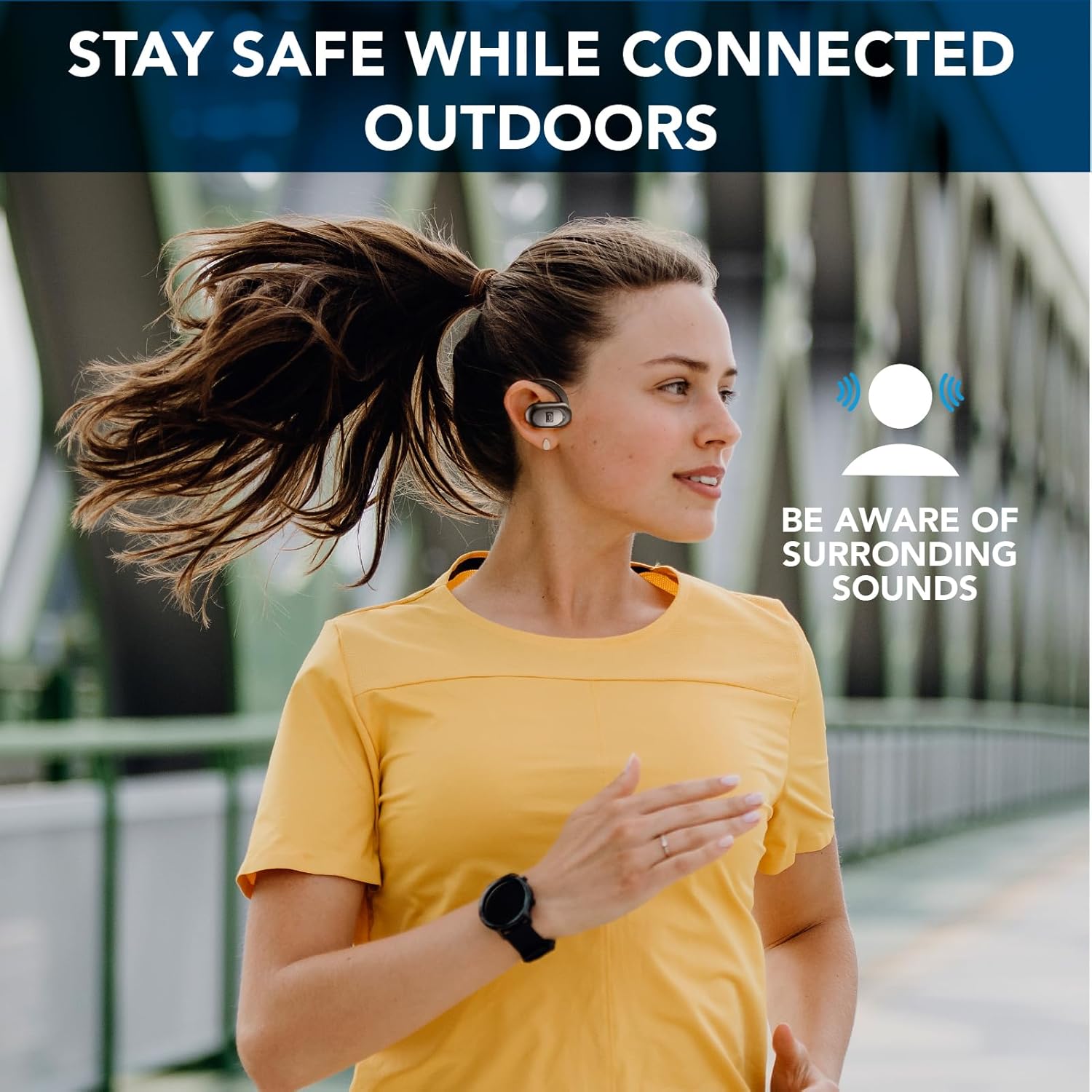
Image: A person running outdoors, demonstrating how the open-ear headset allows awareness of surrounding sounds.

Image: A person sitting on a bench, illustrating the ability to listen to people around you while wearing the headset.
Maintenance
Cleaning
- Wipe the headset and charging case with a soft, dry, lint-free cloth.
- For stubborn dirt, slightly dampen the cloth with water. Avoid using harsh chemicals or abrasive materials.
- Ensure charging contacts are clean and dry before placing the headset in the case.
Storage
- Store the headset in its charging case when not in use to protect it and keep it charged.
- Keep the device in a cool, dry place, away from extreme temperatures and direct sunlight.
Water Resistance (IPX5)
The Ozone headset is IPX5 certified, meaning it is protected against low-pressure water jets from any direction. This makes it resistant to sweat and light splashes, but it is not designed for submersion in water. Do not rinse under running water or use while swimming.

Image: The cellularline Ozone headsets shown on a surface with water droplets, highlighting their IPX5 sweat and rain proof capability.
Troubleshooting
| Problem | Possible Cause | Solution |
|---|---|---|
| Headset does not power on. | Low battery. | Place the headset in the charging case and charge fully. |
| Cannot pair with device. | Bluetooth is off on device; Headset not in pairing mode; Device too far. | Ensure Bluetooth is enabled on your device. Open the charging case to put headset in pairing mode. Move device closer to headset. |
| No sound or low volume. | Volume too low on device/headset; Headset not properly positioned; Not connected. | Increase volume on both headset and connected device. Adjust ear cup for proper sound direction. Reconnect the headset to your device. |
| Intermittent connection. | Interference; Device too far; Low battery. | Move away from sources of strong electromagnetic interference. Keep device within Bluetooth range. Charge the headset. |
Product Specifications
| Feature | Detail |
|---|---|
| Model Name | BTOZONETWSK |
| Connectivity Technology | Wireless, Bluetooth |
| Form Factor | Open-ear |
| IP Rating | IPX5 (Sweat and Splash Proof) |
| Total Playtime | Up to 54 hours (with charging case) |
| Single Charge Playtime | Up to 9 hours |
| Charging Time | Approx. 1.5 hours |
| Compatible Devices | Mobile phones |
| Control Type | Call Control |
| Item Weight | 100 grams (0.1 Kilograms) |
| Product Dimensions | 12.1 x 16.5 x 4 cm |
| Batteries | 3 Lithium Ion batteries (included) |
| Material | Plastic |
| Color | Black |
Warranty and Support
For information regarding warranty coverage, technical support, or service inquiries for your cellularline Ozone headset, please refer to the warranty card included in your product packaging or visit the official cellularline website. You may also contact cellularline customer service directly for assistance.
Related documentsBTOZONETWSK


Ask a question about this manual
Ask about setup, troubleshooting, compatibility, parts, safety, or missing instructions. Manuals+ will review the question and use this page’s manual context to help answer it.