
Sharmeal TM16E
Sharmeal 150PSI 4500A Car Jump Starter with Air Compressor (Model TM16E) User Manual
Model: TM16E
Introduction
This manual provides comprehensive instructions for the safe and effective use of your Sharmeal 150PSI 4500A Car Jump Starter with Air Compressor. This versatile device combines a powerful jump starter, a high-pressure air compressor, a portable power bank, and an emergency LED flashlight, designed to assist you in various automotive and outdoor situations.
Safety Information
Please read all safety warnings and instructions carefully before using this product. Failure to follow these instructions may result in electric shock, fire, and/or serious injury.
- Always connect the red clamp to the positive (+) terminal and the black clamp to the negative (-) terminal.
- Do not touch the red and black clamps together.
- Ensure the jump starter is fully charged before use for optimal performance.
- Do not expose the unit to rain or wet conditions.
- Keep out of reach of children.
- Use in a well-ventilated area.
- If the unit becomes excessively hot during use, discontinue operation immediately.
Package Contents
Verify that all items are present in your package:
- 1x Sharmeal Jump Starter with Air Compressor
- 1x Smart Jumper Cables
- 1x Air Pump Hose
- 3x Gas Nozzles (for various inflatables)
- 1x Type-C Charging Cable
- 1x Charger Block
- 1x User Manual (this document)
- 1x Portable Carrying Case
- 1x Velvet Bag

Image: Sharmeal Jump Starter unit with all included accessories, neatly arranged.
Product Overview
Familiarize yourself with the main components and interfaces of your Sharmeal jump starter:

Image: Front and side view of the Sharmeal jump starter with key components labeled: Parameter Display, Operation Buttons, USB Output, Type-C Input, DO Startup Interface, LED Lighting, and Inflation Connection Port.
- Parameter Display: Shows battery level, inflation mode, and real-time tire pressure.
- Operation Buttons: Control power, lighting, and air compressor settings.
- USB Output: For charging external devices.
- Type-C Input: For charging the jump starter unit.
- DO Startup Interface: Connects to the smart jumper cables for jump-starting.
- LED Lighting: Provides illumination with multiple modes.
- Inflation Connection Port: Connects to the air pump hose for inflation.
Setup
Charging the Jump Starter
Before first use, fully charge the jump starter. Use the provided Type-C charging cable and charger block.
- Connect the Type-C charging cable to the Type-C input port on the jump starter.
- Plug the charger block into a standard wall outlet.
- The display will indicate the charging status. Charge until the battery indicator shows full.
Operating Instructions
1. Jump Start Function
This unit is designed to jump-start 12V vehicles with up to 9.0L gas or 8.0L diesel engines.
- Ensure the jump starter is sufficiently charged.
- Connect the smart jumper cables to the DO Startup Interface on the jump starter. Ensure a secure connection.
- Attach the red (+) clamp to the positive terminal of the vehicle's battery.
- Attach the black (-) clamp to the negative terminal of the vehicle's battery.
- Once connected, the smart jumper cables will indicate readiness (e.g., a solid green light).
- Start your vehicle's engine.
- Once the vehicle starts, immediately remove the jumper cables from the jump starter, then from the vehicle battery (black first, then red).

Image: Visual guide showing the three steps to jump start a vehicle: insert jumper cable into booster, connect clamps to car battery, and start car engine.
Video: A demonstration of how to use the Sharmeal jump starter for emergency vehicle starting, including connecting the cables and starting the car.
Video: Detailed instructions on how to properly use the Sharmeal jump starter to start a vehicle, covering connection points and operational steps.
2. Air Compressor Function
The built-in air compressor can inflate tires and various other items with a maximum pressure of 150 PSI.
- Screw the air pump hose into the Inflation Connection Port on the jump starter.
- Select the appropriate gas nozzle for the item you wish to inflate and attach it to the other end of the air pump hose.
- Connect the nozzle to the item's valve.
- Press the power button to turn on the unit. The display will show the current pressure.
- Use the '+' and '-' buttons to set the desired inflation pressure.
- Press the start button to begin inflation. The compressor will automatically stop once the preset pressure is reached.
- Remove the nozzle and hose once inflation is complete.

Image: The Sharmeal jump starter connected to a car tire, demonstrating its air compressor function with the digital display showing pressure.
Video: A comprehensive overview of the Sharmeal Jump Starter with Air Compressor, highlighting its features and demonstrating both jump-starting and tire inflation capabilities.
3. Power Bank Function
The unit can serve as a portable power bank to charge your electronic devices.
- Connect your device's USB charging cable to the USB Output port on the jump starter.
- The jump starter will automatically begin charging your device.
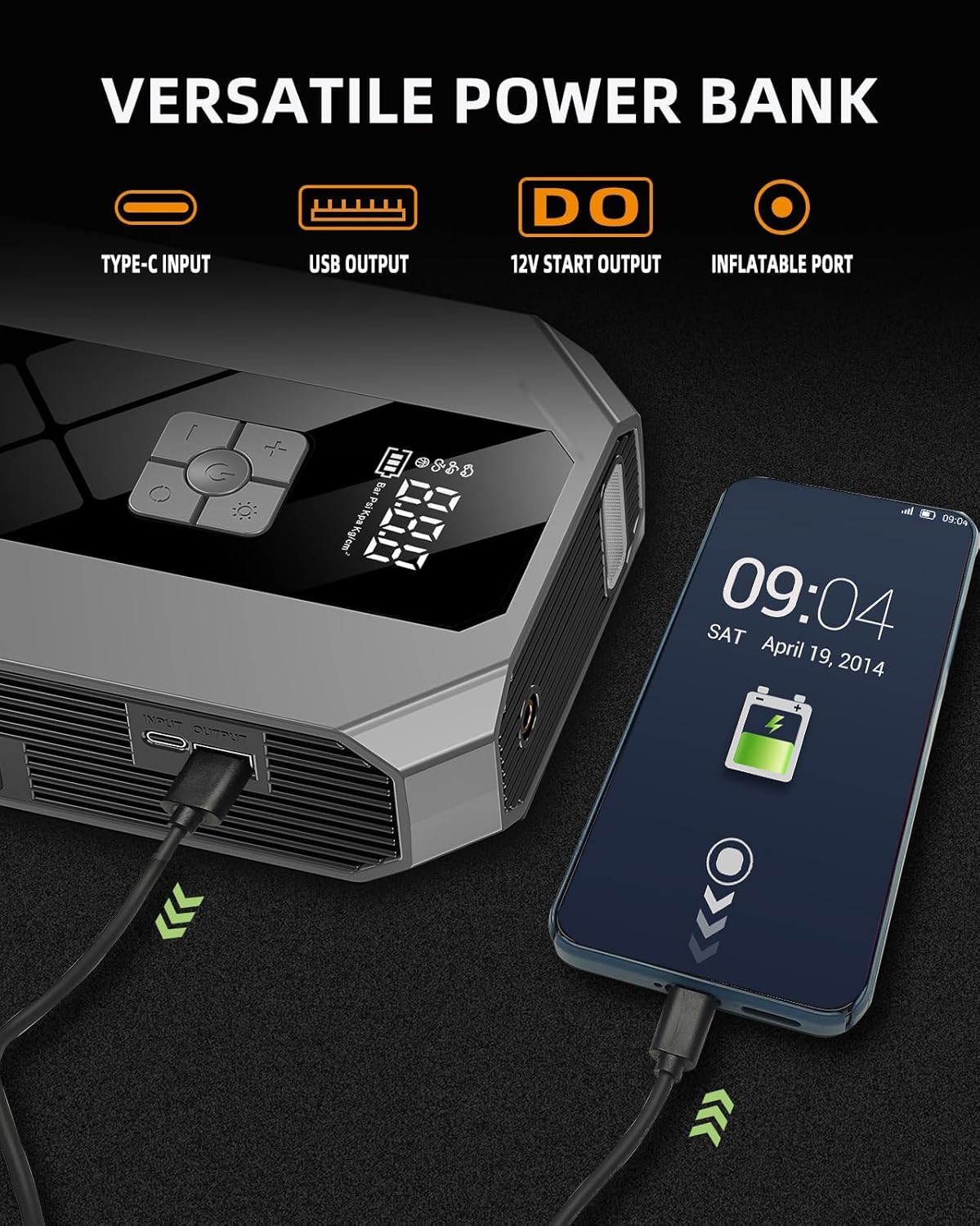
Image: The Sharmeal jump starter connected via USB to a smartphone, illustrating its power bank functionality.
4. LED Flashlight Function
The integrated LED flashlight offers multiple lighting modes for emergencies or general use.
- Press the light button to cycle through the modes: constant light, strobe, and SOS.
- Press and hold the button to turn off the light.
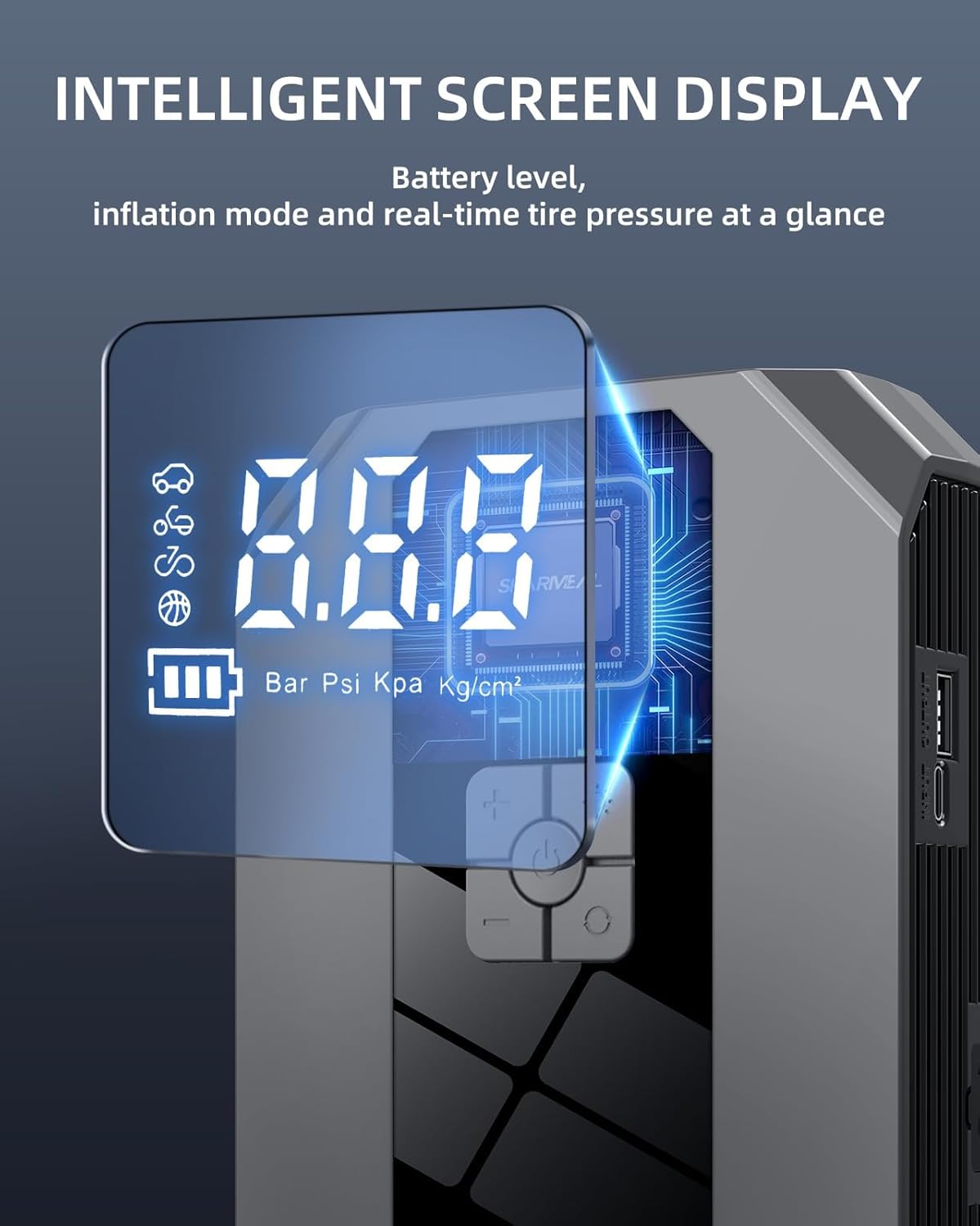
Image: The Sharmeal jump starter displaying its LED emergency light feature, showing options for lighting, SOS, and strobe modes.
Maintenance
- Charging: For optimal battery life, recharge the unit every 3-6 months, even if not in use.
- Cleaning: Wipe the unit with a dry, soft cloth. Do not use harsh chemicals or abrasive cleaners.
- Storage: Store the jump starter in its portable carrying case in a cool, dry place, away from direct sunlight and extreme temperatures.
Troubleshooting
- Unit Not Turning On: Ensure the unit is charged. If fully charged and still not turning on, contact customer support.
- Jump Start Failure: Check that the jumper cables are securely connected to both the jump starter and the vehicle battery terminals. Ensure the clamps are on the correct polarity (+ to +, - to -). The vehicle battery might be severely discharged; allow a few minutes for the jump starter to provide some charge before attempting to start again.
- Air Compressor Not Inflating: Verify the air pump hose is securely attached to the unit and the item's valve. Check for any kinks or blockages in the hose. Ensure the desired pressure is set and the inflation process is initiated.
- Overheating: If the unit feels excessively hot, disconnect it and allow it to cool down before further use. Prolonged use of the air compressor may cause it to heat up; this is normal, but continuous overheating indicates an issue.
Specifications
| Feature | Specification |
|---|---|
| Brand | Sharmeal |
| Model Number | TM16E |
| Peak Current | 4500A |
| Engine Compatibility | Up to 9.0L Gas / 8.0L Diesel (12V) |
| Air Compressor Pressure | 150 PSI (35L/Min) |
| Battery Cell Composition | Lithium Ion |
| Product Dimensions | 1.75 x 5 x 8 inches |
| Item Weight | 0.317 ounces |
| Voltage | 12 Volts |
Warranty and Support
Sharmeal offers a 2-YEAR FREE Warranty for this product. We also provide Lifetime Technical Support and 7/24 Customer Service to assist you with any questions or issues you may encounter.
For support, please refer to the contact information provided with your product packaging or visit the official Sharmeal website.
Ask a question about this manual
Ask about setup, troubleshooting, compatibility, parts, safety, or missing instructions. Manuals+ will review the question and use this page’s manual context to help answer it.