
1. Introduction
The CDBAIRUI E32-900T20D-V8 is a high-performance LoRa wireless transceiver module designed for Internet of Things (IoT) applications. Utilizing LoRa spread spectrum technology, it offers an ultra-long communication range, strong anti-interference capabilities, and enhanced data confidentiality. This module operates in the 868MHz and 915MHz frequency bands, providing a robust solution for wireless data transmission.
Key features include a maximum transmit power of 20dBm (100mW), enabling communication distances up to 5500 meters. It supports various working modes, including transparent transmission, wake-up, power saving, and deep sleep, to optimize power consumption for battery-powered applications. The module is built with high-quality components, including an original SX1276 chip and an industrial-grade crystal oscillator, ensuring stable performance across a wide temperature range.

Figure 1: CDBAIRUI E32-900T20D-V8 LoRa Wireless Transceiver Module
2. Features and Benefits
- LoRa Spread Spectrum Technology: Provides extended communication range, superior anti-interference, and strong confidentiality for reliable data links.
- Multiple Working Modes: Supports Transparent Transmission, Wake-up (wake on air), Power Saving (wake on air receiver mode), and Deep Sleep modes for flexible application and power management.
- Low Power Consumption: Features air wake-up support and a deep sleep mode with only 2uA power consumption, significantly extending battery life for portable devices.
- High-Quality Components: Equipped with an original SX1276 RF chip, industrial-grade crystal oscillator, impedance matching, and a high-quality filter circuit for stable and excellent performance.
- Wide Application Scope: Suitable for various IoT scenarios including smart agriculture, wireless remote control, industrial automation, and smart wearables.

Figure 2: LoRa Spread Spectrum Technology and Performance Overview

Figure 3: Applicable Application Scenarios
3. Setup Guide
3.1 Physical Connection
- Power Supply: Connect the module to a stable power supply within the specified voltage range. Refer to the Specifications section for details.
- UART Interface: Connect the module's UART pins (TXD, RXD, GND) to your host microcontroller or device. Ensure correct wiring for data transmission.
- Antenna: Attach a compatible 868MHz or 915MHz antenna to the module's antenna connector. Ensure the antenna is securely fastened for optimal performance.
- Auxiliary Pins: Utilize auxiliary pins (e.g., AUX, M0, M1) as required for mode control and status indication, as detailed in the module's datasheet.
3.2 Initial Configuration
Before operation, ensure your host device's UART settings (baud rate, parity, stop bits) match the module's default or configured settings. The module typically operates in transparent transmission mode by default, allowing direct data flow.
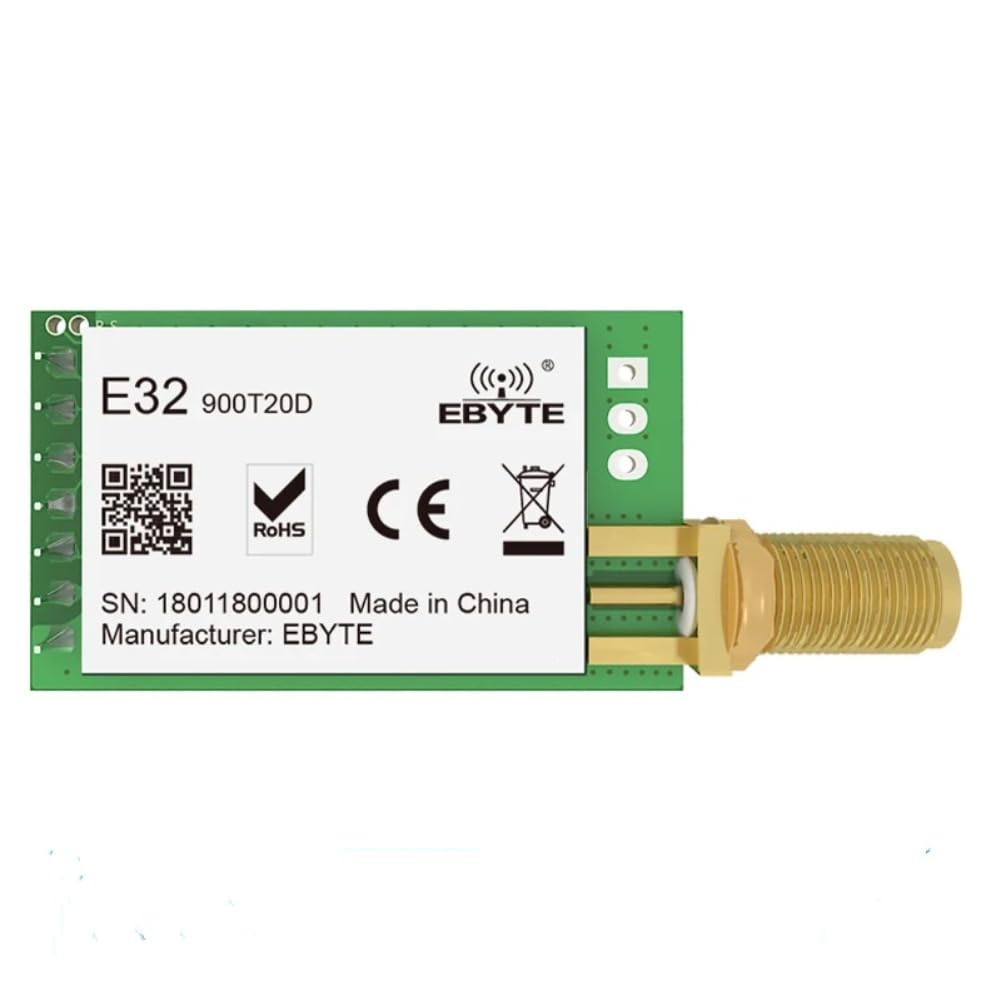
Figure 4: Module Dimensions and Pinout Reference
This image shows the physical dimensions of the module, which are approximately 21mm by 36mm. It also provides a visual reference for the pin layout, which is crucial for correct electrical connections during setup.
4. Operating Modes
The E32-900T20D-V8 module supports four distinct working modes, each optimized for different application requirements:
- Transmission Mode: This is the most commonly used working mode, enabling transparent data transmission. Data sent to the module's UART input is directly transmitted wirelessly, and received wireless data is output via UART.
- Wake-up Mode (Transmitter): Designed for low power consumption, this mode allows the transmitter to automatically add a wake-up code before transmitting data. This feature is useful for waking up a receiver module that is in power-saving mode.
- Power Saving Mode (Receiver): In this low-power receiver mode, the module can be awakened by a transmitter in wake-up mode. While in this mode, the receiver cannot initiate data transmission itself.
- Deep Sleep Mode: This is the lowest power consumption mode, where the overall power consumption is approximately 2uA. In deep sleep, the module is largely inactive, suitable for applications requiring maximum battery life.

Figure 5: Four Working Modes

Figure 6: Low Power Consumption with Air Wake-up
This diagram illustrates how the power saving mode works, where a module (A) can transmit data to awaken another module (D) from its power saving state, allowing it to receive and output data. This significantly reduces the power consumption of the receiving end, making it ideal for battery-powered applications.
5. Specifications
| Feature | Description |
|---|---|
| Model Name | E32-900T20D-V8 |
| Brand | CDBAIRUI |
| Chipset | SX1276 (LoRa Spread Spectrum) |
| Operating Frequency | 862-931 MHz (868MHz / 915MHz bands) |
| Transmit Power | 20dBm (100mW) |
| Communication Distance | Up to 5500 meters (line of sight) |
| Interface | UART |
| Deep Sleep Power Consumption | Approx. 2uA |
| Operating Temperature | -40°C to +80°C |
| Antenna Impedance | 50Ω |
| Dimensions | Approx. 36mm x 21mm |

Figure 7: High-Quality Components
This image details the internal construction, showing the original SX1276 chip, an industrial-grade crystal oscillator for stable operation, proper impedance matching for the transmit power, and a high-quality filter circuit for good frequency selectivity.
6. Maintenance
The CDBAIRUI E32-900T20D-V8 module is designed for robust operation with minimal maintenance. To ensure its longevity and optimal performance, consider the following:
- Environmental Conditions: Operate the module within its specified temperature and humidity ranges. Avoid exposure to extreme temperatures, direct sunlight, moisture, or corrosive environments.
- Physical Handling: Handle the module with care to prevent physical damage to components or connectors. Avoid applying excessive force when connecting antennas or cables.
- Cleaning: If necessary, gently clean the module's surface with a soft, dry cloth. Do not use liquid cleaners or solvents.
- Firmware Updates: Check the manufacturer's official website periodically for any available firmware updates that may improve performance or add new features. Follow the provided instructions carefully for any update procedures.
7. Troubleshooting
If you encounter issues with your E32-900T20D-V8 module, consider the following troubleshooting steps:
- No Power:
- Verify that the power supply is connected correctly and provides the specified voltage and current.
- Check for any loose connections or damaged power cables.
- No Communication (UART):
- Ensure the UART TXD, RXD, and GND pins are correctly wired between the module and your host device.
- Confirm that the baud rate, parity, and stop bits settings on your host device match the module's configuration.
- Check if the module is in the correct operating mode (e.g., Transmission Mode) for data transfer.
- Poor Wireless Range or Connectivity:
- Ensure the antenna is securely attached and is the correct type (868MHz/915MHz) for the module.
- Check for physical obstructions between the transmitting and receiving modules. LoRa performs best with a clear line of sight.
- Verify that both modules are configured to the same frequency and channel settings.
- Minimize sources of electromagnetic interference in the operating environment.

Figure 8: LoRa Communication with Obstructions
This illustration demonstrates how LoRa spread spectrum communication maintains anti-interference capabilities and a longer transmission distance, even when minor obstructions are present, ensuring stable communication.
- Module Not Entering Low Power Mode:
- Confirm that the control pins (e.g., M0, M1) are correctly set to activate the desired low power mode (Power Saving or Deep Sleep).
- Ensure no continuous data is being sent to the UART, which might prevent the module from entering sleep.
8. Warranty and Support
For warranty information, please refer to the terms and conditions provided by your retailer or the official CDBAIRUI website. Technical support and additional resources, including detailed datasheets and application notes, can typically be found on the manufacturer's support portal.
If you require further assistance, please contact the seller or manufacturer directly with your product model number (E32-900T20D-V8) and a detailed description of the issue.