
wanwaytech S20
Wanwaytech S20 4G GPS Tracker User Manual
Model: S20
For Vehicles, Cars, Kids, and Assets
1. Introduction
The Wanwaytech S20 4G GPS Tracker is a compact and discreet device designed for real-time tracking of vehicles, cars, children, and assets. Utilizing GPS+BDS+GLONASS positioning, it provides accurate location data with various intelligent alarm functions to enhance security and monitoring capabilities.
This manual provides detailed instructions on setting up, operating, and maintaining your S20 GPS Tracker to ensure optimal performance and longevity.
2. Key Features
- Real-time Tracking: Supports GPS+BDS+GLONASS positioning for quick and accurate location updates.
- Multiple Update Intervals: Choose between 10-second or 120-second location updates.
- Integrated SIM Card: Comes with a pre-installed SIM card for convenient activation.
- Long-Lasting Battery: Equipped with a 6000mAh lithium battery offering up to 30 days of standby time.
- Powerful Magnetic Attachment: Built-in ultra-strong magnet for secure and hidden installation on metallic surfaces.
- Intelligent Alarm Alerts: Includes over-speed, geo-fence, light sensor, low battery, and tamper alarms.
- Self-Developed "TrackerOne" App: User-friendly interface available on Android and iOS for real-time monitoring and data access.
- Tracking History: Access current and historical tracking data easily on the secure TrackerOne platform.
3. What's in the Box
Upon unboxing your Wanwaytech S20 GPS Tracker, please ensure all components are present:
- Wanwaytech S20 GPS Tracker Device
- USB Charging Cable
- Pre-installed SIM Card
- User Manual (this document)
- Warranty Card

Figure 3.1: Packaging contents of the S20 GPS Tracker.
4. Setup Guide
4.1. App Download and Activation
- Download the "TrackerOne" application from your device's app store (available on Android and iOS).
- Follow the in-app instructions to create an account and activate your device. A subscription plan is required for full functionality.
- The included SIM card is pre-installed and ready for activation within the app.

Figure 4.1: TrackerOne App Interface for real-time tracking.
4.2. Device Power On
To power on the device, locate the power button (refer to the diagram in the manual or the device itself) and press and hold it until the indicator lights illuminate. The blue light indicates GPS signal acquisition.
Video 4.1: An overview of the S20 4G GPS Tracker, demonstrating its features and compact design.
4.3. Installation
The S20 GPS Tracker features a powerful built-in magnet for easy and secure attachment to any metallic surface. For optimal performance, install the device in a location with clear sky visibility and minimal metallic obstruction, such as under a vehicle's seat, on the frame, or within the trunk.

Figure 4.2: Example of hidden installation in a vehicle.

Figure 4.3: The strong magnetic base ensures secure attachment.
The device is suitable for various applications, including cars, trucks, motorcycles, and even personal assets like bags or containers.

Figure 4.4: Versatile applications for the S20 GPS Tracker.
5. Operating Instructions
5.1. Real-time Tracking
Once activated, the TrackerOne app provides real-time location updates. You can select update intervals of either 10 seconds or 120 seconds based on your tracking needs. The app displays the current location on a map, allowing you to monitor movement instantly.
Figure 5.1: Real-time tracking interface with selectable update rates.

Figure 5.2: How the tracker utilizes GPS and network for real-time updates.
5.2. Trace Playback
The TrackerOne platform allows you to view the device's historical movement data for up to 90 days. This feature is useful for reviewing past routes and activities.

Figure 5.3: Viewing historical tracking data on the app.

Figure 5.4: Trace Playback feature for reviewing past routes.
5.3. Intelligent Alarm Alerts
Configure various alerts within the TrackerOne app to receive instant notifications for specific events:
- Over-speed Alarm: Notifies you if the device exceeds a set speed limit.
- Geo-fence Alarm: Alerts you when the device enters or exits a predefined geographical area.
- Light Sensor Alarm: Triggers if the device is exposed to light, indicating potential tampering.
- Low Battery Alarm: Notifies you when the battery level is critically low.
- Tamper Alarm: Alerts if the device is removed or tampered with.
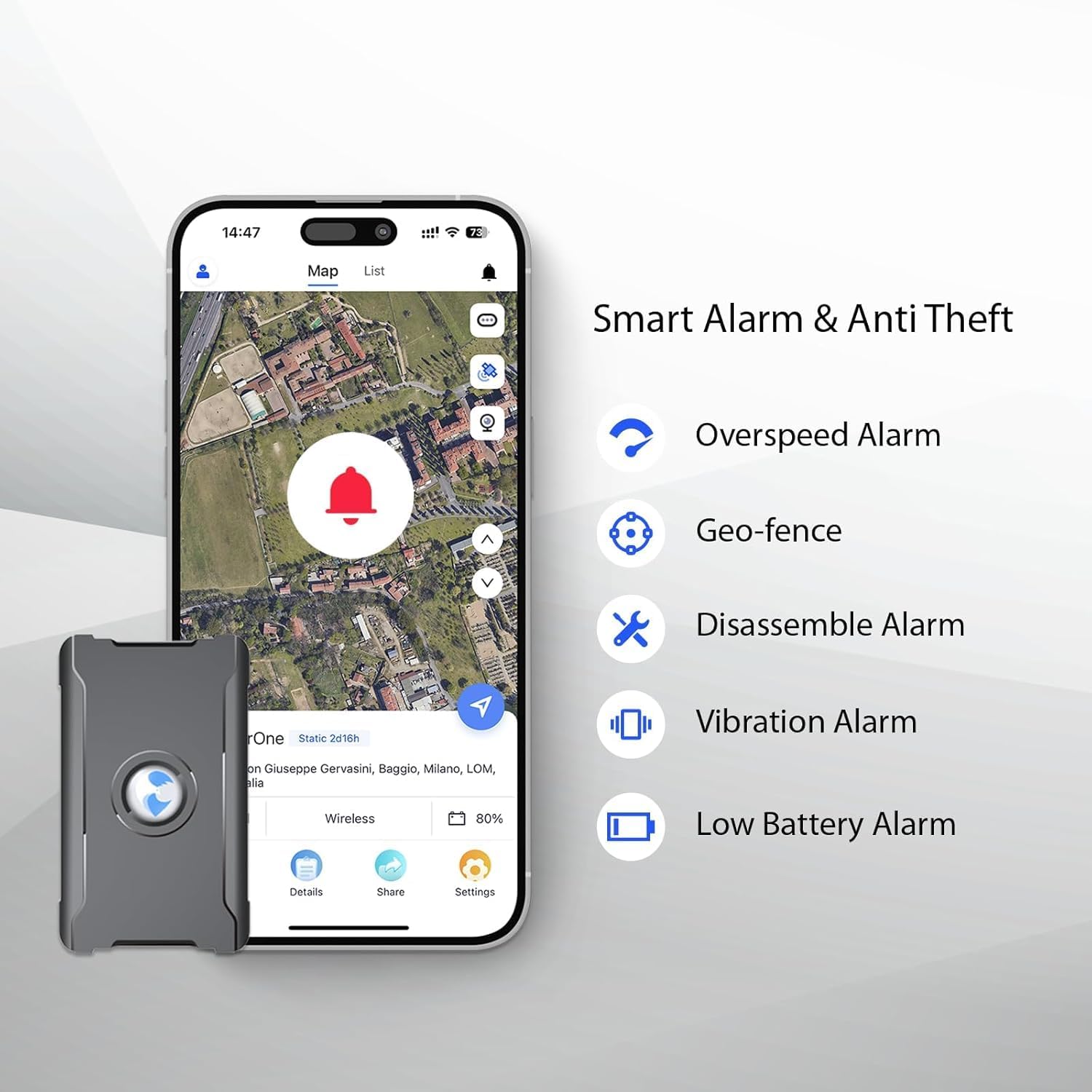
Figure 5.5: Smart Alarm and Anti-Theft features.

Figure 5.6: Visual representation of multiple alert functions.

Figure 5.7: Example of alert notifications on a smartphone.
6. Maintenance
6.1. Battery Charging
The S20 GPS Tracker is equipped with a 6000mAh rechargeable lithium-ion battery. To charge the device, connect the provided USB charging cable to the device's charging port and a compatible USB power source. A full charge can provide up to 30 days of standby time, depending on usage and update frequency.

Figure 6.1: Battery capacity and charging indication.
6.2. General Care
To ensure the longevity and optimal performance of your GPS tracker:
- Avoid exposing the device to extreme temperatures or direct sunlight for prolonged periods.
- Keep the device dry and away from water or excessive moisture.
- Clean the device with a soft, dry cloth. Do not use harsh chemicals or abrasive materials.
- Ensure the charging port cover is securely closed when not charging to prevent dust and moisture ingress.
7. Troubleshooting
If you encounter issues with your S20 GPS Tracker, please refer to the following common problems and solutions:
| Problem | Possible Cause | Solution |
|---|---|---|
| Device shows "Offline" in app. | No active subscription, low battery, poor signal, or device needs restart. | Verify subscription status in the app. Charge the device fully. Move to an area with better 4G/GPS signal. Power cycle the device by holding the power button. |
| Inaccurate location data. | Weak GPS signal due to obstruction (e.g., indoors, dense urban areas, underground). | Relocate the device to an open area with clear sky view. Ensure the device is not covered by metallic objects. |
| Battery drains quickly. | Frequent updates (10s interval), constant movement, or extreme temperatures. | Switch to a 120-second update interval if real-time precision is not constantly needed. Avoid leaving the device in very hot or cold environments. |
| Cannot connect to the app. | Incorrect device ID, app issues, or network problems. | Double-check the device ID entered. Reinstall the app. Ensure your smartphone has a stable internet connection. |
8. Product Specifications
| Specification | Detail |
|---|---|
| Product Dimensions | 3.15 x 1.97 x 1.18 inches |
| Item Weight | 7.8 ounces |
| Model Number | S20 |
| Batteries | 1 Lithium Ion battery required (included) |
| Connectivity Technologies | GPS+BDS+GLONASS |
| Special Features | Update Interval Every 10 Seconds, Geo-fence Alarm, Full Worldcoverage, Disassemble Alarm |
| Supported Application | IOS, Android |
| Specific Uses For Product | For the elderly, children, kids and pets, Fleet Management, for Vehicles Cars |
| Manufacturer | wanwaytech |
| Country of Origin | China |
| Date First Available | November 8, 2023 |
9. Warranty and Support
Wanwaytech is committed to providing reliable products and excellent customer service. Your S20 GPS Tracker comes with a warranty, and details can be found on the included Warranty Card.
For any technical assistance, questions, or support needs, please utilize the following resources:
- Customer Service: 24-hour customer service is available. Refer to the contact information provided in the TrackerOne app or on the product packaging.
- Lifetime Support: Wanwaytech offers lifetime support for its products.
- Faulty Device Replacement: In case of a faulty device, a free replacement is provided.
Note: For specific support channels, please refer to the contact details provided with your product or within the TrackerOne application.
Ask a question about this manual
Ask about setup, troubleshooting, compatibility, parts, safety, or missing instructions. Manuals+ will review the question and use this page’s manual context to help answer it.