
1. Introduction
This manual provides essential instructions for the installation, maintenance, and safe use of the DAYUDDRICAR 4D F13 Drone Propeller Blade Spare Part Kit. This kit contains 24 replacement propeller blades designed specifically for the 4D F13 RC Drone. Proper installation and care ensure optimal flight performance and safety.
2. Safety Information
- Always ensure the drone's power is OFF and the battery is disconnected before handling or replacing propellers.
- Handle propellers with care. Edges can be sharp.
- Wear appropriate eye protection during installation to prevent injury from accidental propeller snap or debris.
- Keep small parts away from children and pets to prevent choking hazards.
- Only use genuine DAYUDDRICAR replacement parts to ensure compatibility and safety.
- Do not attempt to fly the drone with damaged, bent, or improperly installed propellers.
3. Package Contents
The DAYUDDRICAR 4D F13 Drone Propeller Blade Spare Part Kit includes:
- 24 x Propeller Blades for 4D F13 Drone
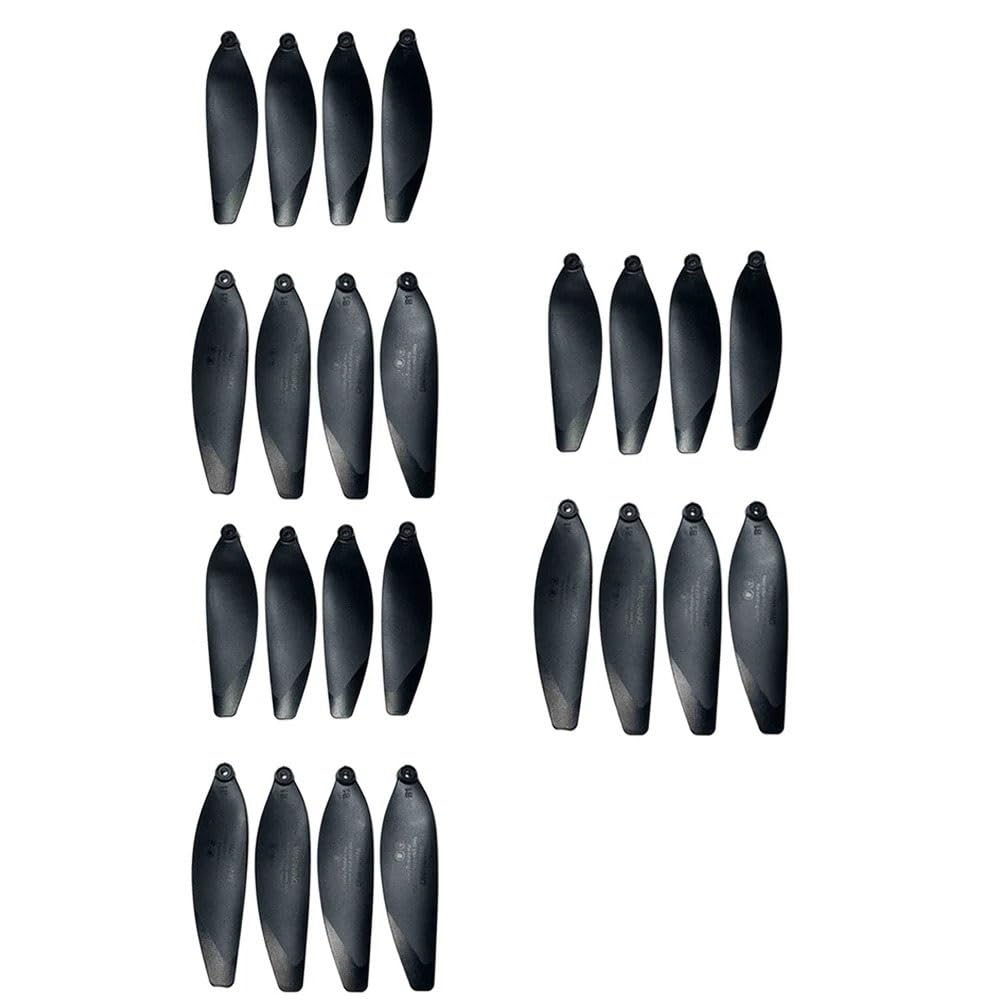
Figure 1: Contents of the DAYUDDRICAR 4D F13 Drone Propeller Blade Spare Part Kit. The kit contains 24 individual propeller blades.
4. Setup and Installation
Follow these steps to replace a propeller blade on your 4D F13 drone:
- Power Off Drone: Ensure the drone is completely powered off and the battery is removed or disconnected.
- Identify Propeller Type: Observe the existing propellers. Drone propellers are typically marked with 'A' or 'B' (or similar indicators) to denote their rotation direction (clockwise or counter-clockwise). It is crucial to replace a propeller with one of the same type.
- Remove Damaged Propeller: Carefully grasp the damaged propeller and gently pull it upwards from the motor shaft. Some drones may require a small tool (not included) to pry them off. Avoid bending the motor shaft.
- Install New Propeller: Take a new propeller of the correct type (A or B). Align the central hole of the propeller with the motor shaft. Press down firmly but gently until the propeller is securely seated on the shaft. Ensure it is flush and does not wobble.
- Verify Installation: Gently spin the newly installed propeller by hand to ensure it rotates freely without obstruction and is firmly attached. Repeat for any other propellers needing replacement.
5. Operating Considerations
After replacing propellers, perform a brief pre-flight check:
- Visually inspect all propellers for proper installation and any signs of damage.
- Ensure no foreign objects are lodged in or around the motor shafts.
- Conduct a test flight in a safe, open area to confirm stable flight and responsiveness.
6. Maintenance
Regular maintenance of your drone's propellers is crucial for safety and performance:
- Inspection: Before and after each flight, inspect all propellers for cracks, bends, chips, or any other signs of damage. Even minor damage can affect flight stability and efficiency.
- Cleaning: If dust or debris accumulates on the propellers, gently wipe them clean with a soft, dry cloth. Avoid using harsh chemicals.
- Storage: Store spare propellers in a clean, dry place, away from direct sunlight and extreme temperatures. Keep them in their original packaging or a protective container to prevent damage.
7. Troubleshooting
If you experience issues after replacing propellers, consider the following:
- Unstable Flight / Drone Drifting:
- Check if all propellers are installed correctly and securely.
- Verify that 'A' type propellers are on 'A' motors and 'B' type on 'B' motors. Incorrect installation is a common cause of instability.
- Inspect for any subtle damage on the new propellers that might have been overlooked.
- Unusual Noise During Flight:
- Ensure no foreign objects (e.g., hair, grass) are entangled around the motor shafts or propellers.
- Check for any loose propellers or components.
8. Specifications
- Brand: DAYUDDRICAR
- Model Compatibility: 4D F13 RC Drone
- Material: Plastic
- Quantity: 24 pieces
- Type: Replacement Propeller Blades
9. Warranty and Support
For any questions regarding the DAYUDDRICAR 4D F13 Drone Propeller Blade Spare Part Kit, please contact the manufacturer or your retailer. Keep your purchase receipt for warranty claims, if applicable. Specific warranty terms may vary by region and retailer.