

Introduction
Thank you for choosing the Defy 1750W Steam Iron SI8059. This manual provides important information for the safe and efficient use of your appliance. Please read these instructions carefully before first use and keep them for future reference.
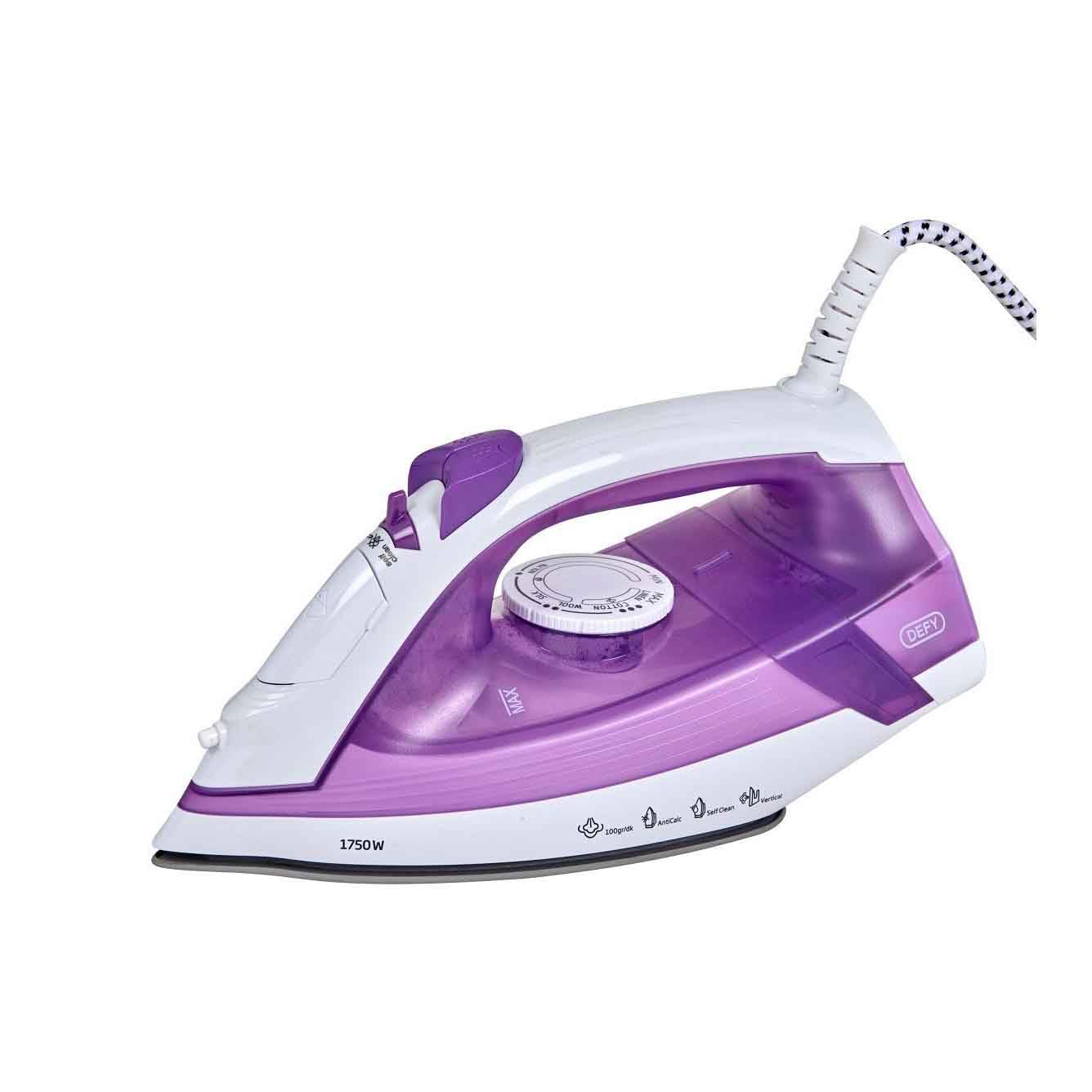
Image: The Defy 1750W Steam Iron SI8059, featuring a purple and white design with a ceramic soleplate.
Important Safety Instructions
When using electrical appliances, basic safety precautions should always be followed to reduce the risk of fire, electric shock, and injury to persons.
- Read all instructions before using the iron.
- Do not leave the iron unattended while it is connected to the power supply or on an ironing board.
- To protect against the risk of electric shock, do not immerse the iron in water or other liquids.
- The iron must always be turned to the "OFF" position before plugging or unplugging from the outlet.
- Do not operate any appliance with a damaged cord or plug, or after the appliance malfunctions or has been dropped or damaged in any manner.
- Always place the iron on a stable, heat-resistant surface when resting.
- Keep the iron and its cord out of reach of children.
- Do not use the iron for purposes other than its intended use.
Product Features
- Ceramic Soleplate: Ensures smooth gliding and even heat distribution.
- 1750W Power: For rapid heating and efficient wrinkle removal.
- Anti-Calc System: Helps prevent mineral build-up for prolonged performance.
- Self-Clean Function: For easy maintenance and extended iron life.
- Anti-Drip System: Prevents water spots on garments, even at low temperatures.
- Vertical Steaming: Allows for steaming hanging garments and drapes.
- Indicator Lights: Provide clear status updates during operation.
Setup
- Unpacking: Carefully remove the iron from its packaging. Retain the packaging for storage or future transport.
- First Use: Before first use, iron an old piece of fabric to ensure any manufacturing residues are removed.
- Filling the Water Tank:
- Ensure the iron is unplugged from the power outlet.
- Open the water filler cap.
- Fill the water tank with clean tap water up to the MAX mark. Do not overfill.
- Close the water filler cap securely.
- Power Connection: Plug the iron into a suitable 220V AC power outlet.
Operating Instructions
Temperature Setting
- Check the garment's care label for recommended ironing temperature.
- Turn the temperature dial to the desired setting (e.g., synthetic, silk, wool, cotton, linen).
- The indicator light will illuminate, indicating the iron is heating. It will turn off when the set temperature is reached.
Steam Ironing
Steam ironing is suitable for most fabrics except those marked "do not steam".
- Ensure the water tank is filled.
- Set the temperature dial to a steam-appropriate setting (usually cotton or linen). Steam function will not activate at low temperatures.
- Once the indicator light turns off, indicating the iron is hot enough, adjust the steam selector to the desired steam level.
- Begin ironing.
Vertical Steaming
This feature is ideal for removing creases from hanging clothes, curtains, or drapes.
- Ensure the water tank is filled and the iron is heated to its maximum temperature setting.
- Hold the iron vertically, a few centimeters away from the fabric.
- Press the steam burst button repeatedly to release bursts of steam.
Dry Ironing
For dry ironing, ensure the water tank is empty or the steam selector is set to the "no steam" position.
- Set the temperature dial according to the fabric type.
- Wait for the indicator light to turn off.
- Begin ironing without steam.
Maintenance
Cleaning the Soleplate
- Ensure the iron is unplugged and completely cool.
- Wipe the soleplate with a damp cloth and a non-abrasive cleaner if necessary.
- Do not use abrasive scourers or chemical cleaners as they can damage the soleplate.
Self-Clean Function
Use the self-clean function regularly (e.g., once a month) to remove mineral deposits and impurities from the steam vents.
- Fill the water tank to the MAX level.
- Plug in the iron and set the temperature to maximum.
- Once the indicator light turns off, unplug the iron.
- Hold the iron horizontally over a sink.
- Press and hold the self-clean button. Hot water and steam will be expelled from the soleplate, carrying impurities.
- Gently shake the iron back and forth until the water tank is empty.
- Plug the iron back in and heat it to dry the soleplate.
Storage
- Ensure the iron is unplugged and completely cool.
- Empty any remaining water from the tank.
- Store the iron upright on its heel in a safe, dry place.
Troubleshooting
| Problem | Possible Cause | Solution |
|---|---|---|
| Iron does not heat up. | Not plugged in; power outlet faulty; temperature dial set to OFF. | Check power connection; try another outlet; turn temperature dial to a setting. |
| No steam or insufficient steam. | Water tank empty; temperature too low; steam vents blocked; steam selector set to OFF. | Fill water tank; set temperature to steam-appropriate level; perform self-clean; adjust steam selector. |
| Water leaking from soleplate. | Temperature too low for steam; water tank overfilled; anti-drip system malfunction. | Increase temperature; do not overfill; if problem persists, contact customer service. |
| White flakes on garments. | Mineral deposits in water tank/steam vents. | Perform self-clean function. Use distilled water if tap water is very hard. |
Specifications
| Model Number | SI 8059 A1 |
| Power | 1750 Watts |
| Voltage | 220 Volts |
| Soleplate Material | Ceramic |
| Dimensions (L x W) | 12.6 cm x 28.4 cm |
| Weight | 1.3 Kilograms |
| Special Features | Vertical Steaming, Anti-Calc, Self-Clean, Anti-Drip System |
Warranty and Support
For detailed warranty information, please refer to the warranty card included with your product or visit the official Defy website. If you encounter any issues not covered in the troubleshooting section, or require further assistance, please contact Defy customer support.
Defy Official Website: www.defy.co.za


