
1. Introduction
Thank you for choosing the Prestige PIC 20 Neo Induction Cooktop. This manual provides essential information for the safe and efficient operation, maintenance, and troubleshooting of your new appliance. Please read it thoroughly before first use and keep it for future reference.
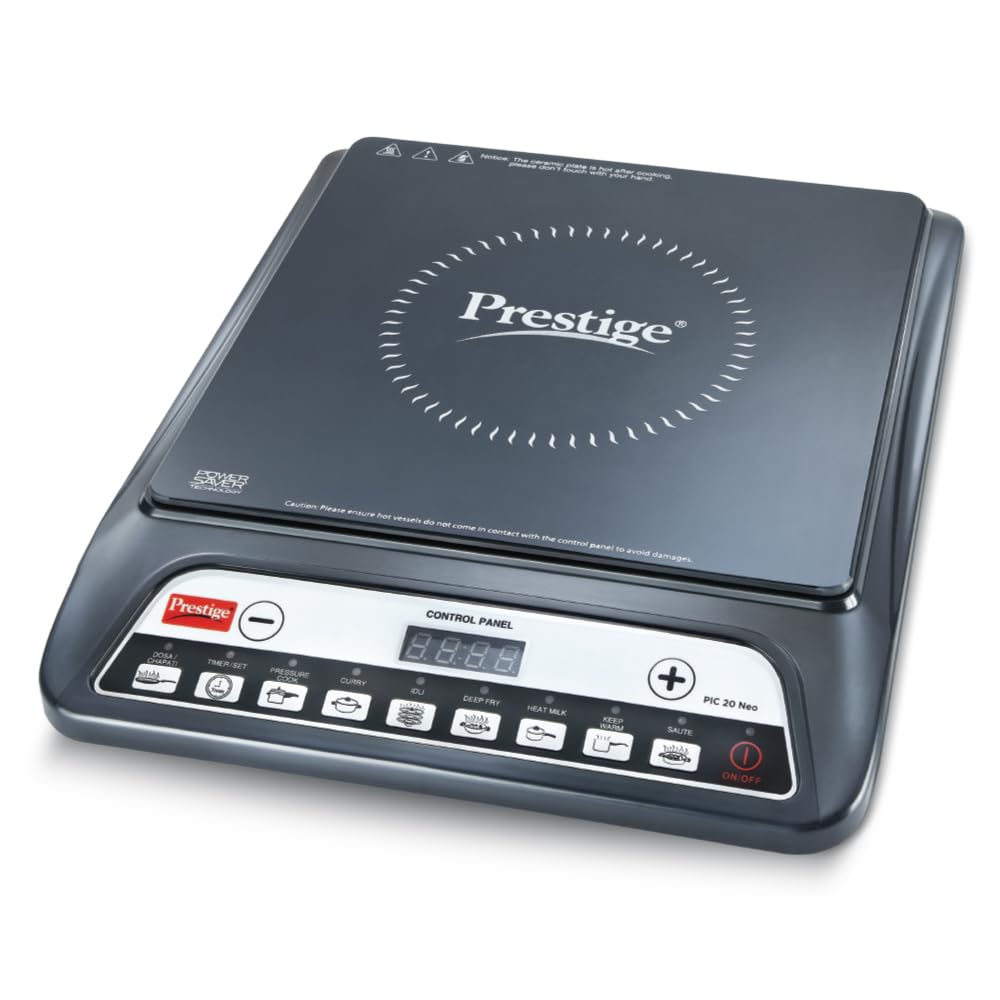
Image: The Prestige PIC 20 Neo Induction Cooktop in black, featuring a sleek design and a control panel. A pan with vegetables is placed on top, indicating its cooking function. The image highlights key features like 1-year warranty, Superbrands award, ISI certification, and 4KV high voltage surge protection.
2. Important Safety Instructions
To reduce the risk of fire, electric shock, injury to persons, or damage to the appliance, basic safety precautions should always be followed, including the following:
- Read all instructions before using the appliance.
- Do not touch hot surfaces. Use handles or knobs.
- To protect against electrical shock, do not immerse cord, plugs, or the appliance in water or other liquid.
- Close supervision is necessary when any appliance is used by or near children.
- Unplug from outlet when not in use and before cleaning. Allow to cool before putting on or taking off parts.
- Do not operate any appliance with a damaged cord or plug, or after the appliance malfunctions or has been damaged in any manner. Contact customer service for examination, repair, or adjustment.
- The use of accessory attachments not recommended by the appliance manufacturer may cause injuries.
- Do not use outdoors.
- Do not let cord hang over edge of table or counter, or touch hot surfaces.
- Do not place on or near a hot gas or electric burner, or in a heated oven.
- Extreme caution must be used when moving an appliance containing hot oil or other hot liquids.
- Always attach plug to appliance first, then plug cord into the wall outlet. To disconnect, turn any control to "off", then remove plug from wall outlet.
- Do not use appliance for other than intended use.
- Ensure proper ventilation around the cooktop during operation.
- Use only induction-compatible cookware.
- The ceramic plate is hot after cooking; do not touch with your hands immediately.
- Ensure hot vessels do not come in contact with the control panel to avoid damage.

Image: The Prestige PIC 20 Neo Induction Cooktop, emphasizing its safety features. The image highlights the automatic voltage regulator and up to 4KV high voltage surge protection, ensuring stable and reliable operation by protecting against sudden power fluctuations.
3. Product Overview
The Prestige PIC 20 Neo Induction Cooktop is designed for efficient and convenient cooking. It features a sleek glass-ceramic surface and an intuitive push-button control panel.
Key Features:
- 1600 Watts Power: For fast and efficient cooking.
- Indian Menu Options: Pre-set modes for popular Indian dishes like Chapati, Idli, and Dosa.
- Automatic Voltage Regulator: Protects the appliance from voltage fluctuations and ensures gradual load for durability.
- Timer with User Pre-Set: For precise, hands-free cooking.
- Power Saver Technology: Optimizes energy consumption.
- Anti-Magnetic Wall: Blocks surplus magnetic radiations for enhanced efficiency.
- High Voltage Surge Protection: Up to 4KV protection against power surges.
- Intelligent Control: Automatically adjusts power and temperature for various dishes.
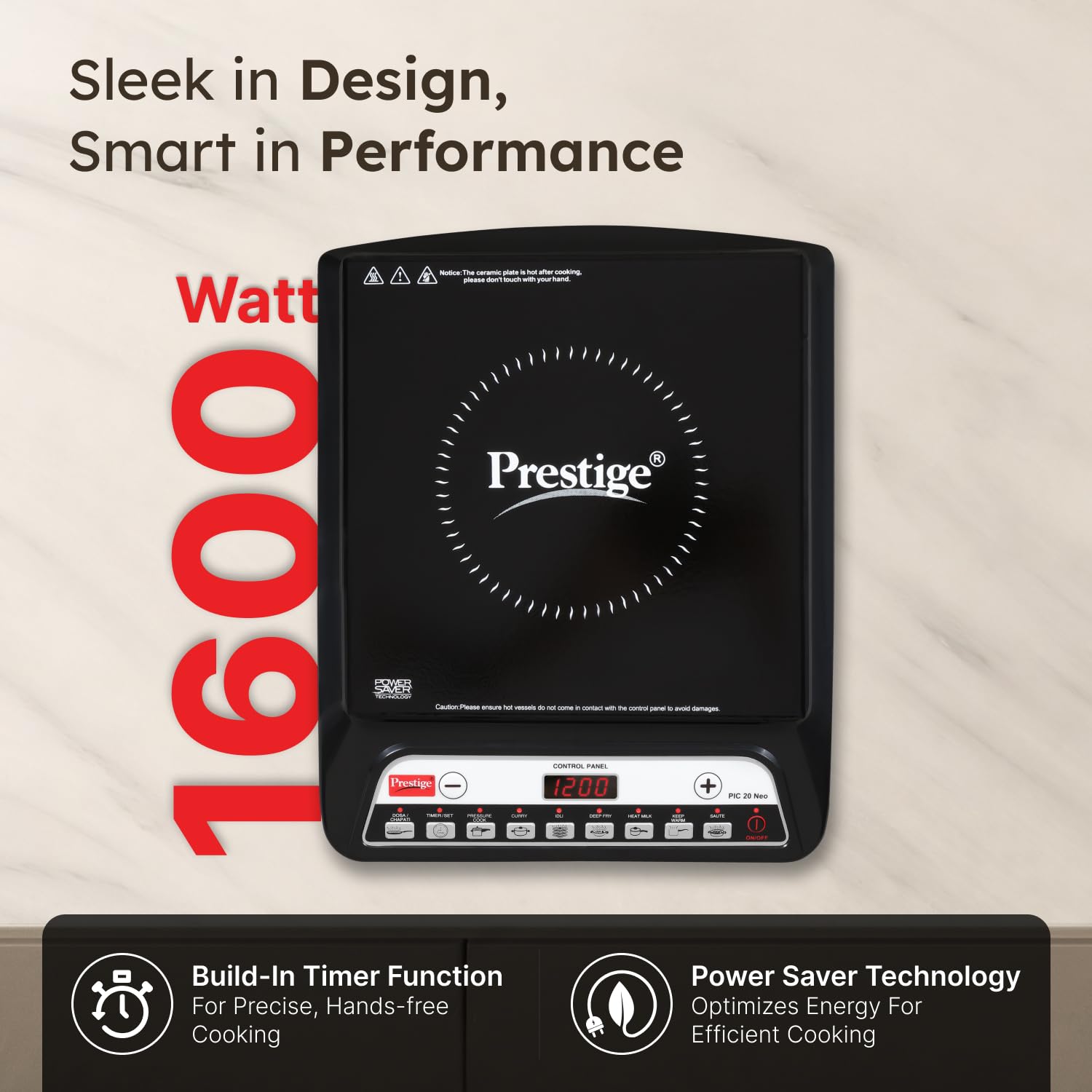
Image: A top-down view of the Prestige PIC 20 Neo Induction Cooktop, showcasing its sleek design. The image highlights its 1600 Watt power, built-in timer function for precise cooking, and power saver technology for efficient energy use.
4. Setup
- Unpacking: Carefully remove the induction cooktop from its packaging. Retain the packaging for future transport or storage.
- Placement: Place the cooktop on a flat, stable, heat-resistant surface. Ensure there is adequate ventilation around the appliance (at least 10 cm clearance from walls or other objects). Do not place it near water sources or flammable materials.
- Power Connection: Plug the power cord into a standard 230V AC, 50Hz electrical outlet. Ensure the outlet is properly grounded.
- Initial Check: Before placing cookware, ensure the ceramic plate is clean and free from any debris.
5. Operating Instructions
5.1 Basic Operation
- Power On: Place induction-compatible cookware centrally on the cooktop surface. Press the ON/OFF button to turn on the appliance. The display will light up.
- Select Function: Choose your desired cooking function or power level using the control buttons. The cooktop offers various pre-set modes and manual power adjustments.
- Adjust Settings: Use the + and - buttons to increase or decrease the power level or temperature.
- Cooking: The cooktop will begin heating the cookware. Monitor your cooking process.
- Power Off: After cooking, press the ON/OFF button to turn off the appliance. The fan may continue to run for a short period to cool down internal components.
5.2 Indian Menu Options
The cooktop features 8 smart preset modes for effortless cooking, including specific Indian menu options:
- Dosa/Chapati: Optimized for flatbreads.
- Idli: Ideal for steaming idlis.
- Pressure Cook: Suitable for pressure cooking.
- Curry: For preparing various curries.
- Deep Fry: Maintains optimal temperature for deep frying.
- Saute: For quick stir-frying.
- Heat Milk: Gentle heating for milk.
- Keep Warm: Maintains food at a warm temperature.
To use, simply press the corresponding button for the desired dish. The cooktop will automatically adjust power and temperature.

Image: A visual representation of the 8 Smart Preset Modes available on the Prestige PIC 20 Neo Induction Cooktop. Icons and text illustrate options like Dosa, Pressure Cooker, Curry, Idli, Deep Fry, Heat Milk, Keep Warm, and Saute, demonstrating the cooktop's versatility for various dishes.
5.3 Timer Function
The built-in timer allows for precise, hands-free cooking. Press the TIMER/SET button and use the + and - buttons to set the desired cooking duration. The cooktop will automatically switch off once the timer expires.
5.4 Power Saver Technology
The cooktop incorporates Power Saver Technology to optimize energy consumption during operation. This feature helps in reducing electricity usage while maintaining cooking efficiency.
6. Maintenance and Cleaning
Regular cleaning and proper maintenance will ensure the longevity and optimal performance of your induction cooktop.
- Always Unplug: Before cleaning, always unplug the cooktop from the power outlet and allow it to cool completely.
- Cleaning the Surface: Wipe the glass-ceramic surface with a soft, damp cloth and mild detergent. For stubborn stains, use a non-abrasive cleaner specifically designed for induction cooktops. Rinse with a clean, damp cloth and dry thoroughly.
- Control Panel: Wipe the control panel with a soft, dry cloth. Do not use excessive water or abrasive cleaners on the control panel.
- Ventilation Openings: Ensure the ventilation openings on the sides and bottom of the cooktop are free from dust and debris. Use a soft brush or vacuum cleaner to gently clear them.
- Do Not Immerse: Never immerse the cooktop in water or any other liquid.
- Avoid Abrasives: Do not use abrasive pads, harsh chemicals, or steel wool, as these can scratch or damage the surface.
7. Troubleshooting
If you encounter any issues with your Prestige PIC 20 Neo Induction Cooktop, please refer to the following common problems and solutions before contacting customer service.
| Problem | Possible Cause | Solution |
|---|---|---|
| Cooktop does not turn on. |
|
|
| Cooktop turns on but does not heat. |
|
|
| Display shows an error code. |
|
|
| Fan continues to run after turning off. | Normal operation. | This is normal. The fan runs to cool down internal components. It will stop automatically once cooled. |
8. Technical Specifications
| Feature | Specification |
|---|---|
| Brand | Prestige |
| Model Number | 41134 (PIC 20 Neo) |
| Wattage | 1600 Watts |
| Voltage | 230 Volts AC, 50Hz |
| Color | Black |
| Heating Elements | 1 |
| Heater Surface Material | Glass Ceramic |
| Control Type | Push Button |
| Item Dimensions (D x W x H) | 40D x 33W x 10H Centimeters |
| Item Weight | 2.74 Kilograms |
| Special Features | Indian Menu Options, Automatic Voltage Regulator, Timer With User Pre-Set, Power Saver Technology, Anti-Magnetic Wall, High Voltage Surge Protection (Upto 4KV) |
| Included Components | 1 Induction Cooktop |
| Country Of Origin | India |

Image: The Prestige PIC 20 Neo Induction Cooktop with its dimensions (28 cm width, 35 cm depth, 6 cm height) clearly marked. The image also highlights intelligent control for automatic power and temperature adjustment, and an anti-magnetic wall for safer and more efficient cooking.
9. Warranty and Support
9.1 Warranty Information
The Prestige PIC 20 Neo Induction Cooktop comes with a 1-year warranty from the date of purchase. This warranty covers manufacturing defects under normal use. Please retain your purchase receipt for warranty claims. For detailed terms and conditions, refer to the warranty card included with your product or contact customer service.
9.2 Customer Support
For any feedback, comments, complaints, or assistance with your product, please contact Prestige customer service:
- Phone: 080-6000 4411
- Email: customercare@ttkprestige.com
- Website: https://shop.ttkprestige.com/customer_service
You can also scan the QR code below to find a Prestige authorized service center near you.

Image: Customer support information for Prestige, including a contact phone number (080-6000 4411), email address (customercare@ttkprestige.com), and website link (shop.ttkprestige.com/customer_service). A QR code is provided to locate authorized service centers, emphasizing the availability of over 500 service centers across India, along with a 1-year warranty and "Made in India" certification.
Scan for Service Centers: https://qr1.be/BMT7QY


