
LiftMaster 84602
LiftMaster 84602 Garage Door Opener User Manual
Model: 84602 | Brand: LiftMaster
Introduction
This manual provides essential information for the installation, operation, and maintenance of your LiftMaster 84602 WiFi DC 1/2 HP Chain Drive Battery Backup Garage Door Opener. Please read all instructions carefully before beginning installation or operation to ensure proper function and safety.
Safety Information
WARNING: To reduce the risk of severe injury or death, read and follow all instructions. The garage door opener is designed for use with residential sectional doors only. Do not install on one-piece doors. Ensure the garage door is balanced and in good working order before installation. Always disconnect power before performing any service or repairs.
- Always keep the garage door in sight until it is completely closed.
- Keep hands and feet clear of the door and door path.
- Do not allow children to operate the garage door opener.
- Regularly inspect the garage door opener and its components for wear or damage.
Product Overview
The LiftMaster 84602 is a robust garage door opener featuring a DC motor for quiet operation and a durable chain drive system. It includes built-in Wi-Fi for smartphone control via the myQ app, a battery backup system for operation during power outages, and advanced safety features like electronic protection against forced openings and safety sensors.

Front view of the LiftMaster 84602 garage door opener.
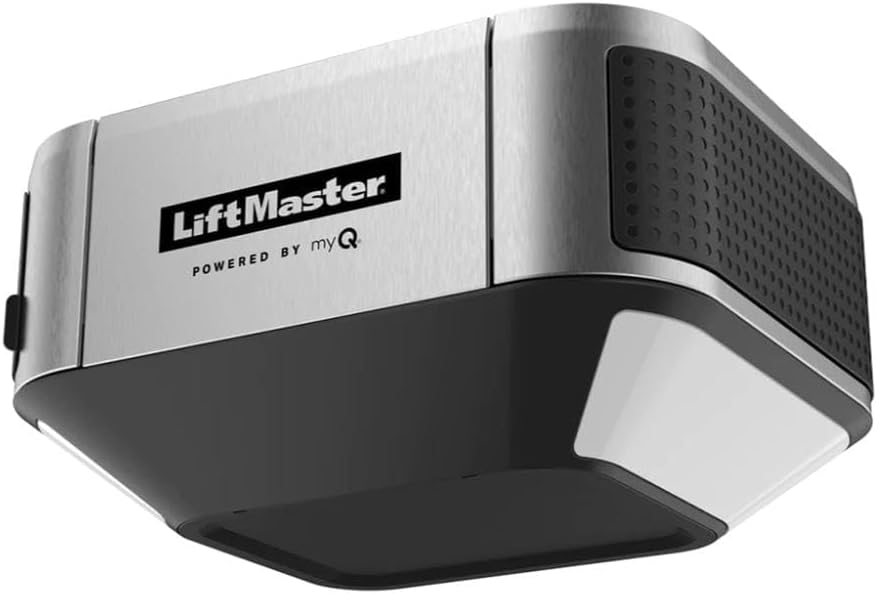
Angled view of the LiftMaster 84602 unit.
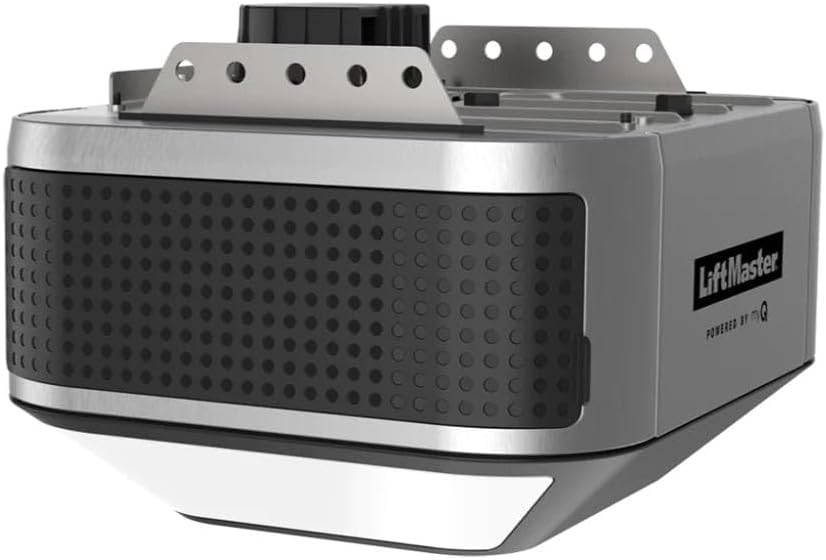
Top view with mounting brackets.

Alternative angled view of the opener.
Setup and Installation
Installation of the LiftMaster 84602 requires careful attention to detail. While the operator, chain, and rail are sold separately, this unit is designed to integrate with standard chain drive rail systems. Professional installation is recommended.
Pre-Installation Checklist:
- Ensure the garage door is properly balanced and moves freely.
- Verify that the garage door opener is compatible with your existing or new rail system.
- Confirm availability of a grounded electrical outlet within 6 feet of the installation area.
- Gather all necessary tools, including a ladder, drill, wrenches, and measuring tape.
Key Installation Steps:
- Assemble Rail and Attach to Opener: Follow the instructions provided with your chain and rail kit to assemble the rail and securely attach it to the opener head.
- Mount the Opener: Securely mount the garage door opener to the ceiling or appropriate support structure, ensuring it is centered with the garage door.
- Install Safety Sensors: Mount the included safety sensors on either side of the garage door opening, no higher than 6 inches from the floor. Ensure they are aligned and free of obstructions.
- Connect Wiring: Connect all necessary wiring, including power, safety sensors, and the internal wall button. Ensure all connections are secure and follow local electrical codes.
- Install Battery Backup: Connect the 485LM Battery Backup unit to the opener as per the battery backup instructions.
- Program Travel Limits and Forces: Refer to the detailed programming guide for setting the door's open and close limits and adjusting the force settings.
- Program Remotes and myQ: Program the 893MAX UNIVERSAL REMOTE and connect the opener to your home Wi-Fi network to enable myQ app control.
Operating Instructions
Your LiftMaster 84602 garage door opener offers multiple ways to operate your garage door.
Using the Remote Control (893MAX UNIVERSAL REMOTE):
- Press the programmed button on your remote control once to open or close the garage door.
- Pressing the button again while the door is in motion will stop the door.
Using the Internal Wall Button:
- Press the large button on the internal wall control to open or close the garage door.
- The wall control may also feature a light button to control the opener's light independently.
Using the myQ App (Smartphone Control):
- Download the myQ app from your smartphone's app store.
- Create an account and follow the in-app instructions to add your LiftMaster 84602 opener.
- Once connected, you can monitor the door status, open/close the door remotely, and receive alerts.
Battery Backup Operation:
- In the event of a power outage, the battery backup system will automatically engage, allowing for continued operation of the garage door.
- The opener's light may dim or turn off to conserve battery power.
- The battery will recharge automatically once power is restored.
Maintenance
Regular maintenance ensures the longevity and safe operation of your garage door opener.
- Monthly: Test the safety reversal system by placing an object (e.g., a 2x4 board) in the door's path. The door should reverse upon contact.
- Monthly: Test the safety sensors by breaking the beam with your hand. The door should not close.
- Monthly: Inspect the garage door for proper balance. If the door is unbalanced, contact a qualified garage door service professional.
- Annually: Lubricate the chain drive and other moving parts of the garage door (not the opener itself) as recommended by the garage door manufacturer.
- Battery Backup: Check the battery backup status indicator periodically. Replace the battery when necessary (typically every 3-5 years).
Troubleshooting
Refer to the following common issues and their solutions:
| Problem | Possible Cause | Solution |
|---|---|---|
| Opener does not operate from remote control or wall button. | Power outage; remote battery dead; opener unplugged; safety sensors obstructed. | Check power supply; replace remote battery; ensure opener is plugged in; clear sensor path. |
| Door reverses before closing completely. | Safety sensors misaligned or obstructed; travel limits need adjustment. | Align sensors; clear obstructions; reprogram travel limits. |
| Opener lights flash 10 times. | Safety sensors are obstructed or misaligned. | Clear sensor path or realign sensors. |
| myQ app not connecting or controlling door. | Wi-Fi signal issue; incorrect myQ setup. | Check Wi-Fi router; ensure strong signal; re-link opener to myQ app. |
For issues not listed, or if solutions do not resolve the problem, please contact LiftMaster customer support.
Specifications
- Manufacturer: Chamberlain
- Model Number: 84602
- Item Weight: 20.9 pounds
- Product Dimensions: 10 x 12 x 12 inches
- Color: Metal
- Included Components: Safety Sensors, 485LM Battery Backup, 893MAX UNIVERSAL REMOTE, INTERNAL WALL BUTTON
- First Available: November 6, 2023
- Motor: DC 1/2 HP
- Drive Type: Chain Drive (Operator, Chain, and Rail sold separately)
- Connectivity: Built-in Wi-Fi, myQ compatible
- Lighting: 1,500 Lumen LED (Side to Side)
Warranty and Support
LiftMaster products are designed for reliability and durability. For specific warranty details regarding your 84602 garage door opener, please refer to the warranty card included with your product or visit the official LiftMaster website. For technical assistance, troubleshooting, or to locate authorized service providers, please contact LiftMaster customer support directly.
Online Support: www.liftmaster.com/support
Related documents84602


Ask a question about this manual
Ask about setup, troubleshooting, compatibility, parts, safety, or missing instructions. Manuals+ will review the question and use this page’s manual context to help answer it.