
Introduction
This manual provides essential information for the setup, operation, and maintenance of your ADE WS1000 Outdoor Sensor. The WS1000 is a single-channel replacement outdoor sensor designed for use with various ADE weather stations. It transmits data wirelessly at 433 MHz.
Important Note: This sensor operates on a single channel and is intended for individual use as a replacement. It cannot be paired with other outdoor sensors simultaneously.
The ADE WS1000 is compatible with the following ADE weather station models:
- WS1703
- WS1704
- WS1711
- WS1911
- WS2132
- WS2136
- WS2324
- WS2331
- CK2406
Setup
1. Battery Installation
The ADE WS1000 sensor requires batteries for operation. Batteries are not included and must be purchased separately.
- Locate the battery compartment on the back of the sensor.
- Open the battery compartment cover.
- Insert the required batteries (e.g., 2x AAA, check sensor markings for exact type) according to the polarity indicators (+/-).
- Close the battery compartment cover securely.

Image: Front and back view of the ADE WS1000 Outdoor Sensor, showing its compact design and the location of the battery compartment on the rear.
2. Pairing with Weather Station
After installing batteries, the sensor will begin transmitting data. You will need to pair it with your compatible ADE weather station.
- Ensure your ADE weather station is powered on and within range of the sensor.
- Refer to your specific ADE weather station's manual for detailed instructions on how to initiate the sensor pairing process. This usually involves pressing a "SYNC" or "CHANNEL" button on the weather station.
- Once the weather station is in pairing mode, the sensor's data (temperature) should appear on the weather station's display.
- If pairing is unsuccessful, try repositioning the sensor or the weather station, or re-inserting the sensor batteries to reset it.
3. Sensor Placement
Proper placement is crucial for accurate readings and reliable signal transmission.
- Location: Choose an outdoor location that is sheltered from direct sunlight and precipitation. Direct sunlight can cause artificially high temperature readings.
- Height: Mount the sensor at a height of approximately 1.5 to 2 meters (5 to 6.5 feet) above the ground for standard temperature readings.
- Obstacles: Avoid placing the sensor near large metal objects, electrical appliances, or thick walls that could interfere with the 433 MHz wireless signal.
- Distance: Maintain a reasonable distance from the main weather station, typically up to 30 meters (100 feet) in open air, though this can vary based on environmental factors.
Operating Instructions
The ADE WS1000 is an automatic outdoor sensor. Once successfully paired and placed, it continuously measures and transmits temperature data to your compatible ADE weather station.
- Data Transmission: The sensor automatically sends updated temperature readings at regular intervals (e.g., every 30-60 seconds).
- Monitoring: All temperature data will be displayed on your main ADE weather station unit. Refer to your weather station's manual for details on how to view and interpret the data.
- Single Channel: As a single-channel sensor, it will occupy one channel on your weather station. It cannot be used in conjunction with other external sensors on the same channel.
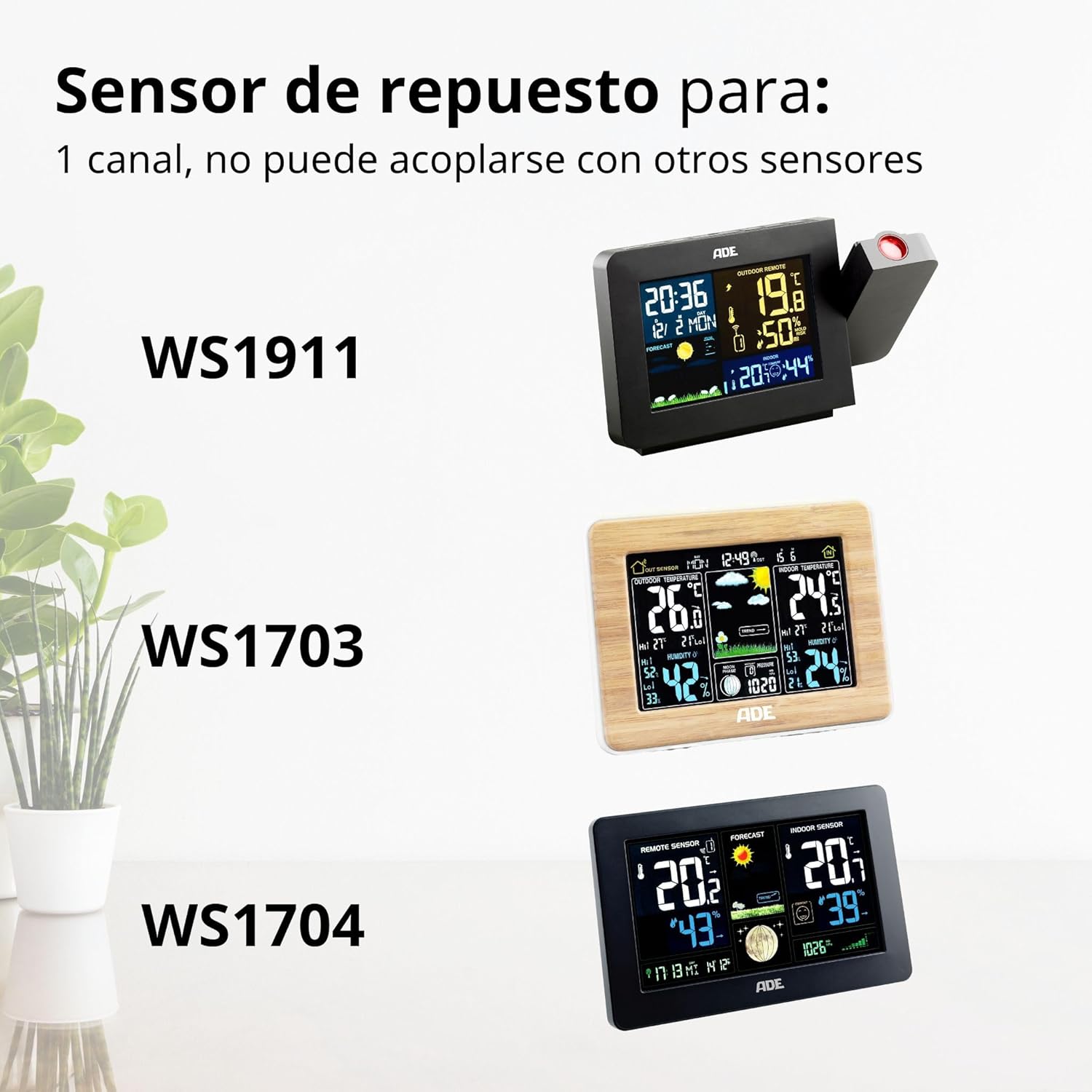
Image: The ADE WS1000 sensor shown alongside compatible weather stations CK2406, WS2331, and WS2324, illustrating its function as a replacement sensor.

Image: The ADE WS1000 sensor shown alongside compatible weather stations WS2136, WS2132, and WS1711, demonstrating its broad compatibility.

Image: The ADE WS1000 sensor shown alongside compatible weather stations WS1911, WS1703, and WS1704, highlighting its role as a replacement unit.
Maintenance
- Cleaning: Periodically wipe the sensor's exterior with a soft, damp cloth. Do not use abrasive cleaners or solvents.
- Battery Replacement: When the weather station indicates a low battery for the outdoor sensor, or if the sensor stops transmitting data, replace the batteries promptly. Always replace all batteries with new ones of the same type.
- Environmental Protection: While the sensor is weather-resistant, extreme conditions (e.g., heavy snow, prolonged direct sun, strong winds) can affect its lifespan and accuracy. Consider relocating it during severe weather.
Troubleshooting
| Problem | Possible Cause | Solution |
|---|---|---|
| No outdoor temperature displayed on weather station. |
|
|
| Inaccurate temperature readings. |
|
|
| Intermittent signal loss. |
|
|
Specifications
- Model Number: WS1000
- Brand: ADE
- Product Dimensions: 20mm (D) x 34mm (W) x 90mm (H)
- Weight: 30 g
- Power Source: Battery (not included)
- Connectivity Technology: 433 MHz
- Special Features: Portable, Weather-resistant
- Material: Plastic
- Temperature Accuracy: ±1°C
- Sensor Technology: Thermistor
- Display Type: No display (sensor only)
- Components Included: Outdoor sensor
- Color: White
- Country of Origin: China
Warranty Information
Specific warranty details for the ADE WS1000 sensor are typically provided with the original purchase or can be found on the manufacturer's official website. Please retain your proof of purchase for any warranty claims.
Generally, ADE products come with a limited warranty covering manufacturing defects. This warranty does not cover damage caused by misuse, accident, unauthorized modification, or improper installation.
Customer Support
For technical assistance, troubleshooting beyond this manual, or warranty inquiries, please contact ADE customer support.
- Online Support: Visit the official ADE website for FAQs, product registration, and contact forms.
- Contact Information: Refer to the packaging or the ADE website for specific customer service phone numbers or email addresses in your region.
When contacting support, please have your product model number (WS1000) and proof of purchase readily available.

