
Introduction
The KXD A07 is an unlocked Android smartphone designed for reliable daily use. It features an Android 12 operating system, a 6.52-inch HD+ display, an Octa-Core processor, 8GB RAM (4GB physical + 4GB virtual), 128GB internal storage expandable up to 256GB, a 4500mAh battery, and a 13MP triple rear camera system. This manual provides essential information to help you get started and make the most of your device.
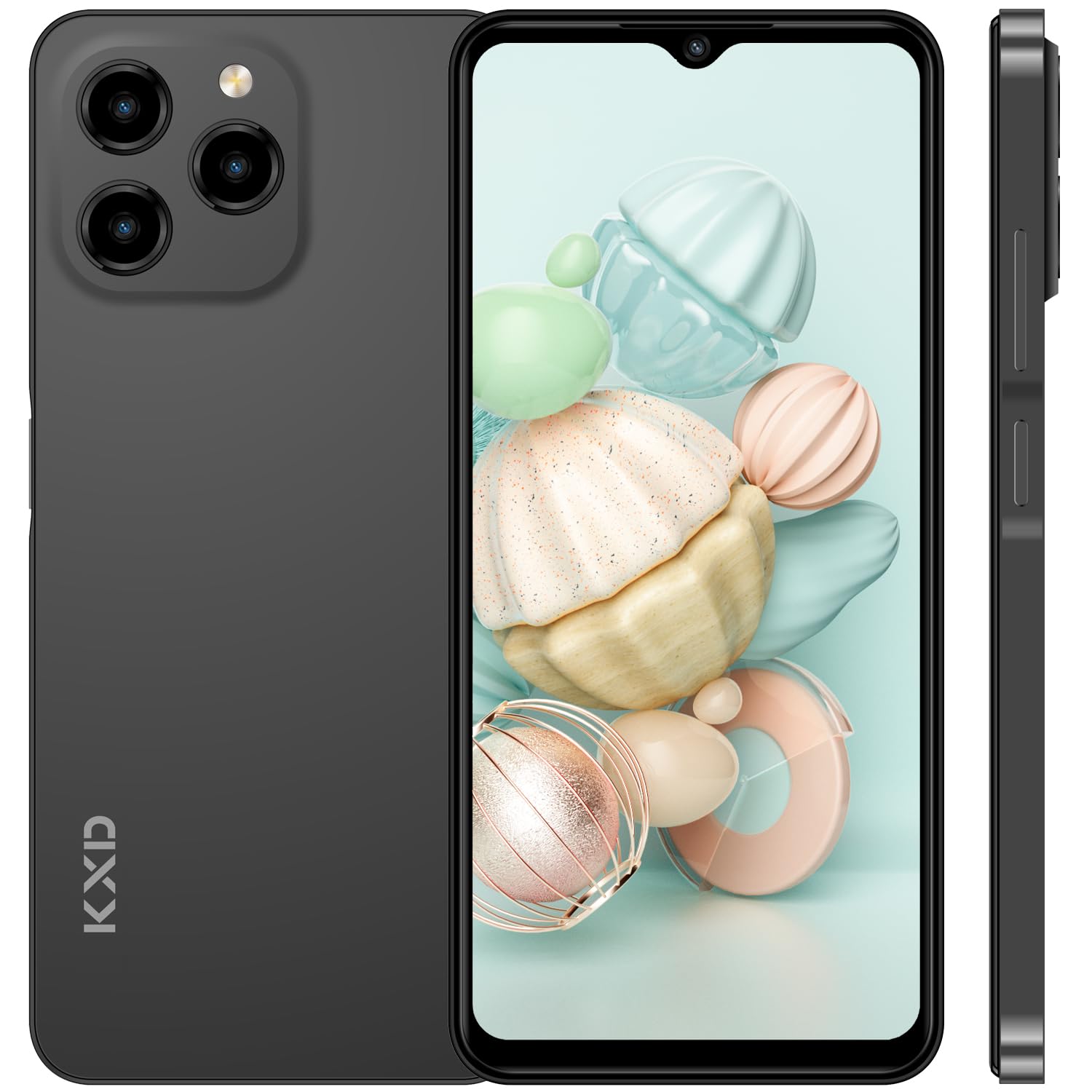
Image: Front view of the KXD A07 Unlocked Android Phone.
Setup
Package Contents
Before you begin, ensure all items are present in your phone's package. Typically, this includes the KXD A07 smartphone, a charger, a USB Type-C cable, and a SIM ejector tool.
Inserting SIM and TF Cards
The KXD A07 supports dual SIM cards and a separate TF (microSD) card for expandable storage. Use the provided SIM ejector tool to open the SIM tray located on the side of the device.

Image: Side view of the KXD A07 smartphone, highlighting the SIM and TF card tray slot.
- Locate the SIM tray on the left side of the phone.
- Insert the SIM ejector tool into the small hole next to the tray and press gently until the tray pops out.
- Place your Nano-SIM cards and/or TF card into the designated slots on the tray. Ensure the gold contacts face downwards and the cards are correctly oriented.
- Carefully push the tray back into the phone until it is flush with the side.
Initial Charging and Power On
It is recommended to fully charge your device before first use.
- Connect the USB Type-C cable to the charging port at the bottom of the phone.
- Plug the other end of the cable into the power adapter, then into a wall outlet.
- Once sufficiently charged, press and hold the Power Key (located on the right side) until the screen lights up.

Image: Diagram illustrating the KXD A07's external features, including the Type-C charging port, 3.5mm audio jack, speaker, volume buttons, and fingerprint/power key.
Operating Your Device
Display and Navigation
The KXD A07 features a 6.52-inch HD+ display with a resolution of 720x1600 pixels. Navigate the interface using touch gestures: tap to select, swipe to scroll, pinch to zoom.

Image: The KXD A07's 6.52-inch HD+ display, showcasing its visual clarity and size.
Android 12 Operating System
Your KXD A07 runs on Android 12, offering enhanced personalization and privacy features. You can customize your desktop, group applications, add widgets, and manage app permissions to protect your data.

Image: Screenshots of the Android 12 interface on the KXD A07, demonstrating customization options and smart features.
Camera Functions
The device is equipped with a 13MP main rear camera, a 5MP wide-angle camera, and a 2MP macro camera, along with an 8MP front camera. Access various shooting modes such as 360° panorama, portrait, professional, night scene, and time-lapse to capture diverse photos and videos.

Image: Close-up of the KXD A07's triple rear camera system, detailing the 13MP main, 5MP wide-angle, and 2MP macro lenses.

Image: Examples of photos taken with the KXD A07, demonstrating its camera capabilities in different settings.
Performance and Storage
The KXD A07 is powered by an Octa-Core processor and features 8GB RAM (4GB physical + 4GB virtual) for smooth multitasking. It comes with 128GB of internal storage, which can be expanded up to 256GB using a TF (microSD) card.

Image: A visual representation of the Octa-Core processor, emphasizing the phone's stable performance.

Image: Infographic detailing the KXD A07's 8GB RAM and 128GB ROM, with an icon indicating 256GB expandable memory.
Battery Life
The KXD A07 is equipped with a 4500mAh battery, providing extended usage times. It supports 10W fast charging via its Type-C port. Expect approximately 26 hours of music playback, 10.5 hours of video playback, 18 hours of call time, and 220 hours of standby time.

Image: A visual representation of the KXD A07's 4500mAh battery, along with estimated usage times for music, video, calls, and standby.
Network Compatibility
This unlocked smartphone supports 4G networks and is compatible with most carriers such as T-Mobile, Speedtalk, and Mint Mobile. It is not compatible with CDMA carriers like AT&T, Cricket Wireless, Verizon, Sprint, Straight Talk, or U.S. Cellular. Supported network bands include 4G FDD: B2/B4/B5/B7/B12/B28A/B; 3G WCDMA: B2/B5; 2G GSM: 850/900/1800 (B2/B3/B5).
Maintenance
Cleaning Your Device
To keep your KXD A07 in optimal condition, regularly clean its screen and body with a soft, lint-free cloth. Avoid using harsh chemicals or abrasive materials. For stubborn smudges, a slightly damp cloth with water or a screen cleaner designed for electronics can be used.
Software Updates
Ensure your device's software is up to date to benefit from the latest features, security patches, and performance improvements. You can usually check for updates in the phone's Settings menu under "System" or "About phone."
Troubleshooting
Common Issues and Solutions
- Device not turning on: Ensure the battery is charged. Connect the phone to its charger and wait a few minutes before attempting to power it on again.
- Poor network signal: Check if your SIM card is correctly inserted. Ensure you are within your carrier's coverage area. Restarting the phone can sometimes resolve temporary network issues.
- Apps crashing or freezing: Close and reopen the app. If the issue persists, clear the app's cache and data in Settings > Apps. As a last resort, uninstall and reinstall the app.
- Battery draining quickly: Reduce screen brightness, disable unused features like Wi-Fi or Bluetooth when not needed, and close background apps. Check battery usage in Settings to identify power-hungry applications.
For more complex issues, consider performing a factory reset (back up your data first) or contacting customer support.
Specifications
| Feature | Detail |
|---|---|
| Model Name | A07 |
| Operating System | Android 12 |
| Screen Size | 6.52 Inches HD+ |
| Resolution | 720 x 1600 |
| Processor | Octa-Core (1.6 GHz) |
| RAM | 8GB (4GB physical + 4GB virtual) |
| Internal Storage | 128 GB |
| Expandable Storage | Up to 256GB via TF card |
| Rear Camera | 13MP Main + 5MP Wide-angle + 2MP Macro |
| Front Camera | 8MP |
| Battery Capacity | 4500 mAh Lithium Ion |
| Charging Port | Type-C |
| Audio Jack | 3.5 mm |
| Dimensions | 6.5 x 2.99 x 0.33 inches |
| Weight | 6.7 ounces (190 Grams) |
| Wireless Technologies | Cellular, Wi-Fi |
| GPS | False |
| Color | Black (other colors may be available) |
Product Overview Video
Video: An official overview of the KXD A07 Unlocked Android Phone, showcasing its design, features, and key specifications.
Warranty and Support
The KXD A07 smartphone comes with a 2-year quality guarantee. For any product-related inquiries, technical support, or warranty claims, please refer to the contact information provided with your purchase or visit the official KXD support website.
