1. Introduction
Thank you for purchasing the Addtam Power Strip. This device is designed to provide convenient and safe power distribution for multiple electronic devices, featuring a combination of AC outlets, USB-A, and USB-C charging ports. Please read this manual carefully before use to ensure proper operation and to maximize the lifespan of your product and connected devices.
2. Safety Information
Your safety is paramount. This Addtam Power Strip incorporates multiple safety features. Please adhere to the following guidelines:
- Do Not Exceed Rated Capacity: The total power consumption of all connected devices must not exceed 1400W. Overloading can lead to overheating and fire hazards.
- Surge Protection: The power strip is equipped with lightning surge protection to safeguard your devices from voltage spikes and electrical noise.
- Heat-Resistant Materials: AC outlets are constructed with heat-resistant thermosetting resin to prevent melting and fire in case of heat generation.
- Insulated Plug Base: The AC plug features an insulating cap at its base to prevent fires caused by tracking phenomena.
- Double-Insulated Cord: The power cord is double-insulated to prevent electric shock and fire from wire breakage or insulation damage.
- Secure Plug Connection: The internal contacts are designed for a tight grip to ensure secure connection and prevent heat generation from poor contact.
- Avoid Bundling Cables: Do not bundle the power cord tightly during use, as this can cause heat buildup.
- Proper Disconnection: Always pull the plug directly from the outlet when disconnecting, do not pull the cord.
- PSE Certified: This product is certified under the Electrical Appliance and Material Safety Act (PSE), ensuring compliance with safety standards.

Image: Triple protection features of the Addtam Power Strip, highlighting surge protection, heat-resistant outlets, and an insulated plug for enhanced safety.
3. Product Overview
The Addtam Power Strip (Model AD6JWC2) is a versatile power solution with a compact design. It includes:
- 6 AC Outlets: Standard power outlets for various appliances.
- 2 USB-A Ports: For charging devices compatible with USB-A cables.
- 2 USB-C Ports: For charging modern devices requiring USB-C, including new mobile phones.
- Master Power Switch: A single switch to control power to all connected devices, aiding in energy saving.
- 2-meter Power Cord: Provides ample reach from the wall outlet.
- 180° Swing Plug: Allows for flexible positioning in tight spaces.
- Wall-Mountable Design: Features hook holes for optional wall installation.
- Anti-Slip Pads: Rubber pads on the base ensure stability when placed on a desktop.

Image: The Addtam Power Strip, showcasing its multiple outlets and ports for comprehensive device charging.

Image: The Addtam Power Strip connected to multiple devices, demonstrating its versatility and space-saving design on a desk.
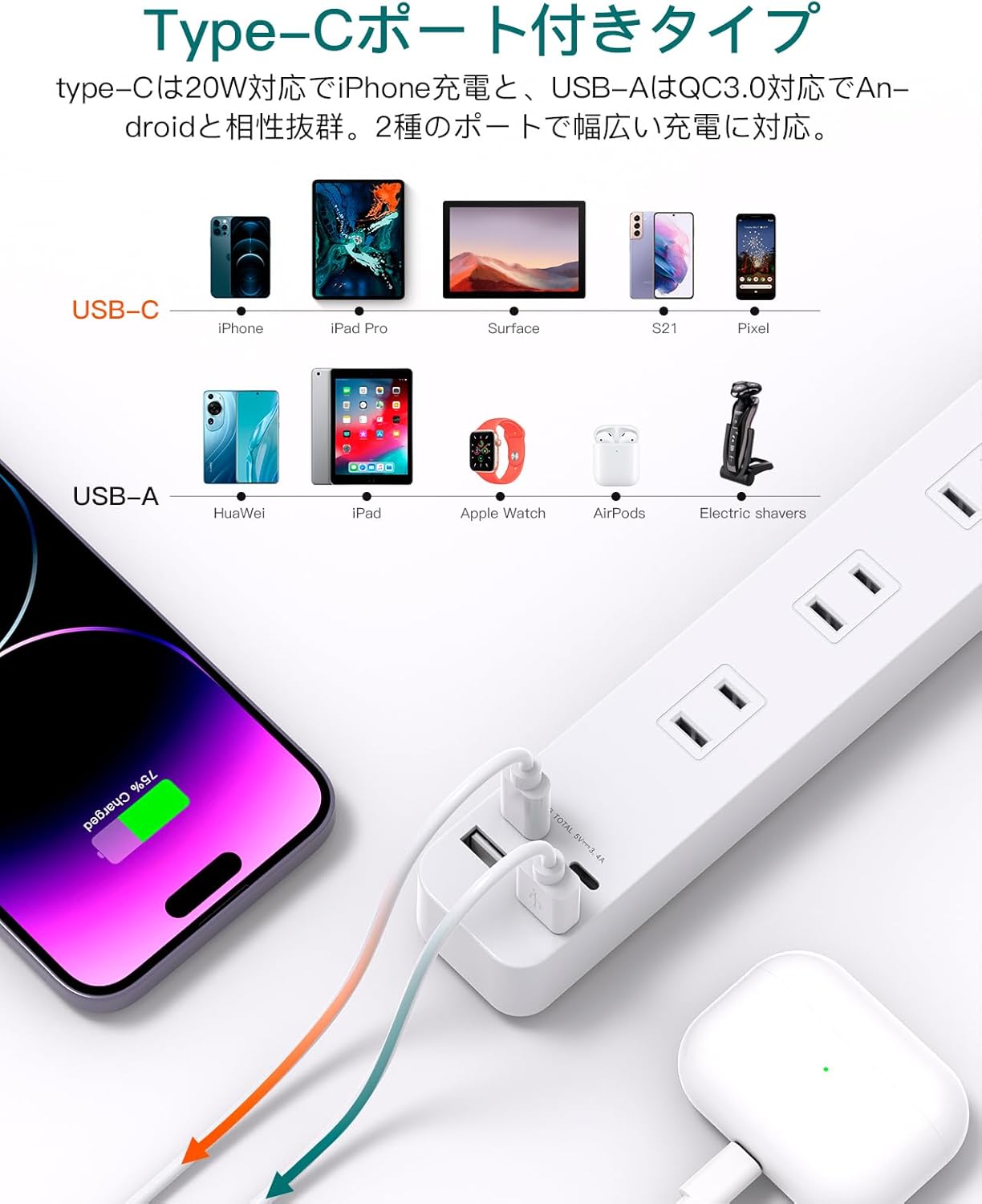
Image: Detailed view of the USB-C and USB-A charging ports, highlighting their compatibility with a wide range of electronic devices.
4. Setup
- Unpack: Carefully remove the power strip from its packaging.
- Placement: Choose a stable, dry location away from water and heat sources. You can place it on a desktop or mount it on a wall using the integrated hook holes.
- Connect to Wall Outlet: Plug the power strip's 2-meter cord into a standard wall outlet (100-125V). The 180° swing plug allows for flexible connection.
- Power On: Flip the master power switch to the 'ON' position. The indicator light (if present) will illuminate.
5. Operating Instructions
Once set up, the Addtam Power Strip is ready for use:
- Using AC Outlets: Insert the plugs of your electronic devices into any of the 6 AC outlets. Ensure the total wattage does not exceed 1400W. The outlets are designed for a secure fit to prevent loose connections.
- Using USB-A Ports: Connect your USB-A compatible devices (e.g., older smartphones, smartwatches, power banks) to the 2 USB-A ports using their respective charging cables.
- Using USB-C Ports: Connect your USB-C compatible devices (e.g., newer smartphones, tablets, laptops) to the 2 USB-C ports. These ports are designed to support modern charging requirements.
- Master Switch: Use the master switch to turn all connected devices on or off simultaneously. This is useful for saving energy when devices are not in use.
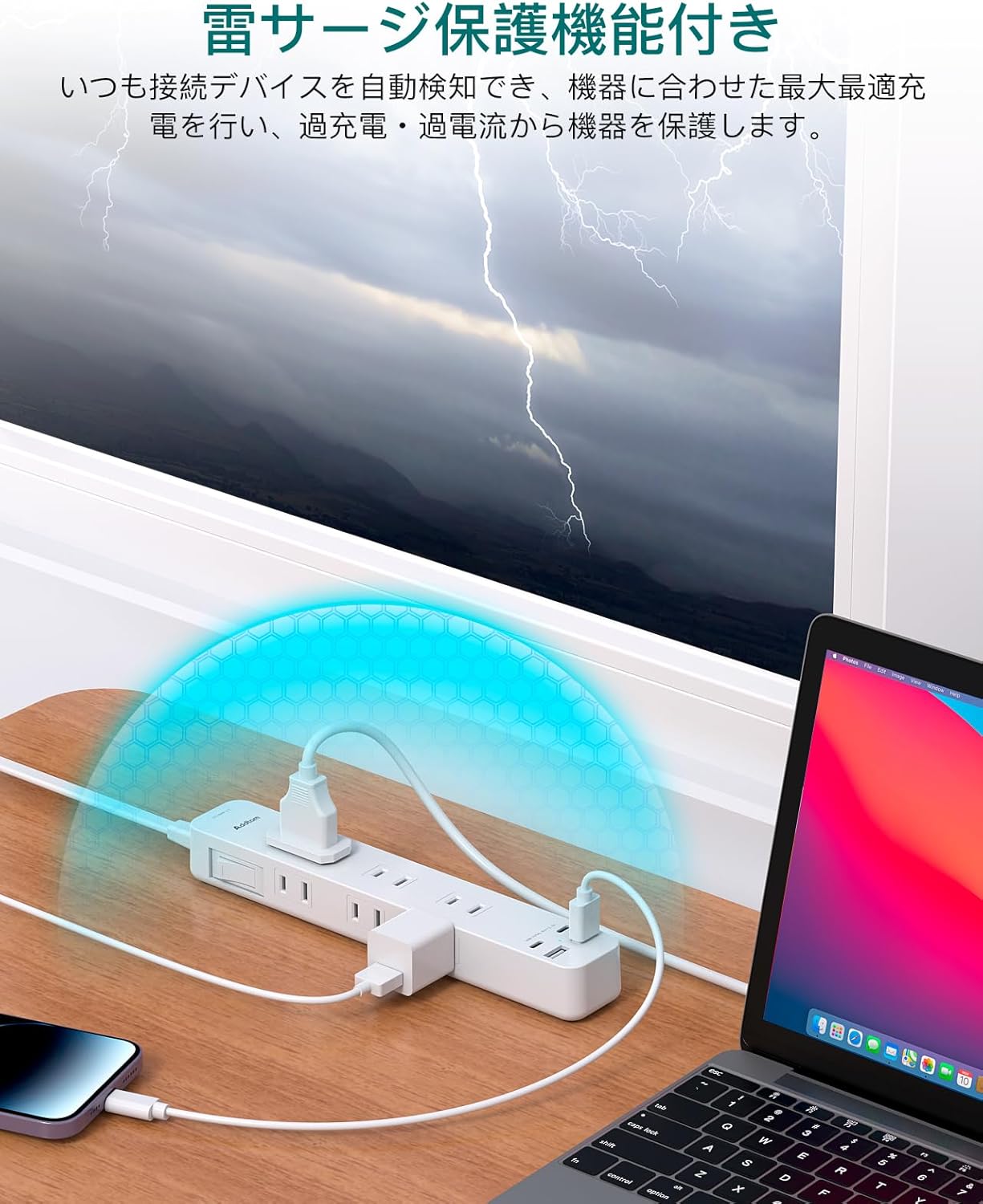
Image: The power strip actively protecting connected devices from electrical surges, as indicated by the blue shield graphic.
6. Maintenance
To ensure the longevity and safe operation of your Addtam Power Strip, follow these maintenance tips:
- Cleaning: Disconnect the power strip from the wall outlet before cleaning. Use a soft, dry cloth to wipe the surface. Do not use liquid cleaners or abrasive materials.
- Storage: When not in use for extended periods, store the power strip in a cool, dry place, away from direct sunlight and extreme temperatures.
- Inspect Regularly: Periodically check the power cord and plug for any signs of damage, fraying, or unusual heat. If any damage is observed, discontinue use immediately and contact customer support.
7. Troubleshooting
If you encounter issues with your Addtam Power Strip, please refer to the following common problems and solutions:
| Problem | Possible Cause | Solution |
|---|---|---|
| No power to devices | Master switch is off; Power strip not plugged in; Wall outlet issue; Overload protection triggered. | Ensure master switch is ON. Check if power strip is securely plugged into a working wall outlet. Reduce total connected wattage if overloaded. |
| Plugs are difficult to insert/remove | Designed for secure fit to prevent poor contact and heat. | This is normal for safety. Apply firm, steady pressure when inserting or removing plugs. Do not force or twist excessively. |
| Device not charging via USB port | Incorrect USB cable; Device not compatible; USB port malfunction. | Ensure correct and functional USB cable. Verify device compatibility with USB-A/USB-C. Try another USB port or AC outlet. |
| Power strip feels warm | Normal operation under load; Overload. | Slight warmth is normal. If it feels excessively hot, immediately unplug all devices and the power strip. Check total wattage. |
If the problem persists after trying these solutions, please contact Addtam customer support.
8. Specifications
| Feature | Specification |
|---|---|
| Model Number | AD6JWC2 |
| AC Outlets | 6 |
| USB-A Ports | 2 |
| USB-C Ports | 2 |
| Rated Voltage | 125 Volts |
| Max Power Rating | 1400W (Total) |
| Cable Length | 2 meters |
| Color | White |
| Item Weight | 250 grams |
| Dimensions | 28.1 x 8.6 x 3.4 cm |
9. Warranty and Support
Addtam is committed to providing high-quality products and excellent customer service. Your Addtam Power Strip comes with an 18-month after-sales service.
If you have any questions, concerns, or require assistance with your product, please do not hesitate to contact Addtam customer support. We are dedicated to resolving any issues you may encounter and ensuring your satisfaction.
For support, please visit the Addtam store on Amazon or refer to the contact information provided with your purchase.