
SEDETA B0CMQ8S5RG
SEDETA 40" Lift Top Coffee Table Instruction Manual
Model: B0CMQ8S5RG
1. Introduction
This manual provides detailed instructions for the assembly, operation, and maintenance of your SEDETA 40" Lift Top Coffee Table. Please read all instructions carefully before assembly and use to ensure safe and proper functionality.
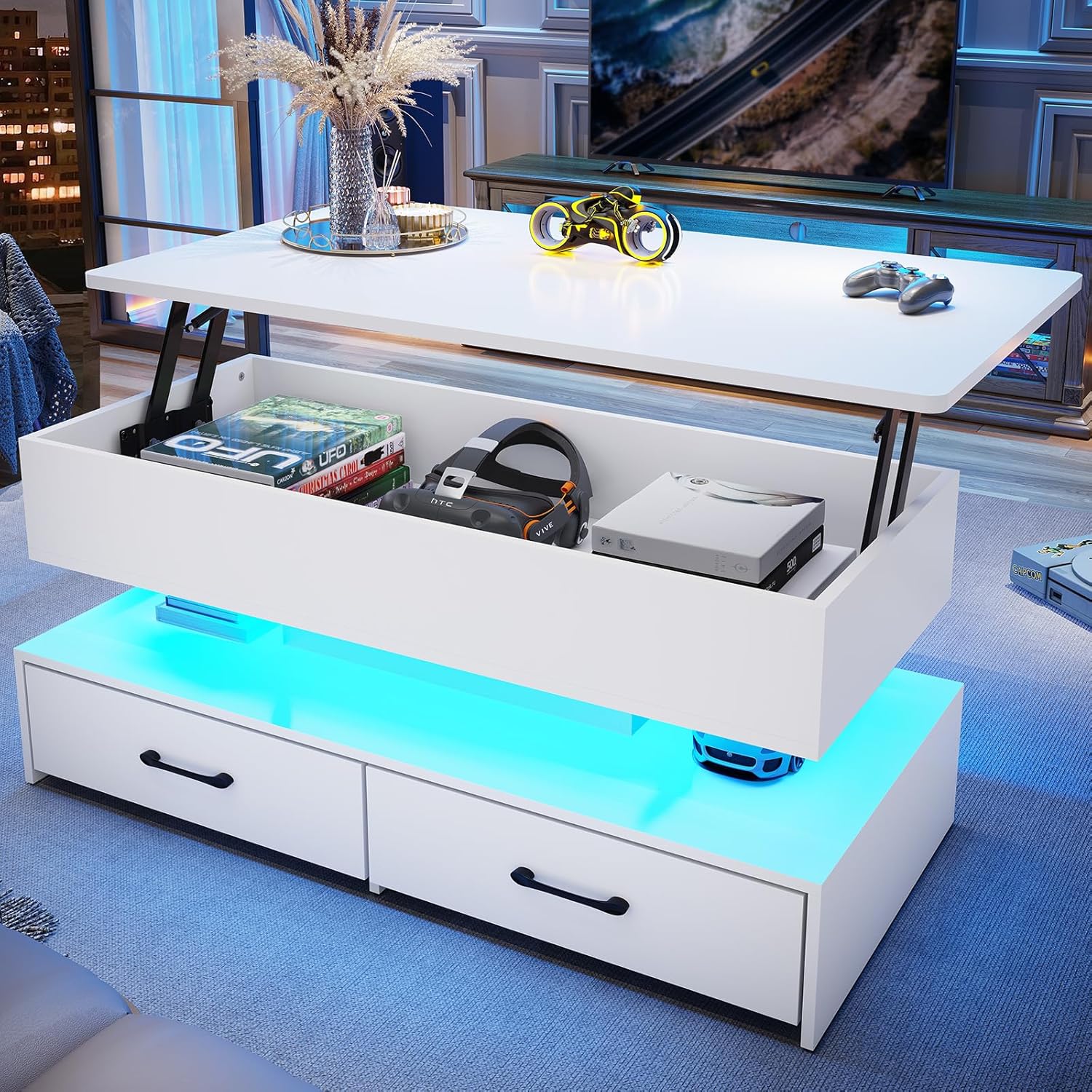
Image: The SEDETA 40-inch Lift Top Coffee Table, showcasing its lifted top, hidden storage compartment, and illuminated lower shelf with LED lighting. The table is white and features two drawers.
2. Safety Information
WARNING:
- Children are not allowed to climb or play on the product for safety reasons.
- Ensure all screws and fasteners are securely tightened before use.
- Do not overload the table. The maximum weight recommendation is 166 pounds.
- Keep hands clear of the lift-top mechanism during operation to prevent pinching.
3. Package Contents
Before beginning assembly, verify that all parts and hardware are present. Refer to the assembly video for a visual guide to the components.

Image: An exploded view diagram illustrating all individual components and hardware required for assembling the coffee table.
4. Assembly Instructions
Assembly is required. It is recommended that two people assemble this product. A screwdriver is recommended for assembly. Follow the numbered steps provided in the included instructions and the video guide below.
4.1. Assembly Video Guide
Video: A step-by-step installation guide for the SEDETA 40" Lift Top Coffee Table, demonstrating how to assemble each component and secure the hardware.
4.2. Key Assembly Steps
- Prepare Components: Lay out all numbered parts and hardware. Ensure you have the correct quantities as per the parts list.
- Assemble Base Structure: Connect the base panels using the provided screws and dowels. Pay attention to the orientation of panels with pre-drilled holes for drawer slides.
- Install Drawer Slides: Attach the drawer slides to the designated panels on the base structure. Ensure they are aligned correctly for smooth drawer operation.
- Assemble Drawers: Construct the two drawers. Note that the drawers may have different designs (e.g., fabric with stiff cardboard inserts, or wood).
- Attach Lift Mechanism: Secure the heavy-duty metal lift mechanism to the underside of the tabletop and the upper storage compartment.
- Connect Top Section: Carefully attach the assembled top section (tabletop with lift mechanism and upper storage) to the base structure.
- Install LED Light Strip: Apply the LED light strip to the designated area. Ensure the control unit is accessible.

Image: This diagram illustrates the two possible installation styles (A and B) for the lift-top mechanism, allowing customization based on preference and spatial layout. It also highlights the heavy-duty metal lift mechanism, smooth round edges, and silent operation features.
5. Operating Instructions
5.1. Lift-Top Functionality
The lift-top mechanism allows the tabletop to be raised smoothly and quietly, transforming the coffee table into a dining surface or workstation. To operate:
- Gently lift the tabletop from one side. The metal gas support mechanism will assist in raising it.
- Continue lifting until the tabletop locks into its elevated position.
- To lower, gently lift the tabletop slightly, then push down to disengage the lock and return it to the closed position.
5.2. Storage Access
The coffee table features multiple storage options:
- Hidden Compartment: Located beneath the lift-top, ideal for blankets, snacks, or electronic devices. Access by lifting the tabletop.
- Open Storage Shelf: Positioned below the hidden compartment, suitable for laptops, books, or decorative items.
- Two Drawers: Located at the base, perfect for remote controls, magazines, or small ornaments. Pull the handles to open.
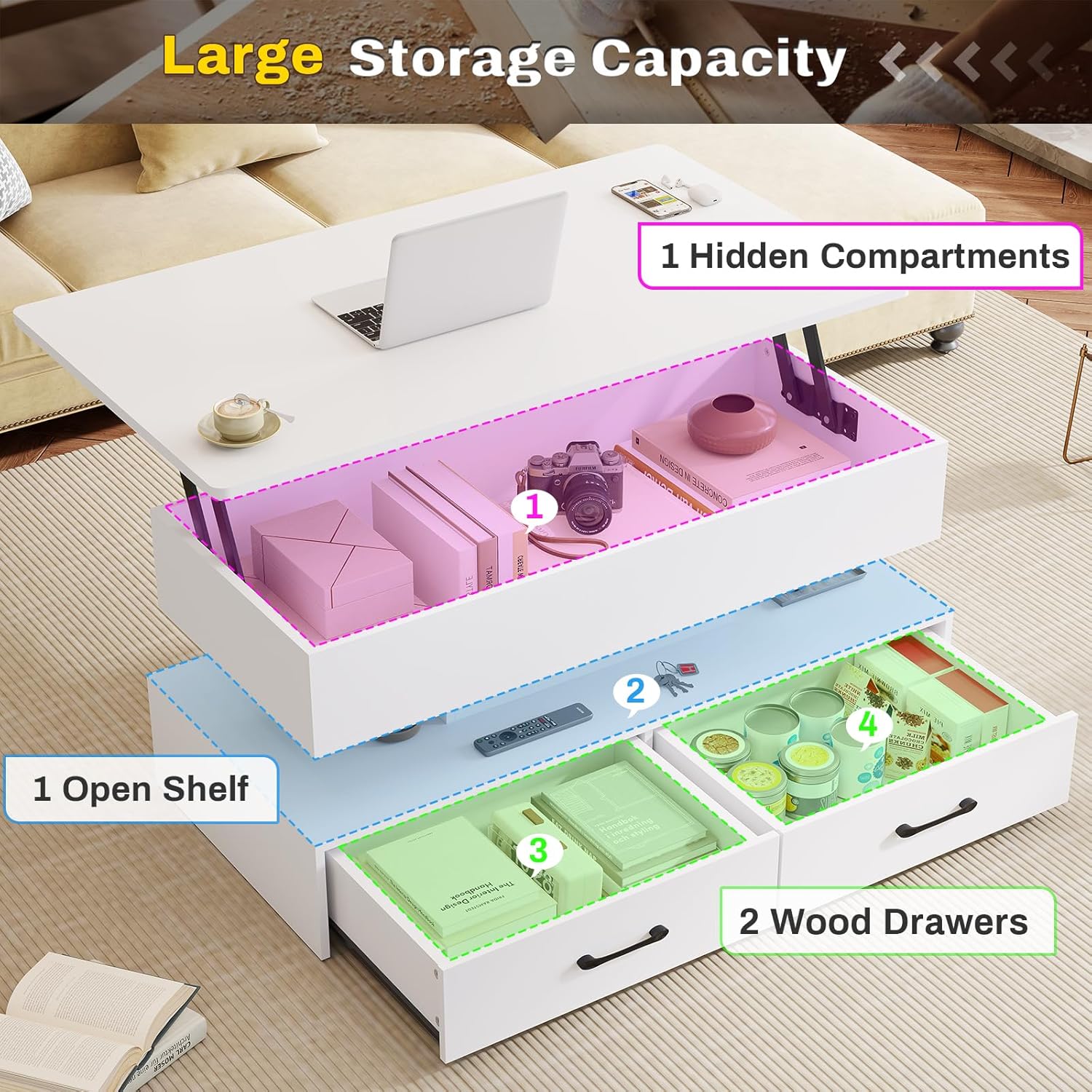
Image: An illustrative diagram detailing the various storage areas of the coffee table, including the hidden compartment (1), open shelf (2), and two wood drawers (3, 4), demonstrating their capacity for organizing items.
5.3. LED Light Operation
The integrated RGB LED light strip offers multiple colors and flashing modes, controllable via a key control or a smartphone application.
- Key Control: Use the inline key control to cycle through colors and modes.
- APP Control: Download the compatible smartphone application to access over 60,000 colors, music sync, and timing functions.
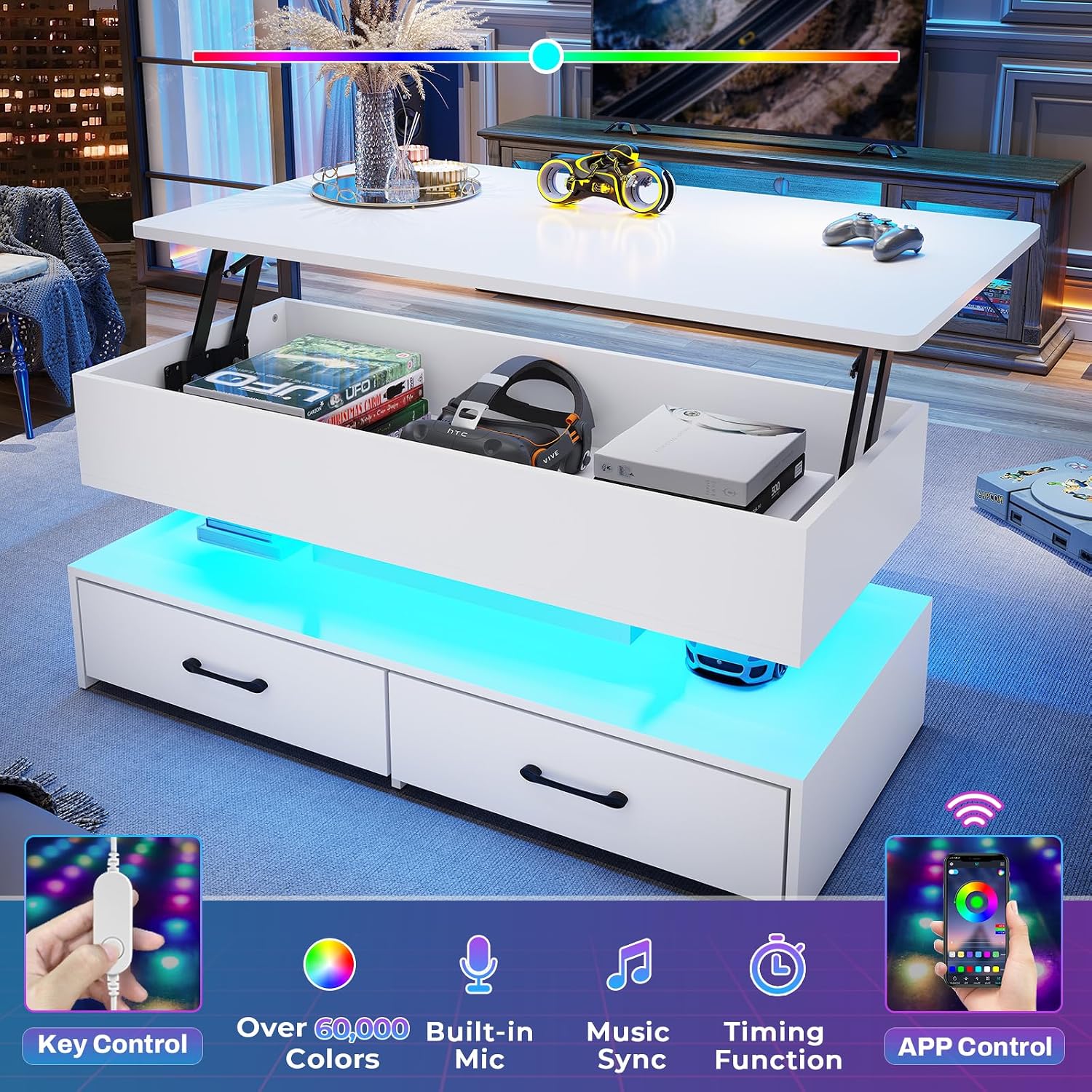
Image: A visual representation of the LED light strip's capabilities, highlighting control options via a physical key or a smartphone app, and features such as a wide color spectrum, music synchronization, and a timing function.
6. Maintenance
- Cleaning: Wipe the table surfaces with a soft, damp cloth. Avoid harsh chemicals or abrasive cleaners.
- Hardware: Periodically check all screws and fasteners to ensure they remain tight. Re-tighten if necessary.
- LED Lights: If the LED lights malfunction, check the power connection and ensure batteries (if applicable) are correctly installed or charged.
7. Troubleshooting
7.1. Lift-Top Mechanism is Stiff or Noisy
- Ensure the mechanism is clean and free of debris.
- Apply a small amount of silicone-based lubricant to the moving parts of the lift mechanism if necessary.
7.2. Drawers Do Not Slide Smoothly
- Check that the drawer slides are properly aligned and securely attached.
- Ensure no items are obstructing the drawer's path.
7.3. LED Lights Not Working or Changing Colors
- Verify that the LED light strip is correctly connected to its power source and control unit.
- If using batteries, ensure they are fresh and correctly inserted.
- If using the app, ensure Bluetooth is enabled and the app is properly paired with the LED controller.
8. Specifications
| Feature | Detail |
|---|---|
| Brand | SEDETA |
| Model | B0CMQ8S5RG |
| Product Dimensions | 19.7"D x 39.4"W x 25.2"H |
| Item Weight | 57.3 Pounds |
| Maximum Weight Recommendation | 166 Pounds |
| Color | White |
| Table Design | Coffee Table (Lift Top) |
| Frame Material Type | Metal |
| Top Material Type | Engineered Wood |
| Number of Drawers | 2 |
| Number of Shelves | 4 |
| Indoor/Outdoor Usage | Indoor |
| Recommended People for Assembly | 2 |
9. Warranty and Support
If your item arrives damaged, scratched, or with missing parts, please contact us. We will send you a free replacement or offer a partial refund. For further assistance, please refer to the seller's contact information on the purchase platform.
Ask a question about this manual
Ask about setup, troubleshooting, compatibility, parts, safety, or missing instructions. Manuals+ will review the question and use this page’s manual context to help answer it.