
Introduction
This manual provides detailed instructions for the assembly, operation, and maintenance of your Devoko 160x70 cm Electric Height Adjustable Standing Desk. Please read this manual thoroughly before assembly and use to ensure safe and efficient operation.
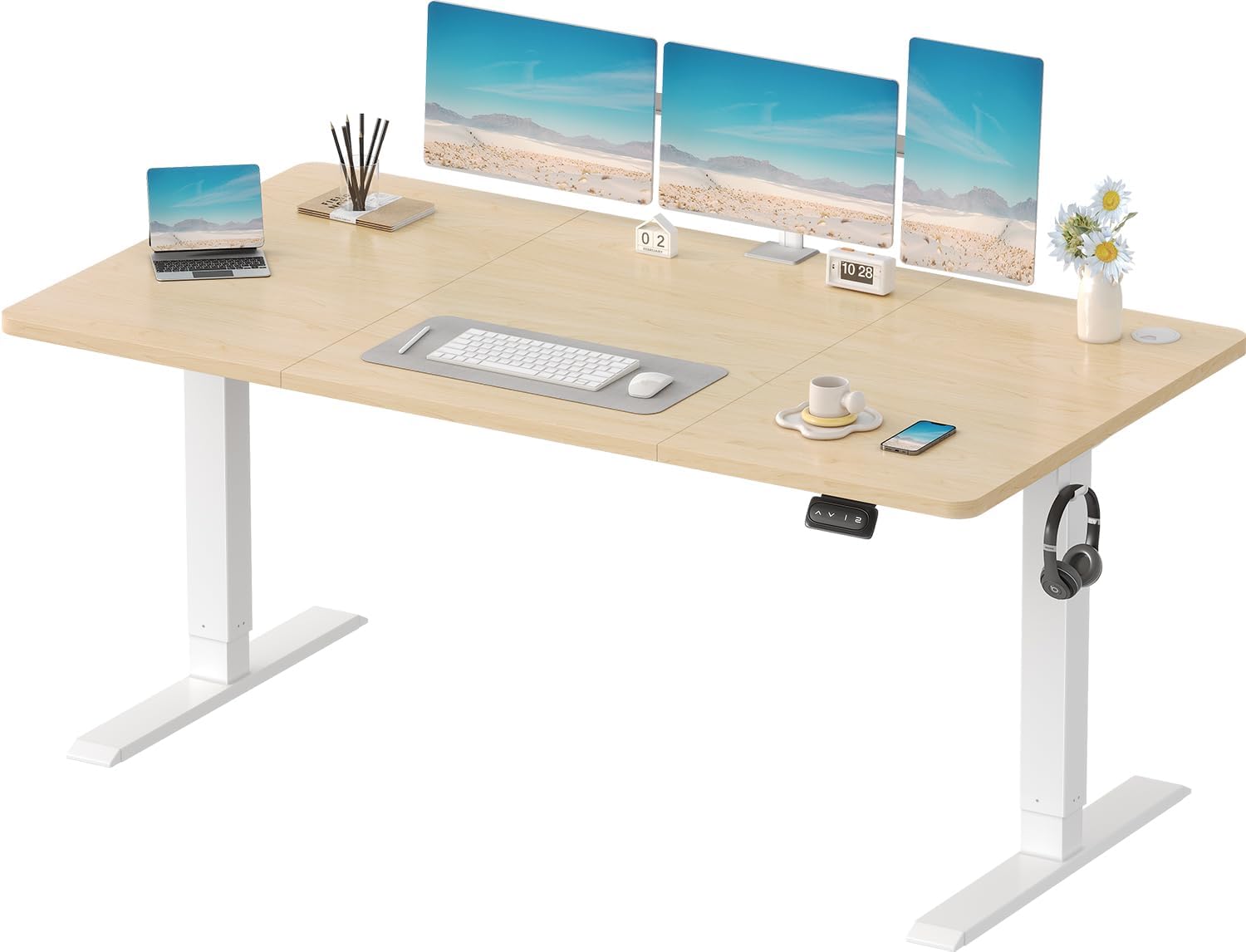
Image: Devoko 160x70 cm Electric Height Adjustable Standing Desk, showcasing its spacious desktop and electric height adjustment feature.
Safety Information
- Use the desk with caution to avoid collisions during height adjustment.
- The rounded corners of the tabletop are designed to prevent potential injuries.
- Ensure the desk is adjusted to a comfortable height to prevent strain or injury.
- Maintain a tidy workspace by utilizing the cable management hole, reducing the risk of tripping over cables.
- Keep children and pets away from the desk during operation.
- Do not overload the desk beyond its specified weight capacity.
Package Contents
Before beginning assembly, please verify that all components listed below are present and undamaged:
- 160 x 70 cm Standing Desk
- Installation Instructions (including video guide)
- Installation Tools
- All necessary hardware (screws, bolts, etc.)

Image: Overview of the desk components and dimensions (160cm x 70cm desktop, 73cm-118cm height range).
Setup and Assembly
Assembly typically takes approximately 30 minutes. Follow the detailed steps below. A video guide is also available for visual assistance.
Assembly Steps:
- Step 1: Assemble the Crossbar Sections
Connect the two main crossbar sections using the provided screws and Allen key. Ensure they are securely fastened.

Image: Illustration of connecting the crossbar components.
- Step 2: Attach the Side Brackets
Secure the side brackets to the assembled crossbar using the designated screws. These brackets will support the desk legs.

Image: Illustration of attaching the side brackets to the crossbar.
- Step 3: Install the Desk Legs
Attach the desk legs to the side brackets. Ensure they are aligned correctly and tightened firmly.

Image: Illustration of attaching the desk legs to the frame.
- Step 4: Connect the Motor
Mount the electric motor to the designated position on the desk frame and secure it with screws.

Image: Illustration of mounting the electric motor.
- Step 5: Attach the Drive Rod
Insert the drive rod into the motor and the opposite leg mechanism. This rod transmits power for height adjustment.

Image: Illustration of inserting the drive rod.
- Step 6: Secure the Drive Rod
Use the provided fasteners to secure the drive rod in place, ensuring smooth operation.

Image: Illustration of securing the drive rod.
- Step 7: Assemble Desktop Sections
Connect the desktop sections using the wooden dowels and metal plates. Ensure a flush and secure fit.

Image: Illustration of joining desktop panels using dowels.
- Step 8: Attach Desktop to Frame
Carefully place the assembled desktop onto the desk frame. Align the pre-drilled holes.

Image: Illustration of placing the desktop onto the frame.
- Step 9: Secure Desktop
Use the provided screws to firmly attach the desktop to the frame from underneath.

Image: Illustration of screwing the desktop to the frame.
- Step 10: Install Control Panel
Mount the control panel to the underside of the desk in an easily accessible location. Secure it with screws.

Image: Illustration of mounting the control panel.
- Step 11: Connect Wiring
Connect the motor cable to the control panel and the power adapter. Use cable ties to manage excess wiring.

Image: Illustration of connecting the motor and power cables.
- Step 12: Final Cable Management
Organize all cables using the provided cable management accessories, such as cable clips and the cable grommet hole in the desktop.

Image: Illustration of using cable clips for organization.
Operating Instructions
Your Devoko standing desk features an intuitive control panel for easy height adjustment and memory presets.
Control Panel Functions:

Image: Multifunctional control panel showing up/down buttons and two memory presets.
- Height Adjustment: Use the Up (^) and Down (v) arrow buttons to smoothly adjust the desk height between 71 cm and 119 cm. The motor operates quietly, typically below 45dB.
- Memory Presets: The controller features 2 memory preset buttons (1 and 2). To save a preferred height, adjust the desk to the desired level, then press and hold one of the memory buttons until you hear a beep or see a confirmation on the display (if applicable). To recall a saved height, simply press the corresponding memory button.
- Anti-Collision System: The desk is equipped with a reliable anti-collision system. If an obstacle is encountered during height adjustment, the desk will automatically stop and rebound approximately 2 cm to prevent damage or injury.

Image: Features such as automatic rebound, quiet operation (noise < 50 dB), and stable lifting mechanism.
Maintenance
Regular maintenance ensures the longevity and optimal performance of your Devoko standing desk.
- Cleaning: Wipe the desktop and frame with a soft, damp cloth. Avoid abrasive cleaners or harsh chemicals that could damage the finish. The galvanized coating on the table legs is resistant to rust and easy to clean.
- Cable Management: Periodically check and reorganize cables using the integrated cable management features (cable hole, hooks, cable ties) to prevent tangling and ensure safety.
- Inspection: Regularly inspect all screws and connections to ensure they remain tight. Retighten if necessary.
- Motor Care: The motor is designed for durability with over 50,000 lifts and includes overheating protection. No specific user maintenance is required for the motor itself, but ensure it remains free from dust and obstructions.

Image: Ergonomic features like headphone hooks, cable ties, cable management hole, and adjustable feet for a tidy workspace.
Troubleshooting
If you encounter any issues with your Devoko standing desk, please refer to the following common solutions:
- Desk Not Moving:
- Check if the power cable is securely plugged into both the desk and the wall outlet.
- Ensure all motor and control panel cables are properly connected.
- If the control panel displays an error code, consult the full manual (if provided separately) or contact customer support.
- Uneven Movement or Noise:
- Verify that the desk is placed on a level surface.
- Check for any obstructions under or around the desk legs.
- Ensure all assembly screws are tightened.
- Anti-Collision System Triggering Frequently:
- Remove any objects that might be interfering with the desk's movement path.
- Ensure there is sufficient clearance above and below the desk.
For issues not covered here, please contact Devoko customer support for professional assistance.
Specifications
| Brand | Devoko |
| Model Number | 0427 |
| Dimensions (Desktop) | 160 x 70 cm |
| Height Adjustment Range | 71 cm - 119 cm |
| Color | Beige |
| Material | Steel and Laminated Beech |
| Load Capacity | Up to 60 kg (133 lbs) |
| Noise Level | ≤ 45 dB during operation |
| Special Features | Electric Height Adjustable, Ergonomic, Anti-Collision System, 2 Memory Presets, Cable Management |

Image: Robust steel frame structure details, highlighting industrial-grade alloy columns and anti-slip gaskets.
Warranty and Support
Devoko is committed to providing high-quality products and excellent customer service.
- Returns: The product is returnable if requested within 14 days of delivery. Please refer to the retailer's return policy for full details.
- Customer Support: For any questions, concerns, or professional assistance regarding your Devoko standing desk, please contact our specialized customer support team. Contact information can typically be found on the retailer's website or your purchase documentation.


