
1. Product Overview
The ALLIMITY RM-D657 is a replacement remote control designed for various LG television models. It offers direct functionality without the need for complex programming, serving as a direct substitute for original LG remote models such as MKJ32022830 and MKJ32022833.
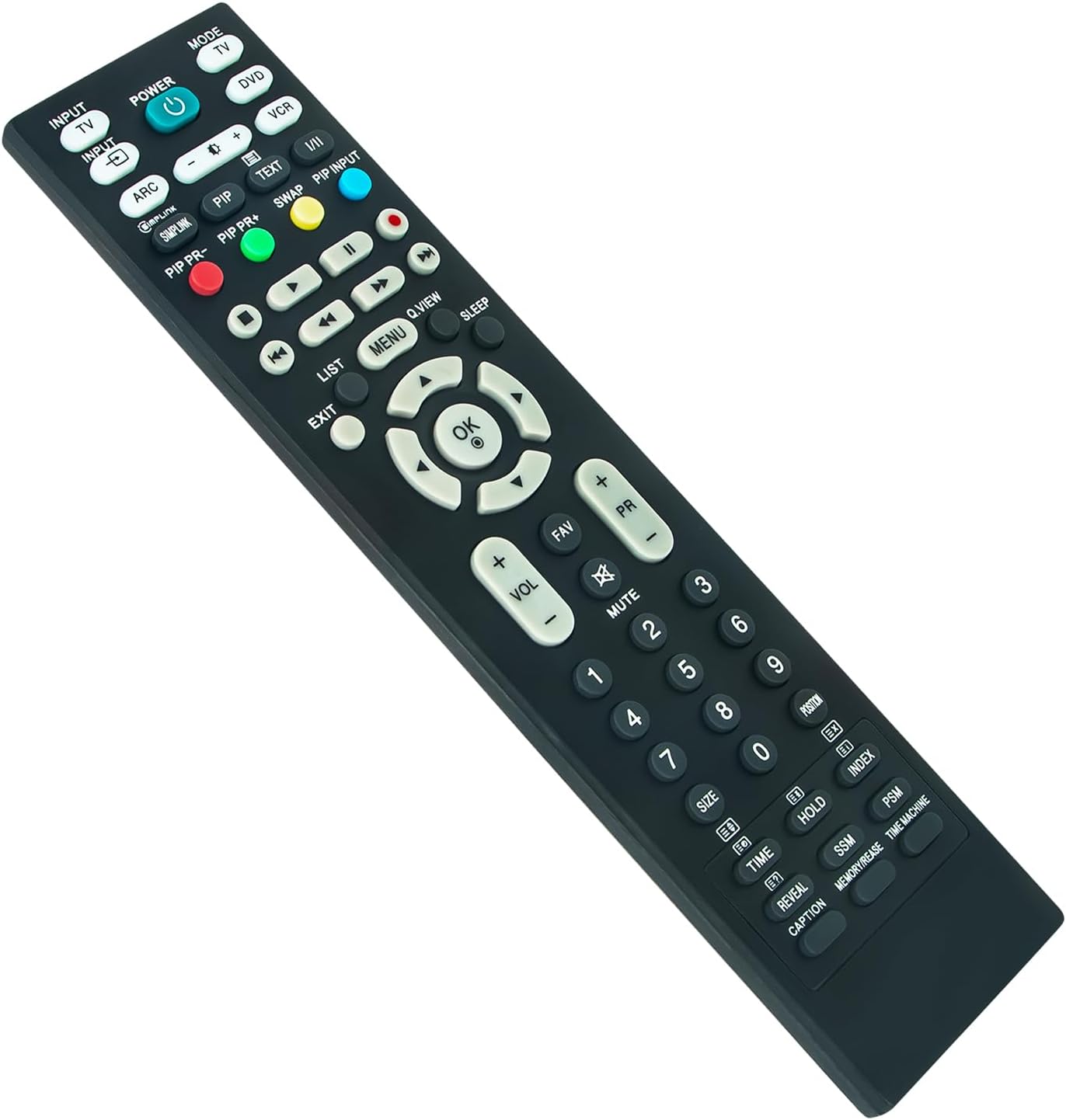
Image 1: Front view of the ALLIMITY RM-D657 Remote Control.
2. Setup
2.1 Battery Installation
To begin using your remote control, you must first install the batteries. No programming or setup is required beyond this step.
- Locate the battery compartment on the back of the remote control.
- Slide the battery compartment cover downwards or press the latch to open it.
- Insert two (2) AAA Alkaline batteries, ensuring the positive (+) and negative (-) terminals match the diagrams inside the compartment.
- Replace the battery compartment cover, ensuring it clicks securely into place.
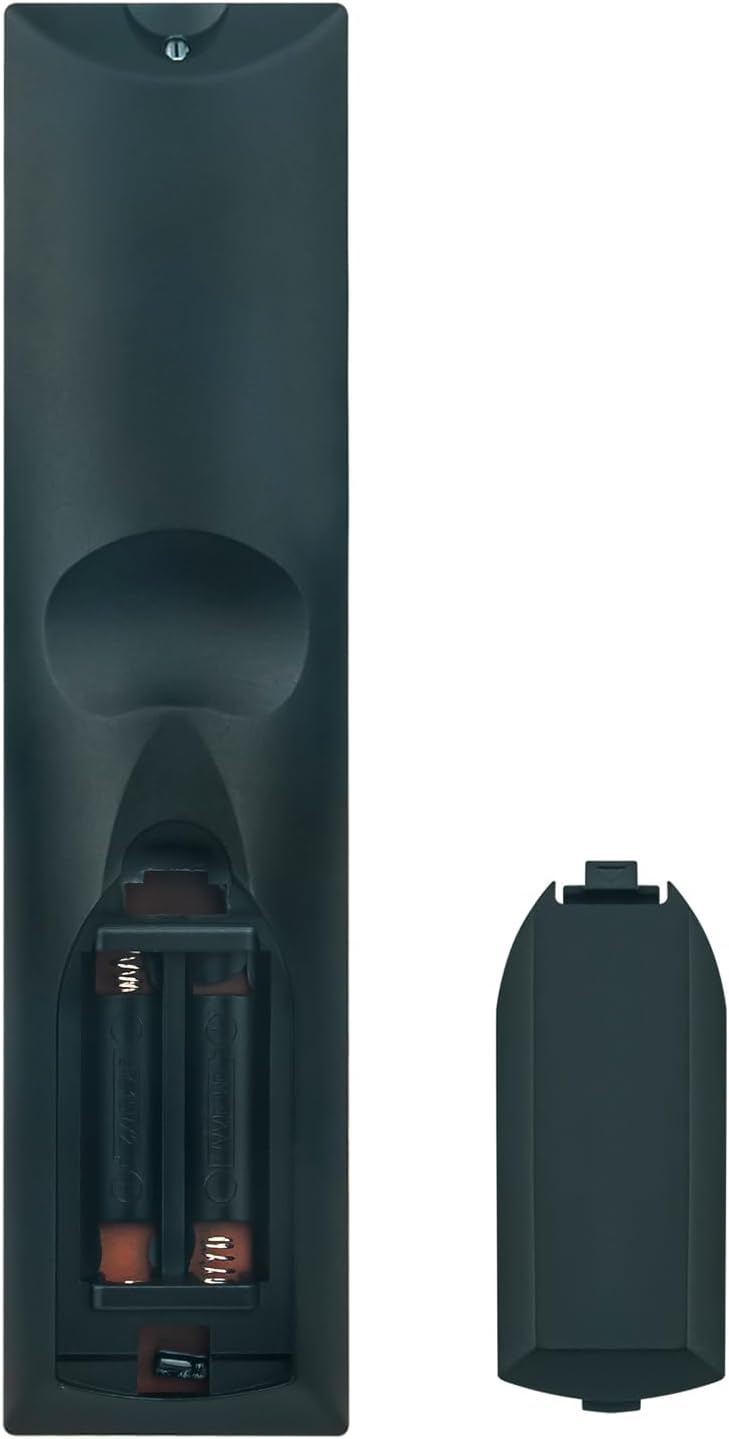
Image 2: Rear view showing the battery compartment and cover.
Note: Batteries are not included with the remote control. Use only new AAA Alkaline batteries for optimal performance.
3. Operating Instructions
Once batteries are correctly installed, the ALLIMITY RM-D657 remote control is ready for immediate use with compatible LG TV models. Point the remote directly at your television's infrared receiver.
3.1 Basic Functions
- POWER: Turns the television on or off.
- INPUT/TV/DVD/VCR: Selects the input source (e.g., HDMI, AV, TV).
- VOL +/-: Adjusts the volume level.
- PR +/- (Channel +/-): Changes the television channel.
- MUTE: Mutes or unmutes the television audio.
- NUMBER BUTTONS (0-9): Directly selects channels or enters numerical values.
- MENU: Accesses the television's main menu.
- OK (Enter): Confirms selections within menus.
- ARROW BUTTONS (Up/Down/Left/Right): Navigates through menus and options.
- EXIT: Exits the current menu or function.
Additional buttons on the remote control correspond to specific functions available on your LG TV. Refer to your television's original user manual for detailed information on these advanced features.
4. Compatible Models
The ALLIMITY RM-D657 remote control is compatible with a wide range of LG TV models, including but not limited to:
- 26LH1DC5
- L26W56BA
- 50PC3D-UE
- 60PC1D-UE
- 50PQ20-UA
- 50PQ30-UA
- 37LC5DC
- 37LG3500
- 42LF66
- 42LF75
- 42LC46
- 42LC55
- 42LF65
- 37LB5DF
- 37LB4DS
- 50PB65
- MKJ32022830
- MKJ32022833
5. Maintenance
5.1 Cleaning
To clean your remote control, gently wipe it with a soft, dry cloth. Avoid using liquid cleaners, abrasive materials, or chemical solvents, as these can damage the remote's surface or internal components.
5.2 Battery Replacement
Replace the batteries when the remote control's responsiveness decreases, or if it stops functioning. Always replace both batteries at the same time with new AAA Alkaline batteries. Do not mix old and new batteries, or different types of batteries.
6. Troubleshooting
6.1 Remote Not Responding
- Check Batteries: Ensure batteries are inserted correctly with the correct polarity (+/-) and are not depleted. Replace with new AAA Alkaline batteries if necessary.
- Line of Sight: Make sure there is a clear line of sight between the remote control and the television's infrared receiver. Remove any obstructions.
- Remote Sensor: Ensure the TV's remote sensor is not blocked or dirty.
6.2 Limited Range
- Battery Level: Low battery power can reduce the remote's effective range. Replace batteries.
- Interference: Strong light sources (like direct sunlight or fluorescent lights) or other electronic devices can sometimes interfere with the infrared signal. Try using the remote in a different environment.
7. Specifications
- Brand: ALLIMITY
- Model: RM-D657
- Compatible Devices: LG Televisions
- Connectivity Technology: Infrared
- Battery Type: 2 x AAA Alkaline Batteries (not included)
- Maximum Range: Approximately 33 Feet (10 meters)
- Item Weight: 96 Grams
- Special Feature: Ergonomic design
8. Warranty and Support
For specific warranty details regarding your ALLIMITY RM-D657 remote control, please refer to the retailer's terms and conditions at the time of purchase. For technical support or further assistance, please contact the seller or your point of purchase directly.