
1. Introduction
This manual provides essential information for the safe and effective operation, maintenance, and troubleshooting of your Eureka Forbes Air Purifier 150. Please read all instructions carefully before using the appliance and retain this manual for future reference.
The Eureka Forbes Air Purifier 150 is designed to improve indoor air quality by removing airborne particles, allergens, and odors using its advanced 3-stage purification system and Surround 360° Air Intake Technology.
2. Safety Instructions
- Ensure the power supply voltage matches the rating label on the appliance.
- Do not operate the air purifier with a damaged cord or plug.
- Keep the appliance away from water or other liquids. Do not immerse the unit.
- Do not block the air inlet or outlet. Maintain at least 20 cm clearance from walls and furniture.
- Unplug the air purifier before cleaning, maintenance, or filter replacement.
- This appliance is for indoor use only.
- Do not allow children to operate or play with the air purifier.
- Do not use abrasive cleaners or flammable liquids to clean the unit.
3. Product Overview
The Eureka Forbes Air Purifier 150 features a compact design with a 360° air intake system for efficient air purification.
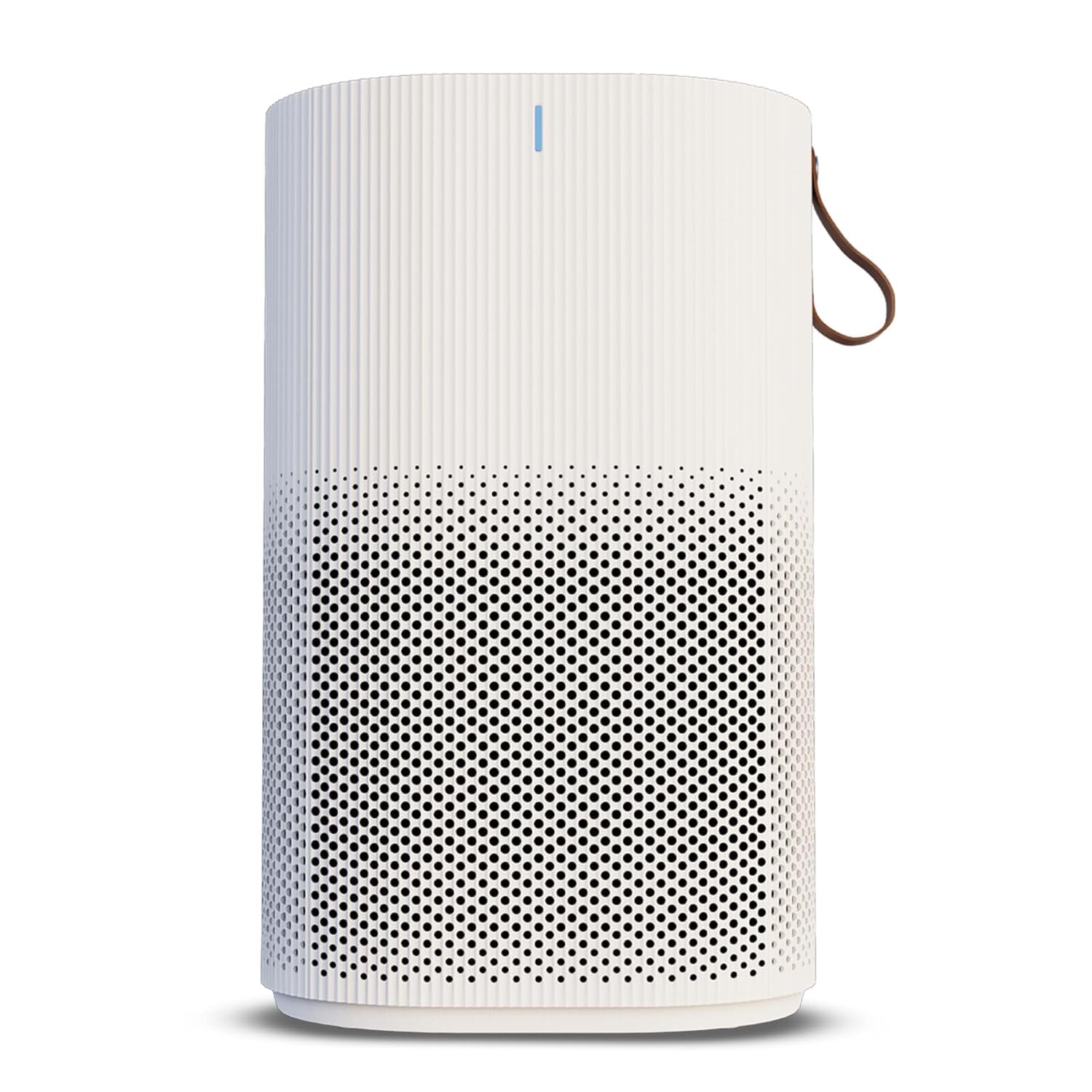
Image: Front view of the Eureka Forbes Air Purifier 150, showcasing its cylindrical shape and perforated lower section for air intake.
Components Included:
- Main Air Purifier Unit
- Integrated Filter (Pre-filter, Activated Carbon Filter, True H13 HEPA Filter)
- User Manual
Key Features:
- Surround 360° Air Intake Technology: Captures airborne particles from all directions.
- Advanced 3-Stage Purification: Includes Pre-filter, Activated Carbon Filter, and True H13 HEPA Filter.
- True HEPA H13 Filter: Removes 99.97% of dust, pollen, mold, and microbes as small as 0.1 µm.
- Activated Carbon Filter: Absorbs odors, VOCs, and cigarette smoke.
- Adjustable Fan Speed: Low, Medium, High settings.
- Timer Settings: 2, 4, or 6 hours.
- Silent Operation: Noise level below 55dB(A).
- Filter Change Indicator: Alerts when filter replacement is needed.
4. Setup
4.1 Unpacking
- Carefully remove the air purifier from its packaging.
- Remove all protective plastic films or packaging materials from the unit and the filter.
4.2 Filter Installation
The filter may come pre-installed but wrapped in protective plastic. Ensure this plastic is removed before use.
- Turn the air purifier upside down.
- Twist the base cover counter-clockwise to unlock and remove it.
- Carefully pull out the integrated filter.
- Remove any plastic packaging from the filter.
- Insert the filter back into the unit, ensuring it is seated correctly.
- Replace the base cover and twist clockwise to lock it securely.

Image: Diagram illustrating the three layers of the integrated filter: Pre-filter, Activated Carbon Filter, and True H13 HEPA Filter.
4.3 Placement
Place the air purifier on a firm, level surface. For optimal performance, ensure there is adequate space around the unit for air circulation.

Image: The air purifier placed in a bedroom, demonstrating its suitable placement for effective air circulation.
4.4 Power Connection
Plug the power cord into a suitable electrical outlet. The unit is now ready for operation.
5. Operating Instructions
The control panel is located on the top of the air purifier.

Image: Top view of the air purifier showing the control panel with touch buttons for power, fan speed, and timer.
5.1 Power On/Off
- Press the Power Button once to turn the unit on. The default fan speed will activate.
- Press the Power Button again to turn the unit off.
5.2 Adjusting Fan Speed
- With the unit on, press the Fan Speed Button to cycle through the available speeds: Low, Medium, High.
- The indicator light will show the currently selected fan speed.
5.3 Setting the Timer
- With the unit on, press the Timer Button to select a desired operating time: 2 hours, 4 hours, or 6 hours.
- The corresponding indicator light will illuminate.
- The air purifier will automatically turn off once the set time has elapsed.
- To cancel the timer, press the Timer Button until no timer indicator light is illuminated.
6. Maintenance
Regular maintenance ensures optimal performance and extends the life of your air purifier.
6.1 Cleaning the Exterior
- Always unplug the unit before cleaning.
- Wipe the exterior surfaces with a soft, damp cloth.
- Do not use harsh chemicals, abrasive cleaners, or flammable liquids.
6.2 Filter Replacement
The air purifier is equipped with a filter change indicator. When this indicator illuminates, it is time to replace the integrated filter.
- Unplug the air purifier from the power outlet.
- Turn the unit upside down and twist the base cover counter-clockwise to remove it.
- Carefully pull out the old integrated filter.
- Dispose of the old filter responsibly.
- Unpack the new integrated filter and insert it into the unit, ensuring proper orientation.
- Replace the base cover and twist clockwise to lock it securely.
- Plug in the air purifier. To reset the filter change indicator, press and hold the Power Button for 5 seconds until the indicator light turns off.
Note: The integrated filter cannot be washed and must be replaced. The lifespan of the filter depends on usage and air quality.
7. Troubleshooting
Before contacting customer support, please refer to the following troubleshooting guide for common issues.
| Problem | Possible Cause | Solution |
|---|---|---|
| Air purifier does not turn on. | No power supply. | Check if the power cord is securely plugged into the outlet and the unit. Ensure the outlet is functional. |
| Weak airflow. | Filter is dirty or blocked. | Check the filter change indicator. Replace the filter if necessary. Ensure air inlets/outlets are not blocked. |
| Unusual noise. | Filter not installed correctly. Obstruction in fan. | Ensure the filter is properly seated and the base cover is locked. Unplug and check for any foreign objects. |
| Odor persists. | Activated Carbon Filter saturated. | Replace the integrated filter. |
| Filter change indicator remains on after filter replacement. | Indicator not reset. | Press and hold the Power Button for 5 seconds to reset the indicator. |
8. Specifications
| Specification | Detail |
|---|---|
| Brand | Eureka Forbes |
| Model | AP 150 (GAPDF150K10000) |
| Product Dimensions (D x W x H) | 19D x 19W x 31H Centimeters |
| Floor Area Coverage | Up to 200 Square Feet |
| CADR (Clean Air Delivery Rate) | 150 m³/Hr (for fine dust particles, as per AHAM standards) |
| Noise Level | Less than 55 Decibels |
| Filtration Efficiency | Removes 99.97% dust & particulate matter as small as 0.1 µm |
| Filter Type | Integrated 3-Stage Filter (Pre-filter, Activated Carbon Filter, True H13 HEPA Filter) |
| Controller Type | Touch Control |
| Special Feature | Surround 360° Air Intake Technology |
| Item Weight | 2 kg 140 g |
| Country of Origin | China |
9. Warranty and Support
Your Eureka Forbes Air Purifier 150 comes with a standard manufacturer's warranty. Please refer to the warranty card included with your product for specific terms and conditions, including warranty period and coverage details.
For technical assistance, service requests, or to purchase replacement filters, please contact Eureka Forbes customer support through their official channels. Contact information can typically be found on the product packaging or the official Eureka Forbes website.


