
1. Introduction
This manual provides detailed instructions for the operation and maintenance of your Vikye Mini DV Digital Camera. Designed for portability and ease of use, this compact camera is capable of capturing high-quality 1080P video and still images.
- Equipped with a 0.96-inch display for instant viewing, framing, and adjustments.
- Supports 1080P video recording at 30 frames per second (FPS) for clear and detailed motion images.
- Functions as both a video recorder and a still camera, capturing JPG images with a resolution of 3760x2128.
- Constructed from durable ABS material, designed to withstand minor impacts during outdoor activities.
- Compact and portable design, ideal for outdoor use and travel.
2. Package Contents
Please verify that all items listed below are included in your package:
- 1 x Mini DV Digital Camera
- 1 x Data Cable (USB)
- 1 x Lanyard
- 1 x Hook Buckle
- 1 x User Manual (this document)

Image: The Mini DV Digital Camera shown with its accompanying data cable, lanyard, and hook buckle.
3. Product Overview
Familiarize yourself with the various components of your Mini DV Digital Camera.

Image: Front view of the camera, highlighting the lens and indicator lights.
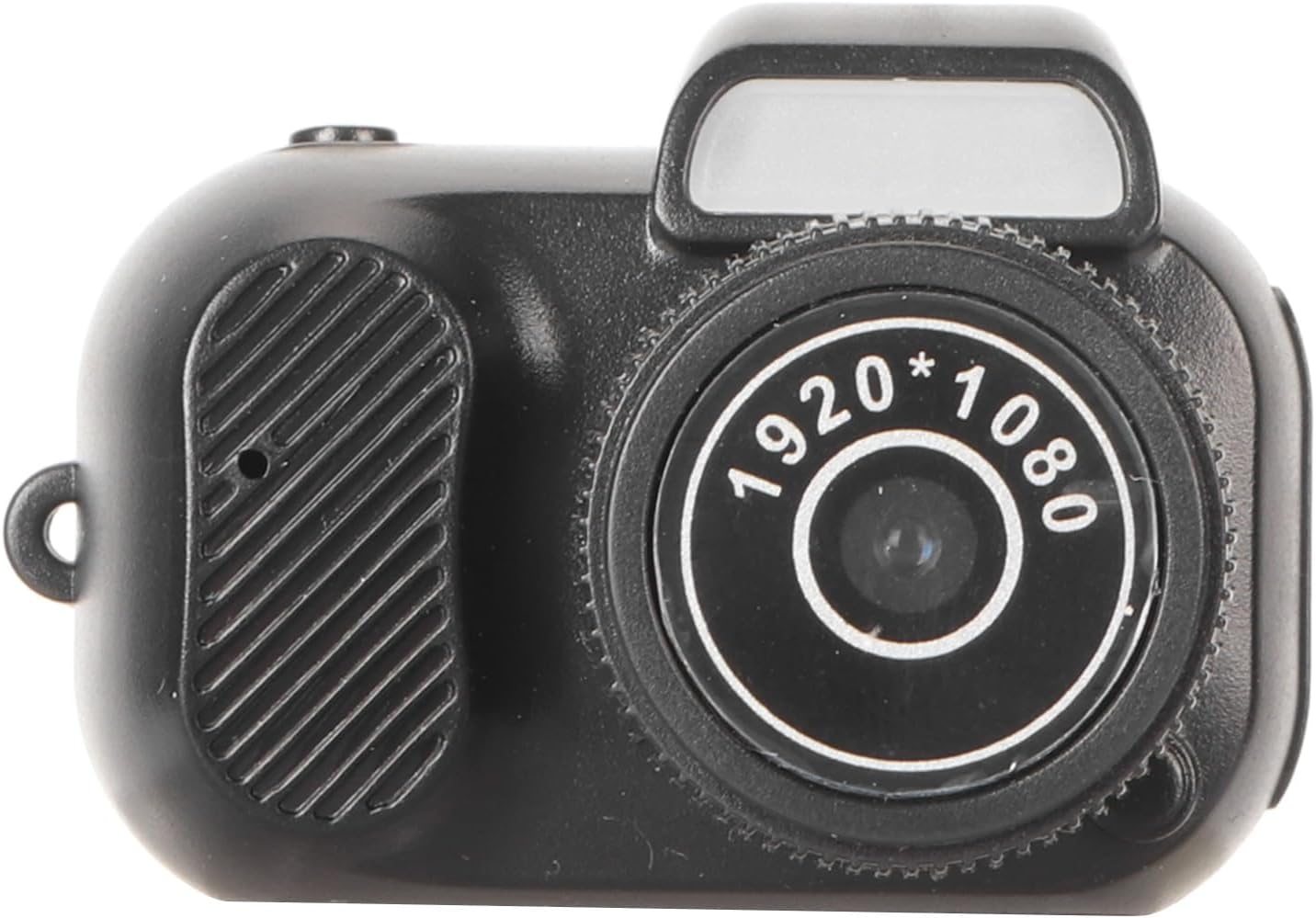
Image: Top view of the camera, showing the power/mode button and shutter button.

Image: Side view of the camera, illustrating the USB port and memory card slot (if visible).
Key components include the main lens, 0.96-inch display, power/mode button, shutter button, USB port for charging and data transfer, and a memory card slot.
4. Setup
4.1. Charging the Battery
The camera has a built-in 180mAh lithium battery. Before first use, fully charge the camera.
- Connect the provided data cable to the camera's USB port.
- Connect the other end of the data cable to a USB power adapter (not included) or a computer's USB port.
- The charging indicator light will illuminate. It will turn off or change color once charging is complete.
4.2. Inserting a Memory Card
The camera supports memory cards up to 128GB (not included). A memory card is required for recording videos and taking photos.
- Locate the memory card slot on the camera.
- Insert the memory card with the gold contacts facing down (or as indicated by the slot diagram) until it clicks into place.
- To remove, gently push the card in until it springs out.
5. Operating Instructions
5.1. Powering On/Off
To turn on the camera, press and hold the power button until the display illuminates. To turn off, press and hold the power button again until the display turns off.
5.2. Video Recording
The camera records video in 1920x1080P resolution at 30FPS in AVI format.
- Ensure the camera is powered on and in video recording mode (indicated on the 0.96-inch display). If not, press the mode button to cycle through modes until video mode is selected.
- Press the shutter button once to start recording. A recording indicator (e.g., a flashing light or icon on the display) will appear.
- Press the shutter button again to stop recording. The video file will be saved to the memory card.

Image: Illustrates the camera's multi-functionality, including its use for video recording in an outdoor environment.
5.3. Taking Photos
The camera captures still images in JPG format with a resolution of 3760x2128.
- Ensure the camera is powered on and in photo mode (indicated on the 0.96-inch display). If not, press the mode button to cycle through modes until photo mode is selected.
- Frame your shot using the 0.96-inch display.
- Press the shutter button once to take a photo. The image will be saved to the memory card.

Image: The camera's 0.96-inch display showing a preview of a captured image, demonstrating its instant viewing capability.
5.4. Playback
To review your recorded videos and photos:
- Enter playback mode using the mode button.
- Use the navigation buttons (if available, or cycle through with mode/shutter button) to browse through your files.
- Select a file to view it on the 0.96-inch display.
6. Maintenance
6.1. Cleaning
- Use a soft, dry cloth to clean the camera body.
- For the lens and display, use a specialized lens cleaning cloth and solution to avoid scratches.
- Do not use harsh chemicals or abrasive materials.
6.2. Storage
- Store the camera in a cool, dry place away from direct sunlight and extreme temperatures.
- Remove the memory card if storing for extended periods.
- Ensure the battery is partially charged (around 50%) before long-term storage to preserve battery life.
7. Troubleshooting
| Problem | Possible Cause | Solution |
|---|---|---|
| Camera does not turn on. | Battery is depleted. | Charge the camera fully using the provided data cable. |
| Cannot record video or take photos. | No memory card inserted or memory card is full/corrupted. | Insert a compatible memory card. Format or replace the memory card if it is full or corrupted. |
| Poor video/photo quality. | Insufficient lighting; dirty lens; camera shake. | Ensure adequate lighting. Clean the lens. Hold the camera steady during recording/capture. |
| Camera freezes or becomes unresponsive. | Software glitch; memory card issue. | Press and hold the power button to force a shutdown, then restart. If issue persists, try removing and reinserting the memory card. |
8. Specifications
| Feature | Detail |
|---|---|
| Screen | 0.96 inch LCD |
| Video Format | AVI |
| Video Resolution | 1920x1080P |
| Video Frame Rate | 30FPS |
| Image Format | JPG |
| Image Ratio | 4:3 |
| Photo Resolution | 3760x2128 |
| Storage | Memory Card (Supports Up to 128GB, Not Included) |
| Battery Capacity | Built-in 180mAh Lithium Battery |
| Material | ABS |
| Color | Black |
| Item Model Number | Vikye9fos1n6vb3 |
9. Warranty and Support
For warranty information or technical support, please refer to the contact details provided by your retailer or visit the official Vikye website. Keep your purchase receipt as proof of purchase for warranty claims.
This product is designed for general consumer use. Any unauthorized modification or misuse may void the warranty.