
WORKPRO W000022AE
WORKPRO 3-Pack Folding Utility Knife
Instruction Manual
Introduction
Thank you for choosing the WORKPRO 3-Pack Folding Utility Knife set. These versatile and durable utility knives are designed for a wide range of cutting tasks in home, office, workshop, and DIY projects. Featuring a robust stainless steel construction, a safety axis lock, and a quick blade change mechanism, these knives offer both convenience and reliability. Please read this manual thoroughly before use to ensure safe and effective operation.
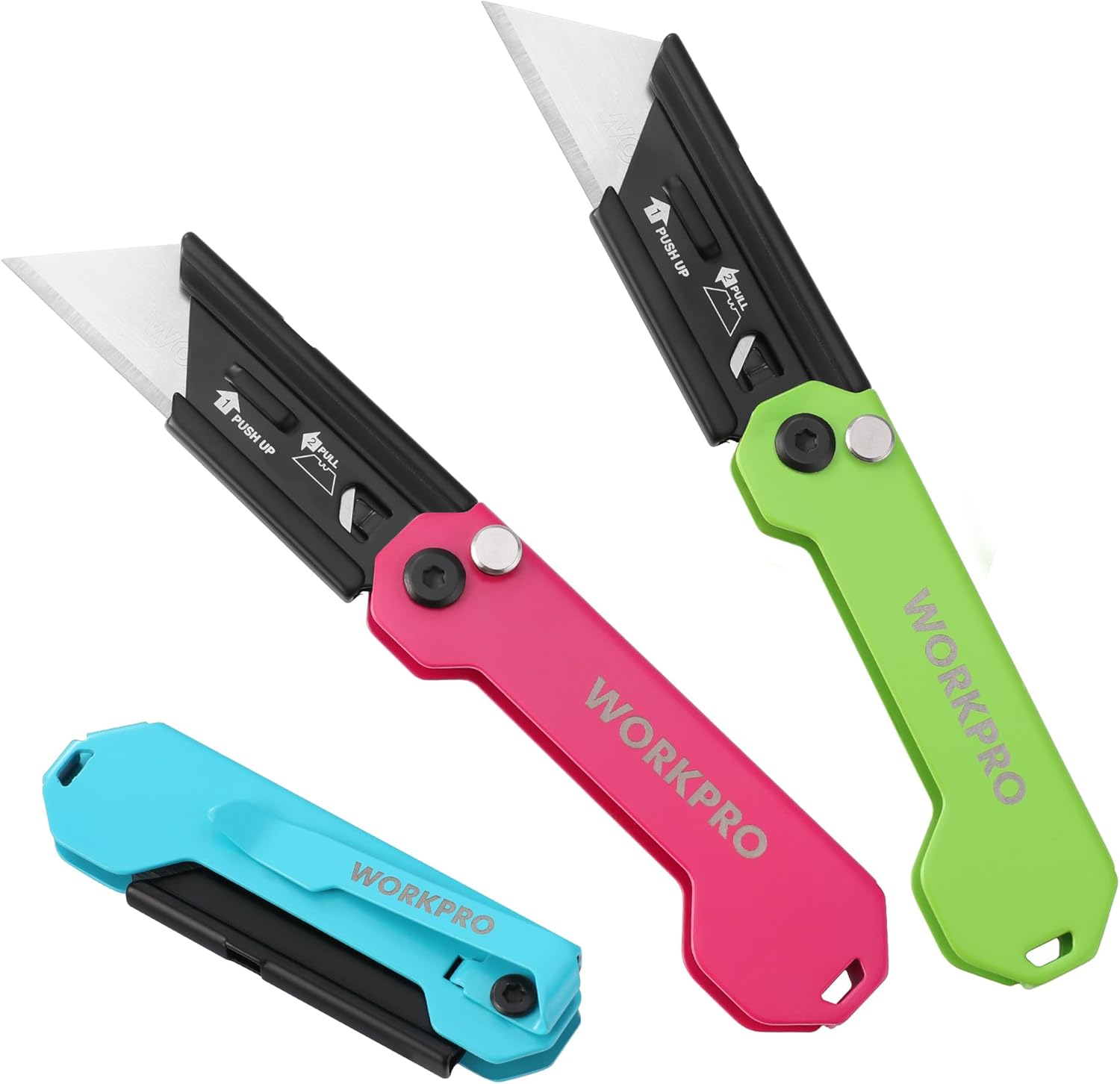
Image: The WORKPRO 3-Pack Folding Utility Knife set, showcasing the blue, pink, and green knives in various states of open and closed.
Important Safety Information
Always exercise extreme caution when handling utility knives. Blades are extremely sharp and can cause severe injury if not handled properly.
- Keep out of reach of children: This product is not a toy and contains sharp blades.
- Wear appropriate personal protective equipment (PPE): Consider wearing cut-resistant gloves and eye protection when using or changing blades.
- Always cut away from your body: Ensure your hands and other body parts are clear of the cutting path.
- Use on a stable surface: Always cut on a stable, non-slip surface to prevent accidents.
- Engage the safety lock: Ensure the axis lock is fully engaged when the blade is extended for cutting, and when the blade is folded for storage.
- Store properly: When not in use, ensure the blade is fully retracted and the knife is stored in a safe, dry place.
- Dispose of old blades safely: Use a proper blade disposal container to prevent accidental cuts.
Product Overview
Key Features
- One Button Lock Design: Simple one-hand operation for easy use. Features an axis lock design that securely locks the blade in place while cutting, and folds into the handle for safety.
- Reliable & Sturdy: 3-pack box cutters with different colored spray-painted finishes to prevent rust. Blades are made of durable SK5 material. All-steel construction ensures lasting durability.
- Ultra-light & Easy Portability: Weighing only 1.87 oz and 3-inch length when closed, the pocket razor knife is lightweight and portable. Includes a belt clip for easy and safe carry.
- Quick Blade Change Mechanism: Blades can be changed quickly with just your hands, no tools required. Accepts all standard or pro-grade utility knife blades.
- Versatile Usage: Can be widely used for home, office, workshop, and DIY projects. Cuts through paper, wallpaper, cartons, cloth, leather, PVC, rope, carpet, drywall, and more.

Image: Detailed view of the utility knife, pointing out its key components and materials like the SK5 blade, full stainless steel construction, axis lock, black oxide anti-corrosion coating, lanyard hole, and belt clip.
Setup
Initial Inspection
Upon receiving your WORKPRO utility knife set, inspect each knife for any signs of damage during shipping. Ensure all components are intact and the blade is securely housed within the handle.
Removing Blade Protector
Each new knife comes with a protective cover over the razor blade for safety during shipping. Carefully remove this cover before first use. Hold the knife firmly and gently slide the protector off the blade.
Operating Instructions
Opening and Closing the Knife
The WORKPRO utility knife features a convenient one-button axis lock design for easy opening and closing.
- To Open: Hold the knife firmly. Press the axis lock button and gently swing the blade out until it fully extends and locks into place. Ensure the blade is securely locked before use.
- To Close: Press the axis lock button again and carefully fold the blade back into the handle until it is fully enclosed. Ensure the blade is completely retracted for safe storage.
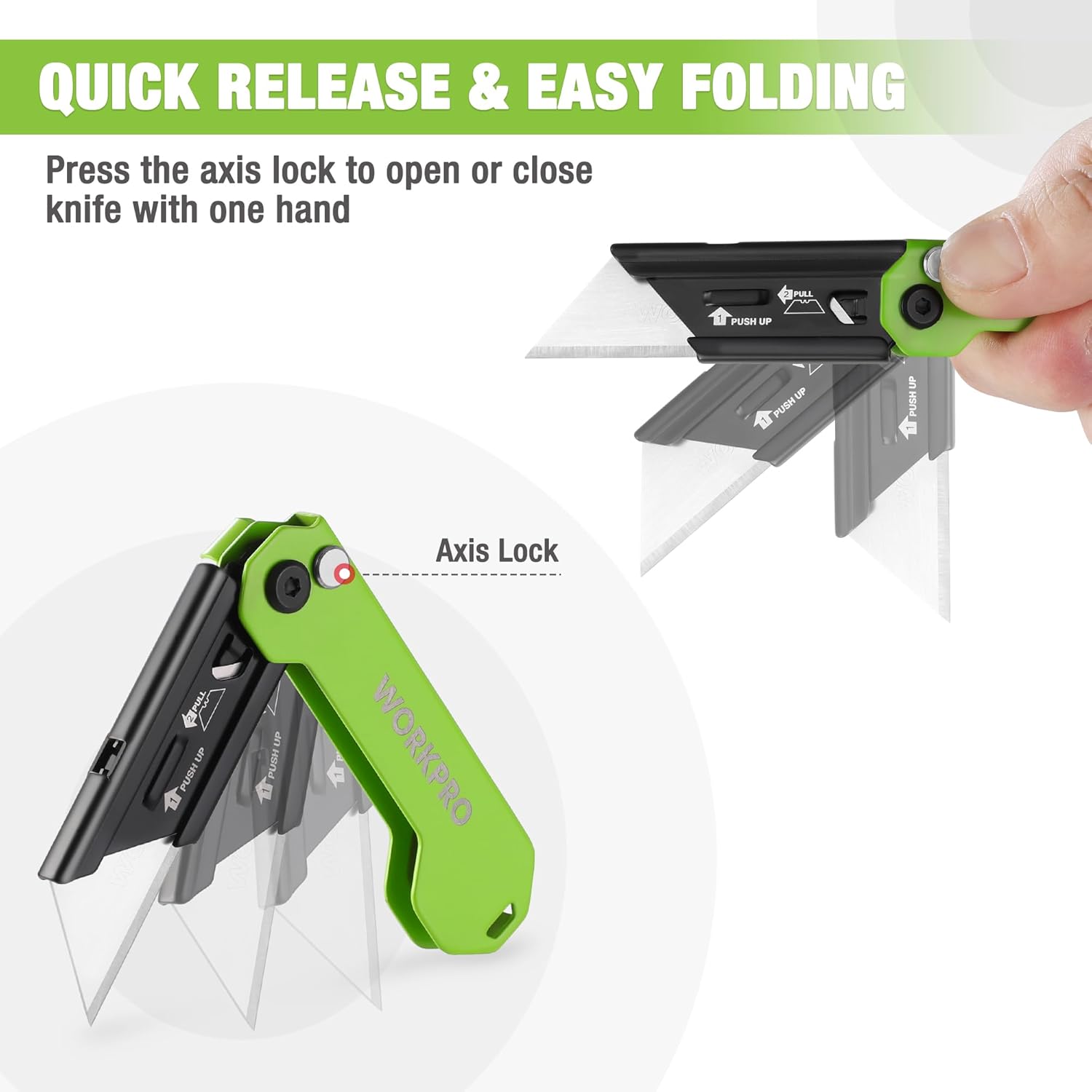
Image: Visual guide demonstrating the quick release and easy folding action of the knife using the axis lock button.
Using the Belt Clip
Each knife is equipped with a durable belt clip for convenient and secure portability. Simply slide the clip onto your belt, pocket, or tool bag for easy access.

Image: Examples of the knife being carried using its portable pocket clip, attached to a bag and a pair of jeans.
Cutting Various Materials
The WORKPRO utility knife is designed to cut a variety of materials efficiently. Always ensure the blade is sharp for optimal performance and safety.
- Paper
- Wallpaper
- Cartons / Cardboard
- Cloth
- Leather
- PVC
- Rope
- Carpet
- Drywall
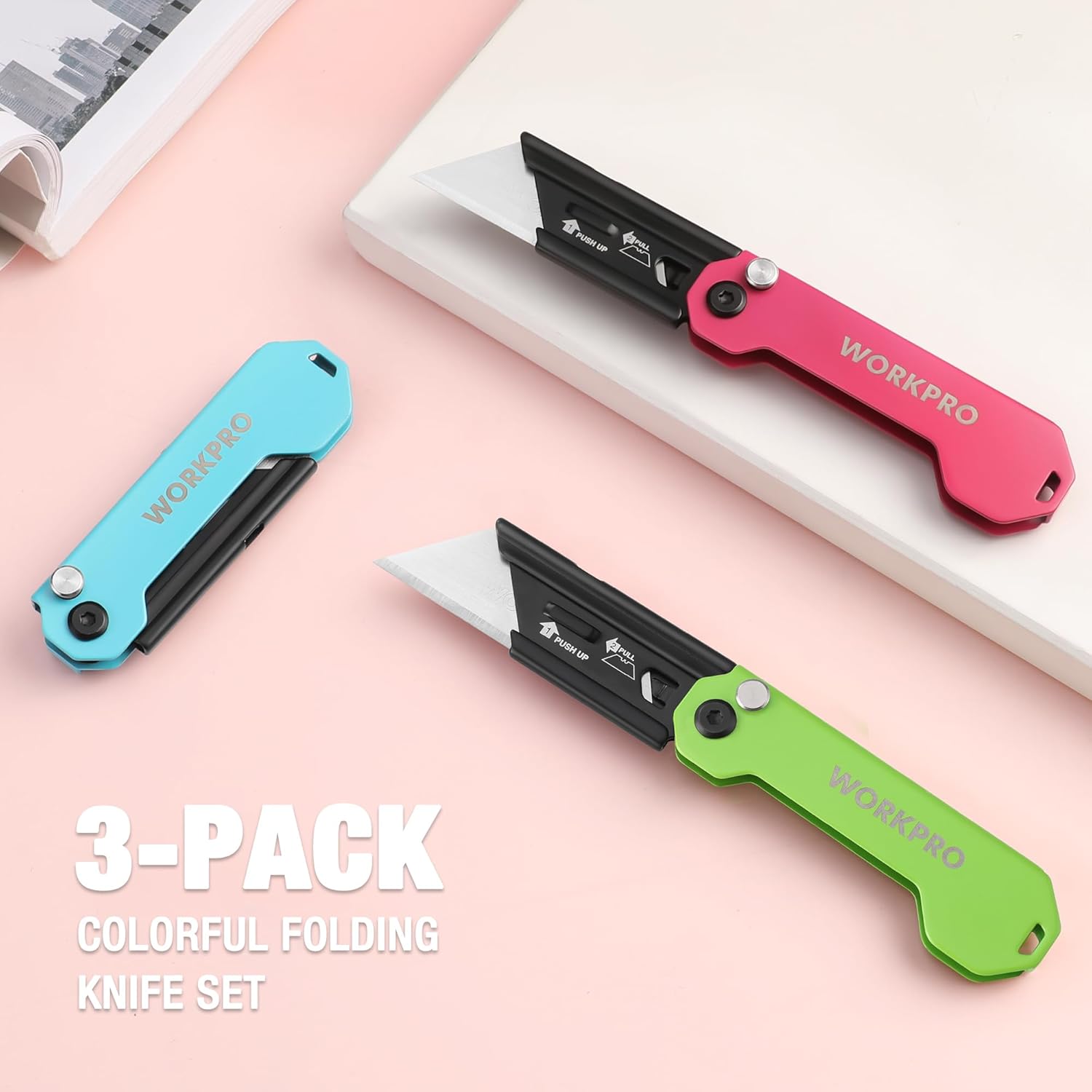
Image: A demonstration of the knife's versatile usage, showing it cutting a hose and indicating its suitability for materials like paper, PVC, cardboard, rope, carpet, and leather.
Quick Blade Change Mechanism
Changing the blade on your WORKPRO utility knife is quick and requires no additional tools.
- Prepare: Ensure the knife is in the open position.
- Remove Old Blade: Push upward on the small rectangular piece near the blade while holding it up. Then, pull the blade out.
- Insert New Blade: Align a new standard utility blade with the slot. Push the new blade in while holding the rectangular piece up.
- Secure Blade: Release the rectangular piece. Gently pull on the blade to ensure it is securely seated and will not fall out during use.
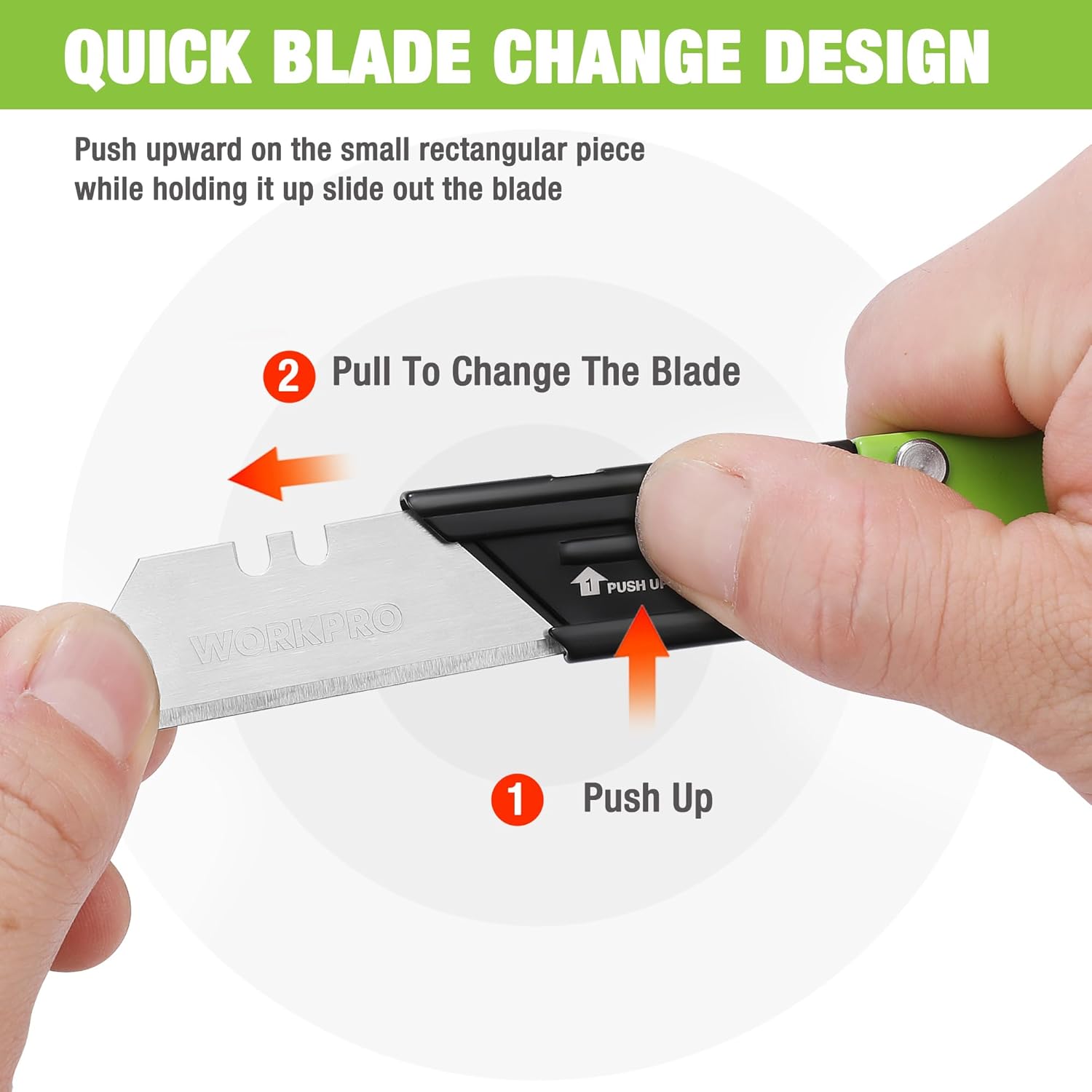
Image: Step-by-step illustration for quick blade change, showing the 'Push Up' and 'Pull' actions to remove the old blade.

Image: Illustration showing the process of inserting a new blade into the knife, indicating the 'Push in' action.

Image: Illustration demonstrating how to check the blade's security by gently pulling on it after insertion.
Maintenance and Care
- Cleaning: After use, especially when cutting adhesive materials, clean the blade and knife body with a dry cloth to remove any residue. For stubborn residue, a small amount of rubbing alcohol on a cloth can be used, ensuring the knife is completely dry afterward.
- Lubrication: Periodically apply a small drop of light machine oil to the pivot point of the blade to ensure smooth operation of the axis lock mechanism.
- Storage: Always store the knife with the blade fully retracted in a dry environment to prevent rust and corrosion.
- Blade Replacement: Replace blades as soon as they become dull to maintain cutting efficiency and safety. Dull blades require more force and can lead to accidents.
Product Specifications
| Feature | Detail |
|---|---|
| Brand | WORKPRO |
| Model Number | W000022AE |
| Material | Stainless Steel |
| Color | Multicolor-stainless Steel |
| Item Length (Closed) | 3 Inches |
| Item Weight (per knife) | Approx. 1.87 oz (6.4 ounces for 3-pack) |
| Blade Material | SK5 Steel |
| Handle Type | Foldable |
| UPC | 820909601562 |
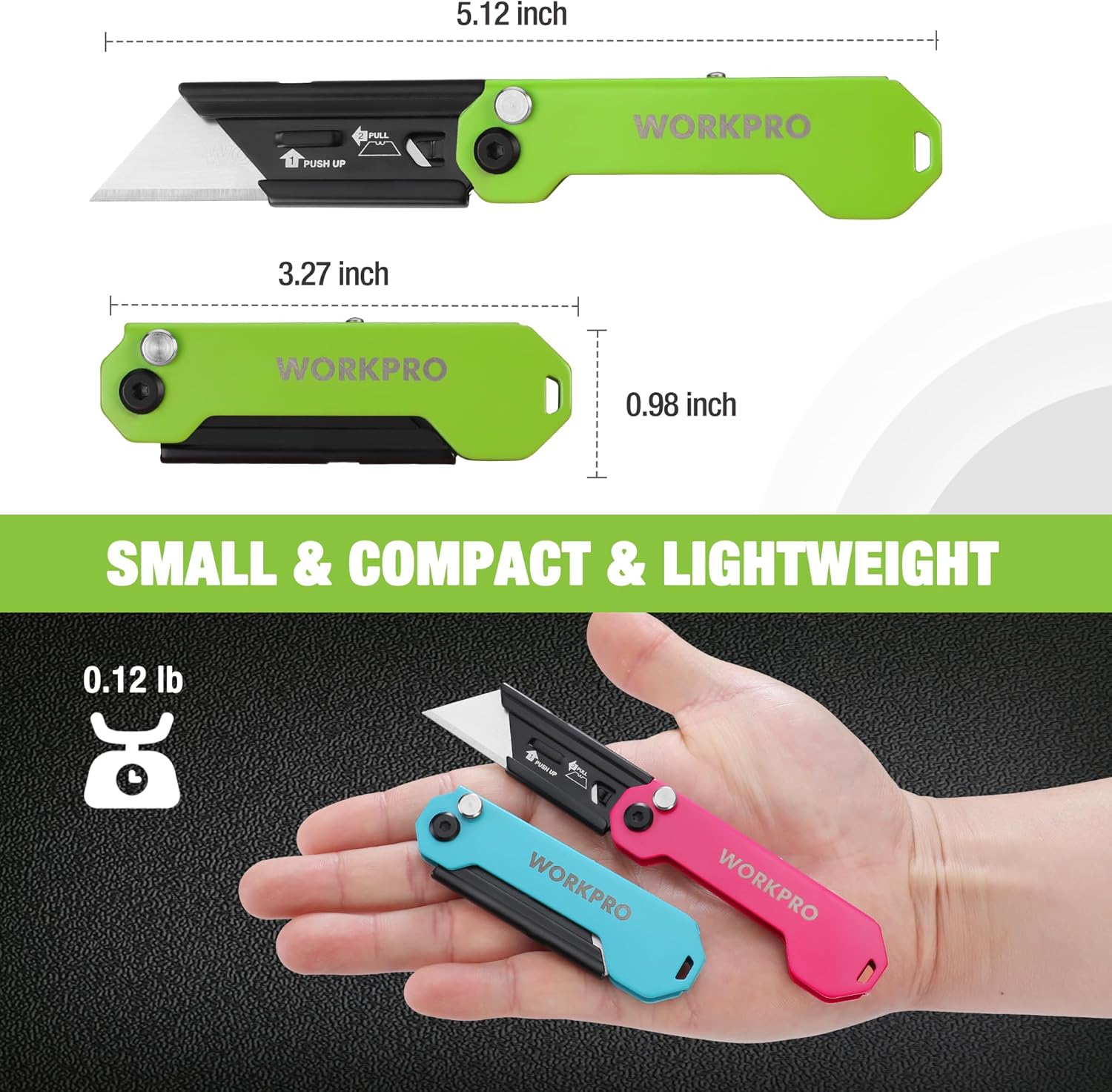
Image: Visual representation of the knife's small, compact, and lightweight design, including its dimensions and weight.
Troubleshooting
The WORKPRO Folding Utility Knife is a simple and robust tool. Most issues can be resolved by ensuring proper maintenance and blade replacement.
- Blade feels dull: Replace the blade with a new one. Ensure the new blade is correctly inserted and secured.
- Blade not locking securely: Check for any debris or obstruction in the axis lock mechanism. Clean and lubricate the pivot point if necessary. Ensure the blade is fully extended until the lock engages.
- Difficulty opening/closing: Clean any accumulated dirt or debris from the pivot area. Apply a small amount of light machine oil to the pivot point.
Warranty and Support
WORKPRO stands behind the quality of its products. For any questions, concerns, or warranty claims regarding your WORKPRO 3-Pack Folding Utility Knife, please contact WORKPRO customer support through the retailer where the product was purchased or visit the official WORKPRO website for assistance. Please retain your proof of purchase for warranty purposes.
Ask a question about this manual
Ask about setup, troubleshooting, compatibility, parts, safety, or missing instructions. Manuals+ will review the question and use this page’s manual context to help answer it.