
1. Introduction
The TaskStar T21P Cordless Fuel Transfer Pump is a portable, battery-powered electric pump designed for efficient and safe transfer of diesel, kerosene, and biodiesel. Featuring a 12 gallons per minute (GPM) flow rate, an 18V 4.0Ah rechargeable battery, and an auto-off nozzle, this pump provides convenience and reliability for various applications, including fueling vehicles, agricultural machinery, and marine equipment.
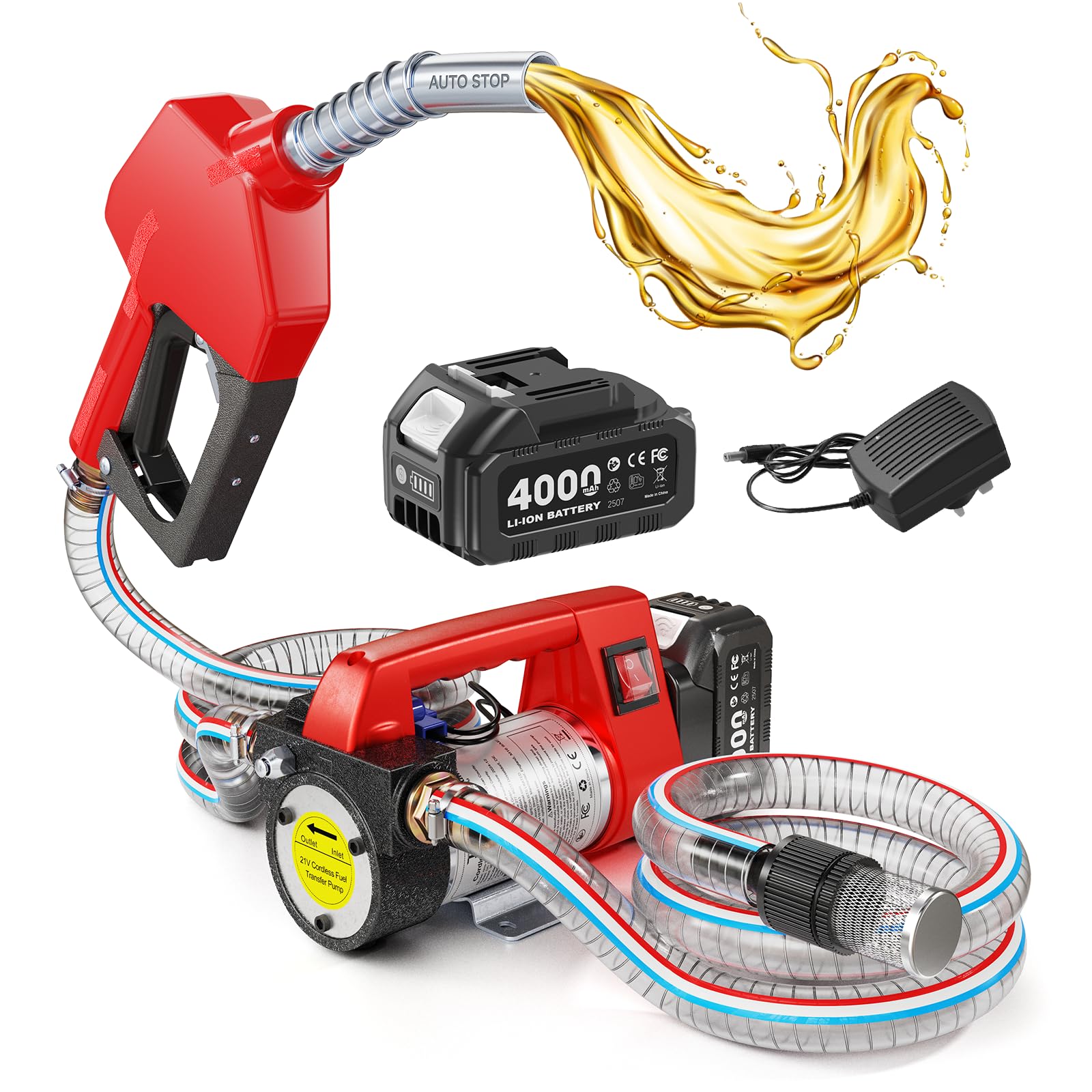
Figure 1: TaskStar T21P Cordless Fuel Transfer Pump
2. Safety Information
- WARNING: This pump is exclusively for diesel, kerosene, and biodiesel. DO NOT transfer gasoline, water, or alcohol. Transferring unsuitable liquids can cause damage to the pump and create hazardous conditions.
- Always ensure the battery is well charged before use.
- Read the entire user manual before operating the pump.
- After each use, clean any fuel residue from the hoses to prevent contamination and ensure longevity.
- For the first use, the screw on the pressure switch may need manual adjustment.
3. Package Contents
Your TaskStar T21P Cordless Fuel Transfer Pump kit includes the following components:
- 1 x Diesel Transfer Pump
- 1 x Auto-stop Fuel Nozzle
- 2 x 72.7-inch Inlet/Outlet Hoses
- 1 x 4.0Ah Battery
- 1 x Power Adapter (Charger)
- 1 x Filter
- 4 x Metal Hose Clamps
- 3 x Metal Connectors
- 5 x Spare Impellers
- 1 x Safety Gloves

Figure 2: All components included in the TaskStar T21P kit
4. Setup Instructions
Follow these steps to assemble and prepare your fuel transfer pump for use:
- Prepare the Pump: Remove the dust cover from the oil inlet of the pump.
- Install Inlet Connector: Install the metal connector onto the oil inlet and ensure it is tight.
- Attach Filter to Hose: Connect one end of a hose to the wire mesh filter and secure it with a metal hose clamp.
- Connect Inlet Hose to Pump: Connect the other end of the hose (with the filter) to the pump's oil inlet and secure it with a metal hose clamp.
- Install Nozzle Connector: Install the metal joint onto the fuel nozzle.
- Attach Outlet Hose to Nozzle: Connect one end of the second hose to the fuel nozzle and secure it with a metal hose clamp.
- Connect Outlet Hose to Pump: Connect the other end of the second hose to the pump's oil outlet and secure it with a metal hose clamp.
- Mount Battery: Slide the 4.0Ah battery onto the designated slot on the fuel transfer pump until it clicks into place.
- Check Seals: Verify all connection points are securely tightened to prevent leaks.
Video 1: Detailed guide on how to install the TaskStar Fuel Transfer Pump components.

Figure 3: Visual guide for pump installation steps.
5. Operating Instructions
Once assembled, operate the pump as follows:
- Position Hoses: Place the filter end of the inlet hose into the fuel source (e.g., a drum). Insert the nozzle into the receiving tank (e.g., vehicle fuel tank).
- Activate Pump: Press the power switch on the pump to turn it on.
- Start Fuel Flow: Squeeze the trigger on the fuel nozzle to begin transferring fuel. The auto shut-off feature will automatically stop the flow when the receiving tank is full.
- Initial Use Note: If you hear a hissing sound, it indicates air in the pump. Release the air until the hissing stops before use.
Video 2: Demonstrating quick refueling with the TaskStar Transfer Pump.
Video 3: Overview of the efficient fuel transfer pump kit with battery and auto shut-off.

Figure 4: Visual guide for operating the pump.

Figure 5: Details of the automatic fuel nozzle.
6. Maintenance
Regular maintenance ensures optimal performance and longevity of your pump.
6.1 Impeller Replacement
If the pump's performance decreases or it fails to draw fuel, the impeller may need replacement. Follow these steps:
- Loosen Screws: Loosen and remove the screws on the top of the pump cover.
- Open Cover: Carefully open the top of the pump cover.
- Remove Worn Impeller: Take out the worn impeller from its housing.
- Install New Impeller: Replace it with a new impeller, ensuring it is correctly seated.
- Close Cover: Close the pump cover and protective cover.
- Tighten Screws: Tighten the screws securely.
Video 4: Instructions on how to replace a worn impeller in the pump.
6.2 Cleaning
After each use, ensure to clean any fuel residue from the hoses to prevent contamination and maintain the pump's efficiency.
7. Troubleshooting
- Pump not starting: Ensure the battery is fully charged and correctly installed. Check the power switch.
- Hissing sound during operation: This indicates air in the pump. Release the air until the hissing stops before continuing use.
- Slow transfer rate or no flow: Check if the filter is clogged and clean it if necessary. Ensure hoses are not kinked or blocked. Verify the impeller is not worn (refer to Maintenance section).
- Auto shut-off not working: Ensure the nozzle is fully inserted into the tank and the pressure switch screw is correctly adjusted (for first-time use).
8. Specifications
| Feature | Specification |
|---|---|
| Brand | TaskStar |
| Model Number | T21P |
| Item Type Name | cordless fuel transfer pump |
| Flow Rate | 12 GPM (Gallons Per Minute) |
| Battery | 18V 4.0Ah Lithium Battery |
| Hose Length | 2x 6.6 Feet (72.7 inches each) |
| Max Suction Length | 16.4 feet |
| Max Lift Height | 32.8 feet |
| Compatible Fuels | Diesel, Kerosene, Biodiesel |
| Operation Mode | Automatic |
| Body Material | Metal |
| Item Weight | 7.58 Kilograms |
9. Warranty and Support
The TaskStar T21P Cordless Fuel Transfer Pump comes with a 3-year manufacturer's warranty. For any questions, technical assistance, or warranty claims, please contact TaskStar customer support through the retailer where the product was purchased or visit the official TaskStar website for contact information.