
1. Introduction
The Moman M2S Video Microphone is a compact and versatile external microphone designed to enhance audio recording quality for a wide range of devices, including mobile phones, camcorders, and DSLR cameras. Featuring a cardioid polar pattern, a low-cut filter, and wind protection, it is engineered to capture clear, focused sound while minimizing unwanted background noise. This manual provides detailed instructions for setup, operation, maintenance, and troubleshooting to ensure optimal performance of your Moman M2S microphone.

Figure 1: Moman M2S Video Microphone with included accessories. This image displays the microphone unit, its shock mount, and various connection cables, illustrating its compact design and readiness for use with different devices.
2. Package Contents
Please verify that all items listed below are present in your package. If any items are missing or damaged, please contact customer support.
- Moman M2S Microphone x 1
- Wind Muff x 1
- 3.5mm TRRS Phone Cable x 1
- 3.5mm TRS Camera Cable x 1
- Shock Mount x 1
- Spare Rubber Ring x 4
- Leather Pouch x 1

Figure 2: Detailed view of the Moman M2S package contents. This image shows all components included in the box, such as the microphone, wind muff, various cables, shock mount, spare rubber rings, and a leather pouch.
3. Features
- Cardioid Polar Pattern: Designed to pick up sound primarily from the front, reducing side and rear noise, ideal for focused audio capture.
- 100Hz Low-Cut Filter: Effectively reduces low-frequency ambient noise such as air conditioning hum, traffic, or wind noise, improving audio clarity.
- Wind Protection: Includes a wind muff to minimize wind noise during outdoor recordings.
- Universal Compatibility: Equipped with both 3.5mm TRRS and TRS cables for broad compatibility with smartphones, laptops, iPads, video cameras, DSLRs, and GoPros.
- Real-Time Working Indicator: An LED indicator provides visual confirmation of power status and low-cut filter activation.
- AAA Battery Powered: Operates on a single AAA battery, offering extended working hours (approximately 90-110 hours).
- Professional Shock-Absorption Stand: Minimizes handling noise and vibrations for cleaner audio.

Figure 3: Illustration of the cardioid pickup pattern and the 100Hz high-pass filter function. This image visually explains how the microphone focuses on sound from the front and how the filter reduces low-frequency noise.
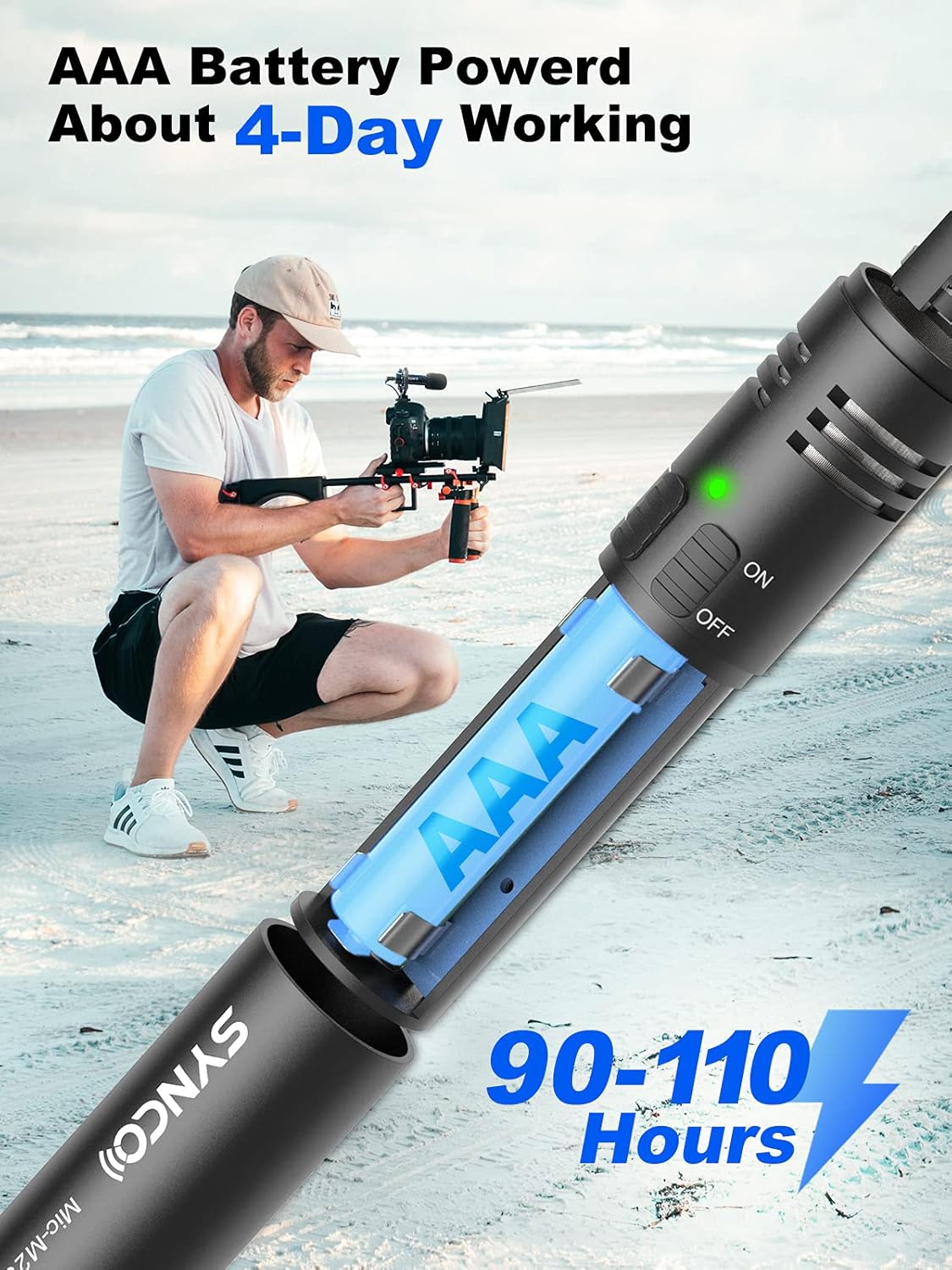
Figure 4: Diagram showing the AAA battery compartment and power efficiency. This image highlights the microphone's power source and its long battery life.
4. Setup and Installation
4.1. Battery Installation
- Unscrew the bottom cap of the microphone.
- Insert one AAA battery into the compartment, ensuring correct polarity (+/-).
- Screw the bottom cap back on securely.
4.2. Attaching the Shock Mount
- Gently slide the Moman M2S microphone into the shock mount's cradle.
- Secure the shock mount to your camera's hot shoe or a compatible tripod/rig using the 1/4-inch universal interface at the base.
4.3. Connecting to Your Device
The Moman M2S comes with two types of 3.5mm audio cables for different devices:
- 3.5mm TRRS Cable (for Smartphones, Laptops, iPads): Use this cable for devices with a combined headphone/microphone jack. Connect one end to the microphone's 3.5mm audio interface and the other end to your device's audio jack.
- 3.5mm TRS Cable (for Video Cameras, DSLRs, GoPros): Use this cable for devices with a dedicated microphone input. Connect one end to the microphone's 3.5mm audio interface and the other end to your camera's microphone input.
Note: For some smartphones, an additional adapter (e.g., USB-C to 3.5mm or Lightning to 3.5mm) may be required, which is not included.

Figure 5: Diagram illustrating universal compatibility and cable types. This image shows how to connect the microphone to various devices using either the 3.5mm TRRS cable for mobile devices or the 3.5mm TRS cable for cameras and camcorders.

Figure 6: Close-up of the microphone's controls and interfaces. This image details the power switch, low-cut filter switch, 3.5mm audio interface, and the 1/4-inch universal interface on the shock mount.
5. Operating Instructions
5.1. Powering On/Off
- Locate the ON/OFF switch on the microphone body.
- Slide the switch to the "ON" position to power on the microphone. The green LED indicator will illuminate.
- Slide the switch to the "OFF" position when not in use to conserve battery life.
5.2. Using the Low-Cut Filter
- The Moman M2S features a 100Hz low-cut filter to reduce unwanted low-frequency noise.
- To activate the low-cut filter, slide the filter switch (often labeled with a waveform or filter icon) to the "ON" position. The blue LED indicator will illuminate.
- Deactivate the filter by sliding the switch to the "OFF" position if you wish to capture the full frequency range.
5.3. Optimal Usage
- Positioning: Due to its cardioid pattern, point the front of the microphone directly towards your sound source for best results.
- Wind Muff: Always use the included wind muff when recording outdoors or in windy conditions to minimize wind noise.
- Monitoring: If your recording device allows, monitor your audio with headphones during recording to ensure optimal sound quality and detect any issues.

Figure 7: Examples of the Moman M2S microphone in use for travel vlogging, live streaming, video recording, interviews, and music recording. This image demonstrates the microphone's versatility across different content creation activities.
6. Maintenance
- Cleaning: Use a soft, dry cloth to clean the microphone body. Do not use liquid cleaners or solvents.
- Storage: When not in use, store the microphone in its leather pouch to protect it from dust and physical damage.
- Battery: Remove the AAA battery if the microphone will not be used for an extended period to prevent battery leakage.
- Shock Mount: Periodically check the rubber rings on the shock mount for wear and tear. Replace them with the spare rings if necessary to maintain effective vibration isolation.
7. Troubleshooting
| Problem | Possible Cause | Solution |
|---|---|---|
| No sound or very low sound. |
|
|
| Poor sound quality (e.g., muffled, distorted, excessive background noise). |
|
|
| Microphone not recognized by device. |
|
|
8. Specifications
| Feature | Detail |
|---|---|
| Microphone Form Factor | Shotgun |
| Power Source | Cable Electric (AAA Battery) |
| Signal-to-Noise Ratio | 76 dB |
| Number of Channels | 1 |
| Connectivity | Auxiliary (3.5mm Jack) |
| Special Features | Mute Function (via power switch), Low-Cut Filter |
| Model Number | SY-M2S-BK |
| Recommended Uses | Streaming |
| Compatible Devices | Camera, Mobile Phone, Camcorder, Laptop, iPad, GoPro |
| Color | Black |
| Polar Pattern | Unidirectional (Cardioid) |
| Audio Sensitivity | 30 dB |
9. Warranty and Support
Moman provides a 365-day warranty for the M2S Video Microphone, ensuring peace of mind for your purchase.
For any inquiries, technical assistance, or warranty claims, please contact Moman customer support. Our team is committed to providing solutions within 24 working hours and ensuring your satisfaction.
Please refer to the official Moman website or your purchase documentation for specific contact details and the full terms and conditions of the warranty.
Figure 8: Information regarding Moman's 365-day warranty and customer service commitment, as depicted on the product packaging.