
1. Introduction
This manual provides essential information for the safe and efficient operation, maintenance, and care of your VELECO DRACO 3-Wheel Mobility Scooter. Please read this manual thoroughly before operating the scooter to ensure proper usage and to prevent injury or damage. The VELECO DRACO is designed to provide reliable and comfortable personal mobility.
2. Safety Information
Your safety is paramount. Adhere to all safety warnings and instructions. Failure to do so may result in serious injury or damage to the scooter.
- Always wear a seat belt while operating the scooter.
- Ensure all lights are functional, especially when driving in low-light conditions.
- Do not operate the scooter under the influence of alcohol or drugs.
- Observe all local traffic laws and regulations.
- Avoid sudden stops or turns, especially at higher speeds.
- Regularly check tire pressure and brake functionality.
- The scooter is equipped with a loud alarm system and a steering wheel lock for theft prevention. Utilize these features when leaving the scooter unattended.
- The automatic magnetic motor brake system prevents rollback on inclines; however, always use brake levers for controlled stopping.
3. Product Overview and Features
The VELECO DRACO is an advanced 3-wheel electric mobility scooter designed for comfort and ease of use. Key features include:
- Modern Electric Drive: Powered by a silent and powerful 800W electric motor.
- Thumb Acceleration Button: Provides smooth and effortless acceleration.
- Automatic Magnetic Motor Brake: Ensures safe operation on inclines.
- Integrated Roof with Windshield: Offers protection from sun, light rain, and wind.
- Full Vehicle Lighting: Enhances visibility and safety.
- Two Speed Gears and Reverse: Allows speed adjustment and improved maneuverability.
- Ample Storage: Lockable storage under the seat and an additional lockable case behind the seat.
Product Views
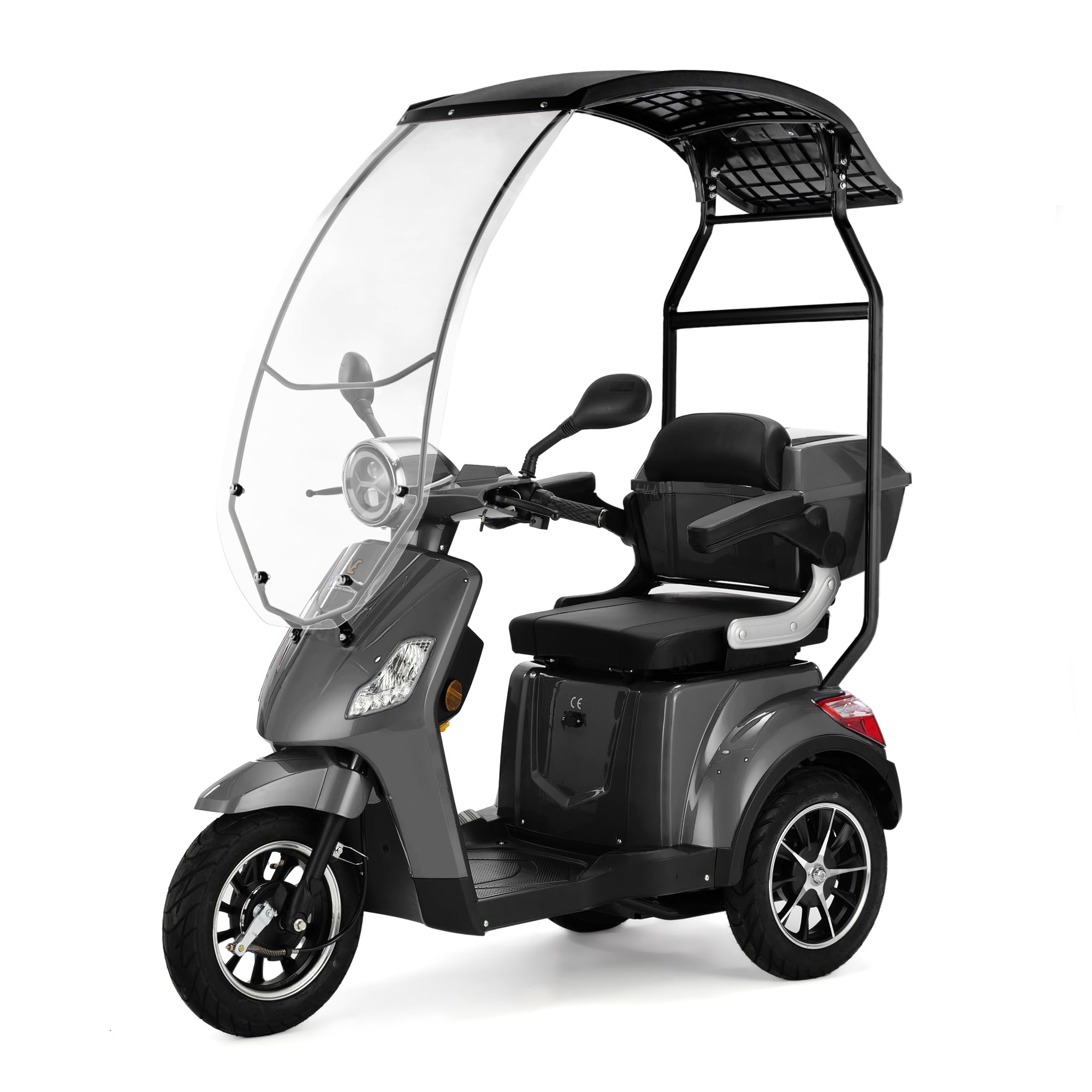
Figure 3.1: Side view of the VELECO DRACO mobility scooter, showcasing its design and integrated roof.
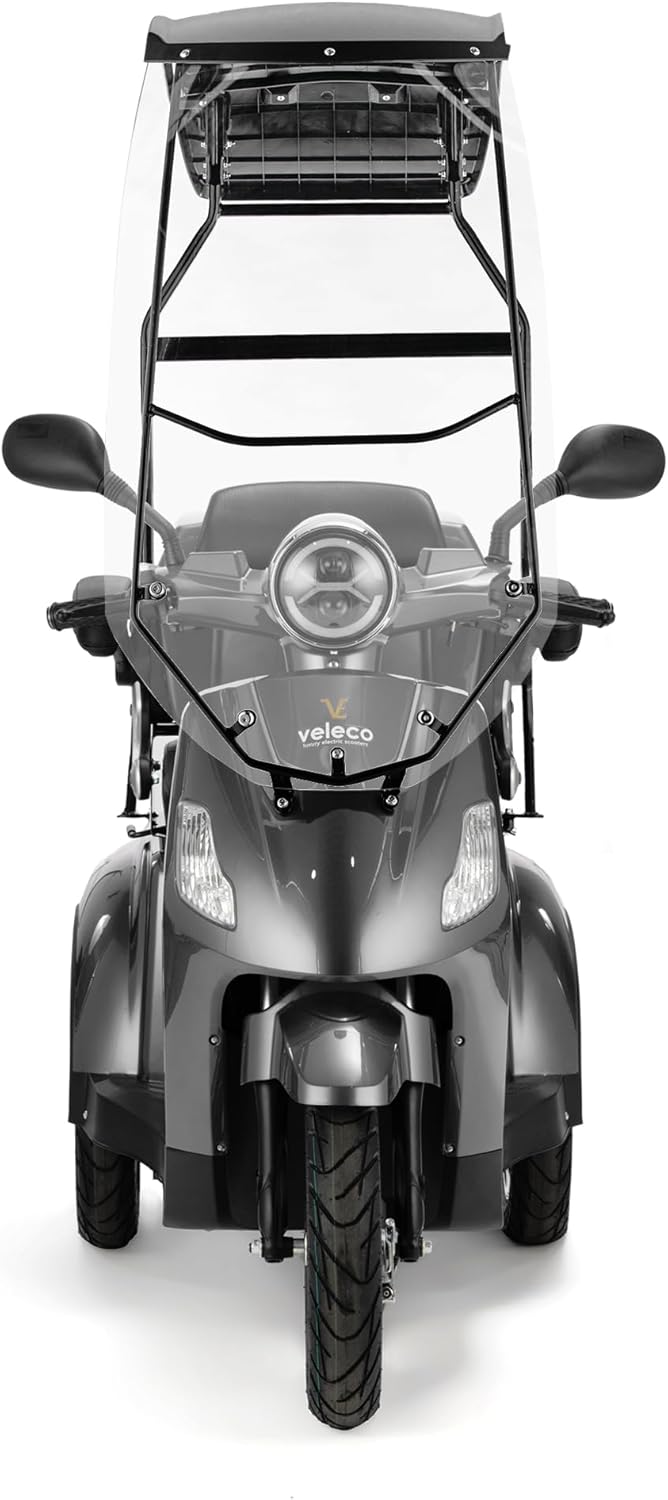
Figure 3.2: Front view of the scooter, highlighting the headlight and windshield for visibility.
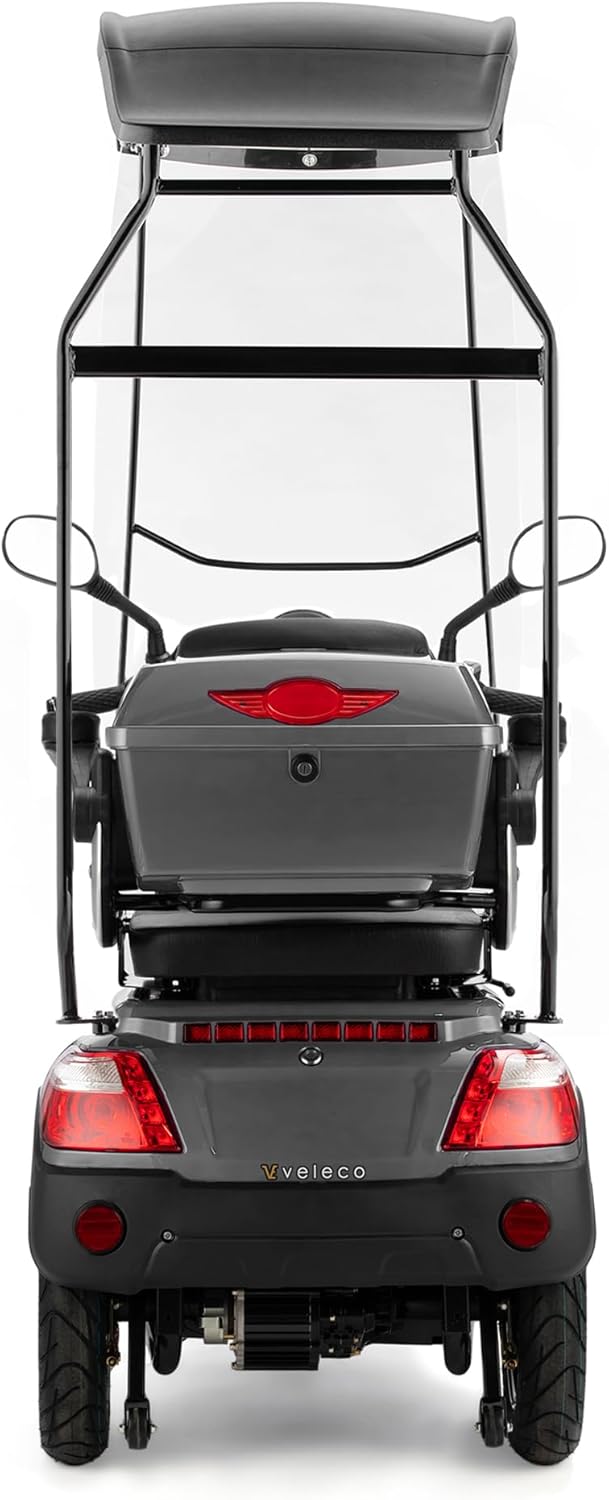
Figure 3.3: Rear view of the scooter, showing the taillights and the spacious, lockable rear storage case.

Figure 3.4: Close-up of the roof and windshield, providing weather protection.
4. Setup
The VELECO DRACO mobility scooter is delivered fully assembled and ready to drive. Minimal setup is required before first use.
- Unpacking: Carefully remove the scooter from its packaging.
- Mirror Adjustment: Adjust the exterior mirrors to your preferred driving position for optimal rear visibility. Ensure they are securely tightened.
- Initial Charge: Before the first ride, fully charge the scooter's battery according to the charging instructions in the Maintenance section.
5. Operating Instructions
Familiarize yourself with the controls before operating the scooter in a safe environment.
Controls Overview

Figure 5.1: Control panel with battery indicator and speed selection.
- Power On/Off: Insert the key into the ignition and turn it to the 'ON' position to power on the scooter. Turn to 'OFF' to power off.
- Acceleration: Use the thumb acceleration button located on the handlebar to control your speed. Press gently to accelerate smoothly.
- Braking: Apply the brake levers on the handlebars to slow down or stop. The electromagnetic brake system will assist in stopping and prevent rollback on inclines.
- Speed Gears: The scooter features two speed gears. Select the appropriate gear for your environment (e.g., lower speed for indoor or crowded areas, higher speed for open spaces).
- Reverse Gear: Engage the reverse gear for easier maneuvering in tight spaces. Operate with caution when in reverse.
- Lighting: Use the light switch to activate the full vehicle lighting system, including headlights, taillights, and turn signals.
6. Maintenance
Regular maintenance ensures the longevity and safe operation of your VELECO DRACO scooter.
- Battery Care:
- Charge the battery fully after each use.
- Do not allow the battery to fully discharge.
- Store the scooter with a fully charged battery if not in use for extended periods.
- Use only the charger provided by VELECO.
- Tires: Check tire pressure regularly and inflate to the recommended levels. Inspect tires for wear and damage.
- Brakes: Periodically test the brake system for responsiveness and effectiveness. If you notice any issues, contact a qualified technician.
- Cleaning: Clean the scooter with a damp cloth. Avoid using high-pressure water or harsh chemicals that could damage electrical components.
- General Inspection: Regularly check all nuts, bolts, and fasteners for tightness. Ensure all cables and connections are secure and undamaged.
7. Troubleshooting
This section addresses common issues you might encounter with your scooter. For problems not listed here, contact customer support.
| Problem | Possible Cause | Solution |
|---|---|---|
| Scooter does not power on. | Battery is discharged; Key is not in 'ON' position; Loose battery connection. | Charge the battery; Turn key to 'ON'; Check battery terminals. |
| Loss of power during operation. | Low battery charge; Overload; Motor issue. | Recharge battery; Reduce load; Contact service. |
| Brakes feel weak. | Brake adjustment needed; Worn brake pads. | Have brakes inspected and adjusted by a technician. |
| Unusual noises. | Loose components; Motor or wheel issue. | Inspect for loose parts; Contact service if noise persists. |
8. Specifications
| Specification | Value |
|---|---|
| Model Name | Veleco Draco |
| Item Model Number | DRA-CAN-GRA |
| Dimensions (L x W x H) | 165 x 70 x 168 cm |
| Item Weight | 115 Kilograms |
| Maximum Weight Recommendation | 160 Kilograms |
| Motor Power | 800W (Electric) |
| Power Source | Battery Powered |
| Brake Style | Push lock, Electromagnetic |
| Wheel Type | Three-wheeled |
| Frame Material | Metal |
| Assembly Required | No |
| Color | Grey |
9. Warranty and Support
For warranty information, technical support, or service inquiries, please refer to the documentation provided at the time of purchase or contact your authorized VELECO dealer. Keep your purchase receipt as proof of purchase.
As an official distributor of VELECO, Velobike is committed to providing exceptional service and quality products. For further assistance, please visit the official VELECO or Velobike website.


