
1. Introduction
This manual provides detailed instructions for the installation, operation, and maintenance of your ViaBecs 10.2-inch Android 12 Car Stereo, Model CAN005-X. Please read this manual thoroughly before using the product to ensure proper function and to maximize your user experience. This unit is specifically designed for Toyota Tundra (2007-2013) and Toyota Sequoia (2008-2018) vehicles equipped with the JBL sound system.
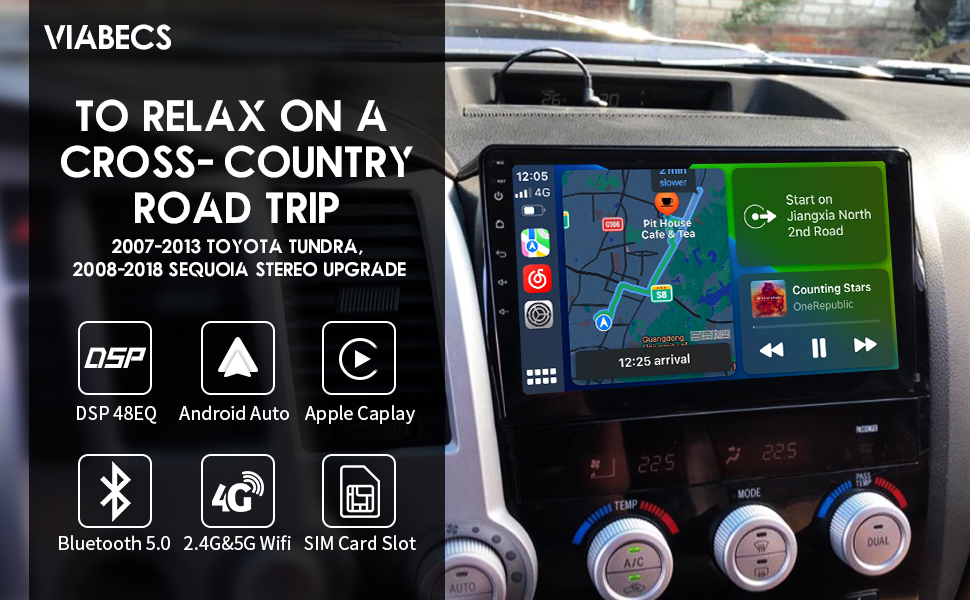
The ViaBecs 10.2-inch car stereo seamlessly integrated into the dashboard of a Toyota Tundra, showcasing its large display and modern interface within the vehicle's interior.
2. Product Overview
Key Features
- Operating System: Android 12.0
- Processor: UIS7862 Octa-core, up to 2.0GHz frequency
- Memory & Storage: 6GB RAM, 128GB Internal Storage
- Display: 10.2-inch QLED Touchscreen, 1280x720 resolution, 1080P HD video support, 178° Full View Angle, Capacitive Touch, 2.5D Multi-touch
- Connectivity: Wireless Apple CarPlay, Wireless/Wired Android Auto, Mirror Link, Built-in GPS, 2.4GHz & 5GHz WiFi, 4G, Bluetooth 5.0, AM/FM Radio
- Audio: Built-in DSP (Digital Sound Processor), 48-band Equalizer (EQ), Bass Boost, Bass Filter, Immersive Surround Sound
- Vehicle Integration: Plug-and-Play harness (CAN005-X) retains factory steering wheel controls, JBL amplifier, and backup camera.
- Updates: Online System Update capability
Included Components (What's in the Box)
- 1x Car Play Stereo Unit
- 1x Plug and Play Harness (CAN005-X)
- 1x 4P USB Cable
- 1x 6P USB Cable
- 1x 20P Audio Cable
- 1x 10P Camera Cable & Wi-Fi Antenna
- 1x GPS Antenna
- 1x 4G Antenna
- 1x External Microphone
- 2x User Manual
- 1x Warranty Card

A detailed view of the CAN005-X Plug-and-Play wiring harness, including various connectors and the CAN bus decoder module, designed for seamless integration with compatible vehicles.
3. Setup and Installation
The ViaBecs CAN005-X car stereo is designed for a plug-and-play installation in compatible Toyota Tundra (2007-2013) and Sequoia (2008-2018) models with the JBL sound system. A dedicated dash frame and wiring harness are included to simplify the process.
Compatibility Check
Ensure your vehicle is a Toyota Tundra (2007-2013) or Toyota Sequoia (2008-2018) and is equipped with the JBL factory sound system. The CAN005-X harness is specifically designed to integrate with these configurations, retaining factory steering wheel controls, the JBL amplifier, and the original backup camera functionality.
An image demonstrating the ViaBecs 10.2-inch car stereo installed in a Toyota Tundra dashboard. It highlights compatibility for 2007-2013 Tundra and 2008-2018 Sequoia, with specific notes for JBL and non-JBL factory radio configurations.
Installation Steps (General Guidelines)
- Preparation: Disconnect the vehicle's battery before starting any electrical work.
- Remove Factory Unit: Carefully remove the existing factory radio and dashboard trim. Refer to your vehicle's service manual or online resources for specific trim removal instructions.
- Connect Harness: Connect the provided CAN005-X Plug-and-Play harness to the vehicle's wiring and the new ViaBecs stereo unit. Ensure all connections are secure.
- Antenna Connections: Connect the GPS antenna, 4G antenna, and Wi-Fi antenna to the corresponding ports on the stereo unit. Position the antennas in locations that provide optimal signal reception.
- External Microphone: Connect the external microphone and route it to a suitable location for clear voice pickup (e.g., near the rearview mirror or steering column).
- Test Functionality: Before fully reassembling the dashboard, reconnect the battery and perform a basic test of the stereo's functions, including power, audio, steering wheel controls, and backup camera.
- Secure Unit: Mount the new stereo unit into the dashboard using the provided dash frame and secure it.
- Reassemble: Reinstall all dashboard trim pieces.
For detailed, step-by-step installation instructions, please refer to the dedicated Installation Manual (PDF) provided with your product or available online.
4. Operating Instructions
Your ViaBecs car stereo runs on Android 12.0, offering a familiar and intuitive interface. The 10.2-inch QLED touchscreen supports multi-touch gestures for easy navigation.
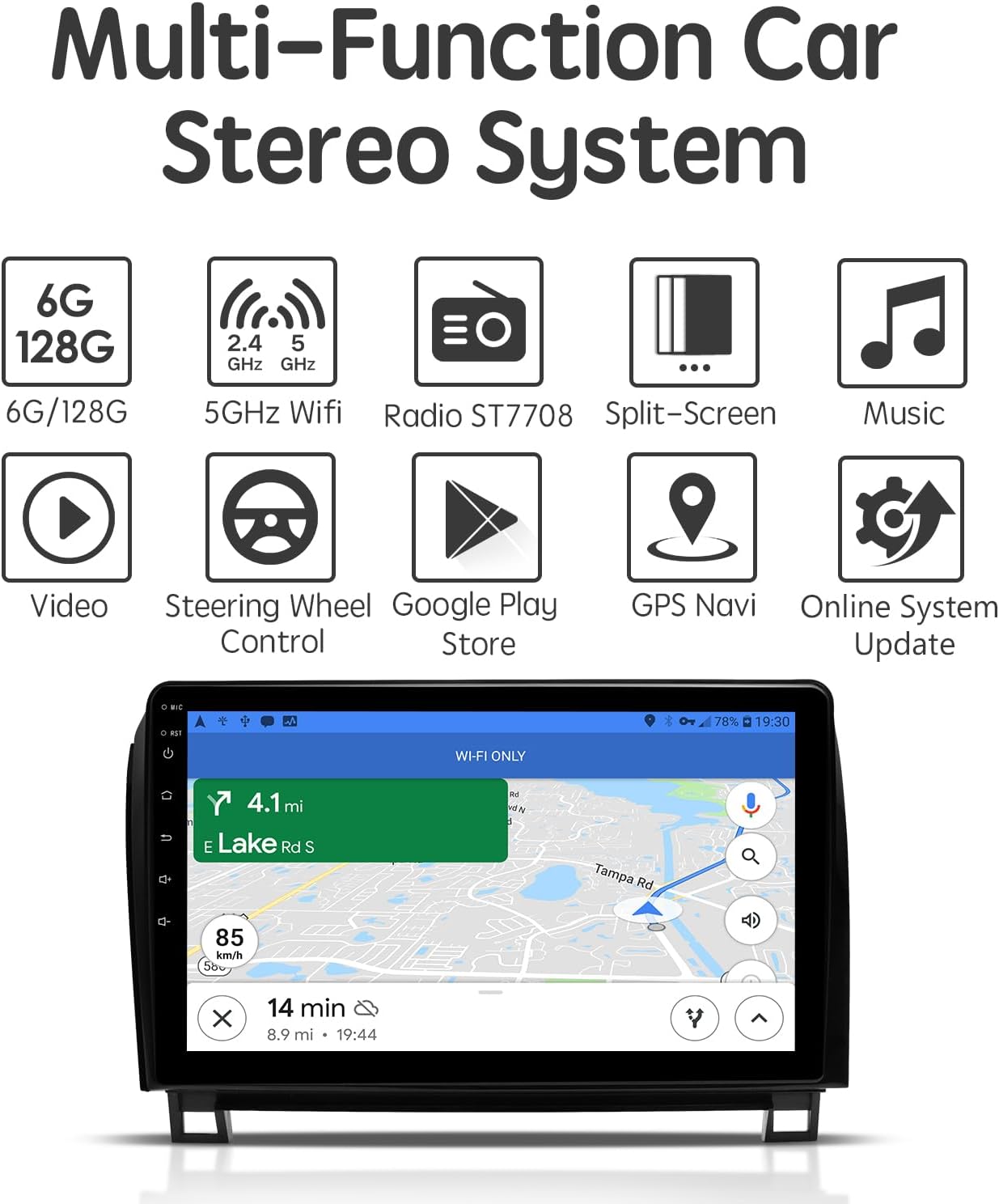
A graphic illustrating the multi-functional capabilities of the car stereo, including 6GB RAM/128GB ROM, 5GHz WiFi, Radio (ST7708), Split-Screen, Music playback, Video playback, Steering Wheel Control, Google Play Store access, GPS Navigation, and Online System Updates.
4.1 Basic Operations
- Power On/Off: The unit typically powers on with the vehicle's ignition. A long press on the power button (if available) can turn the unit off or put it into standby.
- Touchscreen Navigation: Swipe, tap, and pinch-to-zoom gestures are supported, similar to a smartphone or tablet.
- Home Screen: Access frequently used apps and widgets from the customizable home screen.
- App Drawer: Swipe up or tap the app icon to view all installed applications.
- Settings: Access system settings for display, sound, network, and vehicle-specific configurations.
4.2 Smartphone Connectivity (CarPlay, Android Auto, Mirror Link)
The stereo supports seamless integration with your smartphone for navigation, music, and communication.
- Wireless Apple CarPlay: Connect your iPhone wirelessly to access CarPlay features directly on the stereo's screen.
- Wireless/Wired Android Auto: Connect your Android phone wirelessly or via USB to use Android Auto.
- Mirror Link: Use the Tlink5 app to mirror your smartphone's screen onto the stereo display.

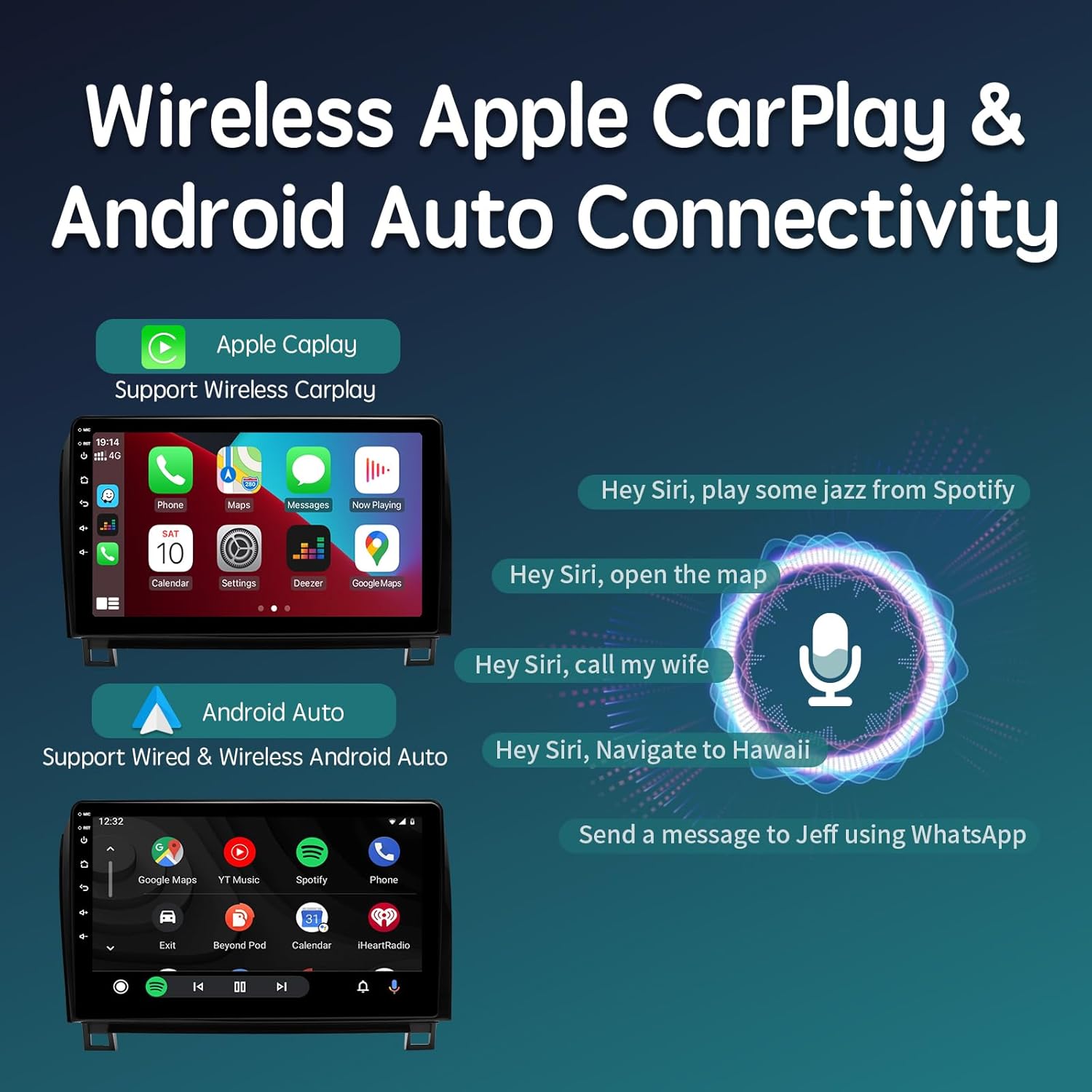
Screenshots showing the wireless Apple CarPlay and wired/wireless Android Auto interfaces. Examples of voice commands for Siri are also displayed, demonstrating hands-free operation.
4.3 Navigation
The unit features a built-in GPS module and supports various navigation applications.
- GPS Antenna: Ensure the GPS antenna is properly installed for accurate positioning.
- Navigation Apps: Utilize pre-installed navigation apps or download your preferred apps (e.g., Google Maps, Waze) from the Google Play Store.
- Offline Maps: Download offline maps for navigation without an internet connection.
4.4 Audio Customization (DSP & EQ)
Enhance your audio experience with the integrated Digital Sound Processor (DSP) and 48-band Equalizer.
- 48-Band EQ: Adjust individual frequency bands to fine-tune the sound output to your preference.
- DSP Settings: Access advanced DSP controls for Subwoofer Frequency, Bass Boost, Bass Filter, and Immersive Surround Sound to optimize audio for your vehicle's acoustics.

A visual representation of the built-in Digital Sound Processor (DSP) and 48-band Equalizer (EQ) interface, demonstrating options for sound customization, including bass filters and audio delay settings for an optimized listening experience.
4.5 Bluetooth 5.0
Connect your smartphone via Bluetooth for hands-free calling and audio streaming.
- Pairing: Enable Bluetooth on your phone and search for the stereo unit. Select the unit and confirm pairing.
- Hands-Free Calling: Make and receive calls directly from the stereo screen using the external microphone.
- Audio Streaming: Play music and other audio from your phone through the car's speakers.
- Phonebook Sync: Sync your phone's contacts for easy access.
5. Maintenance
To ensure the longevity and optimal performance of your ViaBecs car stereo, follow these maintenance guidelines:
- Screen Cleaning: Use a soft, lint-free cloth specifically designed for electronics to clean the QLED touchscreen. Avoid abrasive materials or harsh chemical cleaners.
- Software Updates: Regularly check for and install system updates to ensure the latest features, security patches, and performance improvements. The unit supports online system updates.
- Environmental Conditions: Avoid exposing the unit to extreme temperatures, direct sunlight for prolonged periods, or excessive moisture.
- Cable Connections: Periodically check all wiring connections to ensure they are secure and free from damage.
6. Troubleshooting
If you encounter issues with your ViaBecs car stereo, refer to the following common troubleshooting steps:
- No Power:
- Check vehicle's fuse box for blown fuses related to the stereo or accessory power.
- Ensure all power cables are securely connected to the stereo and vehicle harness.
- No Sound:
- Verify volume levels are not muted or set too low.
- Check speaker connections and ensure the JBL amplifier is receiving power and signal.
- Confirm audio output settings in the stereo's menu.
- Backup Camera Not Displaying:
- Ensure the camera input cable is correctly connected to the stereo.
- Verify the reverse trigger wire is properly connected to the vehicle's reverse light circuit.
- Check camera settings within the stereo's menu.
- CarPlay/Android Auto Connection Issues:
- For wireless connections, ensure Bluetooth and Wi-Fi are enabled on your phone and the stereo.
- For wired connections, try a different USB cable.
- Restart both your phone and the stereo unit.
- GPS Signal Loss:
- Ensure the GPS antenna is securely connected and positioned with a clear view of the sky.
- Avoid placing the antenna under metal objects that could obstruct the signal.
- Poor Microphone Quality:
- Ensure the external microphone is securely connected.
- Reposition the microphone to a location with less ambient noise and closer to the driver.
- Check microphone input settings in the stereo's menu.
If these steps do not resolve the issue, please contact ViaBecs technical support for further assistance.
7. Specifications
| Feature | Specification |
|---|---|
| Model Number | CAN005-X |
| Operating System | Android 12.0 |
| Processor | UIS7862 Octa-core, up to 2.0GHz |
| RAM | 6GB |
| Internal Storage | 128GB |
| Screen Size | 10.2 Inches |
| Screen Type | QLED Touchscreen |
| Screen Resolution | 1280x720 |
| Connectivity Technology | 5GHz WiFi / 4G / Wireless Android Auto / AM/FM / Bluetooth 5.0 |
| Special Features | Built-in DSP, 48EQ, Online Update System, Wireless Carplay & IOS Mirror Link, Wireless and Wired Android Auto & Android Mirror Link |
| Audio Output Mode | Stereo |
| Mounting Type | Dashboard Mount |
| Product Dimensions | 10.2 x 10.2 x 10.2 inches |
| Item Weight | 4.4 pounds |

An image highlighting the specifications of the 10.2-inch 1280x720 QLED touchscreen, including its 178° full view angle, capacitive touch technology, and 2.5D multi-touch capabilities, with a scenic background.
8. Warranty and Support
Your ViaBecs car stereo is backed by a 1-year warranty from the date of purchase. This warranty covers manufacturing defects and ensures the product meets its specified performance standards.
ViaBecs provides professional technical support for assistance with setup, connectivity issues, troubleshooting, and general inquiries. For support, please refer to the contact information provided on your warranty card or the official ViaBecs website.
Please retain your proof of purchase for warranty claims.


