
Introduction
Thank you for choosing the Coolado T-Pump XS Portable Air Compressor. This manual provides essential information for the safe and effective operation, maintenance, and troubleshooting of your device. Please read it thoroughly before first use and keep it for future reference.
For your convenience, this manual is available in English. Additional language versions (Spanish, French, German, Dutch, and Italian) can be downloaded from the official Coolado website.
Safety Information
To ensure safe operation, always follow these precautions:
- Read all instructions before using the device.
- Keep the device out of reach of children.
- Do not operate the compressor in wet conditions or near flammable liquids or gases.
- Ensure the correct pressure setting for the item being inflated to prevent over-inflation and potential damage or injury.
- The compressor and valve adapters may become hot during prolonged use. Handle with care.
- Do not leave the device unattended while operating or charging.
- Use only the provided charging cable and adapters.
- Do not disassemble or attempt to repair the device yourself. Contact customer support for assistance.
Package Contents
Verify that all items are present in your package:
- Coolado T-Pump XS Portable Air Compressor
- USB Charging Cable
- Air Hose
- Various Valve Adapters (e.g., Presta, Schrader, Ball Needle)
- Instruction Manual (this document)
Product Overview
The Coolado T-Pump XS is a compact and powerful portable air compressor designed for inflating bicycle, car, and motorcycle tires, as well as sports balls. It features an integrated pressure gauge for real-time monitoring and precise inflation.
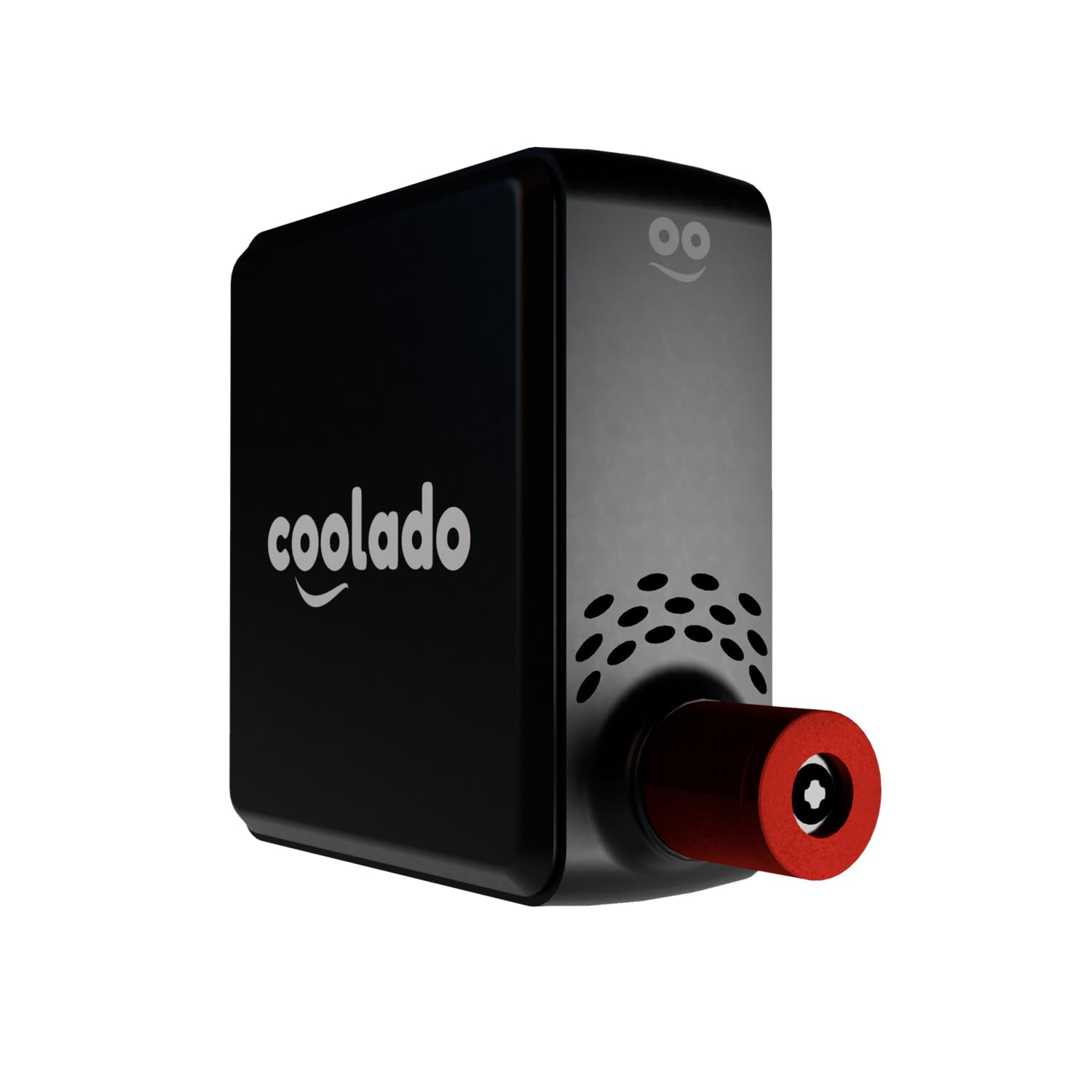
Image: Coolado T-Pump XS Portable Air Compressor. This image shows the compact design of the device, highlighting its small size and portability.
Setup
1. Charging the Device
- Connect the provided USB charging cable to the charging port on the T-Pump XS.
- Plug the other end of the USB cable into a compatible USB power adapter (not included) or a computer USB port.
- The device will indicate charging status (e.g., LED indicator). A full charge typically takes approximately 2 hours.
- Disconnect the charger once fully charged.
2. Attaching the Air Hose and Adapters
- For direct valve connection (common for road bikes), you may connect the compressor directly to the valve if compatible.
- For other valve types or increased flexibility, screw the air hose onto the compressor's air outlet.
- Select the appropriate valve adapter for your tire or ball (e.g., Presta adapter for Presta valves, ball needle for sports balls).
- Screw the selected adapter onto the free end of the air hose.
Operating Instructions
1. Powering On/Off
- To power on, press and hold the power button until the display illuminates.
- To power off, press and hold the power button again, or the device may automatically shut off after a period of inactivity.
2. Setting Desired Pressure
- Once powered on, the display will show the current pressure.
- Use the '+' and '-' buttons to adjust the target pressure. Refer to your tire's sidewall or vehicle manual for recommended pressure values.
- The device supports a maximum pressure of 10.3 Bar (150 PSI).
3. Connecting to the Item to be Inflated
- Securely attach the valve adapter (or direct connection) to the valve stem of the tire or ball. Ensure a tight seal to prevent air leakage.
- The display will show the current pressure of the connected item.
4. Starting and Stopping Inflation
- Press the start button to begin inflation. The compressor will automatically stop once the pre-set pressure is reached.
- To manually stop inflation at any time, press the start button again.
- During inflation, the display will show the increasing pressure.
5. Disconnecting
- Once inflation is complete or stopped, quickly and carefully disconnect the valve adapter from the tire/ball valve. A small hiss of air is normal.
- Store the air hose and adapters properly.
Maintenance
Cleaning
- Wipe the exterior of the compressor with a soft, dry cloth.
- Do not use abrasive cleaners or solvents.
- Ensure the device is powered off and disconnected from any power source before cleaning.
Storage
- Store the compressor and its accessories in a cool, dry place, away from direct sunlight and extreme temperatures.
- Keep all adapters and the air hose together with the main unit to prevent loss.
Battery Care
- To prolong battery life, charge the device fully before long periods of storage.
- Recharge the battery at least once every three months if not in regular use.
Troubleshooting
| Problem | Possible Cause | Solution |
|---|---|---|
| Device does not turn on. | Low battery. | Charge the device fully. |
| Compressor not inflating. | Valve connection not secure. Incorrect pressure setting. | Ensure valve adapter is tightly connected. Verify the target pressure is set above the current pressure. |
| Inaccurate pressure reading. | Loose connection. Device malfunction. | Check all connections for leaks. Contact customer support if the issue persists. |
| Device overheats. | Prolonged continuous operation. | Allow the device to cool down before further use. Avoid continuous operation for extended periods. |
Specifications
- Brand: Coolado
- Model: T-Pump XS
- Manufacturer Reference: TPUMPXS
- Product Dimensions: 7.8 x 3.5 x 8 cm
- Item Weight: 290 grams
- Color: Black
- Material: Other
- Power Source: Battery Powered
- Maximum Pressure: 10.3 Bar (150 PSI)
- Charging Time: Approximately 2 hours (via USB)
- Inflation Speed: Inflates a bicycle tire from 0 to 3 bar in approximately 44 seconds.
Warranty and Support
Coolado stands by the quality of its products. Your T-Pump XS is backed by European quality standards and reliable customer service.
For warranty claims, technical support, or any questions regarding your product, please visit the official Coolado website or contact their customer service directly. Please have your model number (T-Pump XS) and purchase information ready when contacting support.
Official Website: www.coolado.com (Note: This is a placeholder link, please replace with the actual official website if available.)