
1. Introduction
Thank you for choosing the Tkisko TO1 Projector. This projector is designed to deliver a superior visual experience with its native 1080p Full HD resolution, 4K support, and 700 ANSI lumens brightness. Featuring advanced connectivity options like 5G+2.4G Wi-Fi and Bluetooth 5.1, along with convenient electric focus and 4D/4P keystone correction, it's perfect for both indoor and outdoor entertainment.
2. Package Contents
Please check the box for the following items:
- Tkisko TO1 Projector
- Remote Control
- Power Cable
- HDMI Cable
- AV Cable
- User Manual
- Portable Backpack
3. Product Overview
Familiarize yourself with the main components of your Tkisko TO1 Projector.

Figure 3.1: Tkisko TO1 Projector and included accessories.
The projector features a lens on the front, various input ports on the side/rear, and control buttons on the top. The remote control provides easy access to all functions, including electric focus and keystone correction.
4. Setup Guide
4.1 Placement
Place the projector on a stable, flat surface. For optimal viewing, ensure the projection distance is approximately 3 meters (about 9.8 feet) to achieve the best effect on screen sizes ranging from 40 to 300 inches.
4.2 Power Connection
Connect the power cable to the projector's power input and then to a power outlet.
4.3 Initial Power On
Press the power button on the projector or remote control to turn on the device. The projector will display its initial screen.
4.4 Focus Adjustment
The Tkisko TO1 Projector features electric focus. Use the smart remote control to precisely adjust the focus until the image is clear and crisp. This eliminates the need for manual lens adjustments.
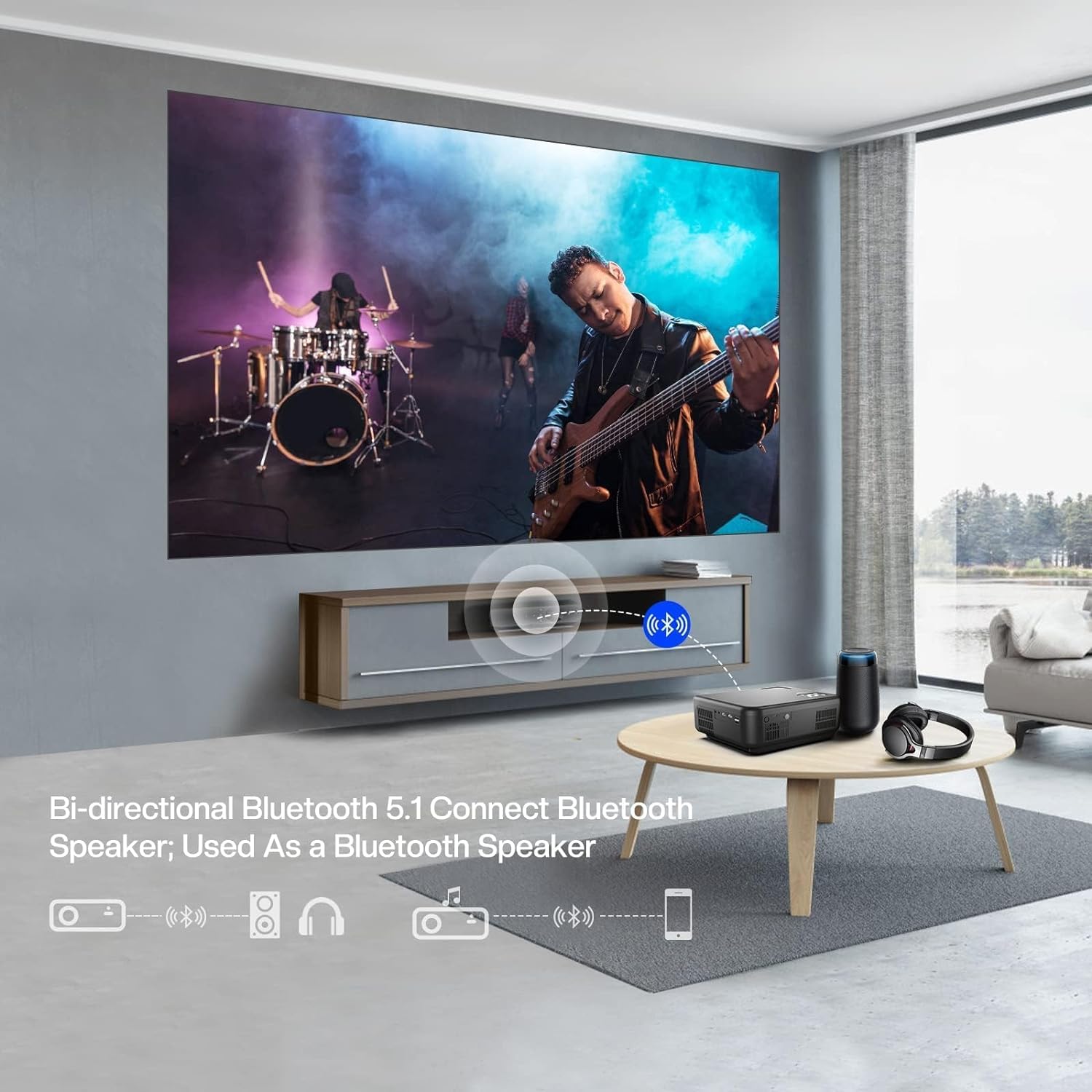
Figure 4.1: Adjusting focus using the smart remote control.
4.5 Keystone Correction
The projector supports 4D/4P keystone correction, allowing you to adjust all four corners of the image to achieve a perfectly rectangular projection, even if the projector is not perfectly aligned with the screen. Use the remote control for these adjustments.

Figure 4.2: 4D/4P Keystone Correction for image alignment.
5. Operating Instructions
5.1 Connectivity Options
The Tkisko TO1 Projector offers versatile connectivity:
- Wi-Fi Connection: Supports advanced 5G+2.4G Wi-Fi for fast and low-latency wireless screening from your iPhone, Android phone, MacBook, or Windows laptop.
- Bluetooth Connection: Features 5.1 bidirectional Bluetooth, allowing you to connect to external Bluetooth speakers for enhanced audio or use the projector as a Bluetooth speaker itself.
- Wired Connections: Equipped with HDMI, USB, AV, and a 3.5mm audio jack for connecting various devices such as TV sticks, PCs, gaming consoles, and more.

Figure 5.1: Wireless screening capabilities via 5G Wi-Fi.

Figure 5.2: Bi-directional Bluetooth 5.1 connectivity.

Figure 5.3: Wide compatibility with multiple input ports.
5.2 Zoom Function
The projector features a zoom function that allows you to reduce the image size from 100% to 50% without physically moving the projector. This is useful for fine-tuning the projection size to fit your screen or wall.
5.3 Image Quality
Experience sharp and vivid images with native 1080p Full HD resolution, 700 ANSI brightness, and a high contrast ratio of 20000:1. The projector supports 4K content for enhanced detail.
Figure 5.4: Enhanced image quality features.
6. Maintenance
To ensure the longevity and optimal performance of your Tkisko TO1 Projector, follow these maintenance guidelines:
- Cleaning the Lens: Use a soft, lint-free cloth specifically designed for optical lenses. Do not use abrasive cleaners or cloths that could scratch the lens.
- Dust Protection: The projector features a fully sealed optical engine, which helps protect the lens from dust and scratches. However, regular cleaning of the exterior casing with a soft, dry cloth is recommended.
- Ventilation: Ensure the projector's ventilation openings are not blocked to prevent overheating.
- Storage: When not in use for extended periods, store the projector in its portable backpack in a cool, dry place.
7. Troubleshooting
If you encounter issues with your projector, please refer to the following common problems and solutions:
| Problem | Possible Cause | Solution |
|---|---|---|
| No image or distorted image | Incorrect focus, keystone settings, or input source. | Adjust electric focus and keystone correction. Verify the correct input source is selected. |
| No sound | Volume too low, incorrect audio output, or Bluetooth not connected. | Increase volume. Check audio settings. Ensure Bluetooth speaker is properly paired. |
| Wi-Fi/Bluetooth connectivity issues | Interference, incorrect password, or device compatibility. | Ensure devices are within range. Re-enter Wi-Fi password. Some streaming services may block screen mirroring due to DRM. |
| Projector overheating | Blocked ventilation. | Ensure vents are clear and the projector has adequate airflow. |
| Black spot on projection | Dust inside optical path or internal component issue. | If persistent, contact customer support for assistance. |
8. Specifications
| Feature | Detail |
|---|---|
| Brand | Tkisko |
| Model Number | TO1 |
| Display Resolution | 1920 x 1080 (Native 1080P, 4K Supported) |
| Brightness | 700 ANSI Lumens |
| Contrast Ratio | 20000:1 |
| Connectivity Technology | Wireless (5G+2.4G Wi-Fi, Bluetooth 5.1), HDMI, USB, AV, 3.5mm Audio Jack |
| Projection Size | 40"-300" (Adjustable) |
| Special Features | Electric Focus, 4D/4P Keystone Correction, 50%-100% Zoom, Built-in Speakers, Fully Sealed Optical Engine |
| Item Weight | 5.99 pounds |
| Product Dimensions | 10.24 x 8.27 x 4.02 inches |
| Color | Gray Black |
9. Official Product Videos
Explore these official videos from Tkisko for more insights into your projector's features and capabilities.
Tkisko 4K Projector Wifi with Bluetooth
This video provides a comprehensive overview of the Tkisko 4K Projector, highlighting its Wi-Fi and Bluetooth functionalities.
TO1 projector from our customer
Watch a demonstration of the TO1 projector in a real-world setting, showcasing its performance from a customer's perspective.
The best wireless projector I have used
This video offers an in-depth look at the wireless capabilities and overall user experience of the projector.
Wonderful picture quality with Tkisko Projector!
A short video highlighting the impressive picture quality delivered by the Tkisko Projector.
TO1 wifi bluetooth projector
This brief video demonstrates the Wi-Fi and Bluetooth connectivity features of the TO1 projector.
10. Warranty and Support
Tkisko offers a 3-year warranty for your projector. Should you encounter any issues or require technical assistance, our friendly customer support team is ready to help you within 24 hours. Please refer to the contact information provided on the product packaging or our official website for support.