
1. Introduction
This manual provides comprehensive instructions for the Tera 1100L Mini 1D Barcode Scanner. Please read this manual thoroughly before using the device to ensure proper operation and to maximize its lifespan.
Key Features:
- Mini Pocket Size: Compact and lightweight design (39g/1.4oz) for enhanced portability.
- IP66 Waterproof & Dustproof: Features a newly designed silicone port plug for improved performance in various working conditions.
- 3-in-1 Connection Ways: Supports Bluetooth 5.0, 2.4GHz wireless (via USB dongle), and USB 2.0 wired modes for versatile connectivity.
- Multiple Configuration Options: Offers instant upload and storage modes, adjustable sound and vibration, and customizable prefix/suffix digits.
- 1D Barcode Support: Capable of scanning printed 1D barcode symbologies including Codabar, Code 11, Code93, MSI, Code 128, UCC/EAN-128, Code 39, EAN-8, EAN-13, UPC-A, ISBN, Industrial 25, Interleaved 25, Standard 25, 2/5 Matrix, and more. It also supports scanning damaged, distorted, colorful, and reflective barcodes.

Figure 1: The Tera 1100L Mini 1D Barcode Scanner, demonstrating its compact size and ergonomic design when held.
2. Safety Information
Please observe the following safety guidelines to prevent damage to the device and ensure user safety:
- Charging: Do not use quick charge adapters to charge the scanner. The suggested charging current is 5V/1A. This scanner does not support the USB Power Delivery (USB PD) charging standard of the USB-C interface. Avoid using USB PD standard power adapters and data cables. It is recommended to use the original USB cable included in the package for charging.
- Barcode Types: This device can ONLY scan printed 1D barcodes. It cannot scan 2D codes or 1D codes displayed on screens.
- Environmental Conditions: While the device is IP66 waterproof and dustproof, avoid prolonged exposure to extreme conditions.

Figure 2: Recommended charging specifications for the scanner, highlighting the 5V/1A output and caution against USB PD chargers.
3. Package Contents
Verify that all items are present in the package:
- Tera 1100L Barcode Scanner x1
- USB Cable x1
- 2.4G USB Dongle x1
- User Manual x1
4. Setup
4.1 Charging the Scanner
Before initial use, fully charge the scanner. Connect the provided USB cable to the scanner's charging port and to a compatible USB power adapter (5V/1A recommended) or a computer's USB port.
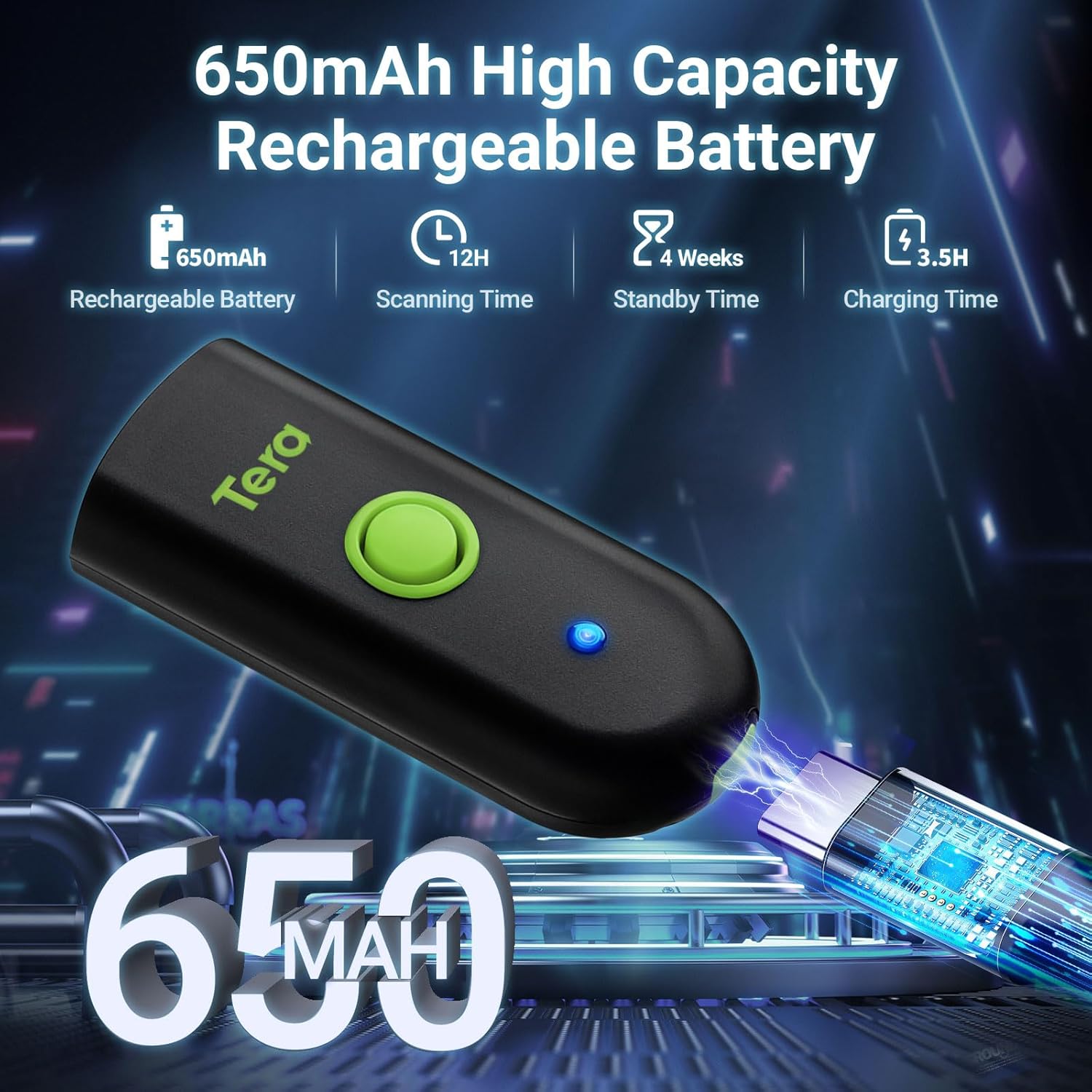
Figure 3: The scanner features a 650mAh rechargeable battery, providing approximately 12 hours of scanning time and 4 weeks of standby time. Full charge takes about 3.5 hours.
4.2 Connecting the Scanner
The Tera 1100L scanner offers three connection methods: Bluetooth, 2.4GHz Wireless, and USB Wired.

Figure 4: The scanner supports Bluetooth, 2.4GHz wireless, and USB wired connections, compatible with various devices including desktops, laptops, smartphones, and tablets.
4.2.1 Bluetooth Connection
- Turn on the scanner.
- Enable Bluetooth on your host device (e.g., smartphone, tablet, computer).
- Search for available Bluetooth devices and select "Tera 1100L" (or similar name) to pair.
- A successful connection will be indicated by a specific sound or LED light on the scanner.
4.2.2 2.4GHz Wireless Connection
- Insert the 2.4G USB dongle into an available USB port on your computer.
- Turn on the scanner. The scanner should automatically connect to the dongle.
- The transmission distance can reach up to 656ft (200m) in a barrier-free environment and 98ft (30m) with obstacles.
4.2.3 USB Wired Connection
- Connect the scanner to your computer using the provided USB cable.
- The scanner will function as a wired device and also charge simultaneously.
5. Operation
5.1 Scanning Modes
- Instant Upload Mode: Scanned data is immediately transmitted to the connected device.
- Storage Mode: Scanned data is stored in the scanner's internal memory and can be uploaded later. This is useful when out of range of the host device.
5.2 Trigger Modes
- Key Trigger Mode: Press the scan button to activate the laser and scan a barcode.
- Continuous Mode: The scanner continuously emits the laser, scanning any barcode that passes within its field of view.
5.3 Customization Options
- Sound and Vibration: The scanner supports turning sound and vibration feedback on or off, and adjusting levels. Refer to the included user manual for specific barcode configurations.
- Prefix/Suffix: You can add custom prefix or suffix digits to the scanned data. Consult the manual for programming barcodes to set these options.
6. Supported Barcode Symbologies
The Tera 1100L Mini 1D Barcode Scanner supports the following printed 1D barcode types:
- Codabar
- Code 11
- Code 93
- MSI
- Code 128
- UCC/EAN-128
- Code 39
- EAN-8
- EAN-13
- UPC-A
- ISBN
- Industrial 25
- Interleaved 25
- Standard 25
- 2/5 Matrix
- And other special barcodes including damaged, distorted, colorful, and reflective types.
7. Maintenance
To ensure optimal performance and longevity of your scanner:
- Cleaning: Use a soft, dry cloth to clean the scanner's exterior. For the scanning window, use a lens cleaning cloth. Avoid abrasive cleaners or solvents.
- Storage: Store the scanner in a cool, dry place away from direct sunlight and extreme temperatures.
- Port Protection: Ensure the silicone port plug is properly seated when not charging or connected via USB to maintain its IP66 waterproof and dustproof rating.

Figure 5: The IP66 rating ensures the scanner is protected against dust ingress and powerful water jets, thanks to its robust design and silicone port plug.
8. Troubleshooting
If you encounter issues with your Tera 1100L scanner, refer to the following common problems and solutions:
| Problem | Possible Cause | Solution |
|---|---|---|
| Scanner does not turn on. | Low battery or power issue. | Charge the scanner using the provided USB cable and a 5V/1A power adapter. |
| Cannot connect via Bluetooth. | Bluetooth not enabled on host device, scanner not in pairing mode, or interference. | Ensure Bluetooth is on and discoverable. Re-initiate pairing process. Move closer to the host device. |
| 2.4GHz wireless connection fails. | Dongle not properly inserted, scanner out of range, or interference. | Ensure dongle is fully inserted. Move scanner closer to the dongle. Try a different USB port. |
| Scanner does not read barcodes. | Barcode type not supported, barcode damaged, or scanner settings incorrect. | Verify the barcode is a supported 1D type. Ensure the barcode is clean and clearly visible. Check scanner settings (e.g., trigger mode). |
| Scanned data is incorrect or incomplete. | Incorrect prefix/suffix settings or data transmission error. | Review and adjust prefix/suffix settings using the programming barcodes in the full manual. Ensure a stable connection. |
For further assistance, please refer to the complete user manual or contact Tera customer support.
9. Specifications
| Feature | Detail |
|---|---|
| Model | 1100L |
| Product Dimensions | 1.1"D x 1.5"W x 3.4"H (28mm D x 38mm W x 87mm H) |
| Item Weight | 1.4 oz (39g) |
| Connectivity Technology | Bluetooth 5.0, 2.4GHz Wireless, USB Wired |
| Power Source | Battery Powered (650mAh rechargeable battery) |
| Compatible Devices | Desktop, Laptop, Smartphone, Tablet (iOS, Windows, Android) |
| Decode Capability | 1D Barcodes (Codabar, Code 11, Code93, MSI, Code 128, UCC/EAN-128, Code 39, EAN-8, EAN-13, UPC-A, ISBN, Industrial 25, Interleaved 25, Standard 25, 2/5 Matrix etc.) |
| Waterproof/Dustproof Rating | IP66 |

Figure 6: The Tera 1100L scanner's compact dimensions (3.4in/87mm length, 1.57in/40mm width) and light weight (1.4oz/39g) make it highly portable.
10. Warranty & Support
Tera products are designed for reliability and performance. For specific warranty details, please refer to the warranty card included with your product or visit the official Tera website.
If you require technical support or have questions regarding your Tera 1100L Mini 1D Barcode Scanner, please contact Tera customer service through their official channels.
Manufacturer: Tera
