
Introduction
Thank you for choosing the Vikye Ultra HD 4K WiFi DV Action Camera. This manual provides essential information for setting up, operating, and maintaining your camera. Please read it thoroughly before use to ensure optimal performance and longevity of your device. This camera is designed for capturing high-quality video and photos in various environments, including outdoor and underwater activities.

Image: The Vikye Action Camera highlighting key features such as Full HD 1080P/30FPS recording, Wi-Fi connectivity, time-lapse and loop video capabilities, 900 mAh battery, 10 meters (33 feet) body waterproofing, and a wide-angle lens.
Package Contents
Please check the package to ensure all items are present:
- 1 x Vikye DV Sports Camera
- 4 x Straps
- 1 x Wiping Cloth
- 2 x Adaptors
- 1 x Helmet Mounting Base
- 1 x Bicycle Mounting Bracket
- 1 x J Shape Base Bracket
- 1 x USB Charging Cable
- 2 x Adhesive Stickers
- 1 x Wire Rope
- 1 x Instruction Manual

Image: A complete view of the Vikye Action Camera and its accompanying accessories, laid out for inspection.
Product Overview
The Vikye Action Camera features a compact design with intuitive controls. Familiarize yourself with the camera's buttons, lens, and screen for easy operation.

Image: A close-up of the Vikye Action Camera, highlighting the front lens and side control buttons.

Image: Two views of the camera, illustrating both the front lens and the rear 2.0-inch display screen.
- Lens: 170-degree wide-angle lens for expansive shots.
- Display: 2.0-inch screen for live view, playback, and menu navigation.
- Control Buttons: Typically located on the top and sides for power, mode selection, and navigation.
- Microphone/Speaker: For audio recording and playback.
- Ports: USB port for charging and data transfer.
- Memory Card Slot: For inserting a MicroSD card (up to 32GB, not included).
Setup
1. Charging the Battery
The camera comes with a built-in 1050mAh lithium battery. Before first use, fully charge the camera.
- Connect the camera to a USB power source (e.g., computer, wall adapter) using the provided USB charging cable.
- The charging indicator light will illuminate. It will typically turn off or change color once fully charged.
2. Inserting a Memory Card
A MicroSD card (not included) is required to store photos and videos. The camera supports cards up to 32GB.
- Locate the memory card slot on the camera.
- Insert the MicroSD card with the contacts facing the correct direction until it clicks into place.
- To remove, gently push the card in until it springs out.
3. Mounting the Camera
Use the included accessories to mount your camera for various activities.
- Helmet Mounting Base: Securely attach the camera to helmets.
- Bicycle Mounting Bracket: Mount the camera to bicycle handlebars.
- Straps and Adaptors: For versatile attachment to gear or body.
Operating Instructions
1. Power On/Off
- Power On: Press and hold the Power/Mode button (usually on top or front) for a few seconds until the screen illuminates.
- Power Off: Press and hold the Power/Mode button again until the screen turns off.
2. Basic Video Recording
The camera supports 4K Ultra HD video recording.
- Ensure the camera is in video recording mode (indicated by an icon on the screen). If not, press the Mode button to cycle through modes.
- Press the Shutter/OK button (usually on top) to start recording. A red indicator light or on-screen timer will confirm recording is active.
- Press the Shutter/OK button again to stop recording.
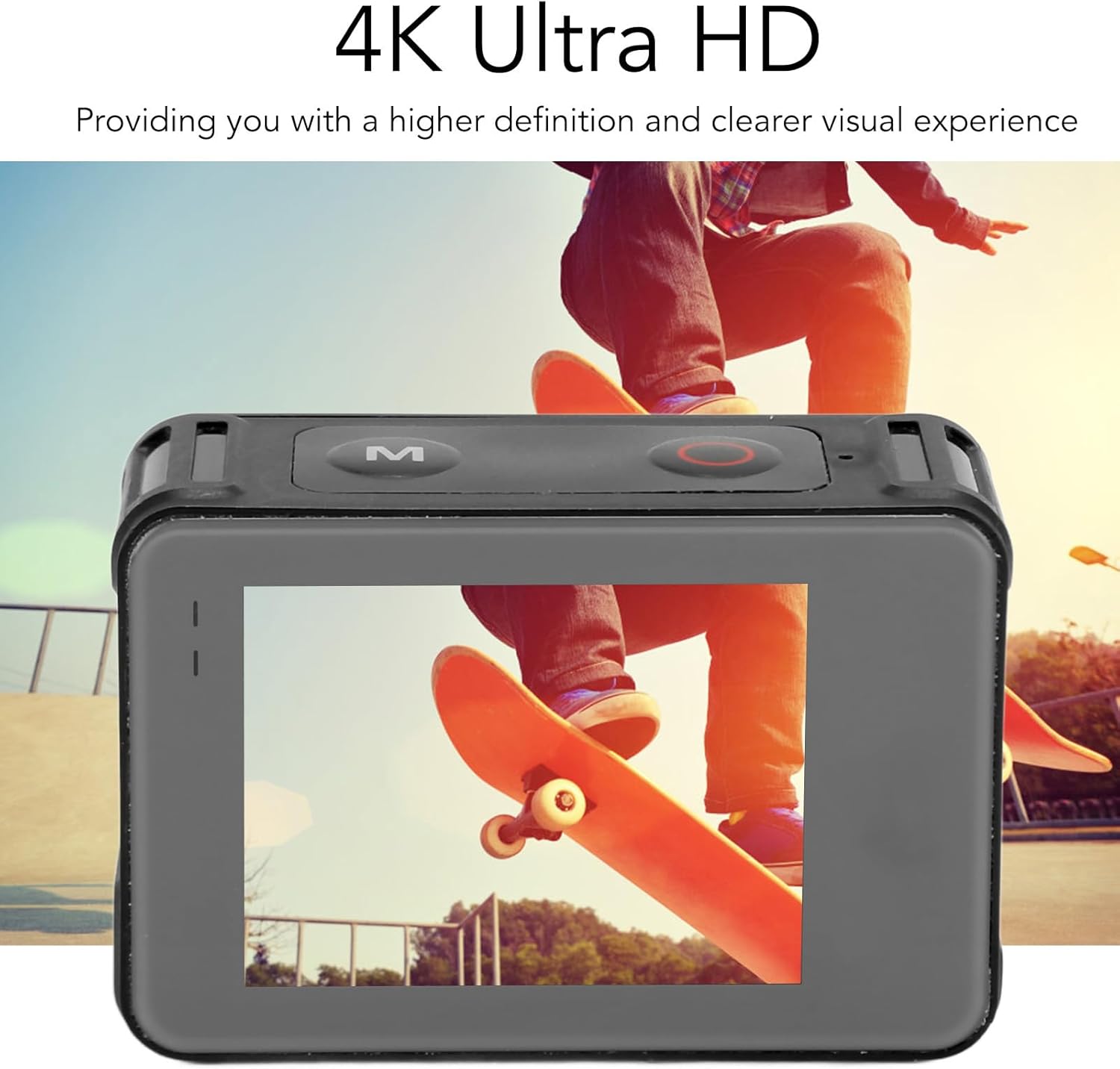
Image: The camera screen showing a high-definition 4K video capture, demonstrating its Ultra HD capability.
3. Taking Photos
- Switch to photo mode using the Mode button.
- Frame your shot using the 2.0-inch display.
- Press the Shutter/OK button to take a photo.
4. Advanced Shooting Modes
The camera supports various modes for creative capture:
- Time Lapse Shooting: Captures a series of photos at set intervals to create a sped-up video.
- Slow Motion Photography: Records video at a higher frame rate for smooth slow-motion playback.
- Timed Photo Taking: Sets a delay before taking a photo, useful for self-portraits or group shots.
- High Speed Continuous Shooting: Captures multiple photos in quick succession.
- Loop Recording: Overwrites the oldest footage when the memory card is full, ideal for dashcam use.
- Motion Detection: Starts recording automatically when motion is detected.
Access these modes and their settings through the camera's menu system using the navigation buttons and the 2.0-inch display.
Wi-Fi Connectivity
The Vikye Action Camera features Wi-Fi connectivity, allowing you to connect to a smartphone or tablet for remote control, live preview, and easy sharing of your content.
- Turn on the camera's Wi-Fi function (refer to the camera's on-screen menu for specific steps).
- On your smartphone, go to Wi-Fi settings and connect to the camera's Wi-Fi network (SSID and password will be displayed on the camera screen).
- Download and install the recommended companion app (check the camera's manual or manufacturer's website for the app name).
- Open the app to control the camera, view live footage, and download files.

Image: Illustration of the camera's Wi-Fi capability, showing a smartphone connected to the camera for remote operation.

Image: A smartphone displaying the camera's companion app interface, demonstrating the ease of sharing captured media.
Waterproof Usage
The camera is designed to be body waterproof up to 10 meters (33 feet), making it suitable for various water sports and activities without an additional waterproof case.
- Ensure all ports and covers are securely closed before exposing the camera to water.
- Do not exceed the specified depth limit of 10 meters (33 feet).
- After use in saltwater, rinse the camera with fresh water and allow it to dry completely before opening any compartments.

Image: The camera being used in water, illustrating its waterproof design for aquatic activities.
Maintenance
- Cleaning: Use the provided wiping cloth or a soft, lint-free cloth to clean the camera body and lens. For stubborn dirt, slightly dampen the cloth with water. Do not use harsh chemicals.
- Storage: Store the camera in a cool, dry place away from direct sunlight and extreme temperatures. Remove the memory card if storing for extended periods.
- Battery Care: For long-term storage, ensure the battery is charged to about 50%. Recharge periodically if not used for several months.
Troubleshooting
- Camera not turning on: Ensure the battery is fully charged. Press and hold the Power button for a longer duration.
- Cannot record/take photos: Check if a MicroSD card is inserted and has sufficient free space. The card might need to be formatted (this will erase all data).
- Poor video/photo quality: Ensure the lens is clean. Check resolution settings in the camera menu. Ensure adequate lighting.
- Wi-Fi connection issues: Ensure Wi-Fi is enabled on the camera and your smartphone. Re-enter the Wi-Fi password. Try restarting both devices.
- Camera freezes: If the camera becomes unresponsive, press and hold the Power button for about 10-15 seconds to force a shutdown.
Specifications
| Feature | Detail |
|---|---|
| Brand | Vikye |
| Model Name | Vikyena6g4mt215 |
| Camcorder Type | Action Camera |
| Video Capture Resolution | 4K Ultra HD |
| Video Capture Format | MP4 (H.264 Decoding) |
| Supported Audio Format | AAC |
| Screen Size | 2.0 Inches |
| Connectivity Technology | Wi-Fi |
| Lens Type | 170 Degree Wide Angle |
| Pixels | 12MP |
| Waterproof Depth | 10M / 33FT (Body Waterproof) |
| Memory Card Support | Up to 32GB MicroSD (Not Included) |
| Battery Type | Built-in 1050mAh Lithium Battery |
| System Language | Multi-language Support |
| OS Support | Windows XP/Vista/7/10, OS X |
| Special Features | Smart Sensor, Loop Recording, Motion Detection, Time Lapse, Slow Motion, Timed Photo, High Speed Continuous Shooting |
Warranty and Support
For warranty information and technical support, please refer to the documentation included with your purchase or contact Vikye customer service through their official website or the retailer where the product was purchased. Keep your proof of purchase for warranty claims.