
ELECCTV BW4
ELECCTV BW4 Wireless Outdoor Security Camera User Manual
Model: BW4 | Brand: ELECCTV
Introduction
This user manual provides detailed instructions for the installation, operation, and maintenance of your ELECCTV BW4 Wireless Outdoor Security Cameras. Please read this manual thoroughly before using the product to ensure proper function and safety. Keep this manual for future reference.

Image: Three ELECCTV BW4 wireless outdoor security cameras with accompanying solar panels.
What's in the Box
Verify that all items are present in your package:
- ELECCTV BW4 Security Camera (Quantity: 3 for 3-pack)
- 3W Solar Panel (Quantity: 3 for 3-pack)
- Mounting Screws
- Quick Start Guide
- Power Adapter

Image: Contents of the ELECCTV BW4 security camera package, showing the camera, solar panel, and various accessories.
Setup Guide
Follow these steps to set up your ELECCTV BW4 security camera:
Step 1: Prepare for Setup
- Ensure your security camera is powered on.
- Install the O-KAM Pro App on your smartphone. It is available on both Google Play Store and Apple App Store.
Step 2: Connect to Wi-Fi
- Open the O-KAM Pro App and click the "Add" button (usually a '+' icon) on the homepage.
- Scan the QR code located on the device.
- Connect to a 2.4GHz Wi-Fi network. 5GHz Wi-Fi networks are not supported.
- Scan the QR code displayed on your phone screen with the camera lens. Hold the phone 15-20cm (approximately 6-8 inches) in front of the camera until you hear a "beep" sound.
- Name your camera within the app for easy identification.

Image: The camera supports 2.4GHz Wi-Fi for stable connection.

Image: One-click connect feature for seamless and secure experience.
Step 3: Check Wi-Fi Signal Strength
Before final installation, check the Wi-Fi signal strength at your desired camera location using the app. A strong signal ensures reliable performance.

Image: Overview of camera features including solar power, battery, and IP65 rating.
Video: How to Configure the Camera
Video: This official ELECCTV video demonstrates the step-by-step process of configuring your BW4 or BW5 security camera, including app setup, QR code scanning, and Wi-Fi connection.
Operating Your Camera
The ELECCTV BW4 camera offers a range of features for comprehensive home security:
Crystal Clear 2K Image & Color Night Vision
Experience detailed surveillance with 2K QHD 3MP resolution (2304x1296 pixel) and a 110° wide-angle lens. The full-color night vision mode provides clear images even in low-light conditions.

Image: 2K Full Color Night Vision provides clear and detailed footage at night.

Image: Capture details in 2K FHD and see more at night with color night vision.
AI Motion Detection & Alerts
The camera features advanced AI motion detection. When motion is detected, you will receive instant notifications. You can also configure a siren alarm and strobe lights to deter intruders.

Image: AI Motion Detection with siren, message, and spotlight features.

Image: Custom Detection Zones, Selectable Recording Time, and Adjustable Recording Duration settings in the app.

Image: Built-in intelligence for better protection, distinguishing people from objects.
Two-Way Audio
Communicate with visitors or deter unwanted guests using the real-time two-way audio feature.

Image: Two-way talk feature allows communication with anyone, anytime, anywhere.

Image: Hear and speak to visitors, allowing you to see and talk back.
Storage Options
The camera supports both cloud storage and local storage. Enjoy cloud storage service for the past 3 days or local storage of up to 256 GB (Micro SD card not included).

Image: Cloud and local storage options for your camera footage.
App Features & Integration
- Real-Time Family Video Sharing: Easily add family members via the app to share live camera feeds.
- 4-Channel Live Streaming: Manage and monitor up to four cameras simultaneously.
- Security Data Access: Features SSL/TLS and AES encryption for data protection.
- Alexa Ready: Pair with Alexa to view live feeds on compatible devices.
- Scheduled Working Time: Customize the camera's operating schedule.

Image: Real-Time Family Video Sharing allows multiple users to view live feeds.

Image: 4-Channel Live Streaming for comprehensive surveillance.

Image: Security Data Access with SSL/TLS and AES encryption.

Image: Support for Alexa integration to view live feeds.

Image: Working time can be scheduled as you want.
Maintenance
Power & Battery
The ELECCTV BW4 camera is powered by a robust 5200mAh battery and features solar panel charging capabilities, ensuring uninterrupted surveillance. In ideal conditions, with 10-second recordings per motion detection, the camera can last for up to 3600 detections (total of 10 hours of recording) on a full charge.

Image: Built-in 5200mAh large battery extends battery life.
Weather Resistance
Designed to withstand various outdoor elements, the camera boasts an IP65 rating, making it dust and waterproof. It is built to endure harsh outdoor conditions year-round.

Image: IP65 Waterproof rating ensures durability in various weather conditions.

Image: The camera is designed to operate in temperatures from -20°C to 60°C and is IP65 rated for dust and water resistance.
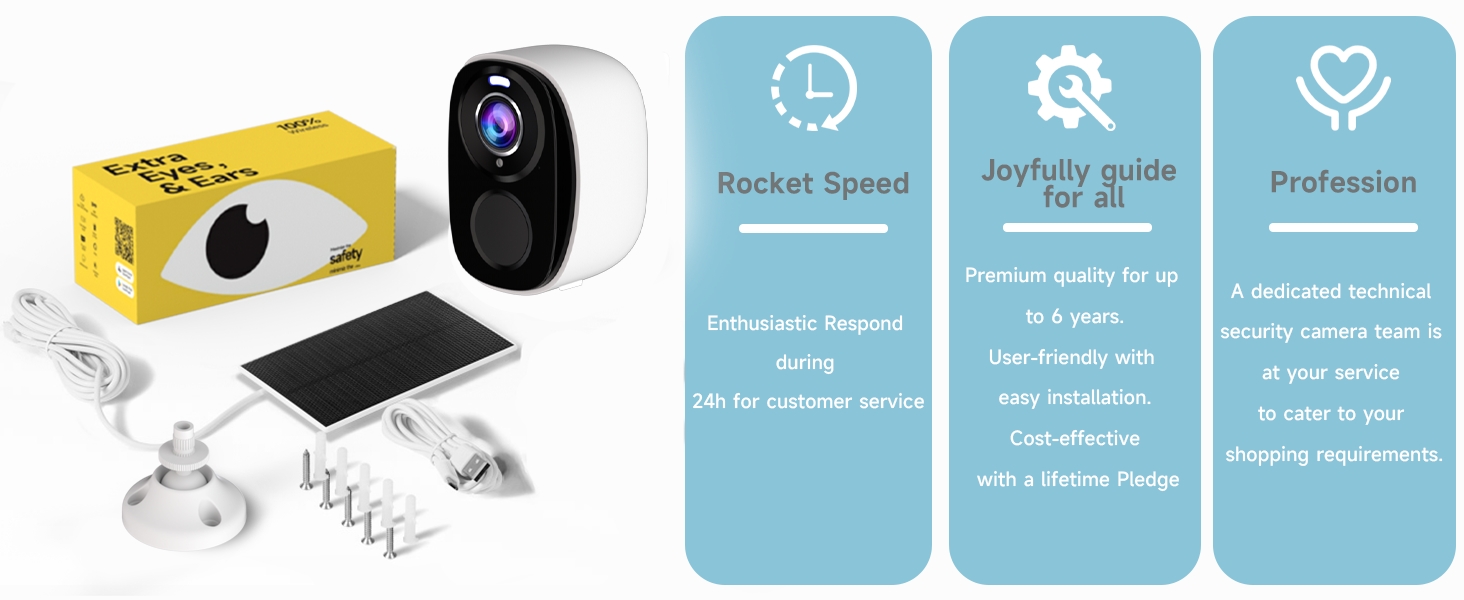
Image: The solar panel features a waterproof texture for enhanced durability.
Troubleshooting
If you encounter issues with your ELECCTV BW4 camera, refer to the following common solutions:
- Weak Wi-Fi Signal: If the app indicates a weak Wi-Fi signal, try moving the camera closer to your router or consider using a Wi-Fi extender. Ensure your router is broadcasting a 2.4GHz signal.
- Connectivity Issues: Double-check your Wi-Fi password. Ensure the camera is within range of your 2.4GHz Wi-Fi network. If issues persist, try resetting the camera (refer to the Quick Start Guide for reset instructions) and re-pairing it with the app.
- Battery Not Charging: Ensure the solar panel is clean and receiving direct sunlight for several hours daily. Check the connection between the solar panel and the camera. In prolonged cloudy weather, you may need to charge the camera using the provided power adapter.
- Overly Sensitive Motion Detection: Adjust the detection sensitivity settings within the O-KAM Pro app. You can also set custom detection zones to exclude areas with frequent irrelevant motion (e.g., swaying trees).
- No Notifications: Check your app's notification settings and your phone's system notification settings to ensure they are enabled for the O-KAM Pro app. Verify that motion detection is active.

Image: Utilize detection zones to reduce unwanted notifications.
Specifications
| Feature | Specification |
|---|---|
| Model Name | BW4 |
| Indoor/Outdoor Usage | Outdoor |
| Power Source | Battery & Solar Powered |
| Connectivity Protocol | Wi-Fi (2.4GHz only) |
| Video Capture Resolution | 2K QHD (2304*1296) |
| Viewing Angle | 130 Degrees |
| Night Vision Range | 33 Feet |
| Battery Power | 5200 Milliamp Hours |
| International Protection Rating | IP65 |
| Compatible Devices | Alexa & O-KAM Pro APP |
| Item Weight | 3.72 pounds |
Warranty and Support
For warranty information and technical support, please refer to the documentation included with your product or visit the official ELECCTV website. You can also contact ELECCTV customer service for assistance with product inquiries or troubleshooting.
Related documentsBW4

Ask a question about this manual
Ask about setup, troubleshooting, compatibility, parts, safety, or missing instructions. Manuals+ will review the question and use this page’s manual context to help answer it.