
Introduction
About Your Waterdrop CoreRO System
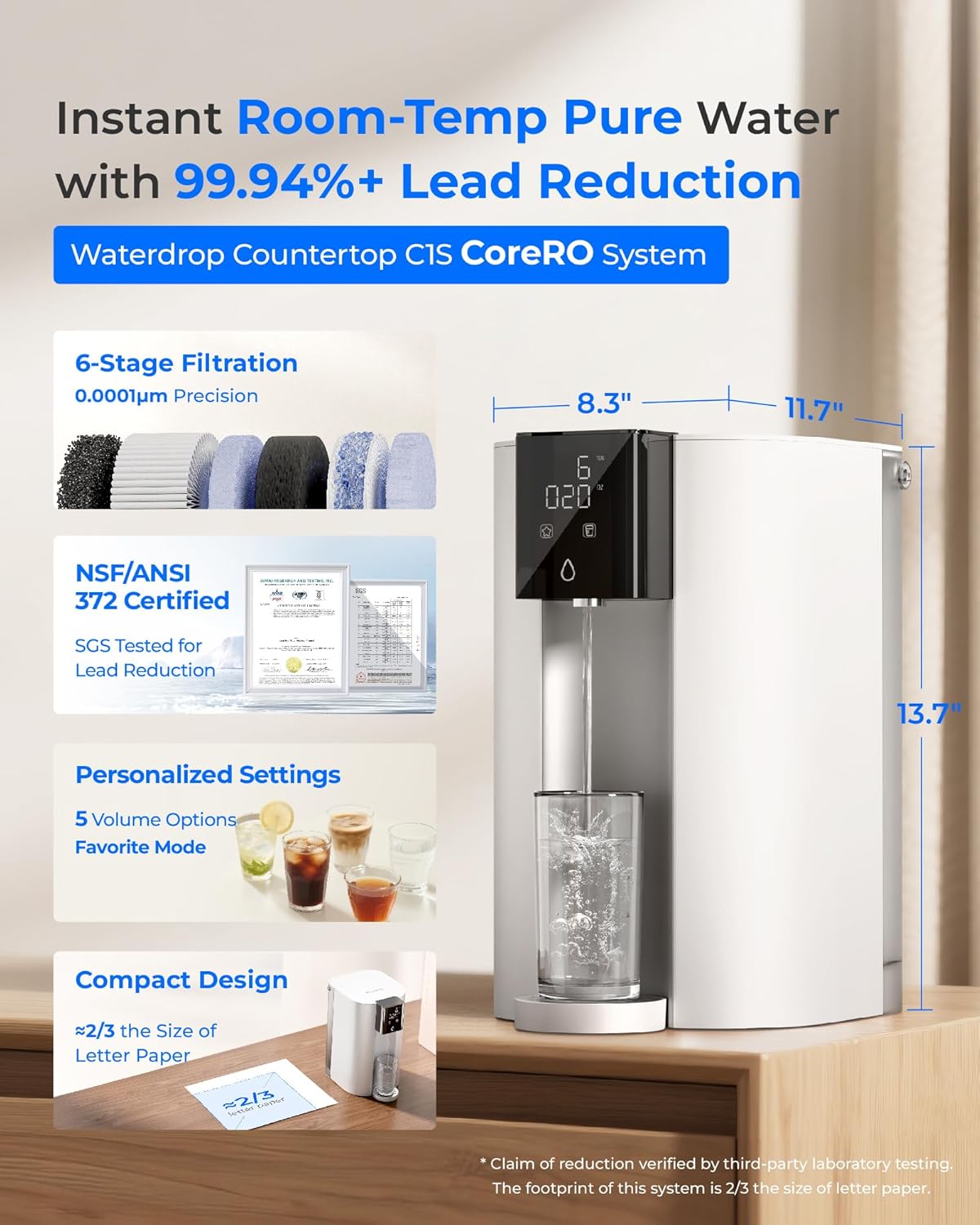
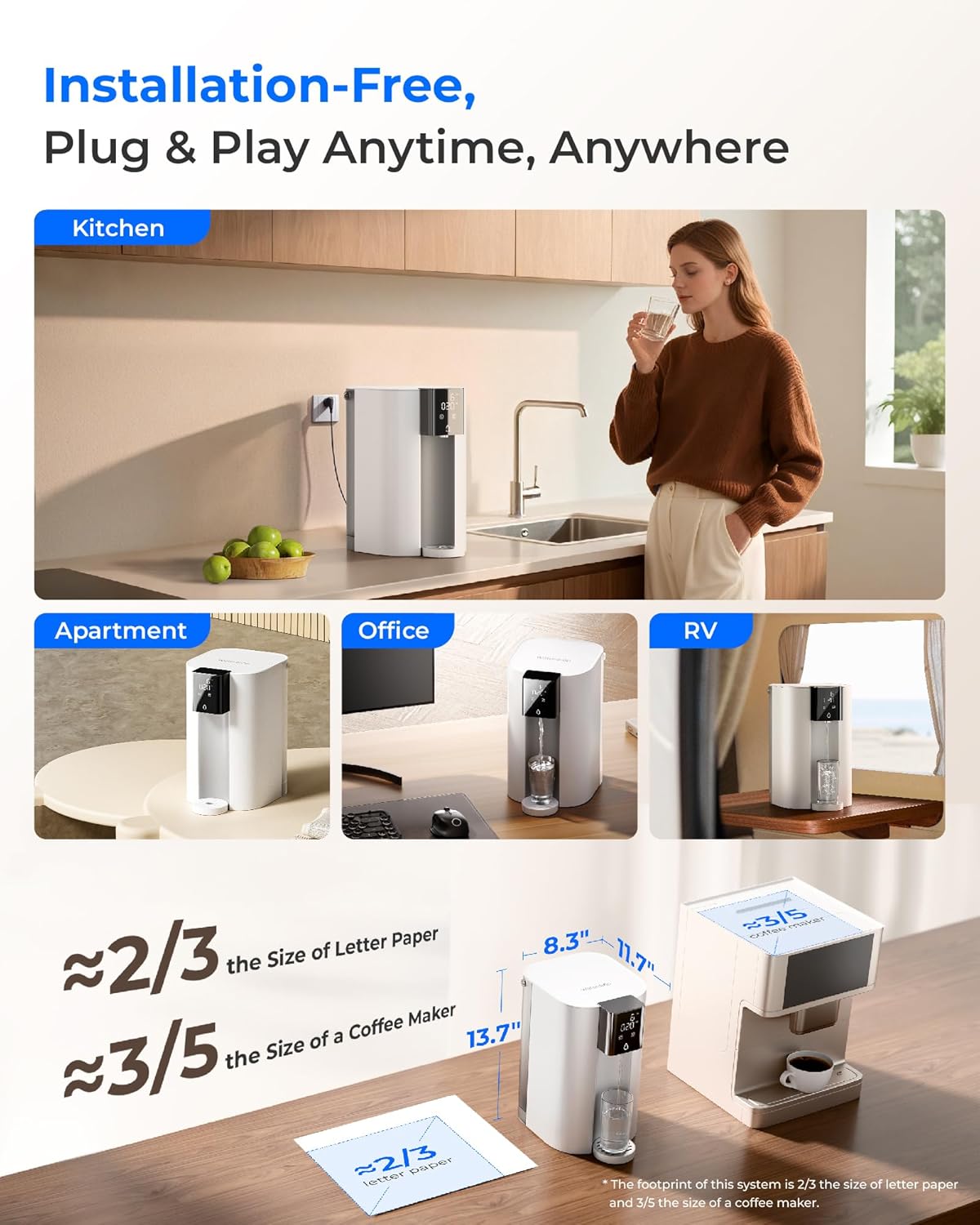
The Waterdrop CoreRO Countertop Reverse Osmosis System (Model WD-C1S) provides purified water through a 6-stage filtration process. Certified by NSF/ANSI 372 for lead-free materials, this system is designed for ease of use and portability, making it suitable for various settings without requiring complex installation.
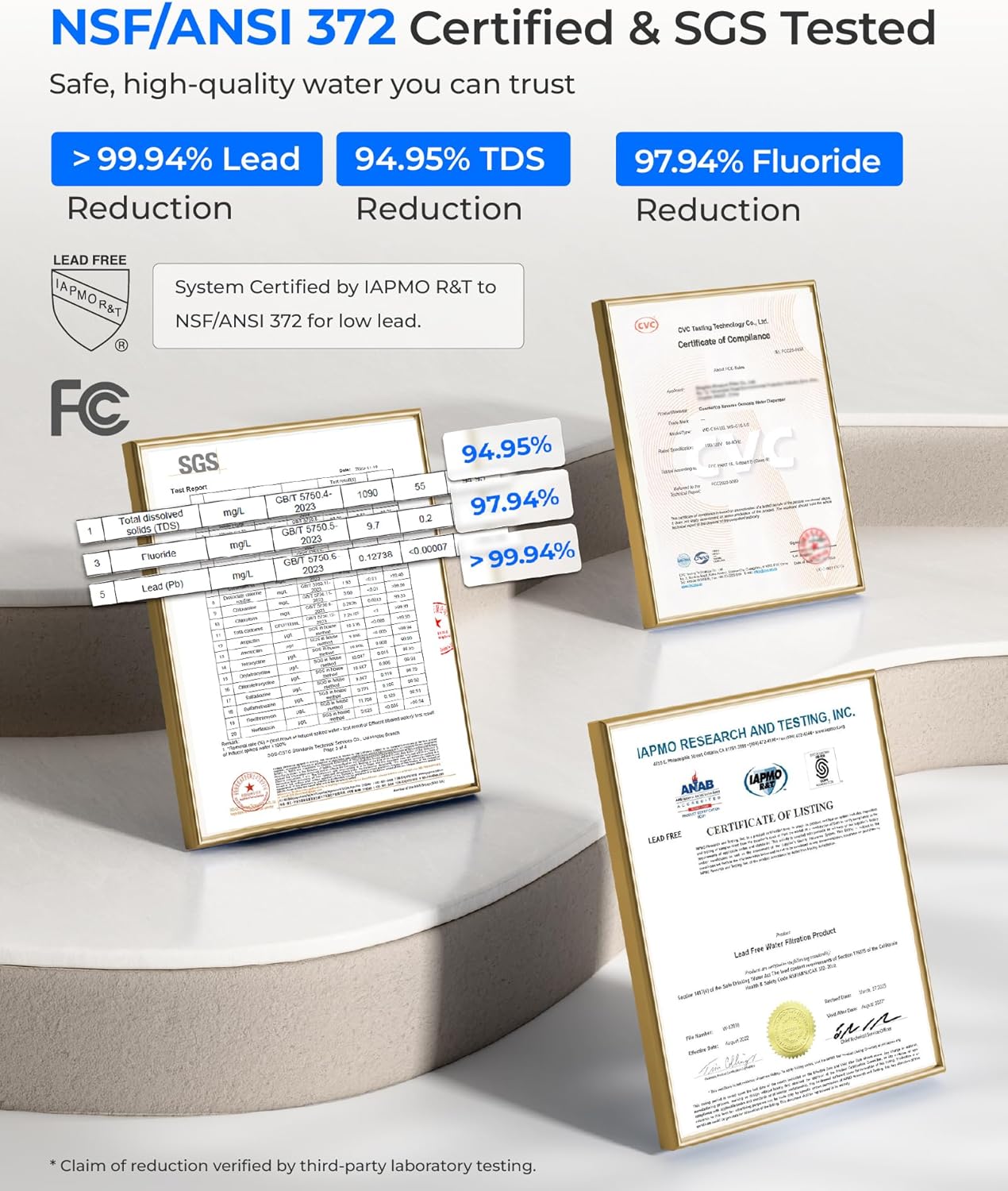
This system is engineered to reduce Total Dissolved Solids (TDS), PFOA, PFOS, Chlorine, Fluoride, Arsenic, Lead, and other impurities, ensuring access to healthy drinking water. Please note that the WD-C1S model is designed to enhance room-temperature water only.

Setup
Package Contents
Before beginning, ensure all components are present:
- Waterdrop CoreRO System Unit
- Multi-stage Reverse Osmosis Membrane Filter (C1RF)
- Portable Pure Water Tank (1.1 Gallon capacity)
- Drip Tray
- User Manual
Initial Setup
- Unpacking: Carefully remove all components from the packaging. Remove any protective films or plugs from the unit, especially the black protective film on the smart touch screen and the orange dust plug from the water dispenser key.
- Install Filter: Locate the filter compartment on top of the unit. Remove the filter packaging and insert the new C1RF filter into the designated slot. Turn clockwise to secure it.
- Fill Feed Water Tank: Remove the feed water tank from the back of the unit. Fill it with municipal tap water up to the 'MAX' line. Do not exceed the maximum water level line. Reinsert the tank securely into the unit.
- Connect Power: Plug the power cord into a suitable electrical outlet. The system will automatically begin the initial flushing process.
Operating Instructions
Control Panel and Indicators
The smart touch screen displays real-time information and allows for easy control:
- Feed Water Tank Status: Indicates the status of the raw water tank (normal, flashing for low water, or not installed).
- Pure Water Tank Status: Indicates the status of the purified water tank (normal, full, or low).
- Pump Indicator: Lights up when the system is filtering water.
- Filter Life Indicator: Shows remaining filter lifespan. A steady light indicates normal life, while a flashing light indicates replacement is required.
- Water Volume Indicator: Displays the selected water dispensing volume (e.g., 4oz, 8oz, 16oz, 20oz, or continuous).
- Flush Indicator: Displays the flushing progress percentage.
- Temperature Indicator: Shows the current water temperature (room temperature only for this model).

Water Dispensing
- Select Water Volume: Use the "Water Volume Key" on the touch screen to cycle through the available dispensing volumes (4oz, 8oz, 16oz, 20oz, or continuous dispensing).
- Child Lock (Optional): For safety, especially with children, activate the child lock by pressing and holding the "Child Lock Key" for 3 seconds until the indicator turns off. To dispense water, you must first unlock the system.
- Dispense Water: Place a container under the dispensing spout. Press the "Water Dispenser Key" to begin dispensing. The system will automatically stop once the selected volume is reached. For continuous dispensing, press the key again to stop.

Maintenance
Filter Replacement
The composite filter has an estimated lifespan of 12 months. The system's display will indicate when a filter replacement is needed.
- Remove Old Filter: Turn the old filter counter-clockwise to remove it from the unit.
- Install New Filter: Insert the new C1RF filter into the slot and turn clockwise to lock it into place.
- Reset Filter Life: After installing the new filter, hold the "Filter Life Indicator" key for 5 seconds to reset the filter life counter.
- Flush Operation: Follow the on-screen instructions to initiate a flushing operation. This process typically takes about 20 minutes.
Cleaning
The portable pure water tank can be detached for easy cleaning. It is recommended to remove and clean the tank if the system is not used for over 48 hours.
To remove the pure water tank, press and hold the button to pull it out. Return it to its original position in a timely manner, ensuring it clicks into place. When the system is working properly, ensure it is installed in place.
Troubleshooting
If the system is not dispensing water or showing unexpected behavior, check the following:
- No Water Dispensing: Ensure the feed water tank is filled above the minimum line and properly installed. Check if the child lock is activated.
- Flushing Process Stuck: If the flushing percentage is not progressing, ensure the pure water tank is empty and reinstalled correctly. Refill the feed water tank if needed.
- High TDS Reading: If the TDS reading remains high after filtration, ensure the filter is correctly installed and not expired. The system is not designed for well water or source water with TDS levels above 500 PPM.
- Screen Unresponsive: Ensure the black protective film on the screen has been removed.
Specifications
| Feature | Detail |
|---|---|
| Brand | Waterdrop |
| Model Name | WD-C1S |
| Product Dimensions | 8.3"L x 11.7"W x 13.7"H |
| Item Weight | 14 Pounds |
| Installation Type | Countertop |
| Filtration Stages | 6-Stage RO Filtration (0.0001μm precision) |
| Certifications | NSF/ANSI 372 Certified (Lead-Free), SGS Tested |
| Water Efficiency Ratio | 3:1 (Pure to Drain) |
| Max Supported Water TDS | 500 PPM |
| Power Source | Corded Electric |
| UPC | 840814171875 |
Warranty and Support
Waterdrop provides a 1-year warranty for the CoreRO Countertop Reverse Osmosis System. For technical assistance, troubleshooting, or warranty claims, please contact Waterdrop customer support.
Online support is available 24/7. Refer to the contact information provided in your product packaging or visit the official Waterdrop website for more details.