
1. Introduction
This manual provides essential information for the safe and efficient operation of your BLUETTI AC70 Portable Power Station. Please read this manual thoroughly before using the product and keep it for future reference. The BLUETTI AC70 is a versatile power solution designed for various applications, including outdoor activities, emergency backup, and mobile power needs.
2. Safety Instructions
To ensure safe operation, always follow these guidelines:
- Do not disassemble, repair, or modify the unit.
- Keep the unit away from fire, water, and extreme temperatures.
- Use only BLUETTI-approved accessories and charging cables.
- Ensure proper ventilation during use and charging to prevent overheating.
- Keep out of reach of children and pets.
- Avoid dropping or subjecting the unit to strong impacts.
3. Package Contents
Verify that all items are included in your package:
- BLUETTI AC70 Portable Power Station
- 100W Solar Panel (Ships Separately)
- AC Charging Cable
- Car Charging Cable
- Solar Charging Cable
- User Manual

Figure 1: BLUETTI AC70 Portable Power Station with its standard accessories.
4. Product Overview
4.1 Front Panel
The front panel features the main display, input/output ports, and control buttons.
- LCD Display: Shows battery level, input/output wattage, remaining runtime, and error indicators.
- DC/PV Input: For connecting solar panels or other DC charging sources.
- DC Output (12V/10A): Standard car-style outlet.
- USB-C Ports (100W): Two ports for fast charging compatible devices.
- USB-A Ports (12W): Two ports for standard USB charging.
- AC Outlets (120V/1000W): Two standard AC outlets.
- Power Button: Turns the unit on/off.
- DC Output Button: Activates/deactivates DC output.
- AC Output Button: Activates/deactivates AC output.

Figure 2: Front panel layout of the BLUETTI AC70.
4.2 Rear Panel
The rear panel includes the AC input port and ventilation.
- AC Input: For connecting the AC charging cable.
- Ventilation Grills: Ensures proper airflow for cooling.
4.3 Top Panel
The top panel features a sturdy handle for portability.

Figure 3: Top handle for easy portability.
5. Setup
5.1 Initial Charging
Before first use, fully charge the BLUETTI AC70. Connect the AC charging cable to the AC input port on the rear of the unit and plug it into a wall outlet. The LCD display will show the charging status. A full charge from 0% to 100% typically takes about 1.5 hours.
5.2 Solar Panel Connection
If using the included 100W solar panel, unfold it and position it in direct sunlight. Connect the solar charging cable to the solar panel and then to the DC/PV input port on the front of the AC70. The display will indicate solar input wattage.
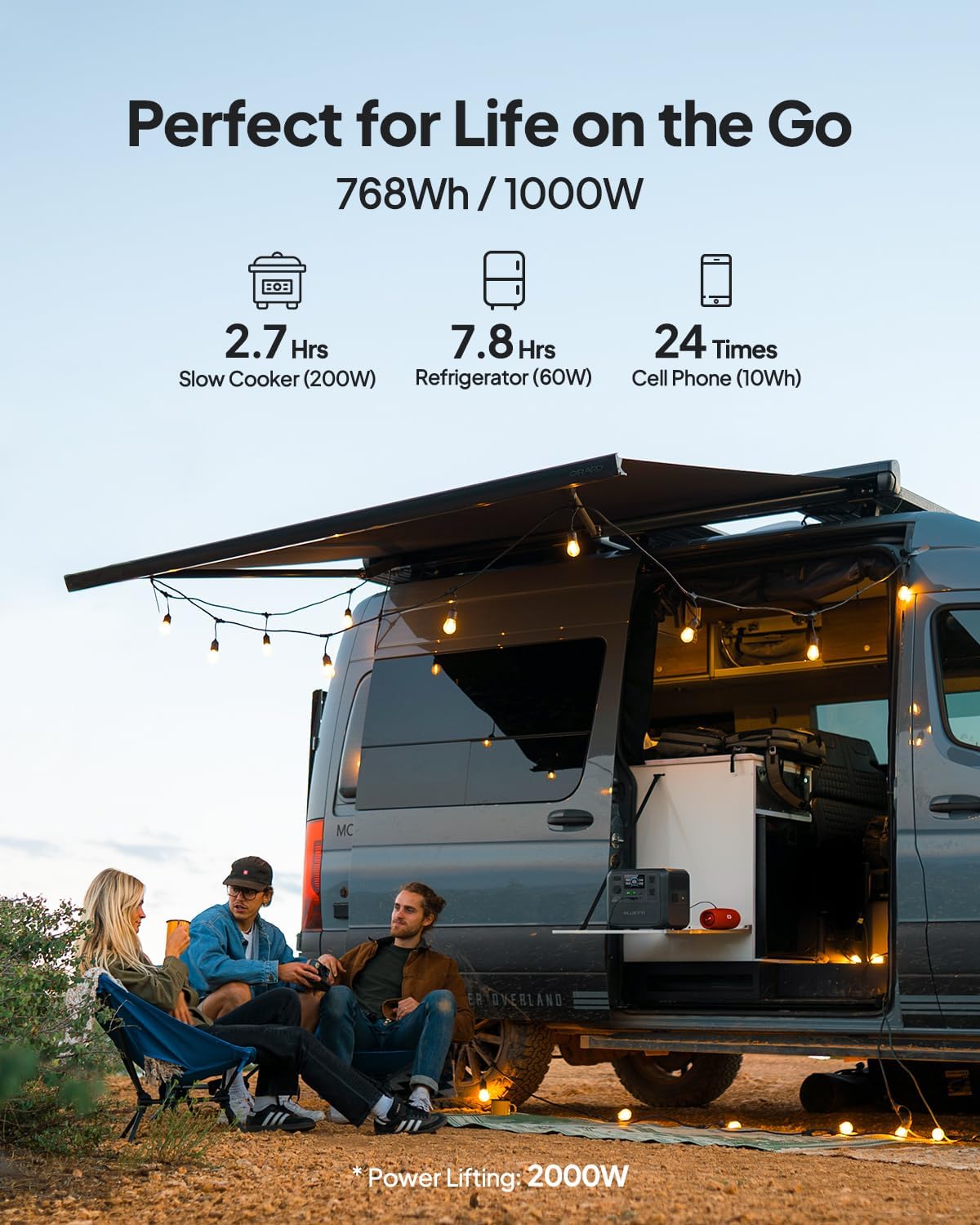
Figure 4: Connecting the BLUETTI AC70 to a solar panel.
6. Operating Instructions
6.1 Powering On/Off
Press and hold the main Power Button for 2-3 seconds to turn the unit on or off.
6.2 Using Outputs
Press the respective DC Output Button or AC Output Button to activate the desired output ports. The corresponding icons on the LCD display will illuminate.

Figure 5: Various output ports of the BLUETTI AC70 in use.
6.3 BLUETTI APP Control
Download the BLUETTI APP from your smartphone's app store. Connect your AC70 via Bluetooth to monitor its status, adjust settings (like charging mode), and update firmware remotely.

Figure 6: Monitoring and controlling the AC70 using the BLUETTI App.
6.4 Power Lifting Mode
The Power Lifting mode allows the AC70 to handle high-power resistive loads up to 2000W, exceeding its rated 1000W output. This is particularly useful for devices like hair dryers or electric kettles. Activate this mode via the BLUETTI APP.
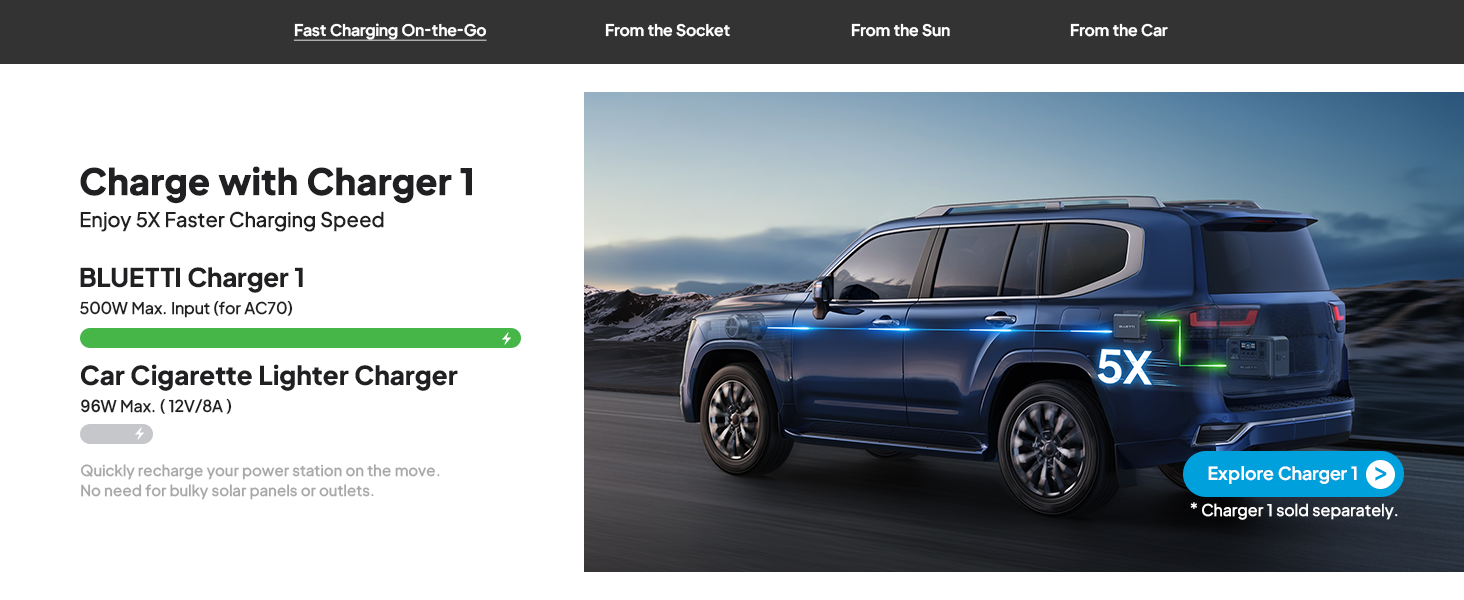
Figure 7: AC70 utilizing Power Lifting mode for higher wattage appliances.
6.5 UPS Functionality
The AC70 features an Uninterruptible Power Supply (UPS) function with a switching time of ≤20ms. When connected to a wall outlet and powering devices, it can automatically switch to battery power in the event of a power outage, ensuring continuous operation for connected electronics.
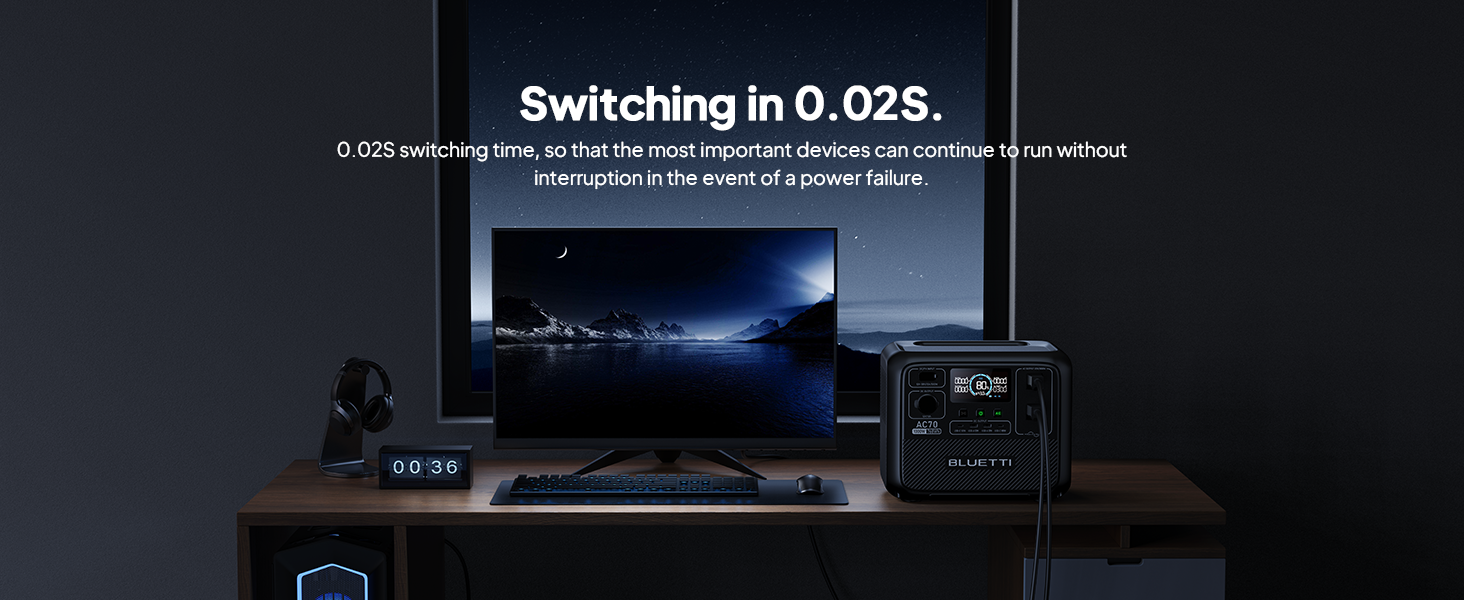
Figure 8: AC70 acting as an Uninterruptible Power Supply (UPS).
7. Charging the AC70
7.1 AC Charging
Connect the AC charging cable to the AC input port and a wall outlet. The AC70 supports up to 950W fast charging, reaching 80% in 45 minutes and 100% in 1.5 hours.

Figure 9: AC70 charging from a standard wall outlet.
7.2 Solar Charging
Connect compatible solar panels (up to 500W) to the DC/PV input port using the solar charging cable. The AC70 can be fully charged via solar power in 1.9-2.4 hours under optimal sunlight conditions.

Figure 10: AC70 charging using solar panels.
7.3 Car Charging
Use the car charging cable to connect the AC70 to your vehicle's 12V/24V cigarette lighter port. This allows for convenient charging while on the go, with a full charge taking approximately 3.2-7 hours.
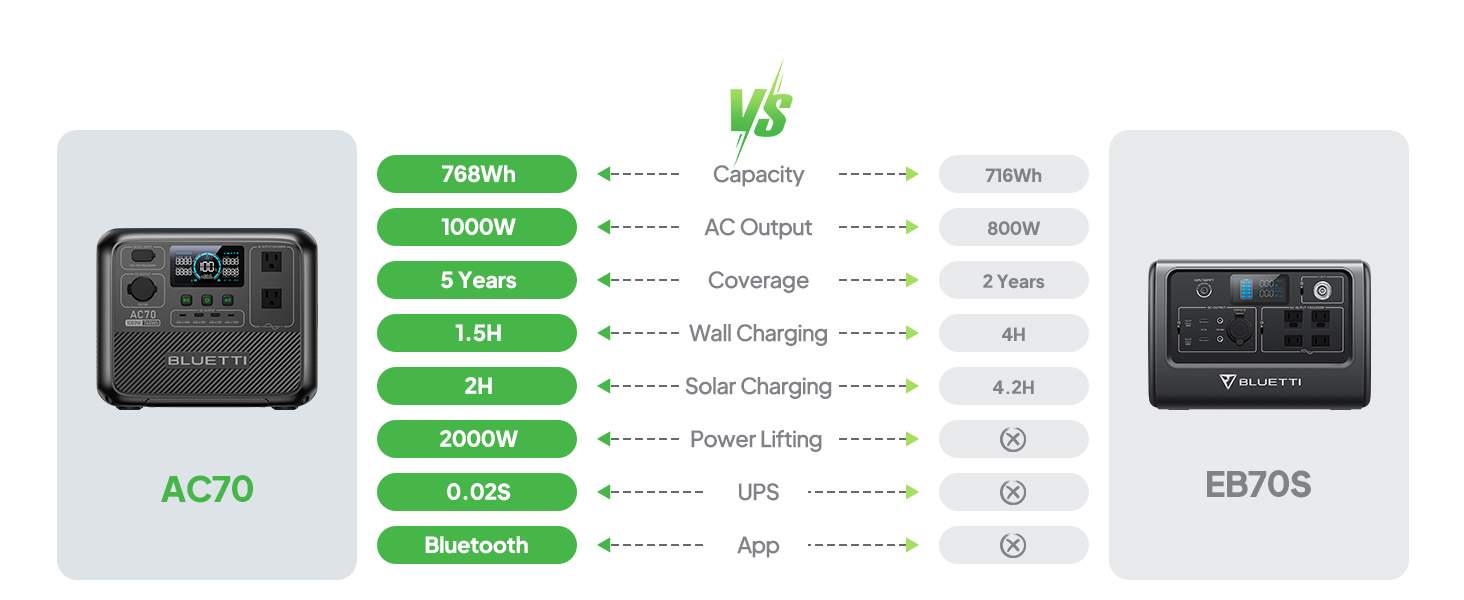
Figure 11: AC70 charging from a vehicle's 12V/24V outlet.
8. Maintenance
Proper maintenance ensures the longevity and performance of your AC70:
- Store the unit in a cool, dry place away from direct sunlight.
- Recharge the unit every 3-6 months if not in regular use to maintain battery health.
- Clean the exterior with a dry, soft cloth. Do not use harsh chemicals or abrasives.
- Keep ventilation openings clear of dust and debris.
9. Troubleshooting
If you encounter issues with your AC70, refer to the following common problems and solutions:
| Problem | Possible Cause | Solution |
|---|---|---|
| Unit does not power on | Low battery or unit is off. | Charge the unit. Press and hold the power button for 2-3 seconds. |
| AC output not working | AC output is off or overloaded. | Press the AC output button. Reduce the load or check for short circuits. |
| Solar charging not working | Insufficient sunlight, incorrect connection, or incompatible panel. | Ensure direct sunlight, check cable connections, verify panel compatibility. |
| APP not connecting | Bluetooth is off or unit is too far. | Ensure Bluetooth is enabled on your phone and AC70. Move closer to the unit. |
10. Specifications
| Feature | Detail |
|---|---|
| Brand | BLUETTI |
| Model Name | AC70 |
| Battery Capacity | 768Wh (LiFePO4) |
| AC Output | 2 x 1000W (2000W Power Lifting) |
| DC Output | 1 x 12V/10A |
| USB-C Output | 2 x 100W Max |
| USB-A Output | 2 x 12W Max |
| AC Input | 950W Max (0-80% in 45 min, 0-100% in 1.5 hrs) |
| Solar Input | 500W Max (0-100% in 1.9-2.4 hrs) |
| Car Charging | 12V/24V, 10A (0-100% in 3.2-7 hrs) |
| Battery Cycles | 3000+ to 80% capacity |
| UPS Switching Time | ≤20ms |
| Item Weight | 22.5 lbs |
| Product Dimensions | 12.4"L x 8.2"W x 10.1"H |
11. Warranty & Support
The BLUETTI AC70 Portable Power Station comes with a 5-year warranty. For technical support, troubleshooting assistance, or warranty claims, please contact BLUETTI customer service through their official website or the BLUETTI APP.
Video 1: Official BLUETTI AC70 product overview highlighting its features and portability.


