
Introduction
This manual provides detailed instructions for the safe installation, operation, and maintenance of your Breezary 52 Inch 5-Blade Ceiling Fan. Please read all instructions carefully before beginning installation and retain this manual for future reference. This ceiling fan is designed for both indoor and outdoor covered use, offering efficient air circulation with a quiet, reversible DC motor and convenient remote control.

Image: The Breezary 52 Inch 5-Blade Ceiling Fan in white, shown with its remote control. This image provides an overview of the product's design and primary control method.
Safety Information
- Electrical Safety: Always disconnect power at the circuit breaker before installation or servicing. Ensure all wiring connections comply with local electrical codes. If you are unsure about wiring, consult a qualified electrician.
- Mounting: The ceiling fan must be mounted to a structurally sound ceiling joist or outlet box capable of supporting the fan's weight (approximately 11.4 lbs). Ensure the mounting location provides at least 7 feet of clearance from the floor to the fan blades.
- Blade Clearance: Maintain a minimum of 30 inches clearance from the tip of the blades to any wall or obstruction.
- Fan Operation: Do not insert objects into the path of the fan blades while the fan is operating.
- Professional Installation: For your safety, professional installation by a licensed electrician is recommended.
Package Contents
Verify that all components are present before beginning installation:
- 1 x 52 Inch 5-Blade Ceiling Fan (White)
- 1 x Downrod (5 inches)
- 1 x Remote Control
- 1 x User Manual
- Hardware Pack (screws, washers, wire nuts, etc.)
Specifications
| Brand | Breezary |
| Model Number | 30010-NL |
| Color | White |
| Product Dimensions | 52"D x 52"W x 12.8"H |
| Number of Blades | 5 |
| Motor Type | DC Motor |
| Number of Speeds | 6 |
| Air Flow Capacity | 3710 Cubic Feet Per Minute (CFM) |
| Voltage | 120 Volts |
| Wattage | 40 Watts |
| Noise Level | Approximately 35dB |
| Mounting Type | Downrod Mount (Angled Mount ≤12° supported) |
| Indoor/Outdoor Usage | Indoor, Outdoor (covered areas) |

Image: A diagram illustrating the dimensions of the 52-inch ceiling fan, including blade length, downrod length, and overall height. It also shows two installation options: downrod mount for flat ceilings and angled mount for ceilings with a slope of up to 12 degrees.
Setup and Installation
Most functional components of this ceiling fan are pre-assembled to simplify installation. However, due to the electrical nature and mounting requirements, it is recommended to have the fan installed by a qualified electrician.
Before Installation:
- Power Disconnection: Turn off power at the main circuit breaker to prevent electrical shock.
- Site Selection: Choose a mounting location that can support the fan's weight and allows for proper blade clearance (at least 7 feet from floor, 30 inches from walls).
- Unpack: Carefully unpack all components and verify against the 'Package Contents' list.
Mounting Options:
The fan supports two primary mounting configurations:
- Downrod Mount: Standard installation for flat ceilings using the included 5-inch downrod.
- Angled Mount: Suitable for sloped ceilings up to 12 degrees. Ensure the canopy is properly adjusted to maintain a level appearance.

Image: An illustration demonstrating the installation of the ceiling fan on both a flat ceiling and a sloped ceiling (up to 12 degrees), highlighting the low-profile design without a light kit.
General Installation Steps (Consult a professional electrician):
- Secure the mounting bracket to the ceiling outlet box.
- Assemble the downrod and canopy to the motor housing.
- Hang the fan assembly onto the mounting bracket.
- Perform electrical wiring connections (Live, Neutral, Ground).
- Attach the fan blades to the motor housing.
- Secure the canopy to the mounting bracket.
- Install 2 AAA 1.5V batteries (not included) into the remote control.
Operating Instructions
Your Breezary ceiling fan is controlled by the included multi-function remote control. Ensure batteries are installed correctly before use.
Remote Control Functions:

Image: A detailed diagram of the remote control, labeling each button and its corresponding function, including power, fan speed, rotation direction, natural wind mode, and timer settings.
- OFF: Turns the fan completely off.
- ON/OFF (Light Switch): This button is non-functional as this model does not include a light.
- Fan Forward Rotating (F): Sets the fan to rotate clockwise, creating a downdraft for cooling (Summer mode).
- Reversal Rotating (R): Sets the fan to rotate counter-clockwise, creating an updraft to circulate warm air (Winter mode).
- Natural Wind: Activates a mode that simulates natural breezes by varying fan speed.
- Speed Control (1-6): Adjusts the fan speed from 1 (lowest) to 6 (highest).
- STOP: Stops the fan rotation.
- 1H / 4H Timer: Sets the fan to operate for 1 hour or 4 hours, then automatically turn off.
- Turn OFF the beeping: Mutes the audible feedback from the remote control.
Reversible Motor Function:
The DC motor allows for reversible blade rotation, optimizing comfort for different seasons:
- Summer Mode (Forward Rotation): Blades rotate clockwise, pushing air downwards to create a cooling breeze.
- Winter Mode (Reverse Rotation): Blades rotate counter-clockwise, pulling air upwards to circulate warm air trapped near the ceiling.
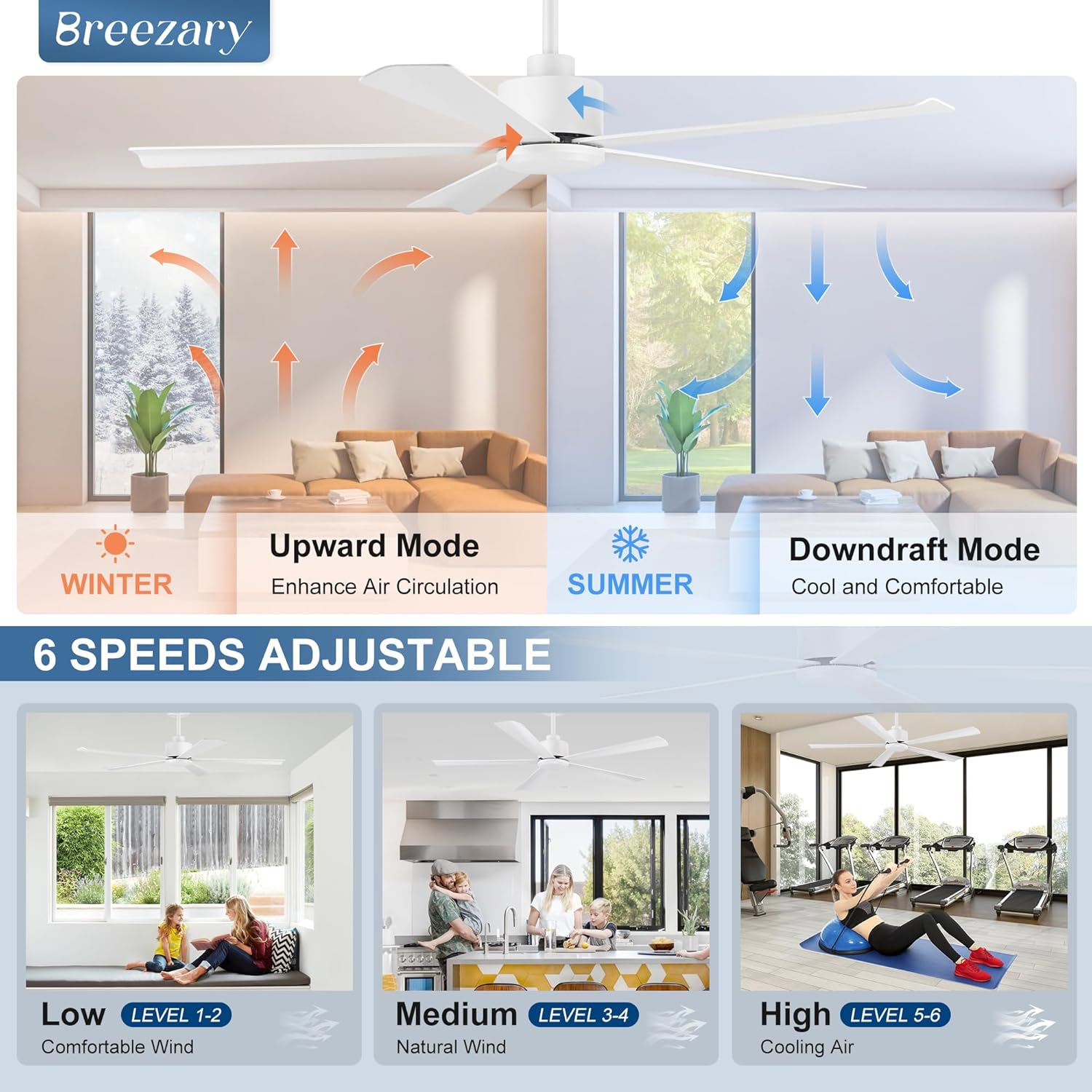
Image: An illustration demonstrating the two operational modes of the fan: 'Downdraft Mode' for summer cooling (blades push air down) and 'Upward Mode' for winter air circulation (blades pull air up).
Maintenance
Regular maintenance ensures optimal performance and longevity of your ceiling fan.
- Cleaning: To clean the fan, wipe with a soft, damp cloth. Do not use abrasive cleaners or solvents, as these can damage the finish or motor. Always disconnect power before cleaning.
- Blade Inspection: Periodically check the fan blades for any signs of damage or warping. Ensure all blade screws are tight. Loose blades can cause wobbling and noise.
- Mounting Check: Annually inspect the mounting hardware to ensure it remains secure.
- Motor Lubrication: The DC motor is permanently lubricated and does not require additional oiling.
Troubleshooting
If you experience issues with your fan, refer to the following common problems and solutions:
| Problem | Possible Cause | Solution |
|---|---|---|
| Fan does not start | No power to the fan; Loose wire connections; Remote control batteries dead or incorrectly installed. | Check circuit breaker; Verify all wire connections are secure (power off first); Replace remote batteries (2 AAA 1.5V). |
| Fan wobbles | Loose blade screws; Improperly balanced blades; Loose mounting bracket. | Tighten all blade screws; Ensure blades are installed correctly and balanced; Check mounting bracket for security. |
| Noisy operation | Loose screws; Fan not properly secured; Internal motor issue. | Check and tighten all screws; Ensure fan is securely mounted; If noise persists, contact customer support. |
| Remote control not working | Dead batteries; Remote not paired (if applicable); Obstruction between remote and receiver. | Replace batteries; Ensure clear line of sight; Refer to remote pairing instructions (if provided separately). |
If you encounter a problem not listed here or the suggested solutions do not resolve the issue, please contact Breezary customer support.
Warranty and Support
Breezary is committed to providing high-quality products and customer satisfaction. Your Breezary 52 Inch 5-Blade Ceiling Fan comes with a worry-free warranty.
- Technical Support: We offer 24-hour online technical support to assist you with any questions or issues regarding your product.
- Warranty Claims: For warranty service or to report a defect, please contact our customer service team with your purchase details and model number.
For further assistance, please visit the official Breezary store or contact customer service through the platform where you purchased the product.
Visit the Breezary Store


