
Introduction
The BoxWave Wall Charger Direct (45W) is a versatile wall plug adapter designed to provide efficient and safe charging for a wide range of USB Type-C compatible devices. Featuring Power Delivery (PD) technology, this charger intelligently adjusts its output to meet the specific power requirements of your device, ensuring optimal charging speed and safety. It includes a durable, integrated 5-foot USB Type-C cable for direct connection.
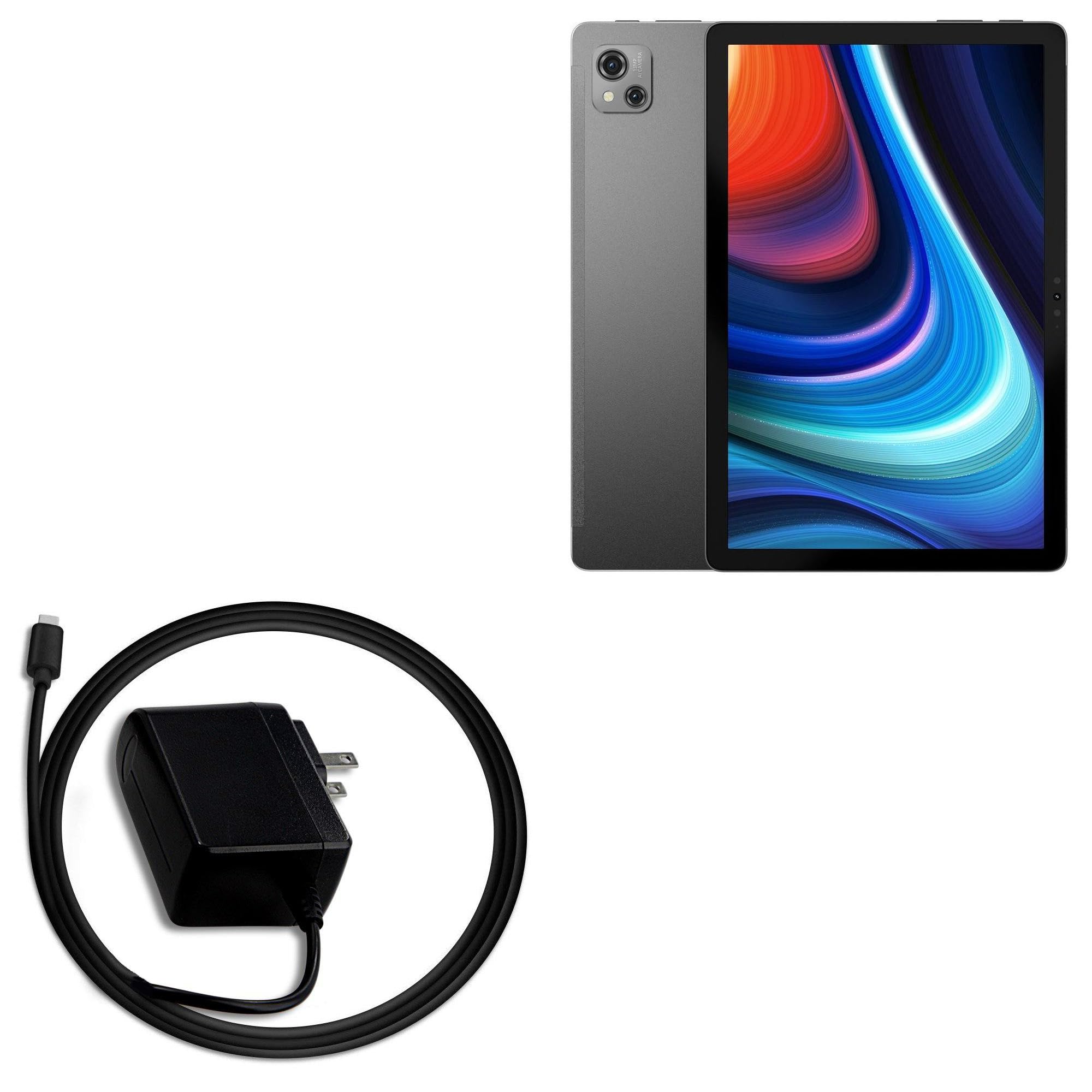
Image: Front view of the BoxWave Wall Charger Direct (45W) with its integrated USB Type-C cable coiled.
Safety Information
Please read and follow these safety guidelines to prevent damage to the product or injury to yourself:
- Do not expose the charger to water, moisture, or extreme temperatures.
- Do not attempt to disassemble, repair, or modify the charger.
- Ensure the charger is plugged into a standard wall outlet with the correct voltage.
- Avoid using the charger in poorly ventilated areas or covering it during use to prevent overheating.
- The integrated Power Delivery (PD) technology is designed to protect your device from overcharging, overcurrent, and short-circuiting.
- Regularly inspect the cable for any signs of damage or fraying. Discontinue use if damage is observed.

Image: Diagram illustrating the internal safety features of the charger, including protection against short-circuit (SCP), high temperature (HP), over-power (OPP), input over-voltage (Input OVP), output over-voltage (Output OVP), input over-current (Input OCP), and output over-current (Output OCP).
Package Contents
- 1 x BoxWave Wall Charger Direct (45W) with integrated 5-foot USB Type-C cable
Setup
Setting up your BoxWave Wall Charger Direct (45W) is straightforward:
- Locate a standard wall power outlet.
- Plug the charger's AC prongs into the wall outlet.
- Connect the integrated USB Type-C cable to the charging port of your compatible device (e.g., laptop, smartphone, tablet).
- Ensure a secure connection at both the wall outlet and your device.

Image: Side view of the charger showing the US plug and the USB Type-C connector, ready for use.
Operating Instructions
Once connected, the charger will automatically begin charging your device. The Power Delivery (PD) technology will detect your device's power requirements and deliver the optimal charging current up to 45W. No manual adjustments are required.
- The charger is designed for universal compatibility with many USB Type-C enabled devices that support PD charging.
- Charging speed may vary depending on your device's battery level and its maximum supported charging input.
- Disconnect the charger from the device and the wall outlet when not in use or when the device is fully charged.
Maintenance
To ensure the longevity and optimal performance of your BoxWave Wall Charger Direct (45W):
- Cleaning: Disconnect the charger from the power outlet before cleaning. Wipe the exterior with a soft, dry cloth. Do not use liquid cleaners or abrasive materials.
- Storage: Store the charger in a cool, dry place away from direct sunlight and extreme temperatures.
- Cable Care: Avoid sharp bends or excessive pulling on the integrated cable. The strain relief feature helps protect against fraying, but proper handling is still recommended.
Troubleshooting
| Problem | Possible Cause | Solution |
|---|---|---|
| Device not charging. | Loose connection, faulty outlet, incompatible device. | Ensure the charger is securely plugged into the wall and the USB Type-C cable is firmly connected to your device. Try a different wall outlet. Verify your device supports USB Type-C PD charging. |
| Slow charging. | Device not fully supporting 45W PD, background apps, cable issue. | While the charger provides up to 45W, your device may only draw less. Close unnecessary applications on your device. Ensure the cable is not damaged. |
| Charger feels warm. | Normal operation, heavy load. | It is normal for chargers to become warm during operation, especially under heavy load. If it becomes excessively hot or emits smoke/odor, immediately unplug it and discontinue use. |
Specifications
| Model | Wall Charger Direct (45W) |
| Brand | BoxWave |
| Input | 100-240V~50/60Hz 1A |
| Output | 5V=3A / 15.0V=2.6A (45W Max Power Delivery) |
| Connectivity | USB Type-C (integrated cable) |
| Cable Length | 5 feet (approx. 1.5 meters) |
| Material | Polycarbonate |
| Item Weight | 3.3 ounces (approx. 93.5 grams) |
| Compatible Devices | Devices supporting USB Type-C Power Delivery (e.g., laptops, smartphones, tablets) |
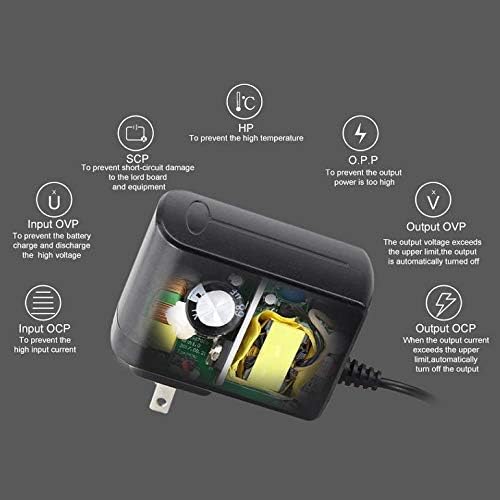
Image: Back of the charger displaying model number, input voltage, and output specifications.
Warranty and Support
BoxWave products are designed for quality and reliability. For any technical support or warranty inquiries, please contact BoxWave Corporation directly. Refer to your purchase documentation for specific warranty terms and contact information.
Note: This product is manufactured by BoxWave and is not affiliated with or endorsed by Blackview.