
Rowenta CV5703
ROWENTA Motion DC Hair Dryer CV5703 User Manual
Model: CV5703
Important Safety Instructions
When using electrical appliances, especially when children are present, basic safety precautions should always be followed, including the following:
- DANGER: Keep away from water. Do not use this appliance near bathtubs, showers, basins, or other vessels containing water.
- Do not use while bathing.
- Do not leave the appliance unattended during use.
- Keep out of reach of children.
- Always unplug the appliance immediately after use.
- Do not place or store the appliance where it can fall or be pulled into a tub or sink.
- If the appliance falls into water, unplug it immediately. Do not reach into the water.
- Do not operate any appliance with a damaged cord or plug, or if the appliance malfunctions or has been dropped or damaged in any manner.
- For household use only.
Product Overview
The ROWENTA Motion DC Hair Dryer CV5703 is designed for efficient and fast hair drying with versatile styling options. It features a powerful 2200W motor and multiple settings for customized use.
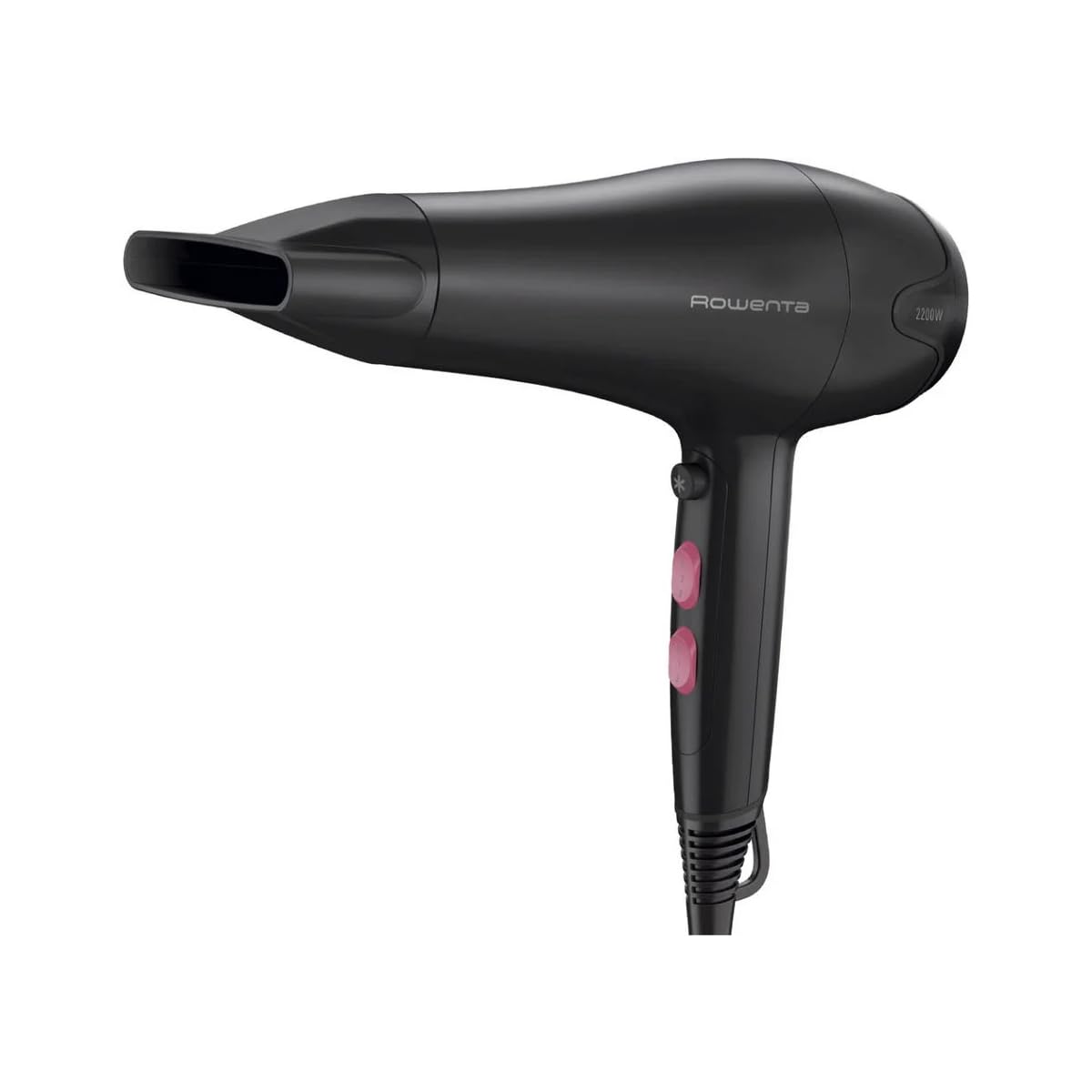
Image 1: The ROWENTA Motion DC Hair Dryer CV5703. This image shows the overall design of the hair dryer, including its handle, nozzle, and control buttons.
Key Components:
- Power Cord: Long power cord for increased freedom of movement.
- Handle: Ergonomically designed for comfortable grip.
- Control Buttons: For adjusting temperature and speed settings.
- Cool Shot Button: To set your hairstyle.
- Air Inlet Grille: Removable for easy cleaning.
- Concentrator Nozzle: For precise airflow and styling.
Setup and First Use
- Unpack: Carefully remove the hair dryer and all accessories from the packaging.
- Inspect: Check the appliance for any signs of damage. Do not use if damaged.
- Attach Concentrator: If desired, attach the concentrator nozzle to the front of the hair dryer by aligning it with the opening and pushing it firmly into place.
- Power Connection: Ensure your hands are dry, then plug the power cord into a suitable electrical outlet. The appliance requires a standard electrical outlet.
Operating Instructions
The ROWENTA Motion DC Hair Dryer offers 6 settings for total control over your drying and styling experience, combining 3 temperature levels and 2 speed settings.
Powering On/Off:
- To turn on the hair dryer, slide the main switch to your desired speed setting.
- To turn off, slide the main switch back to the "0" position.
Adjusting Speed and Temperature:
The hair dryer features separate controls for speed and temperature, allowing for 6 distinct combinations:
- Speed Settings (2 levels): Use the speed switch to select between a gentle airflow (I) and a powerful airflow (II).
- Temperature Settings (3 levels): Use the temperature switch to select between low, medium, and high heat.
Recommendation: Use lower heat and speed settings for fine or damaged hair, and higher settings for thick or coarse hair.
Using the Cool Shot Function:
The cool shot button provides a burst of cool air, which is ideal for setting your hairstyle and adding shine. Press and hold the cool shot button during styling, then release it to return to the previous heat setting.
Using the Concentrator Nozzle:
The concentrator nozzle directs airflow to specific sections of your hair, making it easier to style and achieve smooth, precise results. Attach it for targeted drying and styling.
Maintenance and Cleaning
Regular cleaning ensures optimal performance and extends the life of your hair dryer.
- Unplug: Always unplug the hair dryer from the power outlet and allow it to cool completely before cleaning.
- Clean Air Inlet Grille: The rear air inlet grille is removable for easy cleaning.
- Gently twist or pull off the grille (refer to your specific model's design for removal method).
- Use a soft brush or a damp cloth to remove any accumulated dust, lint, or hair from the grille and the air inlet opening.
- Ensure the grille is completely dry before reattaching it.
- Clean Exterior: Wipe the exterior of the hair dryer with a soft, damp cloth. Do not use abrasive cleaners or solvents.
- Storage: Store the hair dryer in a dry place, away from moisture and direct sunlight. Do not wrap the power cord tightly around the appliance, as this can damage the cord.
Troubleshooting
If you encounter any issues with your ROWENTA Motion DC Hair Dryer, please refer to the following common problems and solutions:
| Problem | Possible Cause | Solution |
|---|---|---|
| Hair dryer does not turn on. | Not plugged in; power outlet malfunction; internal fault. | Ensure the plug is securely inserted into a working outlet. Test the outlet with another appliance. If the problem persists, contact customer support. |
| Weak airflow or overheating. | Air inlet grille is blocked with dust/lint; internal components are overheating. | Unplug the appliance and allow it to cool. Clean the air inlet grille as described in the Maintenance section. Ensure proper ventilation during use. |
| Unusual noise or smell. | Foreign object inside; motor issue. | Immediately unplug the appliance. Do not attempt to open or repair. Contact customer support. |
Technical Specifications
- Model: CV5703
- Brand: Rowenta
- Power: 2200W
- Settings: 6 (3 temperatures, 2 speeds)
- Cool Shot: Yes
- Accessories: Concentrator nozzle
- Dimensions (L x W x H): Approximately 19 x 25 x 34 cm
- Weight: Approximately 750 grams
- Power Cord: Long for comfortable use
- Maintenance: Removable air inlet grille for easy cleaning
Warranty and Support
This product is covered by a manufacturer's warranty. For detailed warranty information, please refer to the warranty card included with your purchase or visit the official Rowenta website. Keep your proof of purchase for warranty claims.
For technical support, spare parts, or service inquiries, please contact Rowenta customer service in your region. Contact information can typically be found on the Rowenta website or in the product packaging.
Online Support: www.rowenta.com
Related documentsCV5703

Ask a question about this manual
Ask about setup, troubleshooting, compatibility, parts, safety, or missing instructions. Manuals+ will review the question and use this page’s manual context to help answer it.