
1. Introduction
Thank you for choosing the NOVOO USB-C 120W Charger. This manual provides essential information for the safe and efficient use of your new charger. Please read it thoroughly before use and retain it for future reference.
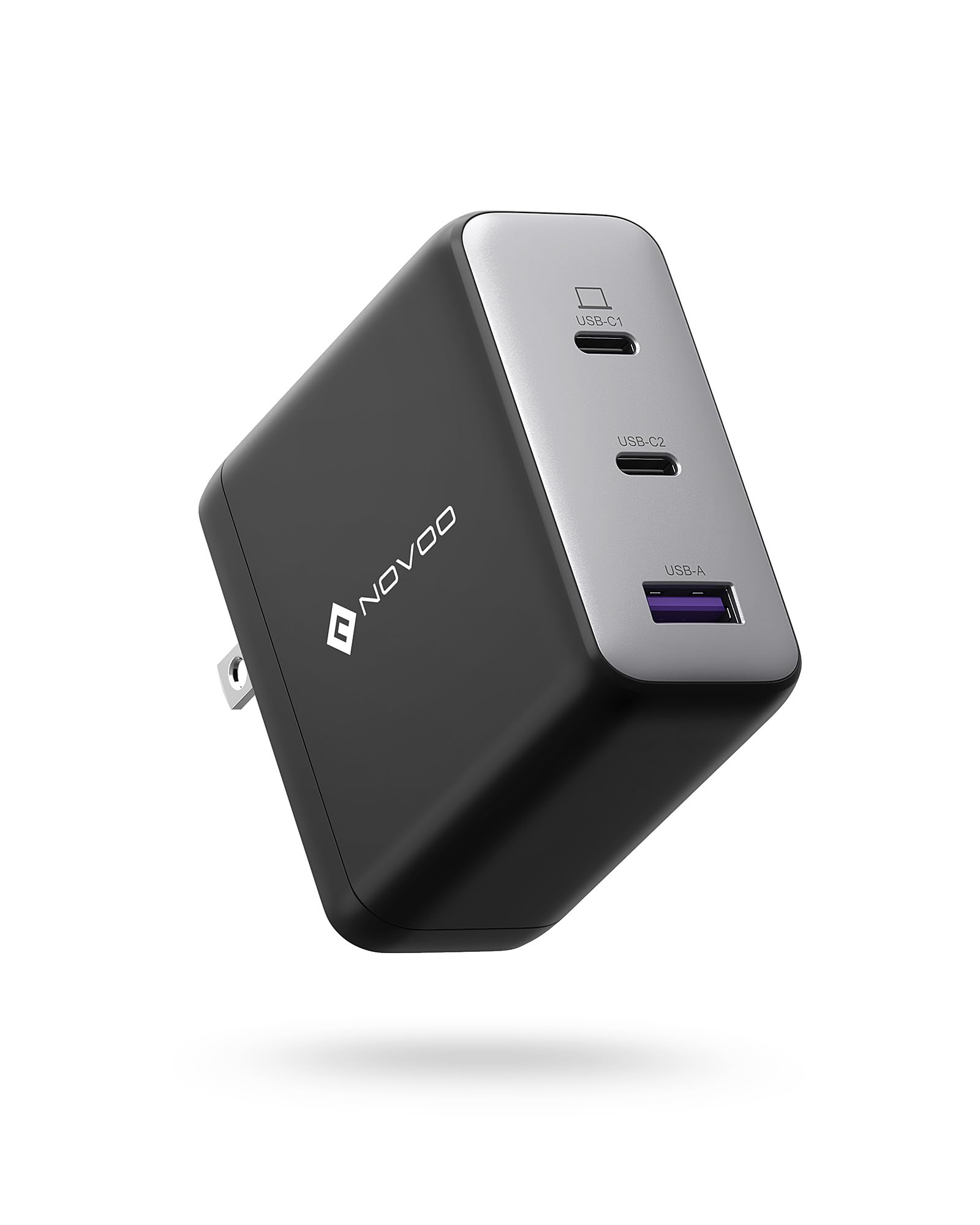
Image showing the NOVOO USB-C 120W Charger, a compact power adapter designed for fast charging.
2. Safety Instructions
To ensure safe operation and prevent damage, please observe the following safety precautions:
- Do not expose the charger to water, moisture, or extreme temperatures.
- Avoid dropping, impacting, or disassembling the charger.
- Use only with compatible devices and cables.
- Ensure the input voltage matches the specifications (100V AC).
- Unplug the charger during lightning storms or when unused for extended periods.
- Keep out of reach of children.
3. Package Contents
The package should contain the following item:
- 1 x NOVOO USB-C 120W Charger (Model: NCUS120D-255C)
4. Setup
Follow these steps to set up your charger:
- Connect to Power Outlet: Plug the charger into a standard 100V AC wall outlet.
- Connect Device: Use a compatible USB-C charging cable (not included) to connect your device to the USB-C port on the charger.
5. Operating
The NOVOO USB-C 120W Charger is designed for efficient power delivery:
- Once connected, the charger will automatically detect your device and deliver the optimal charging power up to 120W, depending on your device's capabilities.
- Ensure your device supports USB Power Delivery (PD) for fast charging.
- Monitor your device's charging indicator to confirm it is receiving power.
6. Maintenance
Proper maintenance ensures the longevity of your charger:
- Cleaning: Disconnect the charger from the power outlet and your devices before cleaning. Use a soft, dry cloth to wipe the surface. Do not use liquid cleaners or aerosols.
- Storage: Store the charger in a cool, dry place away from direct sunlight and extreme temperatures.
- Handling: Avoid bending or stressing the charging cable excessively, especially near the connectors.
7. Troubleshooting
If you encounter issues with your charger, refer to the following common problems and solutions:
- Device not charging:
- Ensure the charger is securely plugged into a working wall outlet.
- Verify the USB-C cable is properly connected to both the charger and your device.
- Try using a different USB-C cable or a different wall outlet.
- Confirm your device is compatible with USB-C charging.
- Slow charging:
- Ensure your device and cable support fast charging (e.g., USB Power Delivery).
- Check if the cable is damaged.
- Some devices may charge slower if they are in heavy use during charging.
- Charger feels warm:
- It is normal for the charger to become warm during operation, especially when delivering high power. If it becomes excessively hot or emits smoke/odor, unplug it immediately and discontinue use.
8. Specifications
| Feature | Specification |
|---|---|
| Brand | NOVOO |
| Model Number | NCUS120D-255C |
| Input Voltage | 100 Volts (AC) |
| Output Voltage | 20 Volts |
| Output Current | 5 Amperes |
| Maximum Power Output | 120W |
| Item Weight | 226 Grams |
| ASIN | B0CM6GGDF2 |
9. Warranty
This NOVOO USB-C 120W Charger comes with a 2-year manufacturer warranty from the date of purchase. This warranty covers manufacturing defects. It does not cover damage caused by misuse, accidents, unauthorized modifications, or normal wear and tear. Please retain your proof of purchase for warranty claims.
10. Support
For further assistance, technical support, or warranty inquiries, please contact NOVOO customer service through the retailer where the product was purchased or visit the official NOVOO website for contact information.