
1. Introduction
Welcome to the user manual for your Fanttik D2 PRO Laser Level. This guide provides essential information for the safe and effective operation, maintenance, and troubleshooting of your device. Please read it thoroughly before use to ensure optimal performance and longevity of your laser level.

The Fanttik D2 PRO Laser Level in operation, projecting green cross lines.
2. Package Contents
Upon opening your Fanttik D2 PRO Laser Level package, please verify that all the following items are included:
- 1 x Laser Level D2 PRO
- 1 x Magnetic Bracket
- 1 x USB-C Cable
- 1 x User Manual (this document)
- 1 x Drawstring Pocket

All items included in the Fanttik D2 PRO Laser Level package.
3. Key Features
3.1. Advanced LED Smart Display
The Fanttik D2 PRO is equipped with an advanced LED smart display, allowing users to monitor power consumption in real-time. Multi-button operation provides convenient control over laser line states and pulse mode activation.
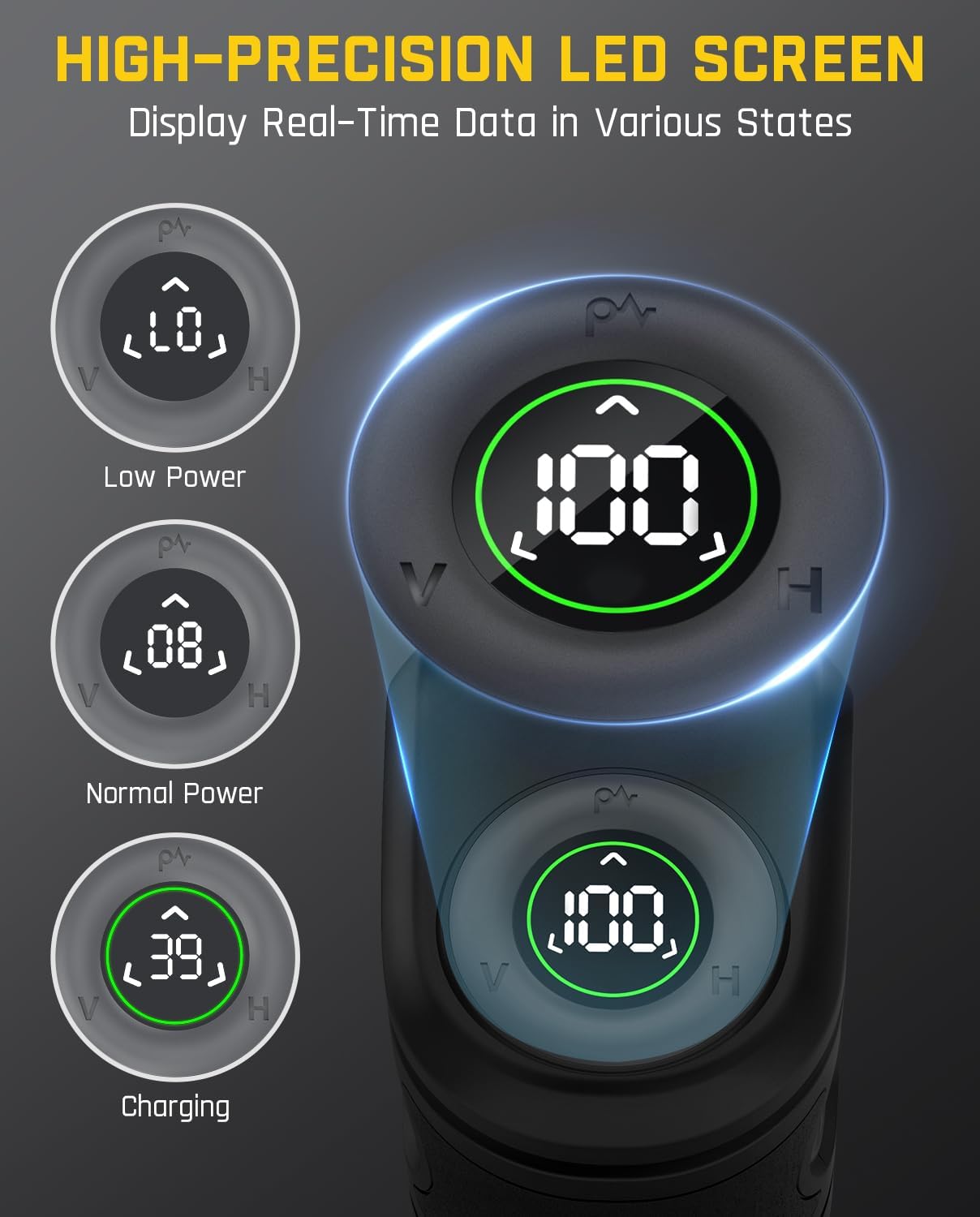
The LED smart display provides real-time data on power and mode.
3.2. High-precision Bright Green Laser Diode
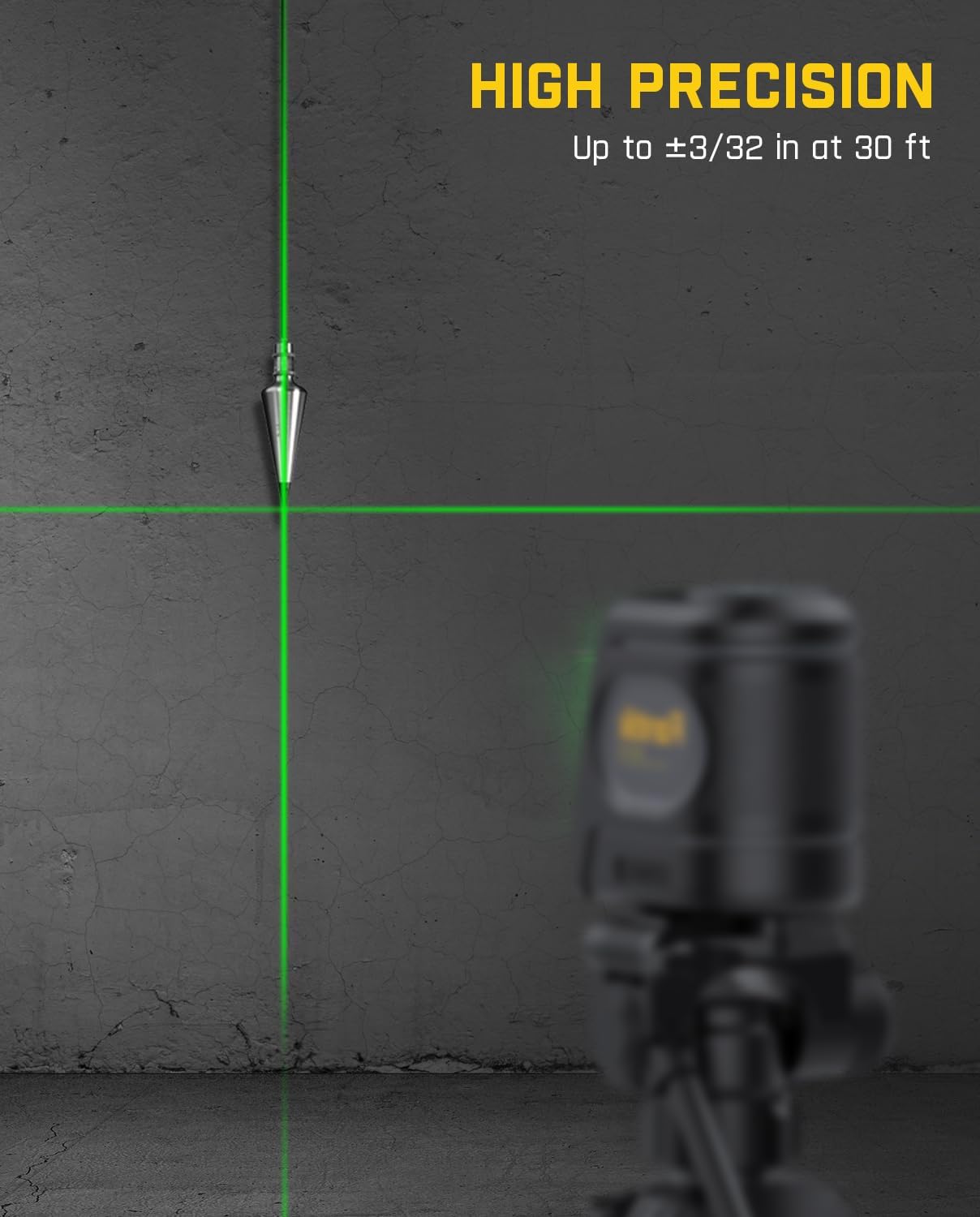
Featuring advanced bright green laser technology, the D2 PRO offers visibility four times brighter than traditional red lasers. It has a projection range of up to 100 ft and an excellent accuracy of 3/32 inches at 30 ft. This laser level can project a 120° horizontal line and a 130° vertical line, covering a wide area including ceilings, making it suitable for various leveling and alignment tasks.

Green laser technology offers superior brightness and visibility.
3.3. Efficient & Sustainable Rechargeable Battery
The laser level includes a 2600 mAh rechargeable battery, providing up to 7 hours of continuous operation. This sustainable option reduces the need for frequent battery replacement and minimizes battery waste.

The D2 PRO features convenient USB-C charging for its long-lasting battery.
3.4. Multiple Laser Combinations & Operating Modes
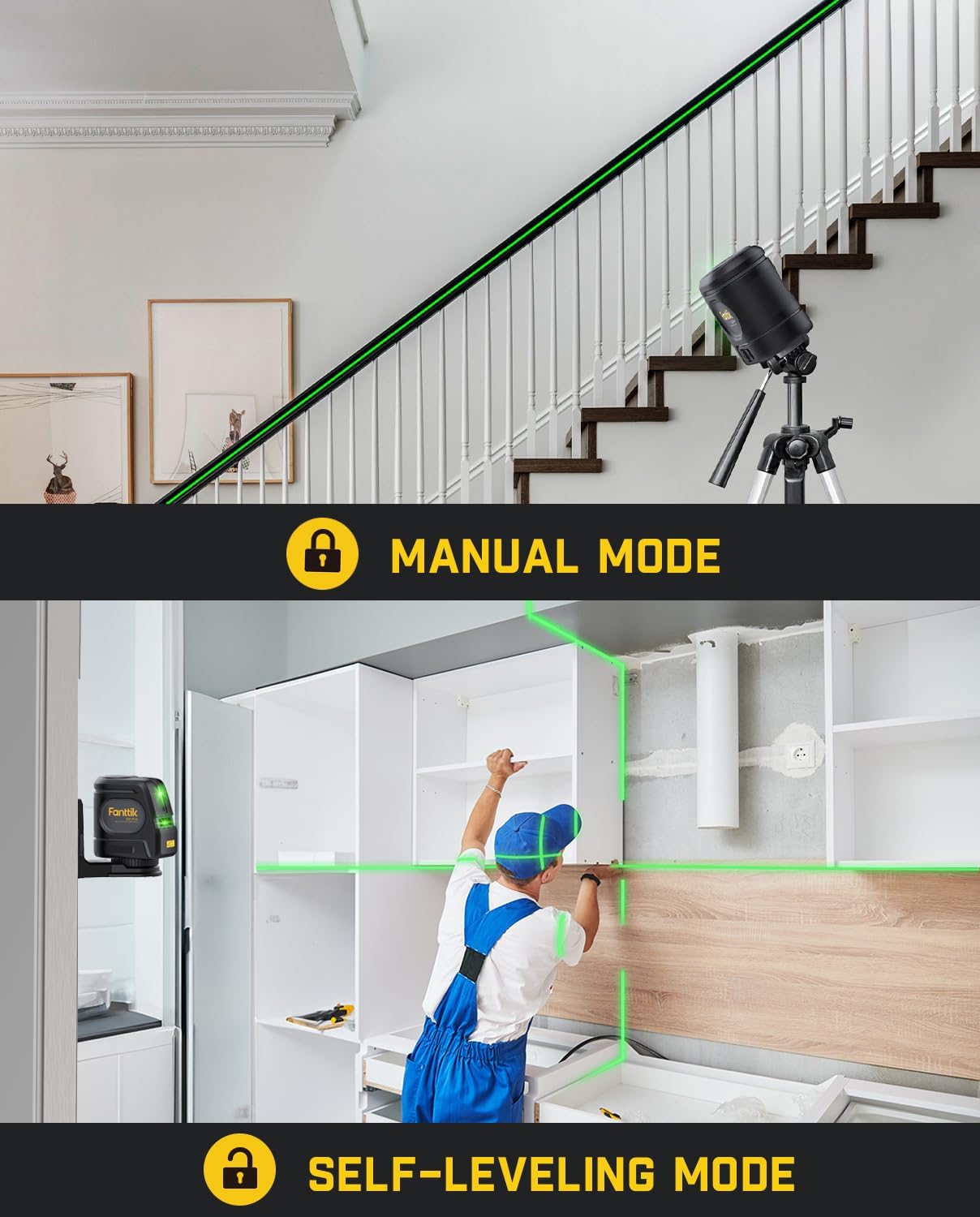
The D2 PRO offers three linear modes: vertical line, horizontal line, and cross line, selectable based on your specific needs. It supports both self-leveling and manual modes for diverse applications. In pulse mode, the working distance extends up to 200 ft with an optional receiver (not included), ideal for outdoor or bright environments.

The D2 PRO offers versatile line modes for various applications.

Pulse mode extends the working range for outdoor or bright conditions.
3.5. Durable and Stylish Design
Built with an IP54 over-molded construction, this model is waterproof and dustproof. The body is covered with TPE soft rubber, ensuring high durability and drop resistance. The D2 PRO is part of an iF award-winning series, combining stylish design with practical usefulness.
3.6. 360° Magnetic Base
The included magnetic bracket allows for 360° rotation and easy attachment to metal surfaces, providing flexibility in positioning the laser level without needing to hold it during work. It also features a 1/4"-20 mounting thread for tripod compatibility.
The magnetic bracket allows for versatile mounting options.
3.7. High Precision
The D2 PRO offers high precision, with an accuracy of up to ±3/32 inches at 30 ft, ensuring reliable and accurate measurements for your projects.
The laser level provides precise lines for various applications.
4. Setup
4.1. Initial Charging
Before first use, fully charge the Fanttik D2 PRO Laser Level using the provided USB-C cable and a compatible power adapter (not included). The LED smart display will indicate the charging status.
4.2. Mounting the Device
The laser level can be used freestanding, attached to a metal surface using its magnetic bracket, or mounted on a tripod via the 1/4"-20 thread on the magnetic bracket.
4.3. Power On/Off
To power on the device, slide the main switch to the ON position. To power off, slide the switch to the OFF position.
5. Operating Modes
5.1. Self-Leveling Mode
When the main switch is in the ON position and the device is placed on a surface within 3° of tilt, the laser level will automatically self-level. The laser lines will blink rapidly if the tilt exceeds 3°, indicating it is out of self-leveling range.
5.2. Manual Mode
To activate manual mode, ensure the main switch is in the locked position (usually indicated by a padlock icon). In this mode, the laser lines are locked and can be projected at any angle, which is useful for non-level applications like staircase alignment.
5.3. Pulse Mode
Press the pulse mode button (often indicated by a 'P' or wave icon) to activate pulse mode. This mode is designed for use with a laser receiver (not included) to extend the working distance up to 200 ft, especially in bright outdoor conditions.
5.4. Switching Laser Lines
Use the dedicated buttons on the device to toggle between horizontal line, vertical line, or both cross lines simultaneously, depending on your measurement requirements.
6. Maintenance
Proper maintenance ensures the longevity and accuracy of your Fanttik D2 PRO Laser Level.
- Cleaning: Use a soft, damp cloth to clean the device. Do not use abrasive cleaners or solvents. Keep the laser output windows clean for clear projection.
- Storage: Store the laser level in a dry, cool place, away from direct sunlight and extreme temperatures. Use the provided drawstring pocket for protection.
- Battery Care: Recharge the battery regularly, even if not in frequent use, to maintain battery health. Avoid fully discharging the battery for extended periods.
7. Troubleshooting
If you encounter issues with your Fanttik D2 PRO Laser Level, refer to the following common problems and solutions:
- Device not turning on: Ensure the battery is charged. Connect the USB-C cable to charge the device. Check the main power switch is in the ON position.
- Laser lines are dim or not visible: The environment might be too bright. Try using the pulse mode with a compatible laser receiver for outdoor or bright conditions. Ensure the laser output windows are clean.
- Laser lines are blinking rapidly: In self-leveling mode, this indicates the device is tilted beyond its ±3° self-leveling range. Place the device on a flatter surface or switch to manual mode if an angled line is desired.
- Inaccurate measurements: Ensure the device is properly self-leveled (if in self-leveling mode) or securely locked in manual mode. Verify that the device is stable and not subject to vibrations.
8. Specifications
| Specification | Value |
|---|---|
| Brand | Fanttik |
| Material | Plastic, Rubber, Thermoplastic Elastomers |
| Color | Black |
| Product Dimensions | 3.74"L x 3.66"W |
| Style | D2 Pro |
| Item Weight | 0.55 Kilograms (1.21 pounds) |
| Operation Mode | Both Manual and Automatic |
| Manufacturer | Fanttik |
| Part Number | L2G |
| Batteries | 1 Lithium Ion batteries required. (included) |
| Power Source | Battery Powered |
| Voltage | 3.7 Volts |
| Item Package Quantity | 1 |
| Special Features | green-line, self-leveling |
| Battery Cell Type | Lithium Ion |
9. Safety Information
Your Fanttik D2 PRO Laser Level is a Class II laser product. Please observe the following safety precautions:
- DO NOT stare directly into the laser beam.
- DO NOT intentionally direct the laser beam at other people or reflective surfaces.
- Avoid exposing the device to extreme temperatures or humidity.
- Keep the device out of reach of children.
- Use only the provided USB-C cable for charging.
10. Warranty and Support
Fanttik offers a standard return policy of 30 days. For specific warranty details and terms, please refer to the documentation included with your purchase or visit the official Fanttik website. For technical support or service inquiries, please contact Fanttik customer service.
You can also find a digital version of the user manual (PDF) at: https://manuals.plus/m/d36bc9d5d2c511943c35c055a5344f27ab42e7495cdcdf1ecedca6ac1255c364


