
ANRAN AR-W604
ANRAN Outdoor Solar Security Camera User Manual
Model: AR-W604
1. Product Overview
The ANRAN AR-W604 is a high-performance outdoor solar-powered security camera designed for comprehensive surveillance. It features 5-megapixel ultra-high definition video, 360-degree pan-tilt-zoom (PTZ) control, advanced motion detection with sound and light deterrence, color night vision, two-way audio communication, and compatibility with Alexa. Its completely wireless design and solar charging capability ensure continuous operation without the need for external power sources.

Figure 1: ANRAN AR-W604 Outdoor Solar Security Camera with its solar panel and a smartphone displaying the live feed.
2. Package Contents
Please verify that all items are present and in good condition upon opening the package:
- ANRAN AR-W604 Camera Unit
- Solar Panel
- Mounting Bracket and Screws
- USB Charging Cable
- User Manual (this document)
3. Setup Guide
3.1 Initial Charging
Before first use, fully charge the camera's internal battery using the provided USB cable. Connect the USB cable to the camera and a standard 5V USB power adapter (not included). The charging indicator light will show the charging status.
3.2 App Installation and Account Creation
Download the dedicated ANRAN app from your smartphone's app store (iOS or Android). Follow the on-screen instructions to create an account and log in.
3.3 Camera Pairing with Wi-Fi
Ensure your Wi-Fi network is 2.4GHz. The camera does not support 5GHz Wi-Fi. Open the ANRAN app, select "Add Device," and follow the in-app instructions to connect the camera to your home Wi-Fi network. This typically involves scanning a QR code displayed on your phone with the camera.

Figure 2: The 5MP resolution provides significantly clearer images compared to 2K, allowing for better detail recognition.
3.4 Mounting the Camera and Solar Panel
Choose a mounting location that provides a clear view of the area you wish to monitor and receives ample direct sunlight for the solar panel. The solar panel should be positioned to maximize sun exposure throughout the day for optimal charging. Use the provided mounting bracket and screws to securely attach the camera and solar panel to a wall or other stable surface. Ensure the solar panel cable is securely connected to the camera.

Figure 3: The camera and solar panel mounted outdoors, demonstrating solar charging capability.
4. Operating Instructions
4.1 Live View and PTZ Control
Open the ANRAN app to access the live view from your camera. Use the on-screen controls to pan (355°) and tilt (90°) the camera lens, allowing for 360-degree coverage without blind spots. The app also supports 4x digital zoom for closer inspection.

Figure 4: The ANRAN app provides intuitive PTZ controls for adjusting the camera's viewing angle remotely.
4.2 Motion Detection and Alerts
The camera features PIR human detection. When motion or a human figure is detected within the surveillance area, the camera will automatically begin recording and send a push notification to your smartphone. You can customize detection zones within the app to reduce false alarms from areas like public roads.

Figure 5: The camera's PIR sensor detects human movement, activating recording and night lights for clear visibility.
4.3 Night Vision and Deterrence
Equipped with 4 high-brightness LED lights, the camera offers color night vision. Upon human detection at night, the camera can activate its lights and an alarm sound to deter intruders. This feature provides enhanced security day and night.
4.4 Two-Way Audio Communication
The built-in microphone and speaker enable two-way audio. You can listen to the environment around the camera and speak through the camera using your smartphone app. This is useful for communicating with visitors or deterring unwanted guests.
4.5 Alexa Integration
The camera is compatible with Alexa. You can use voice commands to view the camera feed on compatible Alexa-enabled devices, such as smart displays.
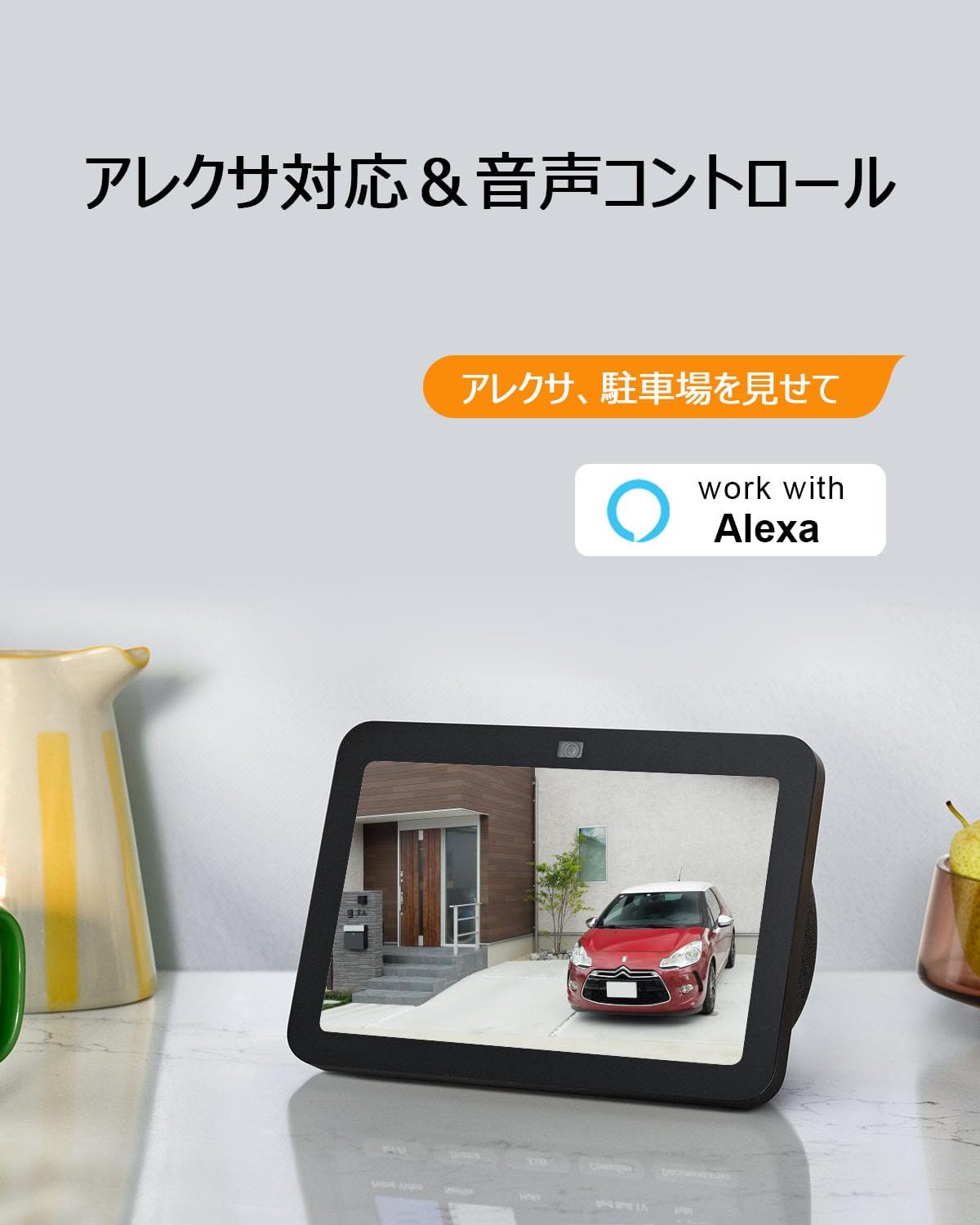
Figure 6: Seamless integration with Alexa allows for convenient voice control and viewing of the camera feed.
4.6 Video Storage
The camera supports local storage via an SD card (up to 128GB) and cloud storage services (subscription may be required). Recorded video and audio are automatically saved, ensuring important information is securely backed up.
5. Maintenance
To ensure optimal performance and longevity of your ANRAN security camera, follow these maintenance guidelines:
- Regular Cleaning: Periodically wipe the camera lens and solar panel with a soft, damp cloth to remove dust, dirt, and debris. This ensures clear image quality and efficient solar charging.
- Check Connections: Ensure all cables, especially the solar panel connection, are securely attached and free from damage.
- Software Updates: Keep the ANRAN app and camera firmware updated to the latest versions. Updates often include performance improvements and security enhancements.
- Battery Health: While solar-powered, extreme weather conditions or prolonged periods without direct sunlight may affect battery levels. Monitor battery status via the app and consider temporary USB charging if needed.
- Weather Resistance: The camera has an IP65 waterproof rating, making it suitable for outdoor use in various weather conditions. However, avoid submerging the camera in water or exposing it to extreme temperatures outside its operating range (-10°C to 50°C).

Figure 7: The IP65 rating ensures the camera's durability against rain and dust, making it reliable for outdoor environments.
6. Troubleshooting
| Problem | Possible Cause | Solution |
|---|---|---|
| Camera offline / Cannot connect to Wi-Fi | Weak Wi-Fi signal; Incorrect Wi-Fi password; Camera too far from router; 5GHz Wi-Fi network. | Ensure camera is within 2.4GHz Wi-Fi range. Verify Wi-Fi password. Move camera closer to router or use a Wi-Fi extender. Reset camera and re-pair. |
| Poor image quality | Dirty lens; Insufficient lighting; Network bandwidth issues. | Clean the camera lens. Ensure adequate lighting for color night vision or switch to infrared mode. Check network speed. |
| Motion detection not working or too many false alarms | Incorrect sensitivity settings; Detection zone not configured; Obstructions. | Adjust motion detection sensitivity in the app. Configure specific detection zones to exclude irrelevant areas. Ensure no physical obstructions block the sensor. |
| Battery not charging via solar panel | Insufficient direct sunlight; Dirty solar panel; Damaged solar panel cable. | Relocate solar panel to an area with more direct sunlight. Clean the solar panel surface. Check cable for damage and ensure secure connection. |
| Two-way audio issues | Microphone/speaker blocked; App volume too low; Network latency. | Ensure microphone and speaker are not blocked. Adjust volume settings in the app. Check network connection for stability. |
If you encounter issues not listed here or require further assistance, please contact ANRAN customer support.
7. Specifications
| Feature | Detail |
|---|---|
| Model Number | AR-W604 |
| Color | Black |
| Video Capture Resolution | 1920p (5 Megapixel) |
| Connectivity Technology | Wireless (Wi-Fi 2.4GHz only) |
| Power Source | Solar Powered |
| Mounting Type | Wall Mount |
| Indoor/Outdoor Use | Outdoor |
| Night Vision Range | 15 meters |
| Water Resistance Level | Waterproof (IP65) |
| Battery Type | Lithium Ion |
| Operating Temperature | -10°C to 50°C |
| Dimensions | 21.6 x 15.9 x 13.7 cm |
| Weight | 970 g |
8. Warranty and Support
ANRAN is committed to providing high-quality products and excellent customer experience. Our products undergo strict quality control, production management, and inspection processes.
This product has obtained Japanese PSE certification and Technical Conformity certification, ensuring its safety and reliability.
Should you have any questions, require clarification, or experience any malfunctions with your surveillance camera, please do not hesitate to contact us. Our support team is available to assist you.
- Phone Support Hours: Monday - Friday, 10:00 - 13:00 and 14:30 - 19:30 (Japan Time)
- Email Support: 24-hour response available.
For contact details, please refer to the ANRAN official website or the contact information provided with your purchase.
Related documentsAR-W604


Ask a question about this manual
Ask about setup, troubleshooting, compatibility, parts, safety, or missing instructions. Manuals+ will review the question and use this page’s manual context to help answer it.