
Introduction
This manual provides essential information for the assembly, operation, and maintenance of your GreenForest 24.8-inch Oak Folding Rolling Desk. Please read these instructions carefully before use to ensure proper setup and safe operation.
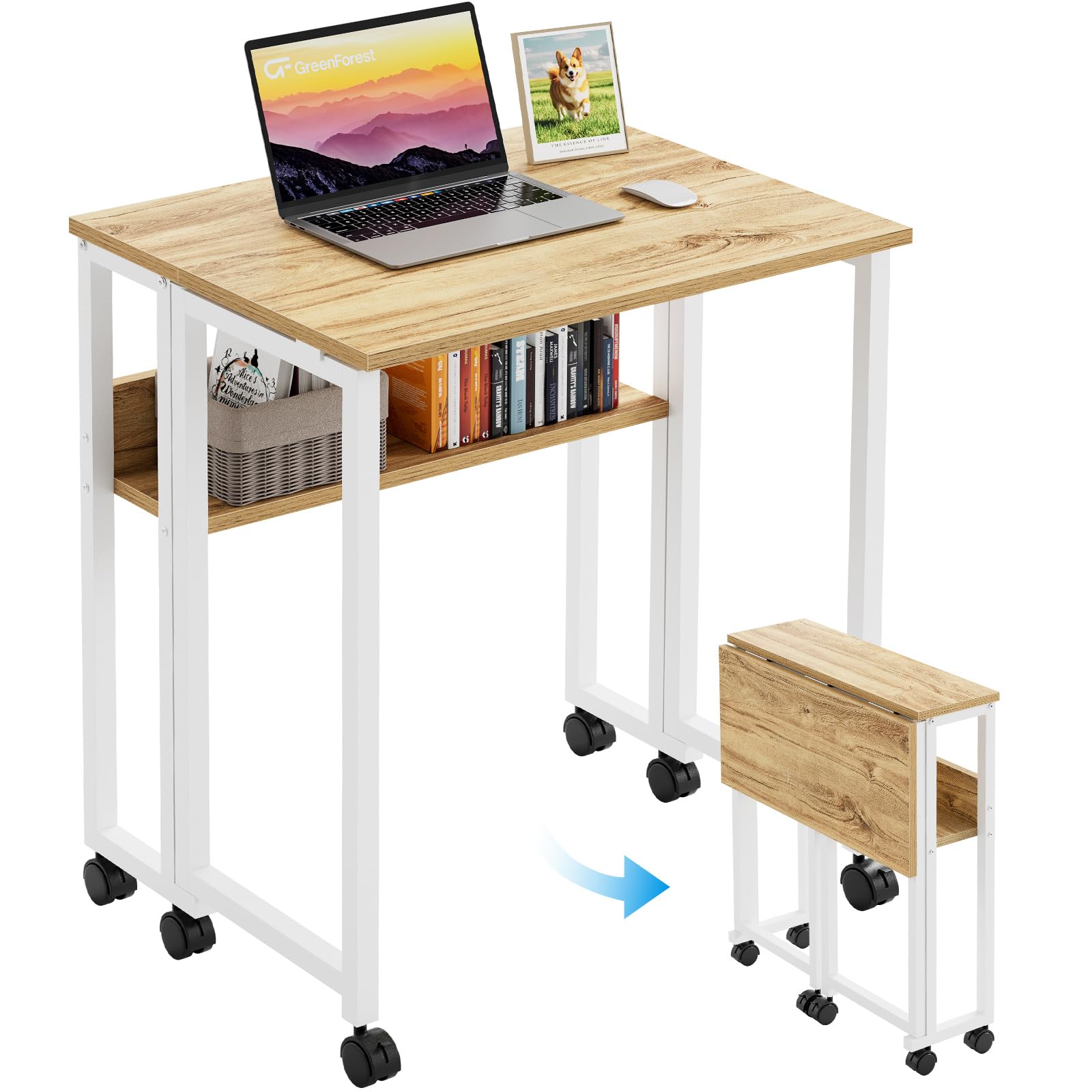
Image: The GreenForest 24.8-inch Oak Folding Rolling Desk in its open configuration, featuring a laptop and a storage shelf, positioned next to a bed.
Safety Information
To ensure safe use and prevent damage, please observe the following:
- Ensure the desk is not overloaded. The maximum weight recommendation is 100 pounds (45.36 kg).
- Securely attach all casters to prevent unintentional movement.
- Always engage the wheel brakes when the desk is in use to maintain stability.
- Follow the assembly instructions carefully to ensure proper setup and stability.
Package Contents
Verify that all components are present before beginning assembly:
- Folding Desk Unit (pre-assembled frame and tabletop)
- 6 Swivel Casters with Brakes
- Assembly Hardware (screws, Allen key, wrench)
- Instruction Manual
Setup and Assembly
The GreenForest Folding Rolling Desk is designed for quick and easy assembly, typically within 10 minutes. All necessary tools are included.
Step 1: Attach the Casters
- Carefully unpackage the desk unit.
- Locate the 6 swivel casters.
- Insert each caster into the designated holes at the bottom of the desk legs.
- Use the provided wrench to tighten the casters securely.
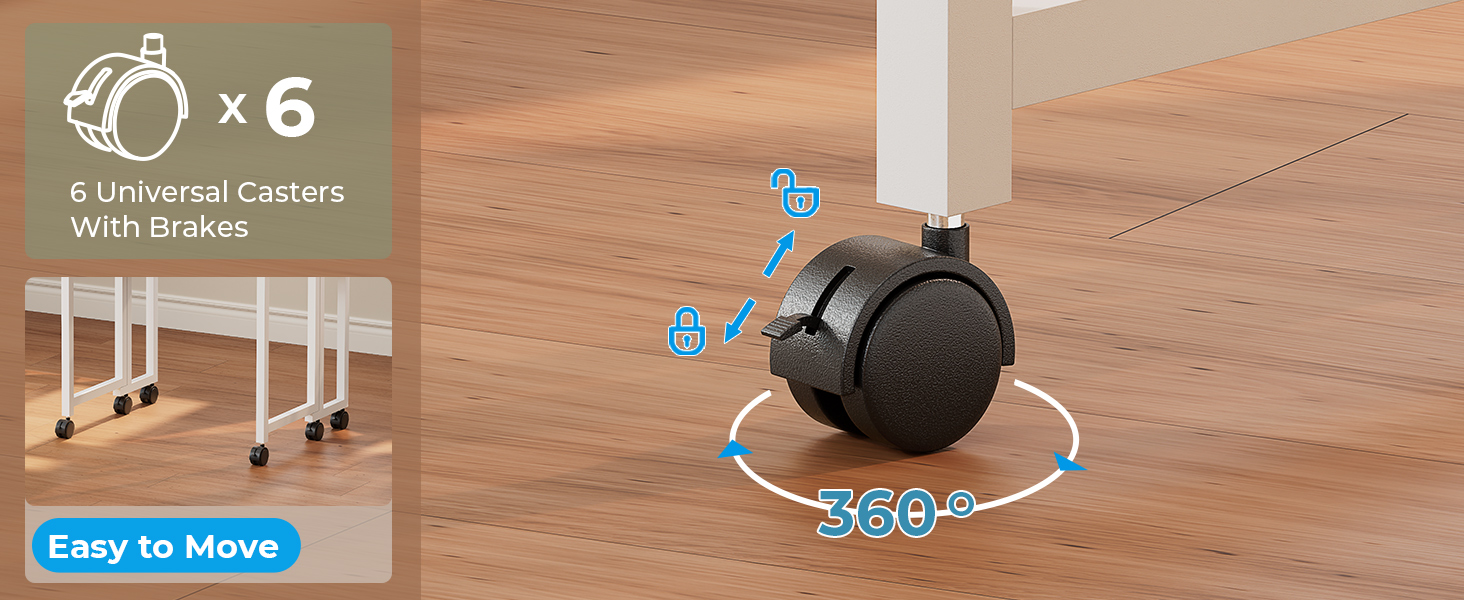
Image: Detailed view of the desk's base, illustrating the installation of the six universal casters with integrated brakes.
Step 2: Unfolding the Desk
- With the casters attached, gently stand the desk upright in its folded position.
- Release the securing brackets on the sides of the tabletop.
- Extend the side panels of the tabletop outwards until they are fully open and flat.
- Ensure the support brackets underneath the tabletop click securely into place to stabilize the desk.
Video: A demonstration of unfolding the GreenForest desk from its compact state to a fully functional workspace, highlighting the ease of setup.
Operating Instructions
Folding and Unfolding
The desk features a convenient folding design for space-saving storage. To fold, release the support brackets under the tabletop, then fold the side panels inwards until they are flush with the central section. Secure the brackets to keep it closed.
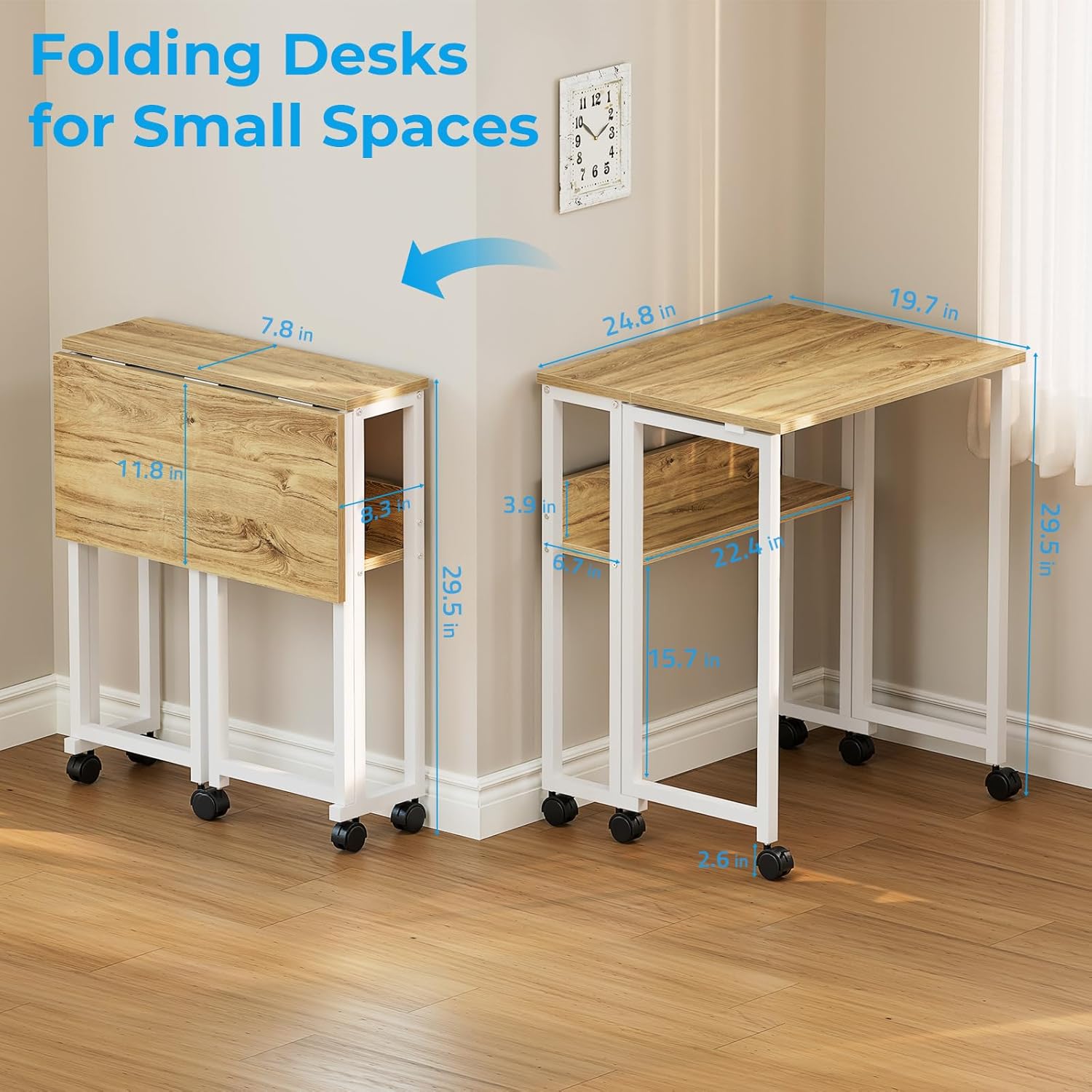
Image: A visual comparison illustrating the compact dimensions of the GreenForest folding desk when stored and its expanded size when fully opened for use.
Using the Rolling Wheels and Brakes
The desk is equipped with 6 swivel casters for smooth mobility. To move the desk, ensure all brakes are disengaged. To secure the desk in place, push down the lever on each caster to engage the brake. This prevents unintended movement during use.
Video: A demonstration of the GreenForest rolling desk's mobility, showcasing how easily it moves and how to engage its locking wheels for stability.
Utilizing the Storage Shelf
The built-in storage shelf provides convenient space for items such as books, office supplies, or small electronic devices. This shelf remains accessible whether the desk is fully open or partially folded.

Image: The desk's integrated storage shelf, shown holding books and a small speaker, positioned beneath the main tabletop.
Versatile Application
This desk is designed for adaptability, serving various functions:
- Computer Desk: Ideal for laptops and light office work.
- Writing Desk: Provides a stable surface for writing or drawing.
- Crafting Table: Suitable for various craft projects.
- Side Table: Can be used in a partially folded state as a slim side table.
- Dining Table: Offers a compact dining surface for small spaces.

Image: Two views of the desk, demonstrating its use as a computer desk with a user and as a slim side table when partially folded.
Maintenance
To maintain the appearance and longevity of your desk:
- Wipe the surfaces with a dry cloth to remove dust and spills.
- Avoid using harsh chemicals or abrasive cleaners, as these may damage the finish.
- Periodically check all screws and connections to ensure they remain tight.
Troubleshooting
Desk is unstable or wobbly:
- Ensure all support brackets under the tabletop are fully engaged and locked into place.
- Check that all casters are securely tightened.
- Verify that the wheel brakes are properly engaged when the desk is stationary.
Wheels do not roll smoothly:
- Check for any debris or obstructions in the casters.
- Ensure the wheel brakes are fully disengaged.
Specifications
| Feature | Detail |
|---|---|
| Brand | GreenForest |
| Product Dimensions (Open) | 24.8"D x 19.69"W x 29.53"H |
| Product Dimensions (Folded) | Approx. 8.3"W (collapses to a slim width) |
| Color | Oak |
| Material | Engineered Wood (Top), Metal (Base) |
| Item Weight | 8.08 Kilograms |
| Number of Shelves | 1 (Open Shelf) |
| Special Feature | Multifunctional, Folding, Rolling with Locking Wheels |
| Maximum Weight Recommendation | 100 Pounds |
| Assembly Required | Yes (Minimal, tools included) |
Warranty
This GreenForest product comes with a limited warranty. For specific details regarding coverage and duration, please refer to the warranty information provided with your purchase documentation or contact customer support.
Customer Support
If you have any questions, require assistance with assembly, or need to report a missing or damaged part, please contact GreenForest customer support through the retailer where you purchased the product or visit the official GreenForest website for contact information.
