
1. Introduction
Thank you for choosing the GreenForest L Shaped Desk. This manual provides detailed instructions for assembly, operation, maintenance, and troubleshooting to ensure you get the most out of your new desk. Please read this manual thoroughly before assembly and use, and keep it for future reference.
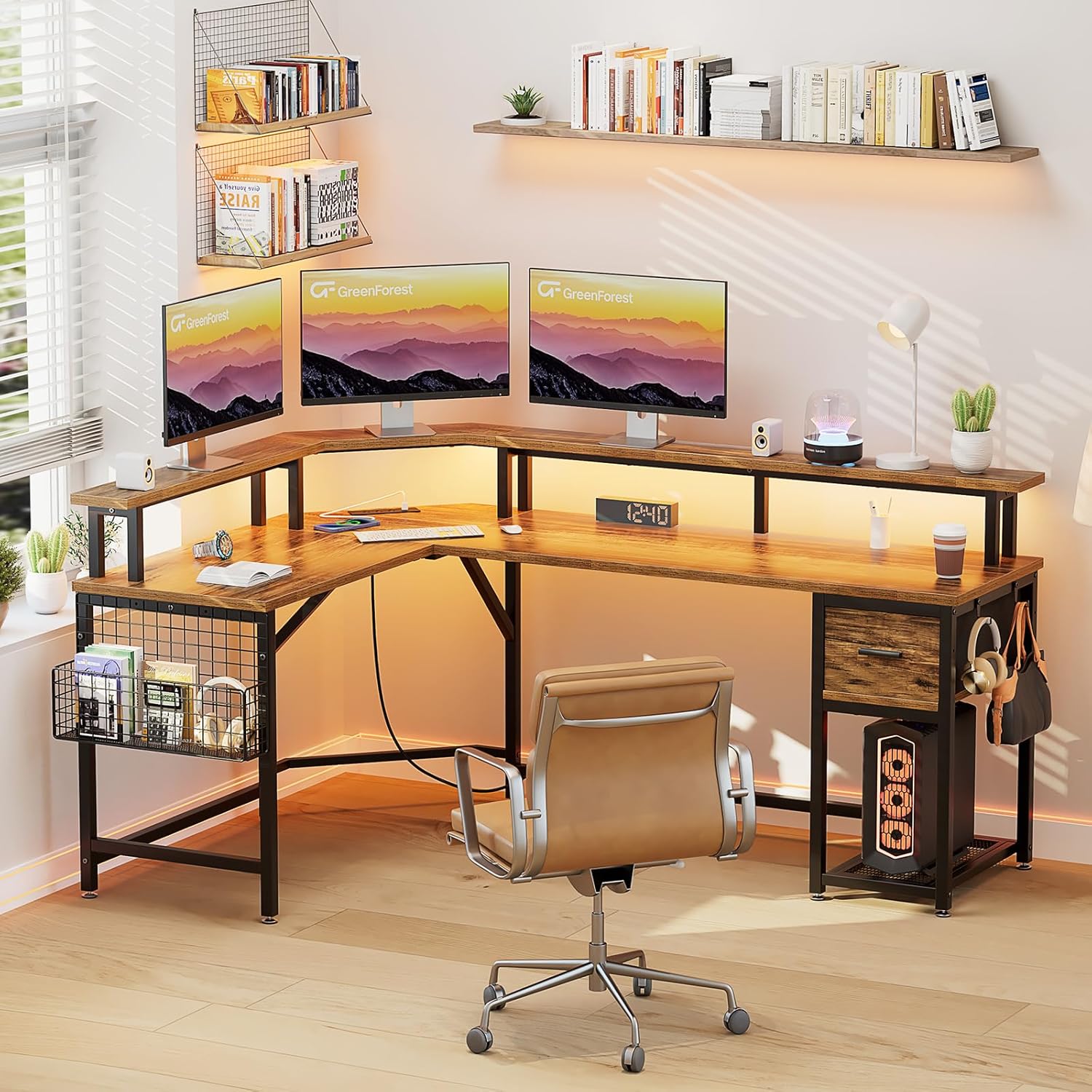
The GreenForest L Shaped Desk, designed for home office and gaming setups.
2. Safety Information
Please observe the following safety guidelines to prevent injury or damage to the product:
- Always assemble the desk according to the provided instructions.
- Do not exceed the maximum weight recommendation of 116.4 pounds (52.8 kg) to ensure stability.
- Keep the desk away from heat sources and direct sunlight.
- Avoid placing heavy objects on the edges of the desk to prevent tipping.
- Ensure all screws and fasteners are tightened securely before use. Periodically check and re-tighten as needed.
- Use on a flat, stable surface.
3. Package Contents
Verify that all components are present before beginning assembly. All assembly tools are included.
- L-Shaped Desktop Panels
- Metal Frame Components
- Full Monitor Stand
- Fabric Drawer
- Mesh Storage Basket
- LED Light Strips
- Power Outlet Unit (3 AC outlets, 2 USB ports)
- Headphone Hooks (2)
- Adjustable Footpads
- Assembly Hardware (screws, bolts, Allen wrench)
- Instruction Manual
4. Assembly Instructions
Assembly is required for this desk. It is recommended that two people assemble the desk for ease and safety. Please follow the step-by-step diagrams provided in the included printed manual for detailed visual guidance.
General Assembly Steps:
- Unpack and Identify Parts: Carefully remove all components from the packaging. Lay them out and compare them against the parts list to ensure everything is present and undamaged.
- Assemble the Metal Frame: Connect the main metal frame components using the provided screws and Allen wrench. Do not fully tighten screws until all frame parts are loosely assembled.
- Attach Desktop Panels: Secure the L-shaped desktop panels to the assembled metal frame. Ensure proper alignment before tightening all screws.
- Install Monitor Stand: Place and secure the full monitor stand onto the designated areas of the desktop.
- Install Power Outlet Unit: Integrate the power outlet unit into its designated slot on the desktop. Connect the power cord.
- Assemble Storage Components: Insert the fabric drawer into its compartment. Attach the mesh storage basket and headphone hooks to the frame as desired.
- Attach Adjustable Footpads: Screw the adjustable footpads into the bottom of the desk legs to ensure stability and protect your floor.
- Final Tightening: Once all components are in place and aligned, fully tighten all screws and fasteners.

Detailed dimensions and component breakdown for assembly.
5. Operating Instructions
5.1. Power Outlets and USB Ports
The desk is equipped with a built-in power strip for convenient device charging and power access.
- AC Outlets: Features 3 standard 125V/12A AC outlets for powering monitors, computers, and other office equipment.
- USB Charging Ports: Includes 2 USB 5V/2A charging ports for mobile phones, tablets, and other USB-powered devices.
- Power Cord: The unit comes with a 6.5-foot power cord. Plug it into a standard wall outlet.

Integrated power outlets and USB ports for convenient charging.
5.2. LED Light Strips
Enhance your workspace or gaming environment with the integrated LED light strips.
- Colors: Choose from 20 static colors.
- Dynamic Modes: Select from 22 dynamic modes for various lighting effects.
- Adjustments: Adjust brightness (5 levels) and speed (10 levels) to suit your preference.
- Control: Use the included remote control to manage the LED light settings.

LED light strips with multiple colors and dynamic modes.
5.3. Full Monitor Stand
The built-in full monitor stand provides additional desktop space and helps improve ergonomic posture.
- Space Saving: Elevates monitors, freeing up valuable desk surface area below.
- Ergonomics: Raises screen height to a more comfortable viewing level, promoting better neck and back posture.
- Capacity: Designed to accommodate multiple monitors and laptops.
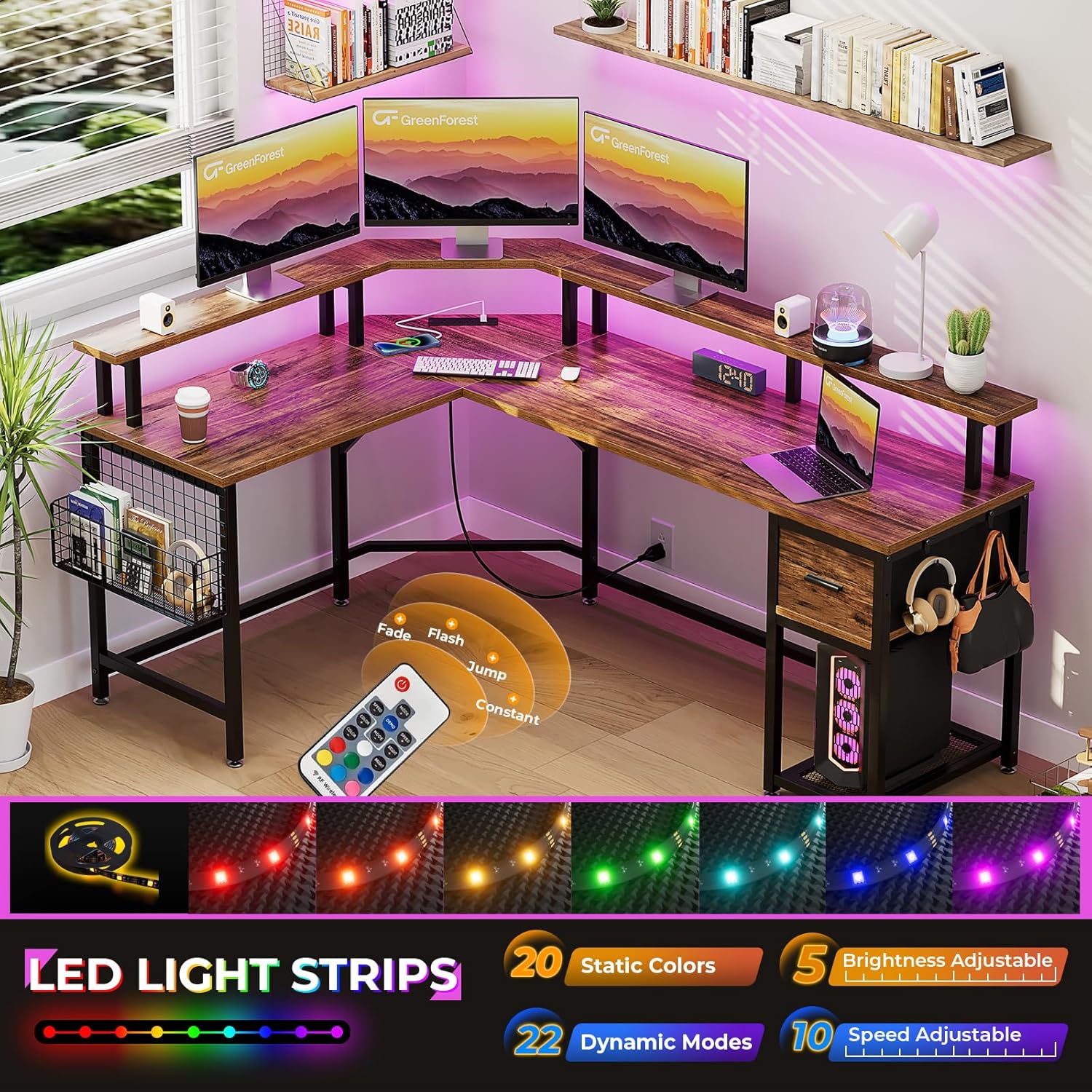
The full monitor stand helps save workspace and promotes ergonomic screen height.
5.4. Storage Features
The desk includes various storage options to keep your workspace organized.
- Fabric Drawer: A pull-out fabric drawer provides enclosed storage for office supplies, accessories, or personal items.
- Mesh Storage Basket: A side-mounted mesh basket offers open storage for books, magazines, or frequently accessed items.
- Headphone Hooks: Two integrated hooks allow for convenient hanging of headphones, bags, or other accessories.

Fabric storage drawer for organizing items.
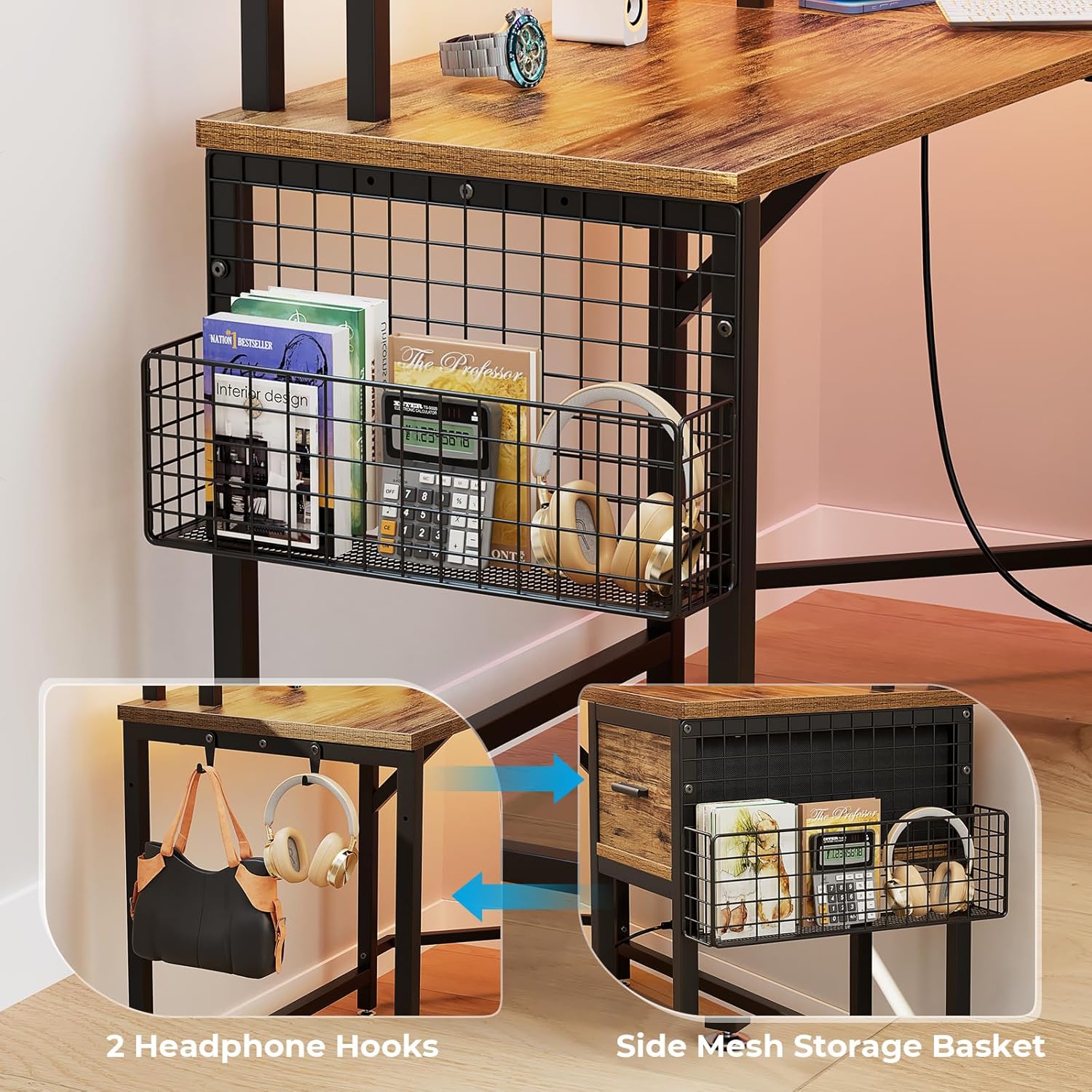
Side mesh storage basket and headphone hooks for additional organization.
6. Maintenance
To maintain the appearance and longevity of your GreenForest L Shaped Desk, follow these simple care instructions:
- Cleaning: Wipe the desk surfaces with a dry, soft cloth. Avoid abrasive cleaners or harsh chemicals that may damage the finish.
- Spills: Immediately wipe up any spills to prevent staining or damage to the engineered wood.
- Fasteners: Periodically check all screws and bolts to ensure they remain tight. Re-tighten if necessary to maintain stability.
- Weight Distribution: Distribute weight evenly across the desktop and shelves. Avoid concentrating heavy items in one area.
7. Troubleshooting
If you encounter any issues with your desk, please refer to the following common troubleshooting tips:
- Desk is Wobbly:
- Ensure all assembly screws are fully tightened.
- Adjust the footpads on the bottom of the legs to level the desk on uneven floors.
- Power Outlets/USB Ports Not Working:
- Check if the main power cord is securely plugged into a functional wall outlet.
- Verify that the power outlet unit is correctly installed and connected within the desk.
- Test with different devices to rule out device-specific issues.
- LED Lights Not Functioning:
- Ensure the LED light strip is properly connected to its power source.
- Check the remote control battery.
- Point the remote directly at the LED receiver.
- Missing Parts or Damaged Components:
- Review the package contents list and assembly instructions carefully.
- Contact GreenForest customer support for assistance with replacement parts.
8. Specifications
| Brand | GreenForest |
| Model Name | DESK |
| Shape | L-Shape |
| Product Dimensions (D x W x H) | 46.45" x 65.94" x 35.8" (118cm x 167.5cm x 90.9cm) |
| Color | Walnut (Brown) |
| Style | Modern |
| Base Material | Metal |
| Top Material Type | Engineered Wood |
| Finish Type | Painted |
| Item Weight | 58.2 Pounds (26.4 kg) |
| Maximum Weight Recommendation | 116.4 Pounds (52.8 kg) |
| Number of Drawers | 1 (Fabric Drawer) |
| Number of Shelves | 1 (Open Shelf / Mesh Basket) |
| Required Assembly | Yes |
| Recommended Number of People for Assembly | 2 |
| Includes All Assembly Tools | Yes |
| Product Care Instructions | Wipe with Dry Cloth |
9. Product Videos
9.1. GreenForest L Shaped Gaming Desk with LED Lights
This video showcases the multi-functional design of the GreenForest L Shaped Desk, highlighting its storage features, LED lighting, and overall aesthetic in a gaming setup. It demonstrates the fabric storage drawer, mesh basket, headphone hooks, and the integrated power outlets.
9.2. GreenForest Home Office Writing Study Table
This video provides an overview of the GreenForest L Shaped Desk, emphasizing its stable structure, reasonable size, and the ergonomic benefits of the built-in full monitor stand for eye protection. It also briefly touches upon the power outlets and storage options.
10. Warranty and Support
GreenForest is committed to providing high-quality products. For any questions, concerns, or warranty inquiries regarding your L Shaped Desk, please contact our customer support team.
Please have your purchase information and model number (DESK) ready when contacting support.
For further assistance, visit the GreenForest Store on Amazon.


