
LNEX KSS12-8
LNEX Solar Charge Controller 8A User Manual
Model: KSS12-8
1. Introduction
This user manual provides detailed instructions for the installation, operation, and maintenance of your LNEX 12V Mini Solar Charge Controller. This intelligent regulator is designed to efficiently manage power from your solar panel to various battery types, ensuring optimal charging and extended battery life. Please read this manual thoroughly before use to ensure safe and correct operation.
2. Product Features
- Compact and Portable Design: The 12V mini solar controller is equipped with an LED indicator light for convenient monitoring. Its compact size saves space and is easy to carry and connect for outdoor use.
- IP65 Waterproof Rating: Improved PWM charge controller with IP65 waterproof design, suitable for outdoor environments and resistant to water spray, rain, or condensation.
- Advanced 6-Stage PWM Technology: Features advanced smart PWM technology for accurate control, providing 6-stage charging (Diagnose, Soft Start, Bulk Charge, Absorption, Equalization, Float Charge) to enhance battery life and system performance.
- Comprehensive Multi-Protection: Built-in protections include over temperature, over voltage, over current, over charging, over discharging, over load, and short circuit protection, ensuring full safety for your battery and system.
- Wide Battery Type Compatibility: Supports multiple battery types including LiFePO4, AGM, Gel, and WET batteries, making it suitable for deep cycle, starter, marine, car, RV, and powersport applications.
3. Safety Instructions
Always observe the following safety precautions to prevent personal injury or damage to the controller and connected equipment:
- Ensure all connections are correct and secure before applying power.
- Do not attempt to disassemble or repair the controller yourself. Refer to qualified personnel.
- Install the controller in a well-ventilated area, away from flammable materials.
- Verify battery voltage and type before connecting to the controller.
- Protect the controller from direct sunlight and extreme temperatures.
- The controller is waterproof (IP65), but avoid submerging it in water.
4. Product Overview and Dimensions

Figure 4.1: The compact LNEX 8A Solar Charge Controller, shown held in a hand to illustrate its small size.

Figure 4.2: Detailed dimensions of the LNEX 8A Solar Charge Controller. The device measures approximately 83 mm (3.3 inches) in length, 78 mm (3.1 inches) in width, and 23 mm (0.9 inches) in thickness.
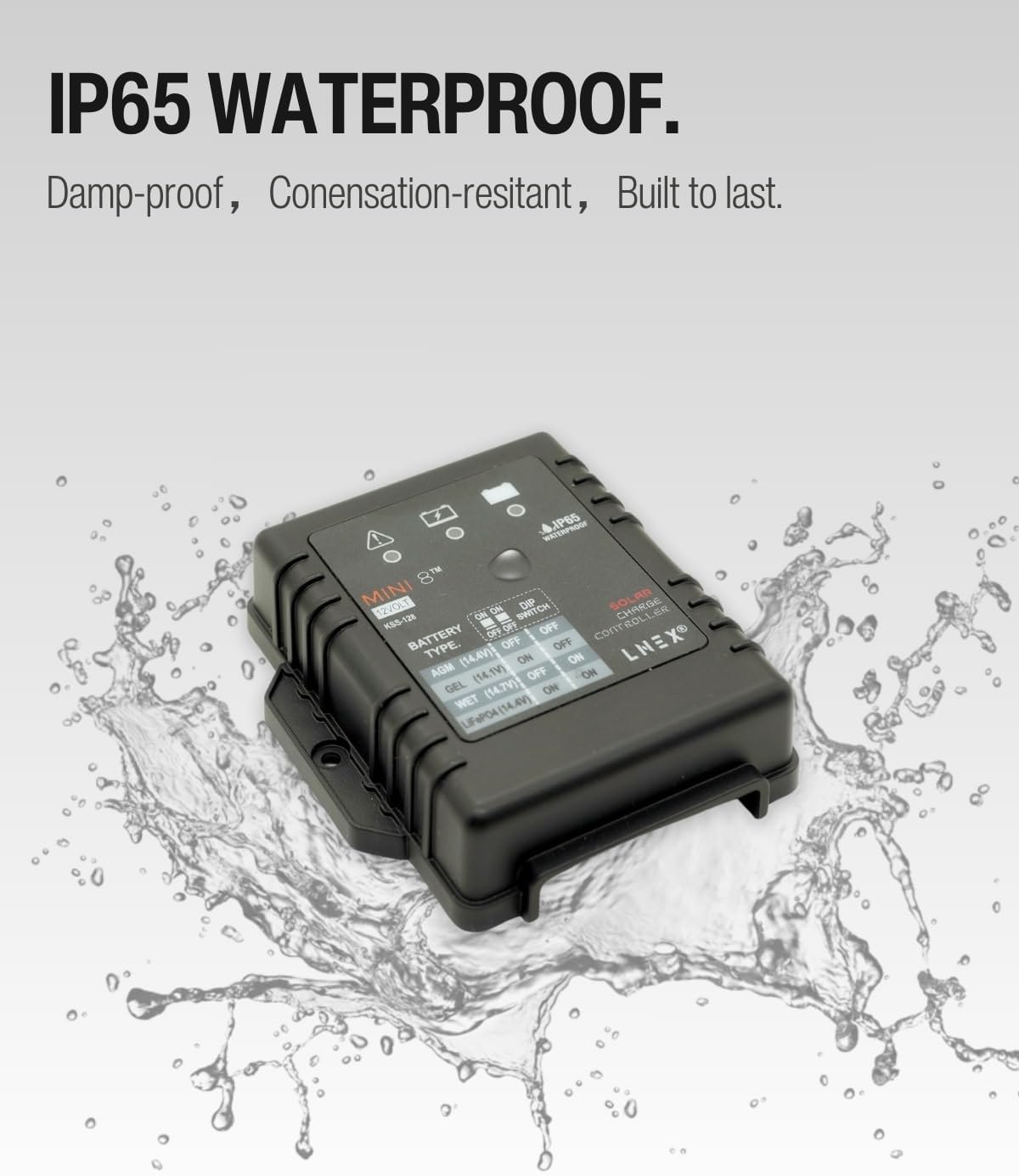
Figure 4.3: The LNEX 8A Solar Charge Controller demonstrating its IP65 waterproof capability, resistant to dampness and condensation.
5. Setup and Installation
5.1. Wiring Sequence
Follow this connection order to ensure proper and safe installation:
- Connect the battery to the charge controller first. Ensure correct polarity (+ to + and - to -).
- Connect the solar panel to the charge controller. Ensure correct polarity.
- (Optional) Connect the load to the charge controller. Note: This model does not have a dedicated load connection terminal. The controller is primarily for charging the battery.
Important: Disconnect in the reverse order when removing components (load, then solar panel, then battery).
5.2. Battery Type Selection (DIP Switches)
The controller supports multiple battery types. Select the correct battery type using the DIP switches located on the controller. Refer to the diagram and table below for settings.

Figure 5.1: Diagram showing the location of DIP switches and wiring connections for the LNEX 8A Solar Charge Controller.
Battery Type DIP Switch Settings:
| Battery Type | Charging Voltage (12V System) | DIP Switch 1 | DIP Switch 2 |
|---|---|---|---|
| AGM | 14.4V | OFF | OFF |
| GEL | 14.1V | ON | OFF |
| WET | 14.7V | OFF | ON |
| LiFePO4 | 14.4V | ON | ON |
Ensure the correct battery type is selected to prevent overcharging or undercharging, which can damage your battery.
6. Operating Instructions
6.1. LED Indicator Status
The controller features an LED indicator to show its operational status:
- Green LED: Indicates normal operation and charging.
- Red LED: Indicates a fault or error condition. Refer to the Troubleshooting section.
- No LED: The controller is off or not receiving power from the solar panel or battery.
6.2. 6-Stage PWM Charging Process
The LNEX controller utilizes an advanced 6-stage PWM charging algorithm to optimize battery health and performance:
- Diagnose: Initial check of battery condition.
- Soft Start: Gradually applies current to prevent damage to deeply discharged batteries.
- Bulk Charge: Charges the battery at maximum current until voltage reaches the absorption level.
- Absorption: Charges at a constant voltage, reducing current as the battery approaches full charge.
- Equalization: (For specific battery types like WET) Periodically overcharges to balance cell voltages.
- Float Charge: Maintains the battery at a full charge by providing a small, constant voltage.

Figure 6.1: Illustration of the 6-stage PWM charging process, showing how voltage and current are regulated during different charging phases.
7. Protection Features
The LNEX Solar Charge Controller is equipped with multiple protection mechanisms to safeguard your system:
- Short Circuit Protection: Prevents damage from short circuits in the system.
- Reverse Connection Protection: Protects against damage from incorrect polarity connections.
- Overvoltage Protection: Shuts down if input voltage exceeds safe limits.
- Overcurrent Protection: Limits current to prevent damage from excessive current flow.
- Overheating Protection: Protects the controller from damage due to high temperatures.
- Night Reverse Current Protection: Prevents battery discharge back to the solar panel during the night.
- Overcharging Protection: Prevents battery damage from excessive charging.
- Over Discharging Protection: Prevents battery damage from excessive discharge.
- Over Load Protection: Protects against excessive load on the system.

Figure 7.1: Visual representation of the six primary safety protection features integrated into the controller.
8. Maintenance
The LNEX Solar Charge Controller is designed for minimal maintenance. However, regular checks can ensure optimal performance and longevity:
- Visual Inspection: Periodically inspect the controller and all connections for any signs of damage, corrosion, or loose wiring.
- Cleanliness: Keep the controller clean and free from dust and debris. Use a dry cloth for cleaning. Do not use harsh chemicals or abrasive cleaners.
- Ventilation: Ensure the installation area allows for adequate airflow around the controller to prevent overheating.
- Connection Integrity: Re-tighten all terminal screws annually to ensure good electrical contact.
9. Troubleshooting
If you encounter issues with your LNEX Solar Charge Controller, refer to the following common problems and solutions:
| Problem | Possible Cause | Solution |
|---|---|---|
| No LED indication | No power from battery or solar panel; incorrect wiring. | Check battery and solar panel connections and polarity. Ensure sufficient light on solar panel. |
| Red LED is on | Fault condition (e.g., overvoltage, short circuit, reverse polarity). | Identify and correct the fault. Disconnect all power, check wiring, and reconnect in correct sequence. |
| Battery not charging | Insufficient solar input; incorrect battery type setting; faulty connections; damaged solar panel or battery. | Ensure adequate sunlight. Verify DIP switch settings for battery type. Check all wiring connections. Test solar panel and battery independently. |
| Overcharging battery | Incorrect battery type setting. | Verify DIP switch settings match your battery type. |
If the problem persists after troubleshooting, please contact customer support.
10. Specifications
| Feature | Specification |
|---|---|
| Model Number | KSS12-8 |
| Rated Current | 8A |
| System Voltage | 12V |
| Max Solar Input Voltage | 24V (DC) |
| Battery Types Supported | LiFePO4, AGM, Gel, WET |
| Charging Technology | 6-Stage PWM |
| Waterproof Rating | IP65 |
| Indicator | LED Indicator |
| Product Dimensions | 3.93 x 3.93 x 1.18 inches (10 x 10 x 3 cm) |
| Item Weight | 3.34 ounces (94.7 grams) |
| Color | Black |
| Manufacturer | LNEX |
| Country of Origin | China |
11. Warranty and Support
Specific warranty details are not provided in the product information. For warranty claims, technical support, or further inquiries, please contact LNEX customer service through the retailer where the product was purchased or visit the official LNEX brand store on Amazon: LNEX Store.
Ask a question about this manual
Ask about setup, troubleshooting, compatibility, parts, safety, or missing instructions. Manuals+ will review the question and use this page’s manual context to help answer it.