
1. Introduction
This manual provides comprehensive instructions for the setup, operation, and maintenance of your MACHENIKE M721 Wireless/Wired Gaming Mouse. Please read this manual thoroughly before using the product to ensure optimal performance and longevity.

Figure 1: MACHENIKE M721 Wireless Gaming Mouse
2. Package Contents
Verify that all items are present in the package:
- MACHENIKE M721 Gaming Mouse
- USB-C to USB-A Charging/Data Cable
- 2.4G USB Receiver
- User Manual (this document)
3. Product Overview
The MACHENIKE M721 is a high-performance gaming mouse designed for versatility and comfort. It features dual-mode connectivity (wireless 2.4G and wired USB-C), a high-precision optical sensor, customizable RGB lighting, and programmable buttons.
Key Features:
- M-SPEED Wireless Technology: Provides 0.001s latency-free response for reliable gaming.
- Dual-Mode Connectivity: Seamlessly switch between 2.4G wireless and wired USB-C modes.
- Advanced Optical Sensor: Max 10000 DPI, 400 IPS, and 1000Hz polling rate for precise tracking.
- Long Battery Life: Built-in 1000mAh battery offers up to 120 hours of wireless usage.
- Ergonomic Design: Shaped for comfortable grip, suitable for medium and large hands.
- Kailh Switches: Provides a distinct and responsive click feel.
- Customizable RGB Backlit: Features cool RGB body lighting with 16 million colors.
- Programmable Buttons: Configure DPI, lighting, key functions, and macros via dedicated software.
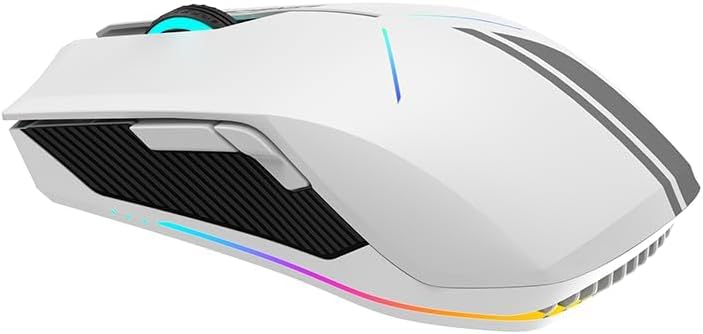
Figure 2: Side view showing ergonomic design and side buttons

Figure 3: RGB lighting in action
4. Setup
4.1 Charging the Mouse
Before first use, it is recommended to fully charge the mouse. Connect the supplied USB-C cable to the mouse's front port and the USB-A end to a computer's USB port or a USB wall adapter.
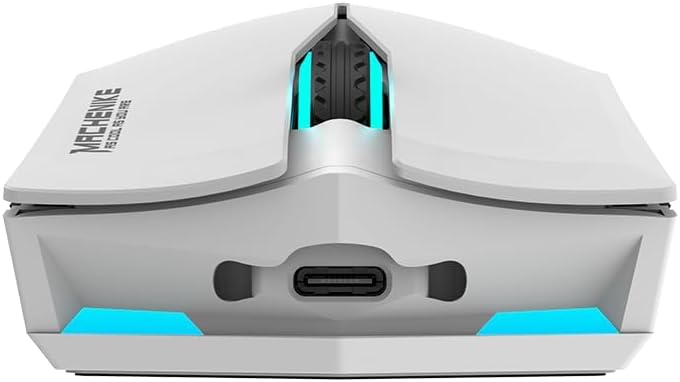
Figure 4: USB-C charging port
The mouse features a 1000mAh battery, providing approximately 120 hours of usage on a full charge.
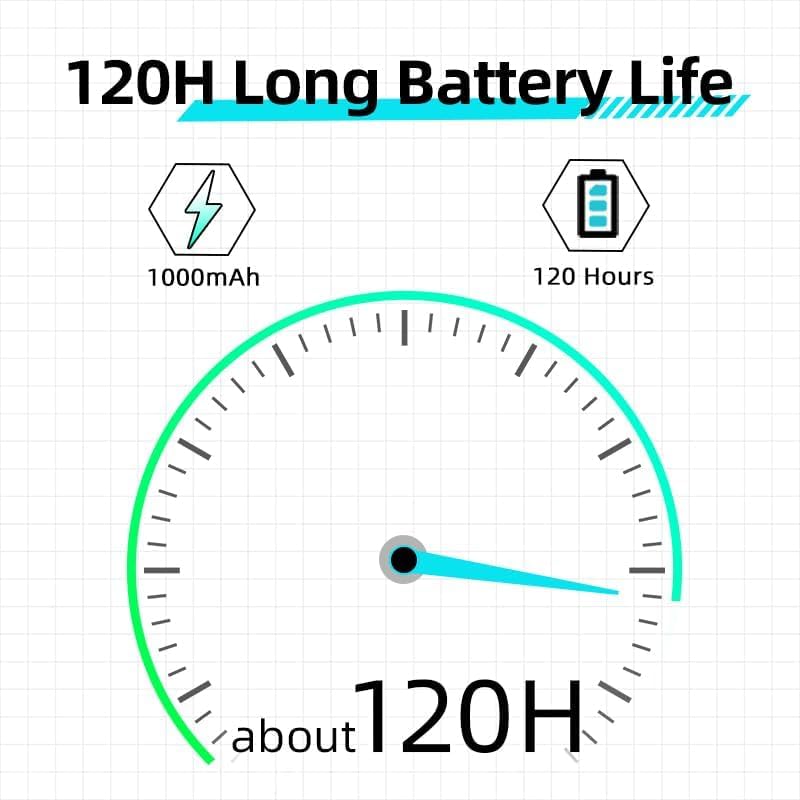
Figure 5: Battery life indication
4.2 Connecting the Mouse
The M721 supports both 2.4G wireless and wired USB-C connections. It also supports Bluetooth connectivity as per specifications.
4.2.1 2.4G Wireless Mode
- Locate the 2.4G USB receiver, usually stored in a compartment on the underside of the mouse.
- Plug the USB receiver into an available USB-A port on your computer.
- Turn on the mouse using the power switch located on its underside. The mouse should automatically connect to the receiver.
4.2.2 Wired USB-C Mode
- Connect the supplied USB-C cable to the mouse's front port.
- Connect the USB-A end of the cable to an available USB-A port on your computer.
- The mouse will automatically switch to wired mode and begin charging.
4.2.3 Bluetooth Mode (If applicable)
- Ensure your computer's Bluetooth is enabled.
- Switch the mouse to Bluetooth mode (refer to the switch on the underside of the mouse, if present, or consult the official software for mode switching instructions).
- On your computer, search for Bluetooth devices and select 'MACHENIKE M721' to pair.
5. Operating Instructions
5.1 DPI Adjustment
The M721 features a maximum DPI of 10000. You can cycle through preset DPI levels using the dedicated DPI button, usually located behind the scroll wheel. For fine-tuning and custom DPI settings, use the MACHENIKE gaming software.
5.2 RGB Lighting Control
The mouse's RGB lighting can be customized to your preference. Use the MACHENIKE gaming software to select from 16 million colors, various lighting effects, and adjust brightness or turn off the lighting.
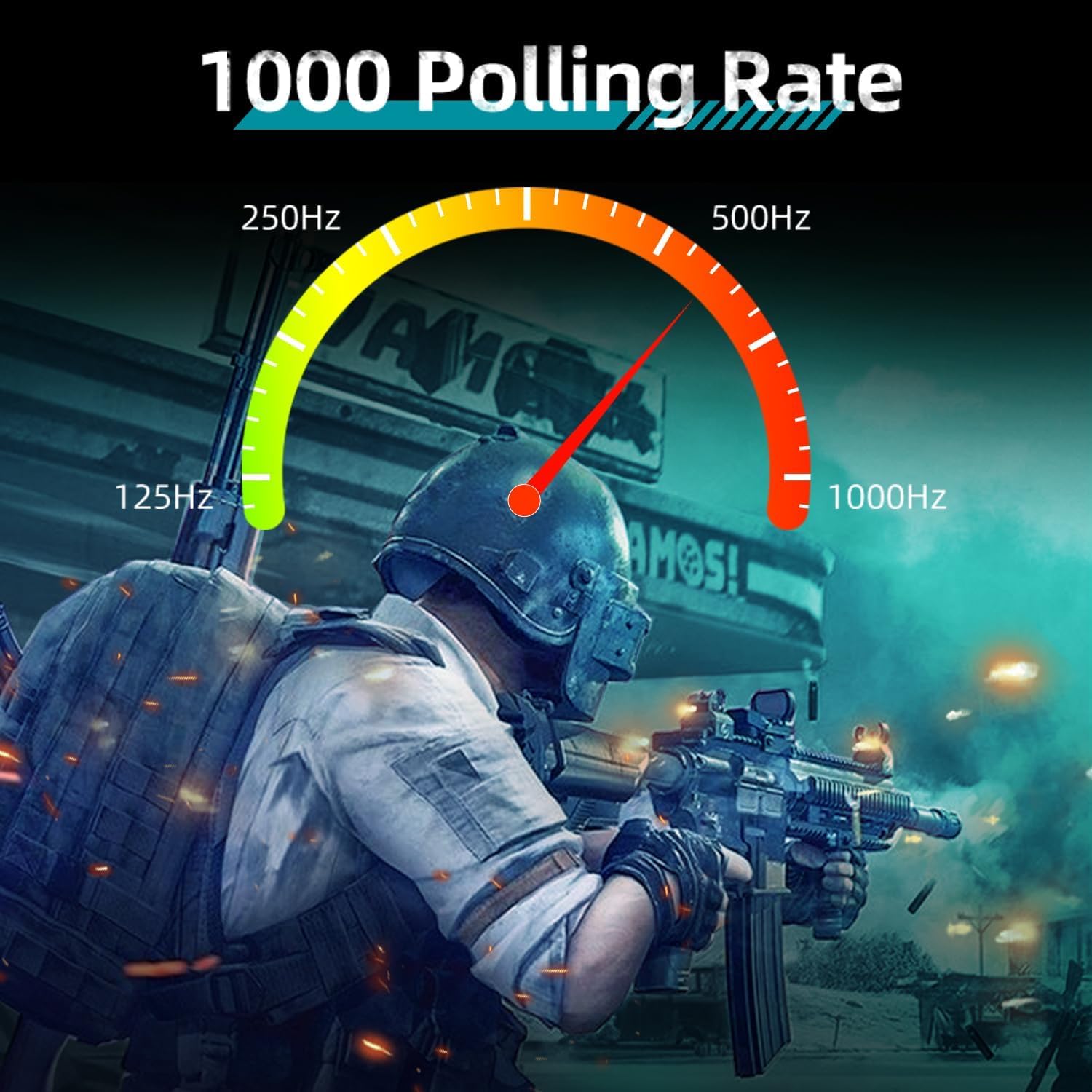
Figure 6: Customizable RGB lighting
5.3 Programmable Buttons and Macros
The M721 is equipped with programmable buttons. Download and install the official MACHENIKE gaming software to:
- Reassign button functions.
- Create and assign complex macros.
- Adjust polling rate (up to 1000Hz).
- Manage profiles for different games or applications.

Figure 7: Polling rate and specifications overview
6. Maintenance
6.1 Cleaning
To maintain optimal performance, regularly clean your mouse:
- Use a soft, dry cloth to wipe the surface of the mouse.
- For stubborn dirt, slightly dampen the cloth with water or a mild cleaning solution. Avoid harsh chemicals.
- Use compressed air to clear dust from crevices and around buttons.
- Clean the optical sensor on the underside with a cotton swab lightly dampened with isopropyl alcohol.
6.2 Battery Care
- Avoid fully discharging the battery frequently.
- Store the mouse in a cool, dry place when not in use for extended periods.
- Do not expose the mouse to extreme temperatures.
7. Troubleshooting
If you encounter issues with your MACHENIKE M721 mouse, refer to the following common solutions:
| Problem | Possible Cause | Solution |
|---|---|---|
| Mouse not responding (Wireless) | Low battery, receiver disconnected, incorrect mode. | Charge the mouse. Ensure the 2.4G receiver is securely plugged in. Verify the mouse is in 2.4G wireless mode. |
| Mouse not responding (Wired) | Cable not connected properly, faulty cable. | Ensure the USB-C cable is firmly connected to both the mouse and the computer. Try a different USB port or cable. |
| Inconsistent tracking or cursor movement | Dirty sensor, unsuitable surface, low battery. | Clean the optical sensor. Use a clean, opaque mouse pad. Charge the mouse. |
| RGB lighting not working | Lighting turned off, software issue. | Check lighting settings in the MACHENIKE gaming software. Ensure the software is up to date. |
| Scroll wheel unresponsive | Dust/debris, software issue, hardware fault. | Clean around the scroll wheel with compressed air. Update mouse drivers/software. If the issue persists, contact customer support. |
| Buttons not programmable | Software not installed, software not running. | Download and install the latest MACHENIKE gaming software. Ensure the software is running in the background. |
8. Specifications
| Feature | Detail |
|---|---|
| Model | M721 |
| Connectivity | 2.4G Wireless, USB-C Wired, Bluetooth |
| Sensor Type | Optical |
| Max DPI | 10000 DPI |
| Tracking Speed | 400 IPS |
| Polling Rate | 1000Hz |
| Buttons | 6 |
| Switches | Kailh Switches |
| Battery Capacity | 1000mAh |
| Battery Life | Up to 120 hours (wireless mode) |
| Lighting | 16 Million RGB Backlit |
| Dimensions (L x W x H) | 125mm x 59mm x 37mm |
| Weight | 95g (approx.) |
| Hand Orientation | Right-handed |
| Compatible Devices | PC, Mac |
9. Warranty and Support
For warranty information and technical support, please refer to the warranty card included with your product or visit the official MACHENIKE website. Keep your purchase receipt for warranty claims.
If you require further assistance, please contact MACHENIKE customer service through their official channels.


