
Product Overview
The HILEO Open Ear Headphones & Earbuds (Model HI92-Black) are designed to provide a comfortable and immersive audio experience while maintaining situational awareness. Featuring an open-ear design, these headphones avoid direct ear canal insertion, promoting comfort and reducing ear fatigue. They incorporate advanced audio technologies for clear sound and efficient power management for extended use.

Figure 1: HILEO Open Ear Headphones in their charging case. The case features an LED display indicating battery percentage.
Key Features
- Open-Ear Design: Ensures comfort and awareness of surroundings by not blocking the ear canal.
- Long-Lasting Battery: Provides up to 48 hours of playtime with the charging case.
- LED Display: Integrated into the charging case to show battery level.
- Bluetooth 5.3: Offers stable and efficient wireless connectivity.
- Hi-Fidelity Sound: Delivers clear and rich audio quality.
- Adjustable Ear Hooks: Designed for a secure and customizable fit for various ear shapes.
- Sweat Resistant: Suitable for active use and workouts.
- ENC Call Noise Cancellation: Utilizes bidirectional acoustic noise cancellation for clear calls.
- ACS Panoramic Audio: Creates a realistic 360° stereo surround sound field.
- DireectPitchTM Directional Sound Field Technology: Minimizes sound leakage and directs audio precisely.
Setup
1. Initial Charging
Before first use, fully charge the headphones and the charging case. Connect the provided USB-C cable to the charging port on the back of the case and plug the other end into a compatible USB power source. The LED display on the case will indicate the charging progress.
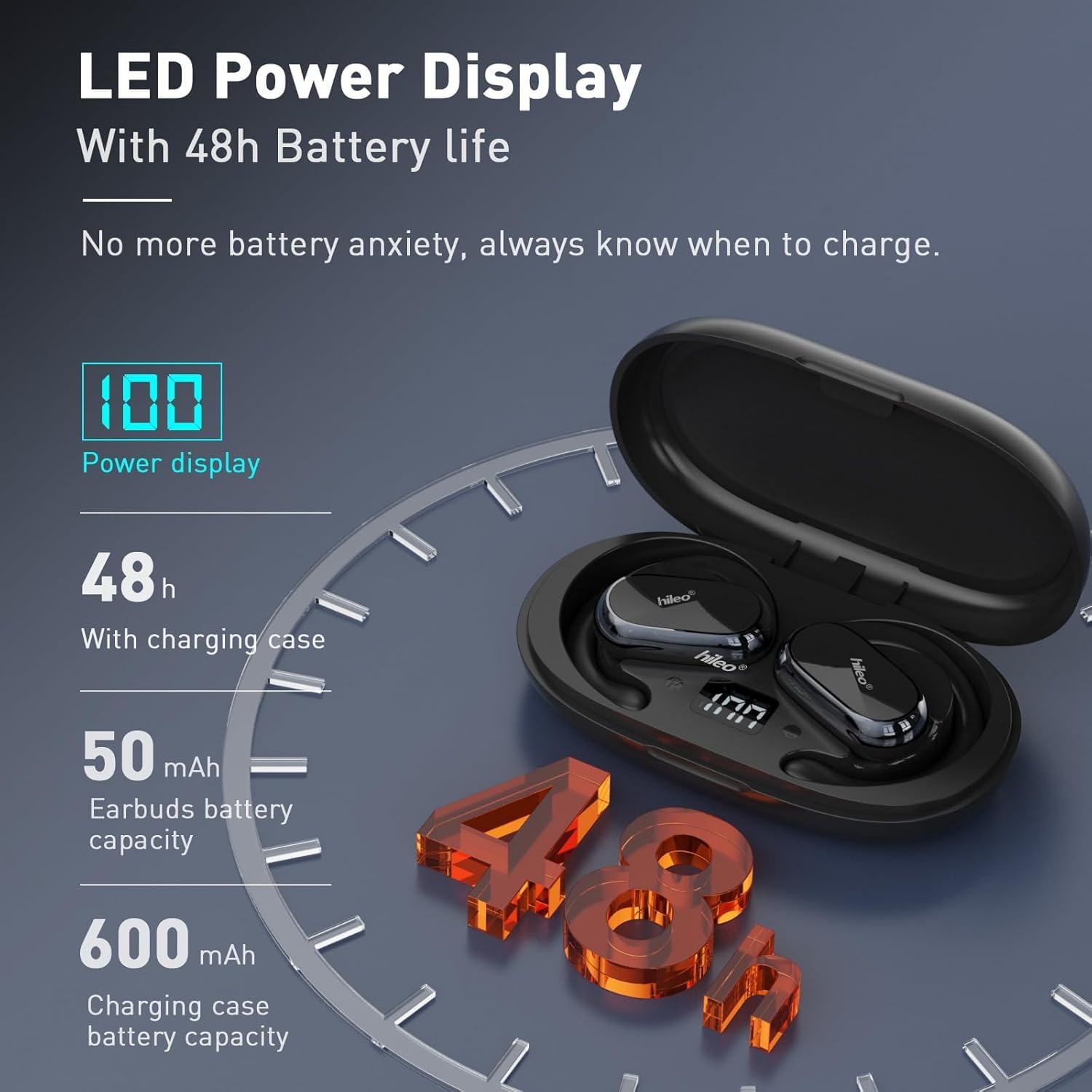
Figure 2: The charging case features an LED power display, showing the current battery percentage of the case. The earbuds also have individual charging indicators.
2. Pairing with a Device
- Ensure the headphones are in the charging case and the case lid is open.
- On your device (smartphone, tablet, etc.), navigate to the Bluetooth settings.
- Select "HI92" from the list of available devices to initiate pairing.
- Once connected, a voice prompt will confirm successful pairing.

Figure 3: The HILEO Open Ear Headphones removed from their charging case, ready for pairing and use.
Operating Instructions
Wearing the Headphones
The HILEO Open Ear Headphones feature adjustable ear hooks for a secure and comfortable fit. Gently slide the ear hook over the top of your ear, positioning the speaker component just outside your ear canal. Adjust the angle of the ear hook (up to 90°) to achieve the most comfortable and stable fit.

Figure 4: A user demonstrating the comfortable and secure fit of the HILEO Open Ear Headphones during active use.
Touch Controls
The headphones utilize touch controls for various functions:
- Play/Pause: Single tap on either earbud.
- Answer/Hang Up Call: Single tap on either earbud.
- Next Track: Double tap on either earbud.
- Smart Voice Assistant: Triple tap on either earbud.

Figure 5: Visual representation of the one-handed touch controls for playback, calls, and voice assistant functions.
Situational Awareness
The open-ear design allows you to enjoy your audio content while remaining aware of your surroundings. This feature is particularly beneficial for outdoor activities such as running or cycling, where hearing ambient sounds like traffic is crucial for safety.
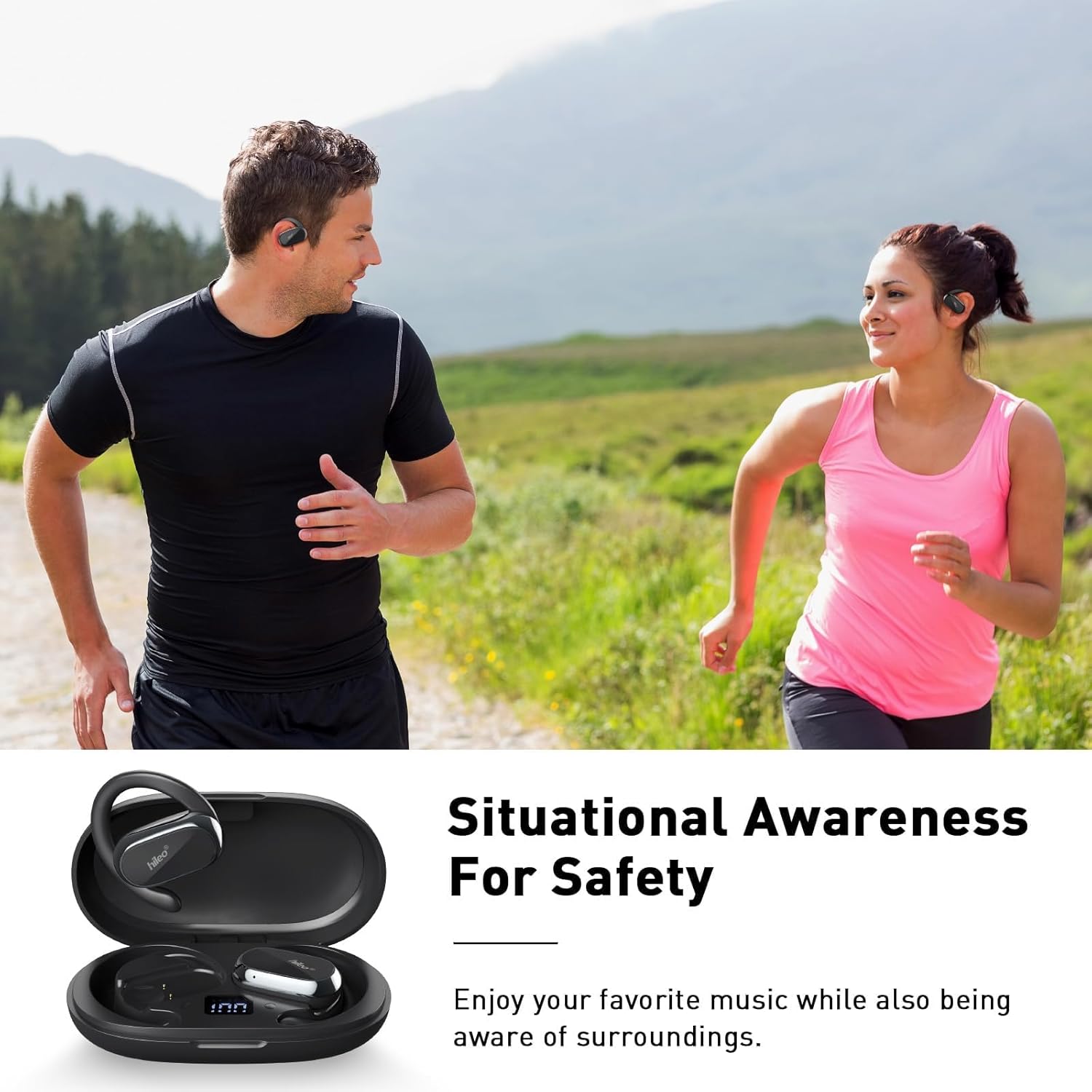
Figure 6: The open-ear design promotes situational awareness, making these headphones ideal for outdoor activities where environmental sounds are important.
Maintenance
Cleaning
To maintain optimal performance and hygiene, regularly clean your HILEO Open Ear Headphones. Use a soft, dry cloth to wipe down the earbuds and charging case. Avoid using abrasive materials or harsh chemicals. As the headphones do not enter the ear canal, wax buildup is minimized, simplifying cleaning.
Storage
When not in use, store the headphones in their charging case to protect them from dust and damage, and to ensure they remain charged for your next use.
Troubleshooting
| Problem | Possible Cause | Solution |
|---|---|---|
| Headphones not pairing | Bluetooth is off on device; headphones are out of charge; headphones are already paired to another device. | Ensure Bluetooth is enabled. Charge the headphones and case. Disconnect from other devices or reset headphones. |
| No sound or low volume | Volume too low on device; headphones not properly positioned; low battery. | Increase device volume. Adjust ear hook for optimal sound projection. Charge headphones. |
| Call quality issues | Environmental noise; microphone obstruction. | Move to a quieter environment. Ensure microphone is not covered. |
| Charging case LED not lighting up | Case is fully charged; charging cable issue; power source issue. | Check if case is already at 100%. Try a different USB-C cable or power adapter. |
Specifications
- Model Name: HI92-Black
- Connectivity Technology: Wireless (Bluetooth 5.3)
- Ear Placement: Open Ear
- Audio Driver Size: 14.2 Millimeters
- Battery Life (Headphones): Up to 40 Hours
- Battery Life (with Charging Case): Up to 48 Hours
- Charging Time: 1.5 Hours
- Water Resistance Level: Water Resistant
- Control Method: Touch
- Product Dimensions: 6.53 x 1.41 x 5.51 inches
- Item Weight: 6.7 ounces
- Manufacturer: HILEO
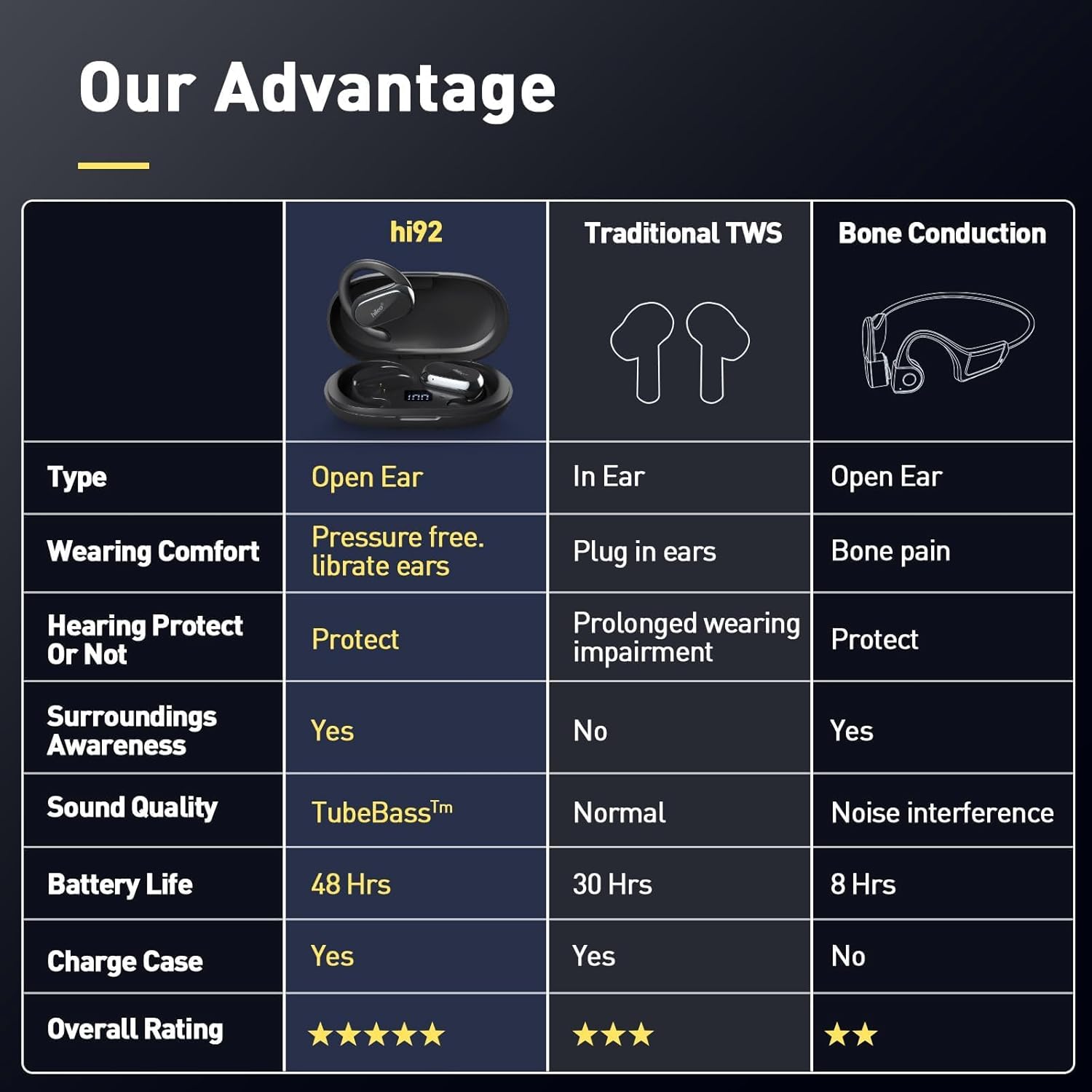
Figure 7: A comparison highlighting the advantages of the HILEO HI92's open-ear design over traditional in-ear and bone conduction headphones.
Warranty and Support
For warranty information and customer support, please refer to the contact details provided in the product packaging or visit the official HILEO website. Keep your purchase receipt for warranty claims.