
1. Introduction
This instruction manual provides essential information for the safe and effective use of your Fanhua replacement battery. This battery is designed to be compatible with various Samsung Jet series cordless vacuum cleaners, offering a reliable power source for your cleaning needs. Please read this manual thoroughly before installation and operation.

Image 1.1: Fanhua replacement battery with compatible Samsung Jet vacuum cleaners.
2. Safety Information
Always observe the following safety precautions to prevent injury or damage to the battery and your vacuum cleaner:
- Do not disassemble, modify, or attempt to repair the battery.
- Do not expose the battery to water, fire, or extreme temperatures.
- Keep the battery away from children and pets.
- Use only the original Samsung charger or a compatible charger specified for your vacuum cleaner model.
- If the battery shows signs of damage, overheating, or leakage, discontinue use immediately and dispose of it properly.
- This battery is equipped with multiple protection features including over-voltage, short-circuit, over-temperature, and over-charge protection to ensure safe operation.

Image 2.1: Battery protection features.
3. Compatibility
The Fanhua replacement battery is compatible with the following Samsung Jet series cordless vacuum cleaner models:
- Samsung Jet 90
- Samsung Jet90pet
- Samsung Jet 90+
- Samsung Jet 75 Pet
- Samsung Jet 75
- Samsung Jet 75+
- Model VCA-SBT90/XAA
- Model VS20R9046T3/AA
- Model VS20T7536T5/AA
Please verify your vacuum cleaner's model number before purchasing and installing the battery to ensure proper fit and function.
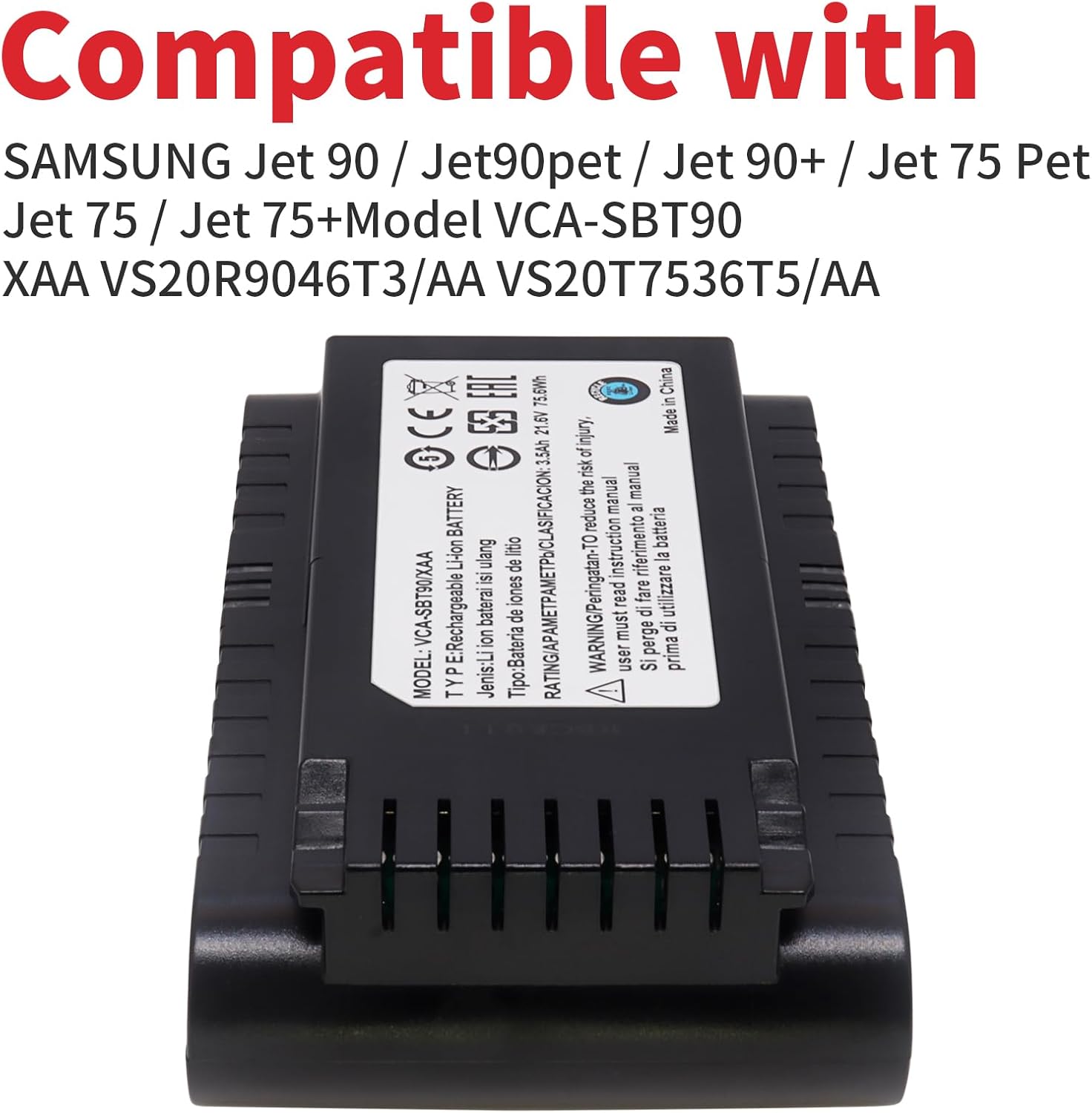
Image 3.1: Compatible Samsung Jet vacuum models.
4. Product Specifications
| Specification | Value |
|---|---|
| Model Number | VCA-SBT90 |
| Battery Type | Li-ion Rechargeable Battery |
| Voltage | 21.6V |
| Capacity | 3500mAh (3.5Ah) |
| Wattage | 75.6Wh |
| Approximate Dimensions (L x W x H) | 5.74 x 3.22 x 1.1 inches |
| Item Weight | 1.15 pounds |

Image 4.1: Key battery specifications.

Image 4.2: Battery size and connector design with dimensions.
5. Setup and Installation
To install the Fanhua replacement battery into your Samsung Jet series cordless vacuum cleaner, follow these general steps. Always refer to your specific vacuum cleaner's user manual for detailed instructions on battery removal and installation.
- Power Off: Ensure your vacuum cleaner is completely powered off and unplugged from any charging source.
- Locate Battery Compartment: Identify the battery compartment on your Samsung Jet vacuum. This is typically located on the main body of the vacuum.
- Remove Old Battery: Depending on your model, there may be a latch or button to release the existing battery. Carefully slide out the old battery.
- Insert New Battery: Align the Fanhua replacement battery with the battery slot. Gently slide it into place until it clicks securely. Do not force the battery.
- Verify Installation: Once installed, ensure the battery is firmly seated and does not wobble.
- Initial Charge: It is recommended to fully charge the new battery before its first use.

Image 5.1: Fanhua replacement battery ready for installation.
6. Operating Instructions
Once the Fanhua replacement battery is installed and fully charged, your Samsung Jet vacuum cleaner is ready for use. This battery is designed to provide extended runtime for uninterrupted cleaning sessions.
- Charging: Connect your vacuum cleaner to its original charging station or adapter. The charging indicator on your vacuum will show the charging status.
- Usage: Operate your vacuum cleaner as usual. The 3500mAh capacity offers a longer operating time compared to standard batteries.
- Battery Level: Monitor the battery level indicator on your vacuum cleaner to know when recharging is needed.

Image 6.1: Comparison of battery capacity for extended runtime.
7. Maintenance
Proper maintenance can extend the lifespan of your Fanhua replacement battery:
- Regular Charging: Avoid completely draining the battery before recharging. For optimal performance, recharge the battery after each use.
- Storage: If storing the battery for an extended period, charge it to approximately 50-60% and store it in a cool, dry place away from direct sunlight and extreme temperatures. Recharge every 3-6 months to prevent deep discharge.
- Cleaning: Keep the battery contacts clean and free from dust or debris. Use a dry cloth to wipe them if necessary.
- Disposal: Dispose of old or damaged batteries according to local regulations. Do not discard with household waste.
8. Troubleshooting
If you encounter issues with your Fanhua replacement battery, consider the following:
- Battery Not Charging:
- Ensure the battery is correctly installed and securely connected to the vacuum.
- Verify that the charging cable and adapter are properly connected to a working power outlet.
- Check for any visible damage to the battery, charger, or vacuum's charging port.
- Short Operating Time:
- Ensure the battery is fully charged before use.
- Operating the vacuum in Max power mode will consume battery faster.
- Battery performance can degrade over time with extensive use.
- Vacuum Not Turning On:
- Confirm the battery is fully charged and correctly installed.
- Check if the vacuum cleaner itself has any other issues (refer to your vacuum's manual).
If troubleshooting steps do not resolve the issue, please contact customer support.
9. Warranty and Support
Fanhua is committed to providing reliable products and customer satisfaction. Our products are certified by CE ROHS and tested by the manufacturer to ensure quality and compatibility.
For any questions, concerns, or support needs regarding your Fanhua replacement battery, please contact our customer service team. We guarantee a 7/24 response to online messages and are dedicated to providing a satisfactory solution.
Please refer to your purchase documentation for specific warranty terms and contact information.