
Cubitt Tracking Technologies Power GO
Cubitt Power GO Waterproof Portable Speaker User Manual
Model: Power GO
Brand: Cubitt Tracking Technologies
1. Introduction
Welcome to the user manual for your Cubitt Power GO Waterproof Portable Speaker. This guide provides essential information on setting up, operating, maintaining, and troubleshooting your device to ensure optimal performance and longevity. The Cubitt Power GO is designed for portability and durability, featuring Bluetooth connectivity, IPX7 waterproofing, and the ability to pair two speakers for a stereo audio experience.
2. Safety Information
Please read all safety instructions carefully before using the product. Failure to follow these instructions may result in electric shock, fire, or other hazards.
- Do not expose the speaker to extreme temperatures (hot or cold) or high humidity.
- Ensure the port cover is securely closed when near water to maintain IPX7 waterproof rating.
- Do not disassemble, repair, or modify the speaker. This will void the warranty.
- Keep the speaker away from children and pets.
- Use only the provided charging cable or a certified equivalent.
- Dispose of the speaker and its battery responsibly according to local regulations.
3. Package Contents
Verify that all items are present in your package:
- Cubitt Power GO Portable Speaker
- USB-C Charging Cable
- User Manual
4. Product Overview
Familiarize yourself with the various parts and controls of your Cubitt Power GO speaker.
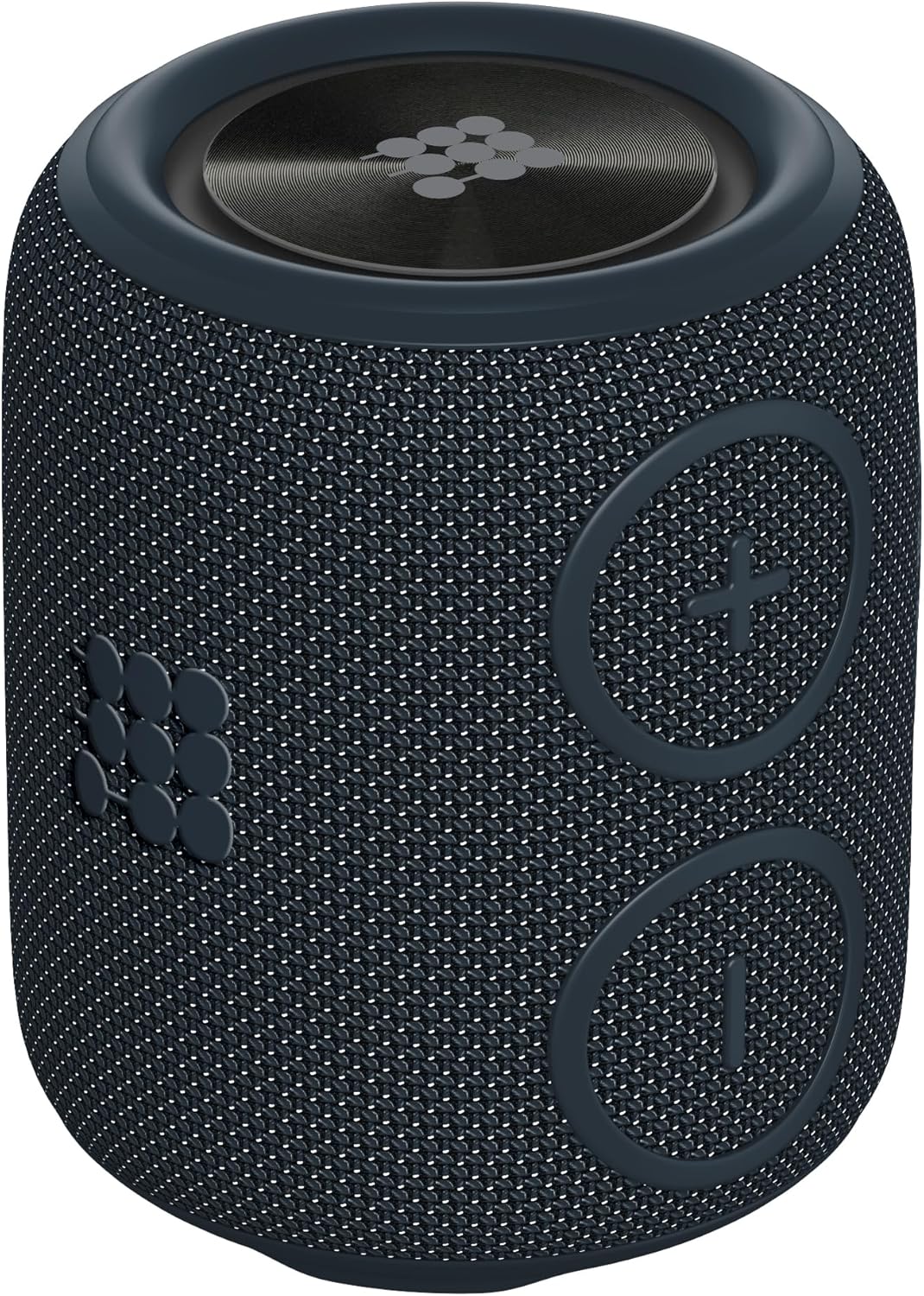
Image: Front view of the Cubitt Power GO speaker, highlighting the volume up (+), volume down (-), and play/pause buttons.

Image: Close-up of the Cubitt Power GO speaker with the protective port cover open, revealing the USB-C charging port, Micro SD card slot, and AUX-in port.
Controls:
- Power Button: Press and hold to power on/off.
- Volume Up (+): Short press for volume up, long press for next track.
- Volume Down (-): Short press for volume down, long press for previous track.
- Play/Pause Button: Short press to play/pause music, answer/end calls. Long press to reject calls or initiate TWS pairing.
Ports:
- USB-C Charging Port: For charging the speaker.
- Micro SD Card Slot: For playing music directly from a Micro SD card.
- AUX-in Port: For wired audio connection using a 3.5mm audio cable.
5. Setup
5.1 Initial Charging
Before first use, fully charge your Cubitt Power GO speaker.
- Open the protective port cover on the side of the speaker.
- Connect the USB-C charging cable to the speaker's USB-C port and the other end to a USB power adapter (not included) or a computer's USB port.
- The LED indicator will show charging status (e.g., red for charging, off when fully charged).
- A full charge takes approximately 3 hours, providing up to 10 hours of playtime.

Image: A purple Cubitt Power GO speaker placed on a picnic blanket, illustrating its long-lasting battery life for outdoor use.
5.2 Power On/Off
- To power on, press and hold the Power button until you hear an audible prompt.
- To power off, press and hold the Power button again until you hear an audible prompt.
5.3 Bluetooth Pairing
- Power on the Cubitt Power GO speaker. It will automatically enter Bluetooth pairing mode, indicated by a flashing LED.
- On your smartphone, tablet, or other Bluetooth-enabled device, go to the Bluetooth settings.
- Select "Cubitt Power GO" from the list of available devices.
- Once connected, the LED indicator will become solid, and you will hear a confirmation tone.
5.4 True Wireless Stereo (TWS) Pairing
For an immersive stereo experience, you can pair two Cubitt Power GO speakers together.
- Ensure both Cubitt Power GO speakers are powered on and not connected to any other Bluetooth device.
- On one of the speakers (this will be your master speaker), press and hold the Play/Pause button for approximately 3 seconds. You will hear a tone indicating it is searching for another speaker.
- The two speakers will automatically connect to each other. You will hear a confirmation tone once TWS pairing is successful.
- Now, connect your master speaker to your Bluetooth device as described in section 5.3. Audio will play in stereo through both speakers.
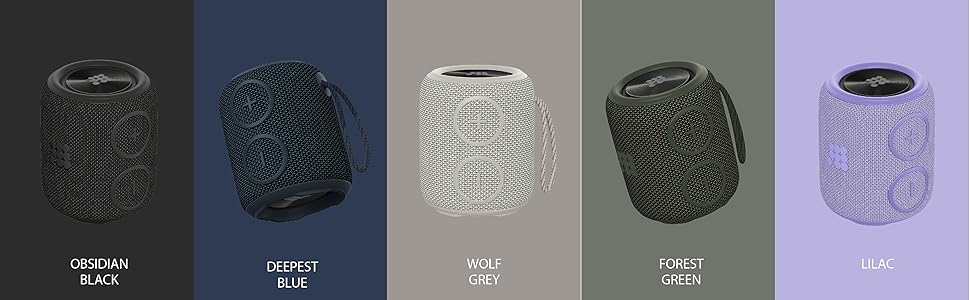
Image: Two Cubitt Power GO speakers positioned to illustrate the stereo sound experience when paired together.
6. Operating Instructions
6.1 Basic Music Controls
- Play/Pause: Short press the Play/Pause button.
- Volume Up: Short press the '+' button.
- Volume Down: Short press the '-' button.
- Next Track: Long press the '+' button.
- Previous Track: Long press the '-' button.
6.2 Call Management
The built-in microphone allows for hands-free calling when connected via Bluetooth.
- Answer/End Call: Short press the Play/Pause button.
- Reject Call: Long press the Play/Pause button.
6.3 AUX-in Mode
Connect an external audio device using a 3.5mm audio cable (not included).
- Open the protective port cover.
- Connect one end of the 3.5mm audio cable to the speaker's AUX-in port and the other end to your audio device.
- The speaker will automatically switch to AUX-in mode.
- Control playback and volume from your connected audio device.
6.4 Micro SD Card Mode
Play music directly from a Micro SD card.
- Open the protective port cover.
- Insert a Micro SD card (with music files) into the Micro SD card slot.
- The speaker will automatically switch to Micro SD card mode and begin playing music.
- Use the speaker's controls for playback and volume adjustments.

Image: Three Cubitt Power GO speakers in grey, purple, and green, illustrating the versatile playing modes available.
7. Maintenance
Proper care ensures the longevity and performance of your speaker.
- Cleaning: Use a soft, damp cloth to clean the speaker's exterior. Do not use harsh chemicals or abrasive cleaners.
- Storage: Store the speaker in a cool, dry place when not in use. Avoid direct sunlight or extreme temperatures.
- Water Resistance: Always ensure the protective port cover is firmly sealed before exposing the speaker to water to maintain its IPX7 waterproof rating.

Image: A white Cubitt Power GO speaker highlighting its IPX7 waterproof and durable design.
8. Troubleshooting
If you encounter issues with your speaker, refer to the following common problems and solutions:
| Problem | Possible Solution |
|---|---|
| Speaker does not power on. | Ensure the battery is charged. Connect the speaker to a power source using the USB-C cable. |
| Cannot pair via Bluetooth. | Ensure the speaker is in pairing mode (flashing LED). Turn off and on your device's Bluetooth. Make sure the speaker is within 10 meters of your device. |
| No sound or low volume. | Check the volume levels on both the speaker and your connected device. Ensure the correct input mode (Bluetooth, AUX, SD card) is selected. |
| Sound is distorted. | Move the speaker closer to your Bluetooth device. Check the audio source quality. Ensure the battery is not critically low. |
| TWS pairing fails. | Ensure both speakers are not connected to any other Bluetooth device. Try repeating the TWS pairing steps. |
9. Specifications
Detailed technical specifications for the Cubitt Power GO speaker:
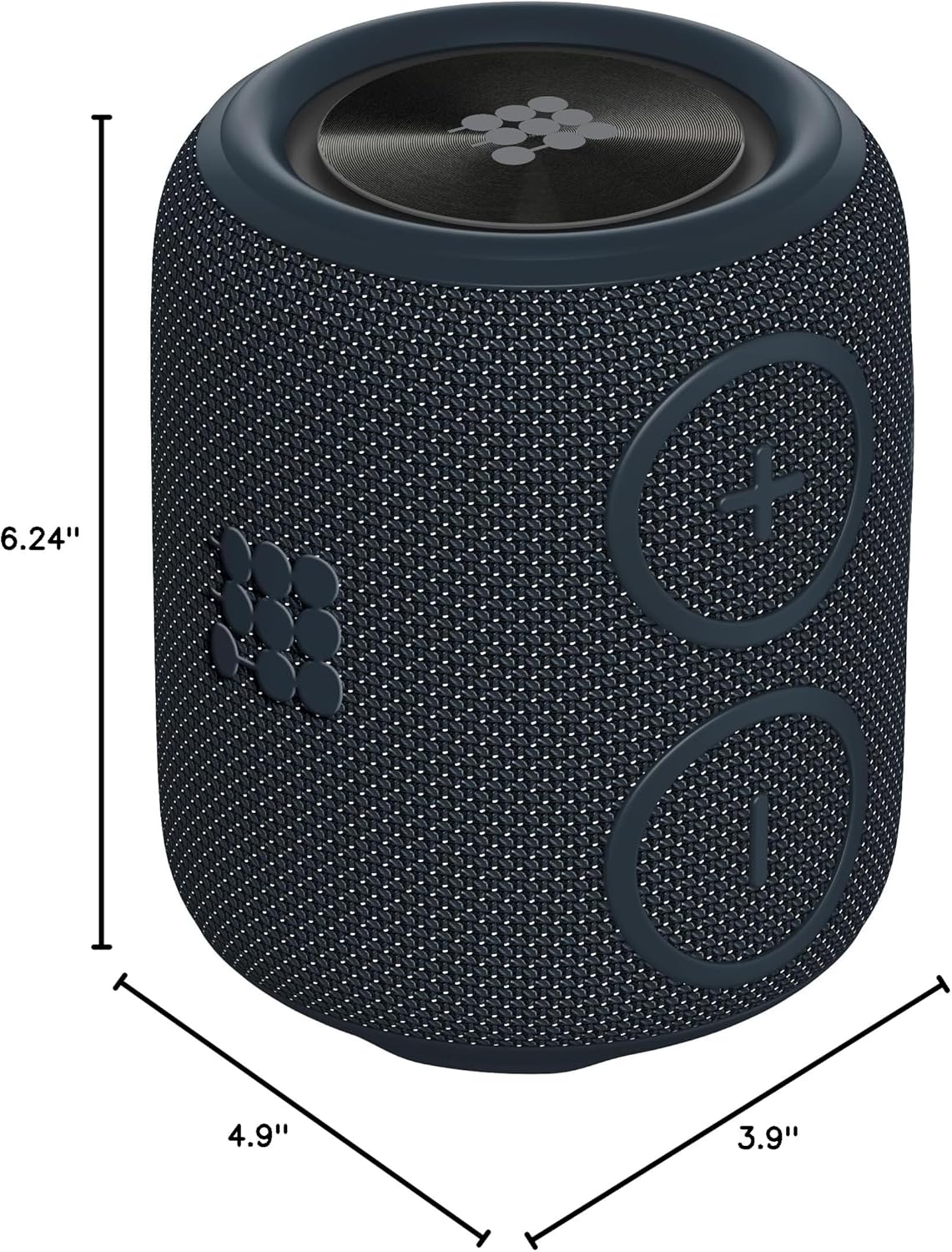
Image: A Cubitt Power GO speaker with its dimensions clearly marked: 4.9 inches deep, 3.9 inches wide, and 6.24 inches high.
- Model Name: Power GO
- Brand: Cubitt Tracking Technologies
- Material: Plastic
- Speaker Type: Single Speaker
- Special Feature: Waterproof (IPX7)
- Recommended Uses: Indoor/Outdoor
- Compatible Devices: Smartphone, Tablet
- Unit Count: 1.0 Count
- Surround Sound Channel Configuration: 2.0
- Product Dimensions: 4.9"D x 3.9"W x 6.24"H
- Water Resistance Level: Waterproof (IPX7)
- Control Method: Touch
- Wireless Communication Technology: Bluetooth V5.1
- Speaker Size: 3.9 Inches
- Power Source: Battery Powered
- Woofer Diameter: 3.9 Inches
- Number of Batteries: 1 Lithium Ion (included)
- Battery Capacity: 2500 mAh
- Charging Time: 3 Hours
- Speaker Maximum Output Power: 16 Watts
- Audio Output Mode: Stereo
- Mounting Type: Speaker
- Item Weight: 1.48 pounds
10. Official Product Video
Watch this video for a visual overview of the Cubitt Power GO Bluetooth Speaker's features and capabilities.
Video: A demonstration of the CUBITT Power Go Bluetooth Speaker, highlighting its waterproof design, sound quality, and various features. (Duration: 0:30)
11. Warranty and Support
11.1 Limited Warranty
The Cubitt Power GO speaker comes with a limited warranty. Please refer to the warranty card included in your package or visit the official Cubitt Tracking Technologies website for detailed warranty terms and conditions.
11.2 Customer Support
For further assistance, technical support, or inquiries, please visit the Cubitt Tracking Technologies official website or contact their customer service department. Contact information can typically be found on the product packaging or the brand's website.
Related documentsPower GO


Ask a question about this manual
Ask about setup, troubleshooting, compatibility, parts, safety, or missing instructions. Manuals+ will review the question and use this page’s manual context to help answer it.