
Gerbing GER-12V-DZCC
Gerbing 12V Dual Zone Controller Clip Case User Manual
Model: GER-12V-DZCC
Brand: Gerbing
Product Overview
The Gerbing 12V Dual Zone Controller Clip Case is designed to provide a secure and convenient way to carry your Gerbing Dual Zone Portable Temperature Controller. This clip-on case allows for easy attachment to a belt loop or pocket, ensuring your controller is always accessible.
The kit includes the clip case, two interchangeable clips, a screwdriver, and screws for assembly.
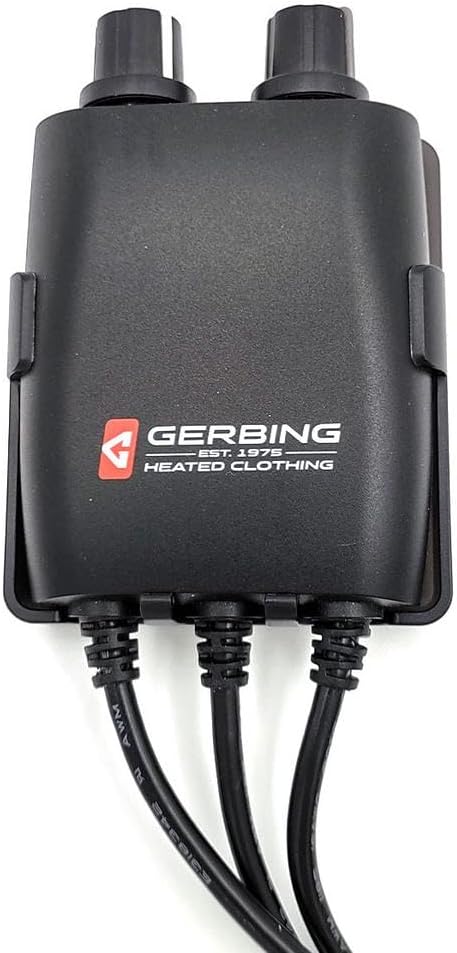
Figure 1: Front view of the Gerbing Dual Zone Controller Clip Case with a controller inserted.
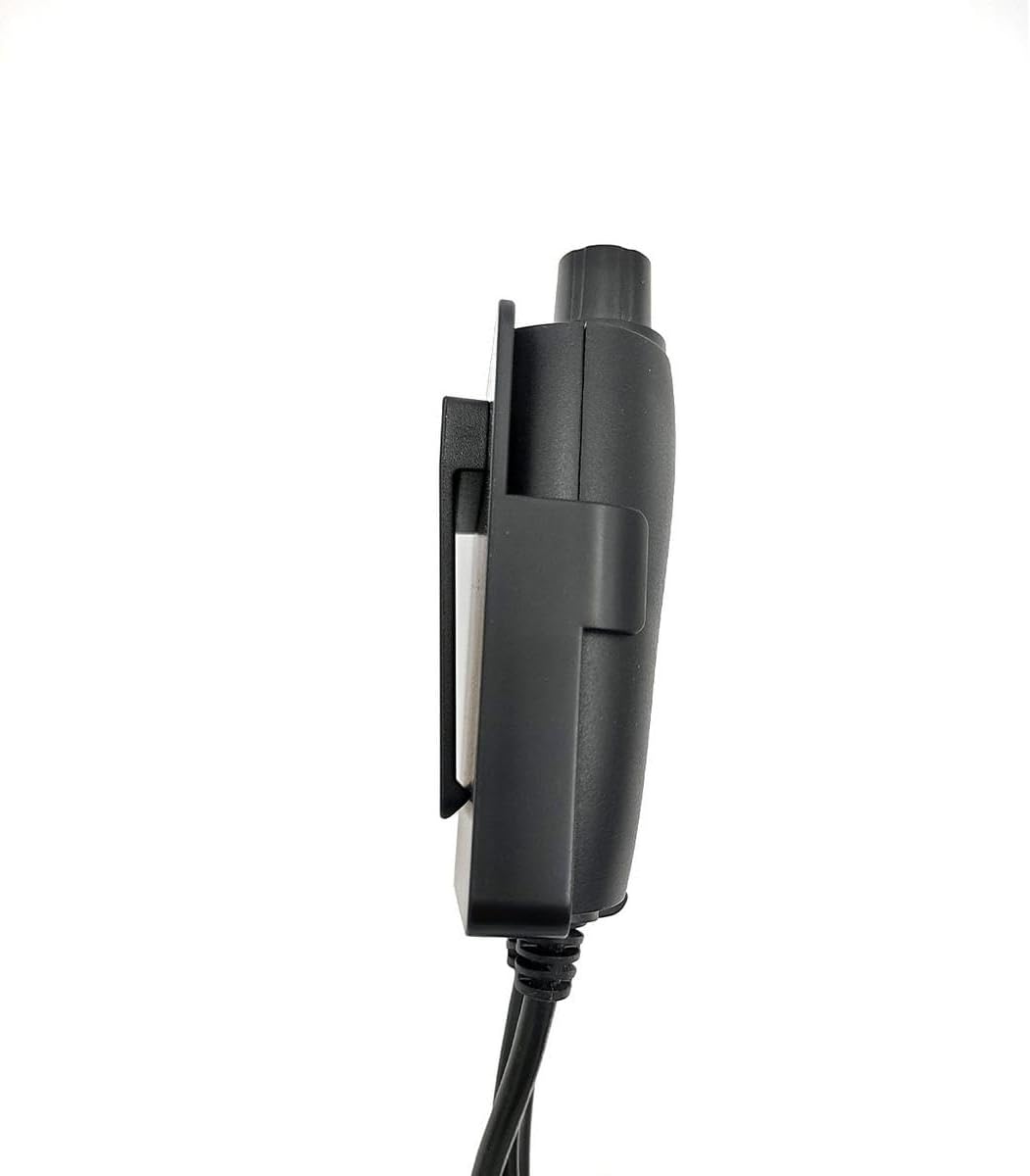
Figure 2: Side view demonstrating the slim profile of the case with the controller.

Figure 3: Rear view of the case with the controller, highlighting the clip attachment point.
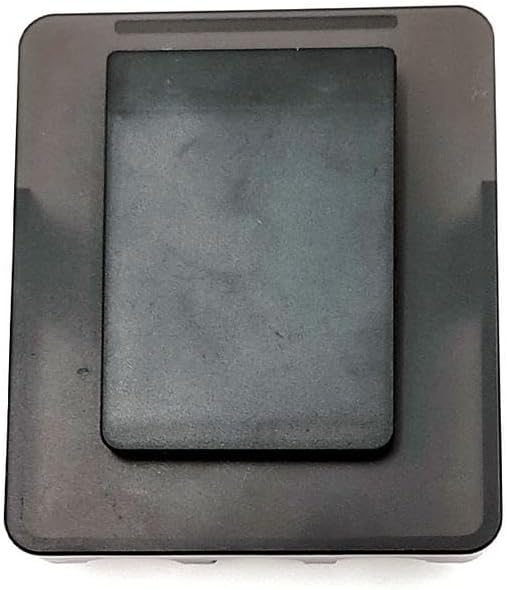
Figure 4: Detailed view of the clip attachment mechanism on the back of the case.
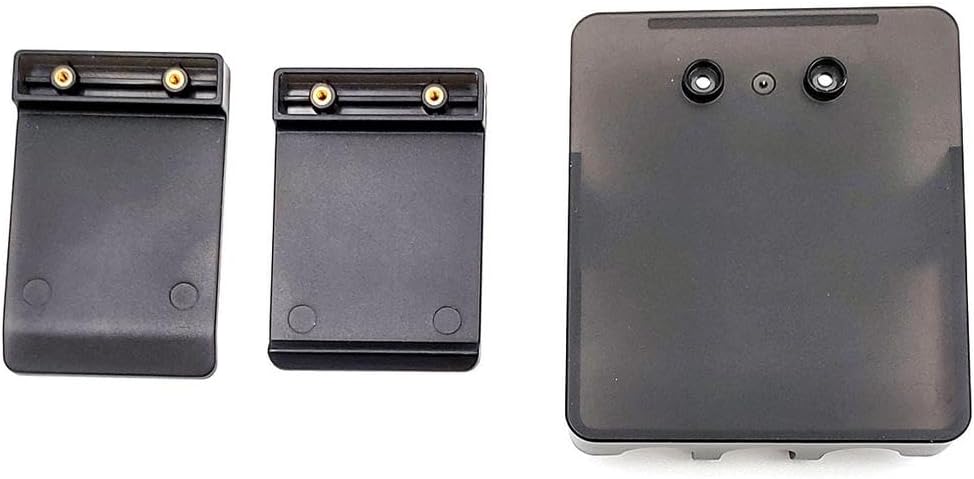
Figure 5: All components included in the Gerbing Clip Case kit.
Setup Instructions
Identify Components: Unpack all items from the kit. You should have the main clip case, two different sized clips, a small screwdriver, and a set of screws.
Select Clip: Choose the clip that best suits your needs. One clip may be larger or have a different profile for various attachment points (e.g., thicker belts vs. thin pockets).
Attach Clip to Case: Align the chosen clip with the rectangular slot on the back of the clip case. The clip has two small holes that should align with the screw holes on the case.
Secure Clip: Insert the provided screws into the aligned holes and use the included screwdriver to tighten them. Ensure the clip is firmly attached and does not wobble.
Caution: Do not overtighten screws, as this may damage the plastic case.
Insert Controller: Gently slide your Gerbing Dual Zone Portable Temperature Controller into the assembled clip case. Ensure it fits snugly and the cables can exit freely from the bottom.
Note: Some user feedback indicates that the fit can be tight for certain controllers. If the controller does not fit easily, do not force it to avoid damage.
Operating Instructions
Once your Gerbing Dual Zone Controller is securely housed within the clip case, using it is straightforward:
Attach to Clothing: Use the attached clip to secure the case to a belt, waistband, pocket, or any other suitable edge on your clothing or gear.
Access Controller: The design of the case allows for easy access to the controller's dials and buttons while it remains clipped. Adjust your temperature settings as needed without removing the controller from the case.
Removal: To remove the case from your clothing, simply unclip it. To remove the controller from the case, gently slide it out.
Maintenance
Proper maintenance will extend the life of your Gerbing Clip Case:
- Cleaning: Wipe the case with a soft, damp cloth. Do not use harsh chemicals or abrasive cleaners, as these can damage the plastic. Ensure the case is dry before reinserting the controller.
- Storage: Store the case in a cool, dry place away from direct sunlight when not in use.
- Inspection: Periodically check the screws holding the clip to the case to ensure they remain tight. Retighten if necessary, but avoid overtightening. Inspect the clip for any signs of wear or damage.
Troubleshooting
| Problem | Possible Cause | Solution |
|---|---|---|
| Controller does not fit into the case. | The controller might not be the exact model intended for this case, or there might be slight manufacturing variations. | Ensure you have the correct Gerbing Dual Zone Portable Temperature Controller. Do not force the controller into the case, as this may damage both items. Contact Gerbing customer support if the issue persists. |
| Clip feels loose or detaches easily. | Screws securing the clip may be loose, or the clip itself might be damaged. | Retighten the screws using the provided screwdriver. If the clip is damaged, it may need to be replaced. Ensure the clip is properly aligned before tightening. |
| Case appears damaged after assembly. | Overtightening of screws during assembly. | Avoid overtightening screws. If the case is cracked or broken, it may need to be replaced. |
Specifications
| Attribute | Detail |
|---|---|
| Model Number | GER-12V-DZCC |
| Item Package Dimensions (L x W x H) | 9 x 5 x 1.5 inches |
| Package Weight | 0.07 Kilograms |
| Brand Name | Gerbing |
| Manufacturer | Gerbing |
| ASIN | B0CLYTZRKH |
| Date First Available | October 3, 2023 |
Warranty and Support
For information regarding product warranty, returns, or technical support, please refer to the official Gerbing website or contact their customer service directly.
You can typically find contact information and warranty details on the manufacturer's official product page or within the original product packaging.
For further assistance, visit the Gerbing Store on Amazon: Gerbing Amazon Store
Related documentsGER-12V-DZCC


Ask a question about this manual
Ask about setup, troubleshooting, compatibility, parts, safety, or missing instructions. Manuals+ will review the question and use this page’s manual context to help answer it.