
Introduction
This manual provides essential information for the proper installation, operation, and maintenance of your DAYUDDRICAR SG105 MAX Drone Propellers. These blade wing fan spare parts are designed for the SG105 MAX drone quadcopter, ensuring optimal flight performance and durability. Please read these instructions carefully before use to ensure safe and effective operation.
Setup and Installation
Proper installation of the propellers is crucial for the stability and safety of your drone. Follow these steps carefully:
- Identify Propeller Type: Drone propellers often have specific orientations (e.g., A and B, or marked for clockwise/counter-clockwise rotation). Match the new propeller to the one being replaced or refer to your drone's original manual for correct placement on each motor.
- Remove Old Propeller: Carefully unscrew or unclip the damaged propeller from the motor shaft. Some drones may require a small screwdriver or a specialized tool.
- Clean Motor Shaft: Ensure the motor shaft is clean and free of debris before attaching the new propeller.
- Install New Propeller: Align the new propeller with the motor shaft. If it's a screw-on type, gently screw it into place, ensuring it is secure but not overtightened. If it's a clip-on type, press it firmly until it clicks into position.
- Verify Security: After installation, gently tug on each propeller to ensure it is firmly attached and does not wobble. A loose propeller can lead to unstable flight or detachment during operation.
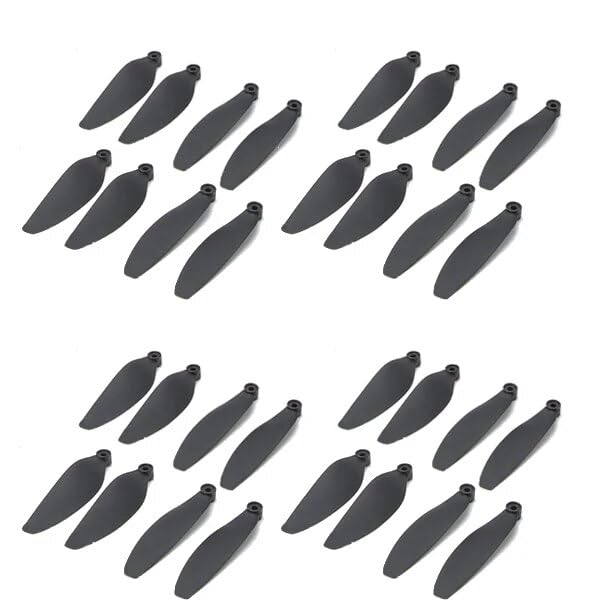
Image showing a set of 32 DAYUDDRICAR SG105 MAX drone propellers, highlighting their design and quantity. These are the replacement parts for your drone.
Operation Considerations
While propellers themselves do not "operate" independently, their condition and proper installation directly impact the drone's flight performance and safety. Consider the following:
- Pre-Flight Check: Always inspect all propellers for any signs of damage (cracks, bends, chips) before each flight. Even minor damage can lead to imbalance, vibrations, and potential failure during flight.
- Balanced Flight: Properly installed and undamaged propellers contribute to a balanced and stable flight. If your drone exhibits unusual vibrations or instability after propeller replacement, re-check the installation and propeller condition.
- Environmental Factors: Avoid flying in conditions where propellers might easily strike obstacles (e.g., dense foliage, narrow spaces) to prevent damage.
Maintenance
Regular maintenance of your propellers extends their lifespan and ensures safe drone operation:
- Cleaning: After flights, especially in dusty or dirty environments, gently wipe the propellers with a soft, dry cloth to remove any accumulated dirt or debris. Avoid using harsh chemicals.
- Inspection: Periodically inspect propellers for any signs of wear, stress marks, or micro-cracks, particularly near the hub and along the leading edges. Replace any propeller showing signs of damage immediately.
- Storage: Store spare propellers in a clean, dry place, away from direct sunlight and extreme temperatures. Keep them in their original packaging or a protective case to prevent bending or damage.
Troubleshooting
| Problem | Possible Cause | Solution |
|---|---|---|
| Drone vibrates excessively during flight. | Damaged or unbalanced propeller; improperly installed propeller. | Inspect all propellers for damage and replace if necessary. Ensure all propellers are securely and correctly installed. |
| Drone drifts or is unstable. | Incorrect propeller type or orientation; damaged propeller. | Verify that the correct propeller type (e.g., A/B) is on the correct motor. Check for any subtle damage on propellers. |
| Propeller detaches during flight. | Loose installation; worn propeller hub. | Ensure propellers are tightened or clipped securely. If the hub is worn, replace the propeller. |
Specifications
- Product Type: Drone Propellers / Blade Wing Fan Spare Part
- Compatibility: SG105 MAX Drone Quadcopter
- Material: 100% Plastic
- Package Dimensions: 1.18 x 0.79 x 0.39 inches
- Item Weight: 1.76 ounces (for the package)
- Manufacturer: DAYUDDRICAR
Support and Warranty
DAYUDDRICAR stands behind the quality of its products. While specific warranty periods are not detailed here, we are committed to ensuring your satisfaction. If you have any questions regarding the installation, operation, or performance of your SG105 MAX Drone Propellers, please do not hesitate to contact us. We are dedicated to providing a satisfactory answer and support for all our products.
For assistance, please refer to the contact information provided with your purchase or visit the official DAYUDDRICAR website.