
Introduction
This manual provides instructions for the setup, operation, and maintenance of your Lamzu Atlantis OG V2 PRO Wireless Gaming Mouse. Please read this manual thoroughly before using the product to ensure proper functionality and longevity.

Image: Top view of the Lamzu Atlantis OG V2 PRO Wireless Gaming Mouse in Elegant Blue.
Setup
1. Package Contents
Verify that the following items are included in your package:
- Lamzu Atlantis OG V2 PRO Wireless Gaming Mouse
- 2.4G Wireless Dongle
- USB Type-C Cable (for wired connection and charging)
- User Manual (this document)
- Additional accessories (e.g., grip tape, extra skates) may be included.
2. Connecting the Mouse
The mouse supports both 2.4G wireless and wired connections.
2.1. Wireless Connection (2.4G)
- Locate the 2.4G wireless dongle.
- Plug the dongle into an available USB port on your computer.
- Turn on the mouse using the switch located on the underside. The mouse should automatically connect to the dongle.
- If connection is not established, ensure the mouse is sufficiently charged.
2.2. Wired Connection
- Connect one end of the provided USB Type-C cable to the mouse.
- Connect the other end of the USB Type-C cable to an available USB port on your computer.
- The mouse will function in wired mode and charge simultaneously.

Image: Illustration of the dual mode connection options for the mouse, showing the USB Type-C cable and 2.4G wireless dongle.
3. Driver and Software Installation
For full customization of DPI settings, button assignments, and other advanced features, download the official driver software from the Lamzu website. Refer to the website for specific instructions on software installation and usage.
Operation
1. DPI Adjustment
The mouse features a high-precision sensor with up to 26000 DPI. DPI settings can be adjusted through the dedicated software. The software allows users to set custom DPI levels according to their preferences.

Image: Screenshot of the software interface showing DPI adjustment options, with a maximum setting of 26000 DPI.
2. Polling Rate
The mouse supports a 1000Hz / 1ms polling rate. When used with an optional 4K wireless adapter (sold separately), it supports a 4K polling rate for enhanced responsiveness.
3. Ergonomics and Grip
The Lamzu Atlantis OG V2 PRO features a symmetrical design, suitable for both left-handed and right-handed users. Its shape is particularly optimized for a claw grip style, providing comfort and control during use.

Image: Diagram illustrating the optimal claw grip for the Lamzu Atlantis OG V2 PRO mouse.
Maintenance
1. Cleaning
To maintain optimal performance, regularly clean your mouse. Use a soft, dry cloth to wipe the surface. For stubborn dirt, a slightly damp cloth with mild soap can be used, ensuring no liquid enters the mouse's internal components. Avoid abrasive cleaners or solvents.
2. Battery Care
The mouse is equipped with a rechargeable Lithium Ion battery. To prolong battery life:
- Avoid fully discharging the battery frequently.
- Store the mouse in a cool, dry place when not in use for extended periods.
- Charge the mouse using the provided USB Type-C cable.
Troubleshooting
If you encounter issues with your Lamzu Atlantis OG V2 PRO mouse, refer to the following common solutions:
| Problem | Possible Cause | Solution |
|---|---|---|
| Mouse not responding (Wireless) | Low battery, dongle not connected, interference, mouse not paired. | Charge the mouse. Ensure dongle is securely plugged in. Move dongle closer to mouse. Re-pair the mouse if necessary (refer to software instructions). |
| Mouse not responding (Wired) | Cable not connected properly, faulty cable, USB port issue. | Ensure USB-C cable is securely connected to both mouse and computer. Try a different USB port. Test with another USB-C cable if available. |
| Cursor movement is erratic or jumpy | Dirty sensor, unsuitable mouse pad surface, software conflict. | Clean the optical sensor on the underside of the mouse. Use a clean, uniform mouse pad. Check for conflicting software or drivers. |
| Mouse buttons not working | Software issue, physical damage. | Restart your computer. Reinstall mouse drivers. If the issue persists, contact customer support. |
If the problem persists after attempting these solutions, please contact Lamzu customer support for further assistance.
Specifications
The following are the technical specifications for the Lamzu Atlantis OG V2 PRO Wireless Gaming Mouse:
- Model: LA-OG
- Connectivity: 2.4G Wireless, USB Wired (Type-C)
- Sensor: PAW3395 Optical Sensor
- DPI: Up to 26000 DPI
- Polling Rate: 1000Hz (1ms), 4000Hz with optional 4K dongle
- Switches: Mechanical Switches (Silver TTC Encoder)
- MCU: Nordic 52840
- Weight: Approximately 57g
- Dimensions: 4.84 x 2.6 x 0.1 inches (123mm x 66mm x 38mm)
- Battery: 1 Lithium Ion (included)
- Color: Elegant Blue (variant)

Image: Technical diagram showing the dimensions of the Lamzu Atlantis OG V2 PRO mouse.
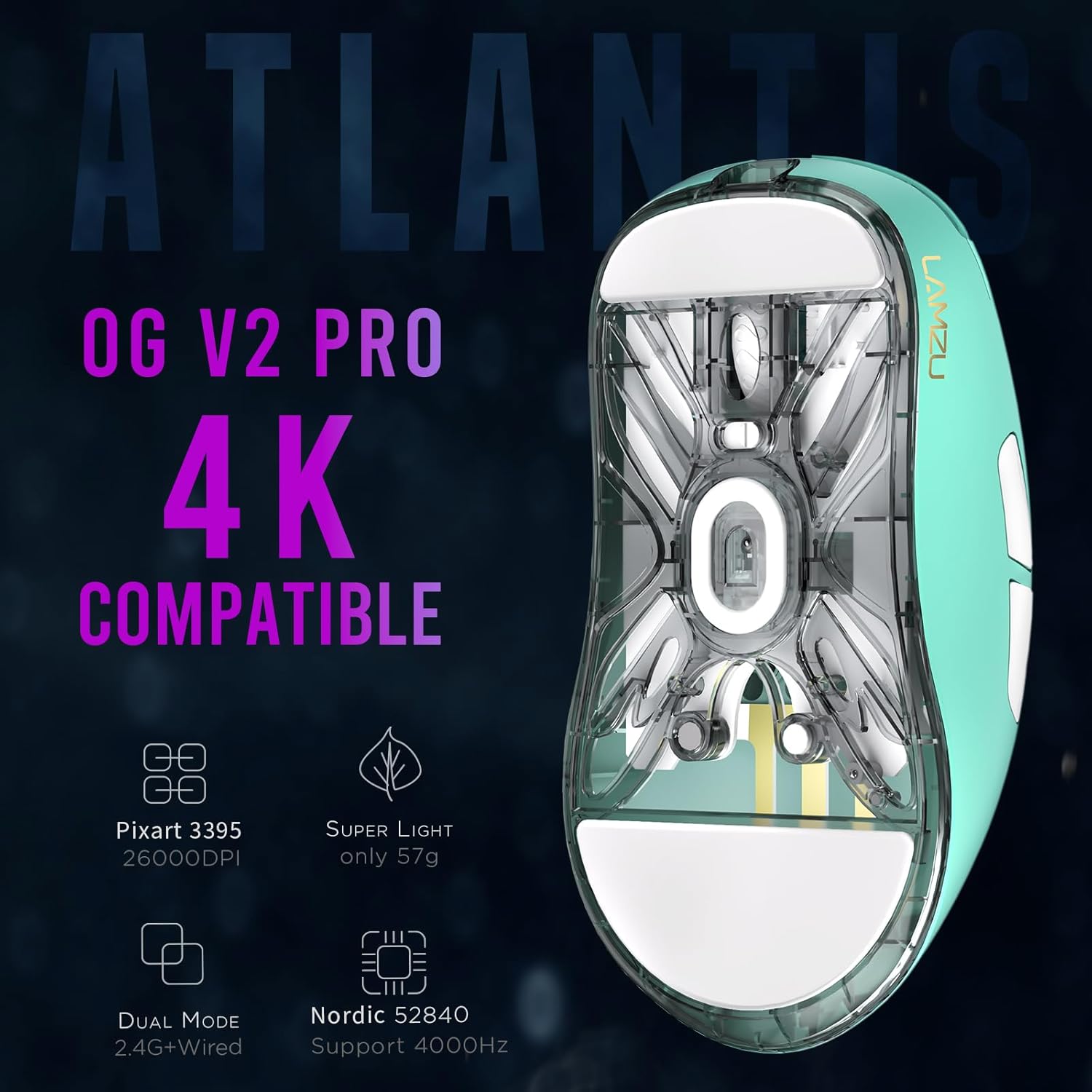
Image: Bottom view of the Lamzu Atlantis OG V2 PRO mouse, highlighting key features like Pixart 3395 sensor, 57g weight, dual mode, and Nordic 52840 MCU.
Warranty Information
Lamzu products are covered by a limited warranty. For detailed information regarding warranty terms, conditions, and duration, please refer to the official Lamzu website or contact their customer support directly. Keep your proof of purchase for warranty claims.
Customer Support
For technical assistance, troubleshooting, or general inquiries about your Lamzu Atlantis OG V2 PRO Wireless Gaming Mouse, please visit the official Lamzu website:
You may also find FAQs and additional resources on their support pages.


