
Introduction
The Portronics Dash 5 is a portable wireless lavalier microphone designed for video and audio recording. It features 2.4G Transmission technology for stable signal, anti-interference capabilities, and fast transmission. The microphone includes a 360° omnidirectional pickup chip and noise reduction technology for clear audio capture. It comes with a rechargeable transmitter and a 3-in-1 receiver compatible with various devices.
Package Contents
- 1 x Portronics Dash 5 Wireless Microphone (Transmitter)
- 1 x 3-in-1 Receiver
- 1 x Type-C Charging Cable
- 1 x Foam Windscreen (Plosives Foam Filter)
Setup and Connection
The Portronics Dash 5 microphone is designed for plug-and-play operation, requiring no additional apps, Bluetooth, or Wi-Fi for basic functionality.
- Charge the Transmitter: Ensure the microphone transmitter is sufficiently charged using the provided Type-C cable.
- Connect the Receiver: Plug the 3-in-1 receiver into your recording device (smartphone, camera, laptop). The receiver features Type-C, 8-pin (for iPhone), and 3.5mm ports for broad compatibility.
- Power On the Microphone: Press the power button on the microphone transmitter. A green indicator light will illuminate, signifying it is powered on and ready to pair.
- Automatic Pairing: The microphone and receiver will automatically pair. The indicator light on the receiver will also confirm a successful connection.
- Clip the Microphone: Securely clip the microphone transmitter to your collar or clothing for optimal audio capture.

Figure 1: Illustration of the plug-and-play connection process. Simply plug the receiver into your device, press the power button on the microphone, and it will pair automatically.
Special Considerations for Android Devices:
- OTG Power Supply: For some Android mobile phones, you may need to enable the OTG power supply in your device settings. Search for "OTG" in your phone's settings and activate it.
- Third-Party Camera App: Certain Android phones may not support audio recording through their native camera application when using external microphones. In such cases, installing a third-party camera application like "Open Camera" may resolve the issue.

Figure 2: The 3-in-1 universal receiver offers compatibility with Android smartphones, iPhones/iPads/Macs, and cameras/computers, providing versatile connectivity options.
Operation
Audio Capture
- 360° Omnidirectional Pickup: The microphone features an omnidirectional pickup chip, capturing sound from all directions around the microphone for comprehensive audio recording.
- Noise Reduction Technology: Advanced noise reduction technology is integrated to minimize background noise, ensuring clear and high-quality audio output.
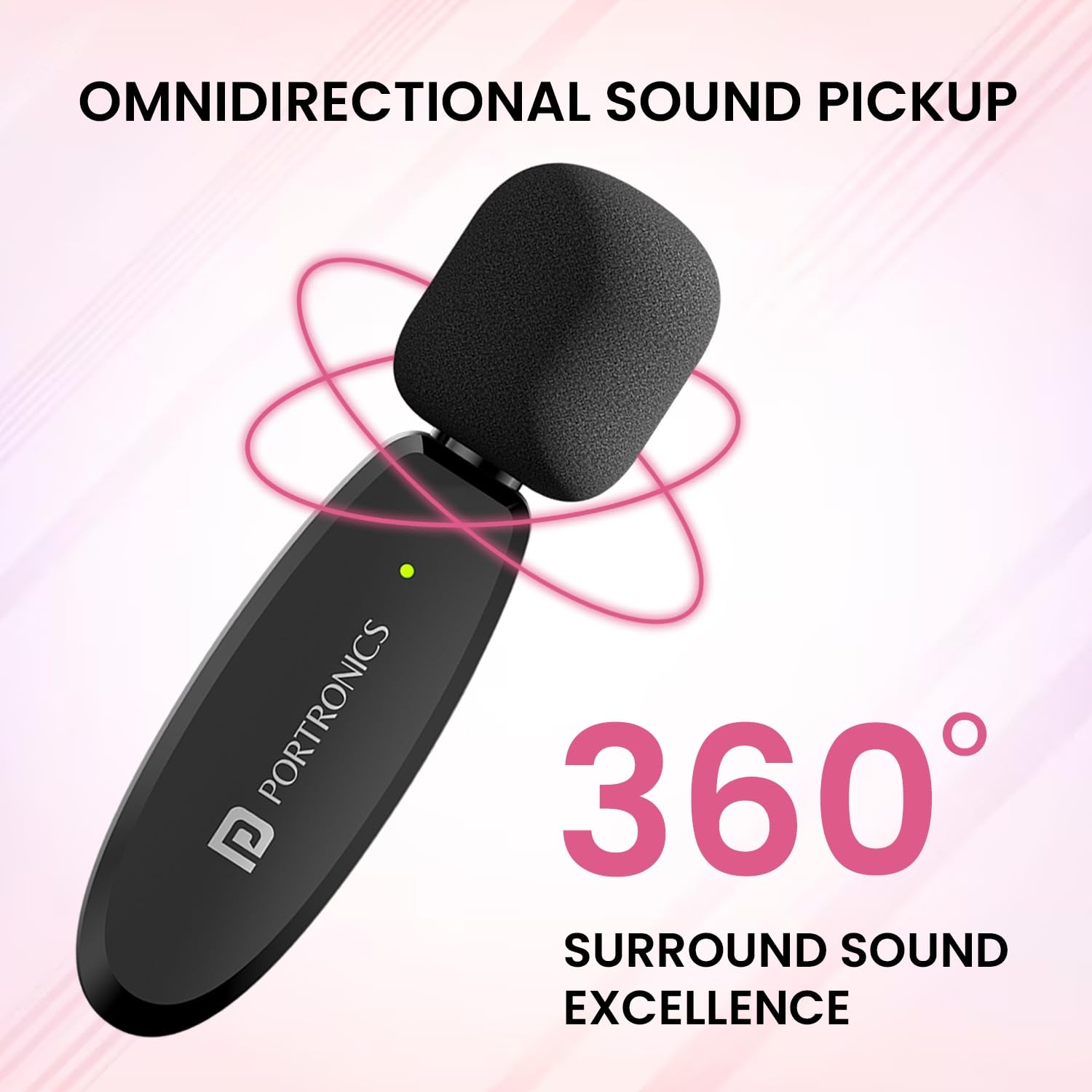
Figure 3: The microphone's omnidirectional design ensures 360-degree sound pickup, capturing audio from all directions.

Figure 4: The microphone's superior noise cancellation technology processes audio to deliver clear sound by reducing ambient noise.
Battery and Charging
Both the wireless microphone transmitter and the receiver are equipped with rechargeable batteries. They can be charged using the included Type-C cable. The microphone supports charging while recording, allowing for extended usage without interruption.
Transmission Range
The Portronics Dash 5 offers a transmission distance of up to 30 meters (approximately 98 feet) in open environments, providing flexibility for various recording scenarios. It features 15ms ultra-low latency for real-time audio monitoring.
Versatile Applications

Figure 5: The Portronics Dash 5 is suitable for a wide range of applications such as online teaching, video recording, live streaming, and interviews, offering hands-free operation.
Maintenance
To ensure the longevity and optimal performance of your Portronics Dash 5 microphone, follow these maintenance guidelines:
- Cleaning: Use a soft, dry cloth to clean the microphone and receiver. Avoid using harsh chemicals or abrasive materials.
- Storage: Store the device in a cool, dry place away from direct sunlight and extreme temperatures.
- Protection: When not in use, consider storing the microphone in a protective pouch to prevent dust and physical damage.
- Foam Windscreen: The included foam windscreen (plosives filter) helps reduce popping sounds and wind noise. Ensure it is properly fitted over the microphone head. Replace if damaged.

Figure 6: The plosives foam filter is essential for maintaining clear audio by preventing popping sounds and filtering disruptive background noise.
Troubleshooting
Connectivity Issues with Android Phones
If you experience connectivity problems or no audio recording with your Android device:
- Enable OTG: Go to your Android device's settings, search for "OTG," and ensure the OTG power supply is enabled.
- Use Third-Party Camera App: If your phone's default camera app does not record audio with external microphones, install and use a third-party application like "Open Camera" for recording.
- Re-plug and Restart: Try unplugging and re-plugging the receiver. Restarting your device may also resolve temporary connection issues.
No Sound or Low Volume
- Ensure the microphone transmitter is powered on and fully charged.
- Verify that the receiver is securely plugged into your device.
- Check the volume settings on your recording device.
- Confirm that the microphone and receiver are paired (indicator lights are solid).
Specifications
| Feature | Detail |
|---|---|
| Model Name | Dash 5 |
| Item Model Number | POR-2044 |
| Brand | Portronics |
| Connectivity Technology | 2.4G Digital Wireless |
| Connector Type | 3.5 mm Jack, Type-C, 8-pin (for iPhone) |
| Compatible Devices | Smartphone, Camera, Laptop |
| Polar Pattern | Omnidirectional |
| Frequency Response | 2.4 GHz |
| Signal-to-Noise Ratio | 80 dB |
| Special Features | 15ms Ultra-Low Latency, 360° Omnidirectional Microphone, Long Working Time, Smart Noise Cancellation |
| Power Source | Battery Powered |
| Item Weight | 100 Grams |
| Product Dimensions (L x W x H) | 16.6 x 11 x 2.7 Centimeters |
| Included Components | Wireless Microphone 1N |
Warranty and Support
The Portronics Dash 5 Wireless Microphone comes with a 1 Year Warranty from the date of purchase.
For technical support, warranty claims, or any product-related inquiries, please contact Portronics customer service:
- Manufacturer: Portronics Digital Pvt Ltd.
- Address: Unit No. 1082-1090, 10th Floor, Block-B, Vegas, Dwarka, Sec-14, New Delhi-110075, India
- Phone: 9555-245-245
Please retain your purchase receipt for warranty validation.


