
1. Introduction
This manual provides detailed instructions for the proper use and maintenance of your PGYTECH CapLock Magnetic Camera Mount and Camera Cage. This product is designed to enhance the versatility and protection of your DJI Osmo Action 4 or Action 3 camera, offering quick attachment, secure mounting, and flexible positioning.
2. Package Contents
- PGYTECH CapLock Magnetic Camera Mount
- PGYTECH Camera Cage (for DJI Osmo Action 4/3)
- Additional mounting accessories (if applicable, refer to product packaging)

Figure 2.1: The PGYTECH CapLock Magnetic Camera Mount and Camera Cage components. The image displays the camera cage on the left and the magnetic camera mount with its base on the right, along with a smaller mounting accessory.
3. Product Overview
The PGYTECH CapLock system features a quick-release mechanism for efficient camera attachment and detachment. The camera cage provides protection and additional mounting points, including a universal cold shoe mount and a 1/4-inch thread connector.

Figure 3.1: Key features of the PGYTECH Camera Cage. The image highlights the universal cold shoe mount at the top of the cage and the magnetic connection point at the bottom, demonstrating how an accessory is attached.
4. Setup
- Insert Camera into Cage: Open the camera cage and carefully place your DJI Osmo Action 4 or Action 3 camera inside, ensuring a snug fit. Close the cage securely.
- Attach Cage to CapLock Mount: Align the base of the camera cage with the CapLock magnetic mount. The magnetic connection will guide the cage into place.
- Secure the CapLock: Once magnetically connected, engage the dual-lock mechanism on the CapLock mount to firmly secure the camera cage. This prevents accidental detachment.
- Mounting the System: Attach the CapLock mount to your desired surface or accessory. For surfaces like glass or smooth tiles, utilize the strong suction cup base. Ensure the surface is clean and dry for optimal adhesion.

Figure 4.1: The CapLock quick release system. This image illustrates the one-step installation process and the dual-lock design for enhanced security, showing the lock and unlock positions.
5. Operating Instructions
5.1 Quick Release and Attachment
The CapLock system allows for rapid attachment and detachment of your camera. To release, disengage the dual-lock mechanism and separate the camera cage from the mount. To attach, simply align and secure as described in the Setup section.
5.2 360-Degree Adjustment
The mount features a double ball structure, enabling 360-degree rotational adjustment of both the upper and lower ball joints. This allows for precise positioning of your camera at various angles.

Figure 5.1: Demonstrating the 360-degree adjustment capability. The image shows the mount in various positions, highlighting the rotational flexibility of the ball joints with arrows indicating movement.
5.3 Horizontal to Vertical Shot Switching
The camera cage and mount design facilitate a quick switch between horizontal and vertical shooting orientations without remounting the camera.

Figure 5.2: Illustrating the quick switch from horizontal to vertical shooting. The image shows a DJI Osmo Action camera mounted horizontally and then vertically, with an arrow indicating the transition.
5.4 Strong Suction Power
When using the suction cup mount, ensure it is applied to clean, smooth, non-porous surfaces such as glass, smooth desktops, or smooth tile walls for maximum adhesion and stability.
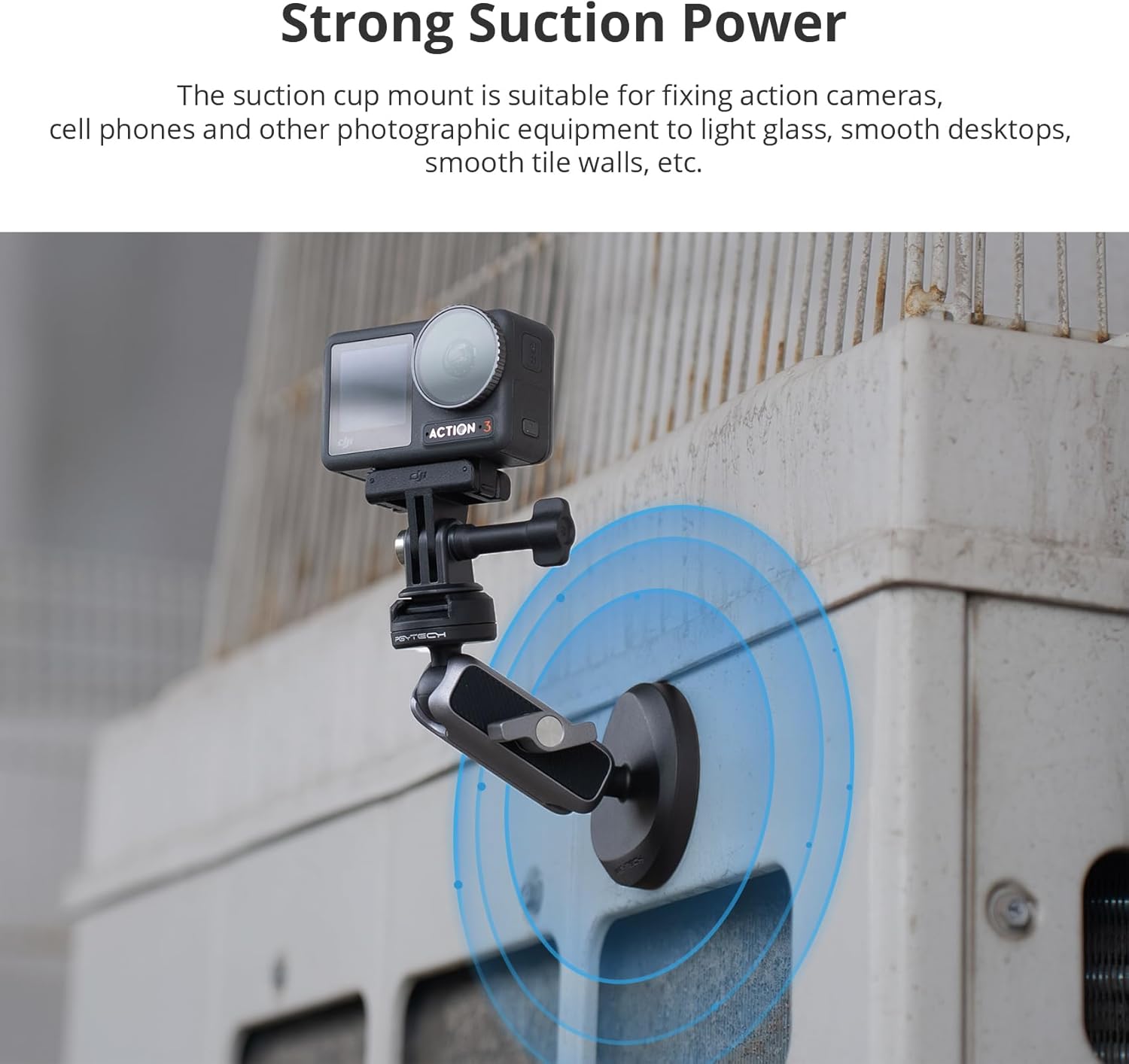
Figure 5.3: The strong suction power of the mount. The image shows a DJI Osmo Action camera securely mounted to a metal surface using the suction cup, with blue circles indicating the suction area.
5.5 Folding for Storage
The mount can be folded into a compact form for convenient storage and portability. This method is recommended for short-term storage in environments with temperatures between 0°C and 30°C.
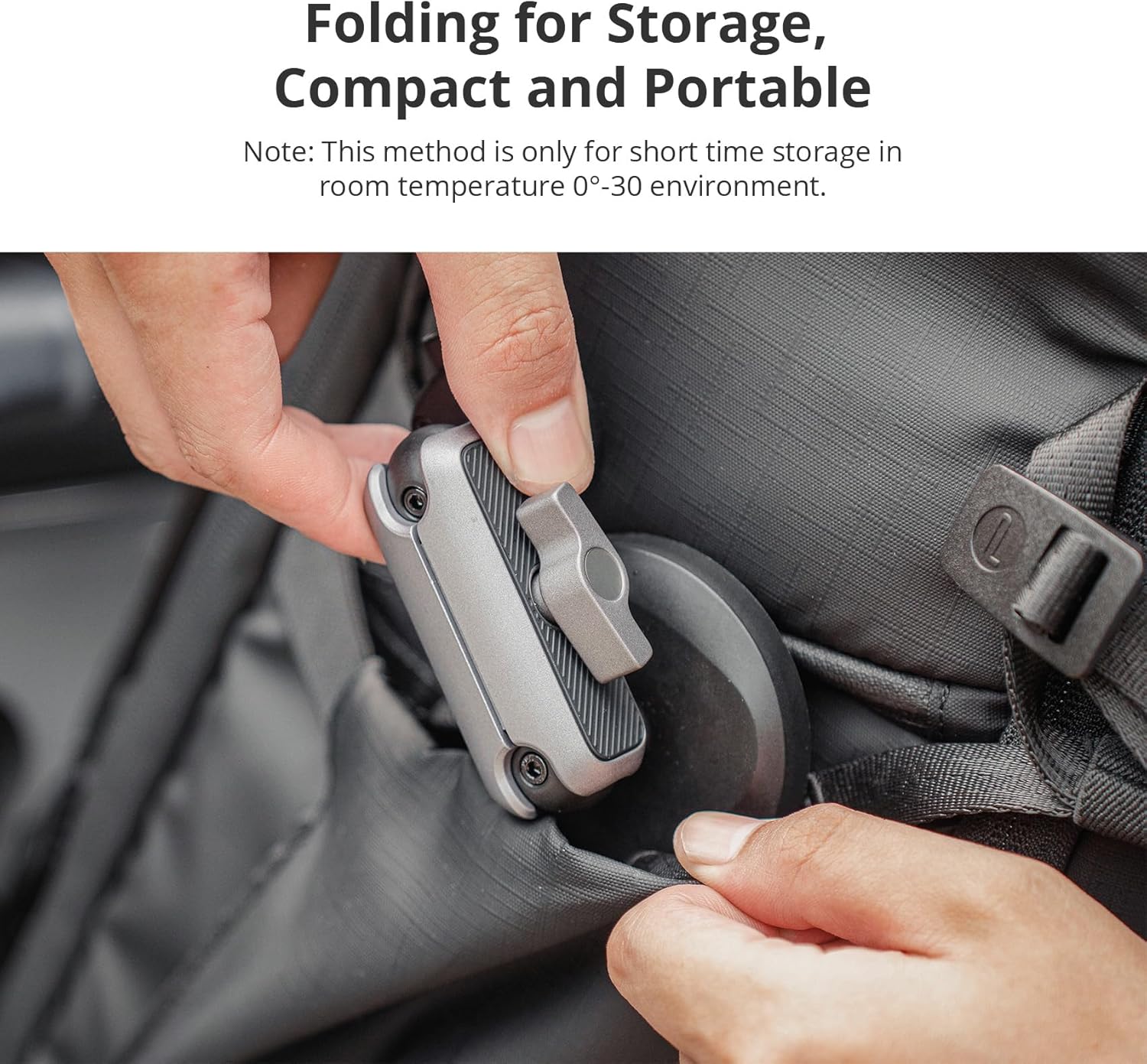
Figure 5.4: The mount folded for storage. The image shows a hand placing the folded mount into a backpack pocket, demonstrating its compact and portable design.
6. Compatibility
This product is specifically designed for use with DJI Osmo Action 4 and DJI Osmo Action 3 cameras. It also offers versatile compatibility with other action cameras and smartphones when used with appropriate adapters (e.g., a phone clip, sold separately).
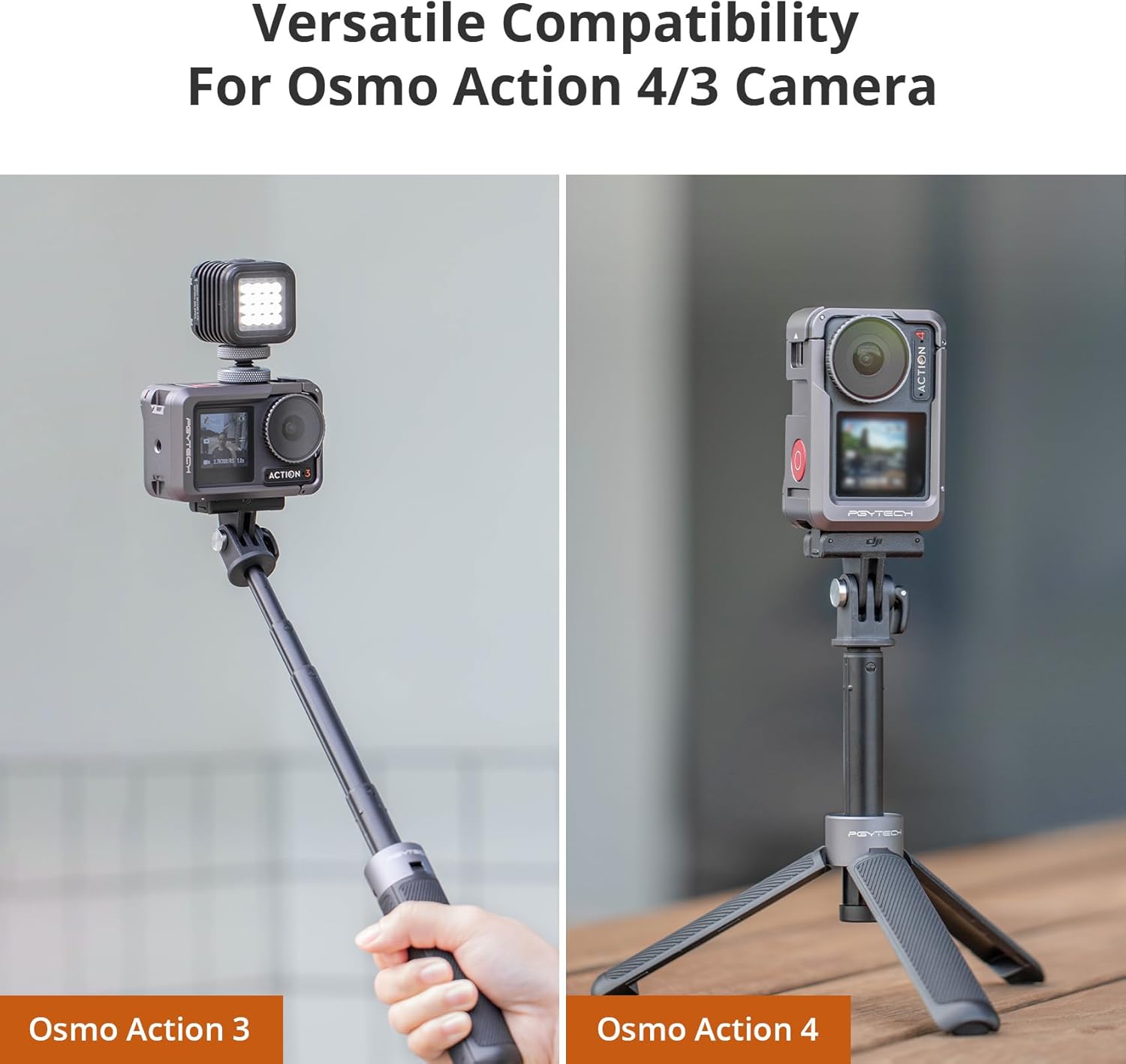
Figure 6.1: Compatibility with DJI Osmo Action 3 and 4 cameras. The image displays an Osmo Action 3 mounted on a selfie stick and an Osmo Action 4 mounted on a tripod, both utilizing PGYTECH accessories.

Figure 6.2: Demonstrating versatile compatibility. The image shows a GoPro camera mounted on a car hood, another action camera mounted on a metal railing, and a smartphone mounted on a pole, all using the PGYTECH system.
7. Maintenance
- Keep the product clean and free from dust and debris.
- Wipe with a soft, dry cloth. Avoid harsh chemicals or abrasive materials.
- Ensure the magnetic surfaces are clean for optimal connection strength.
- Store in a cool, dry place away from direct sunlight and extreme temperatures.
8. Troubleshooting
- Mount not securing properly: Ensure the CapLock dual-lock mechanism is fully engaged. Check for any obstructions or debris on the magnetic surfaces.
- Suction cup losing grip: Clean both the suction cup and the mounting surface thoroughly. Ensure the surface is smooth, non-porous, and dry. Reapply pressure to create a strong vacuum seal.
- Difficulty adjusting angle: Check if the ball joint locking mechanism (if present on your specific mount variant) is loosened sufficiently for adjustment. Tighten after positioning.
9. Specifications
| Feature | Detail |
|---|---|
| Brand | PGYTECH |
| Model | CapLock Magnetic Camera Mount + Camera Cage |
| Compatible Devices | DJI Osmo Action 4, DJI Osmo Action 3, other cameras/smartphones with adapters |
| Color | Black |
| ASIN | B0CLXV4NX1 |
10. Warranty and Support
For warranty information and customer support, please refer to the official PGYTECH website or contact your authorized dealer. Keep your purchase receipt for warranty claims.

