
1. Introduction
This manual provides essential instructions for the safe and efficient operation, setup, and maintenance of your ALLPOWERS R1500 LITE Portable Power Station and SP037 Solar Panel. Please read this manual thoroughly before using the product to ensure optimal performance and longevity.
The ALLPOWERS R1500 LITE is a versatile portable power station designed to provide reliable power for various applications, from outdoor camping and RV use to home backup during power outages. It features a 1056Wh capacity and 1600W AC output (3200W surge), capable of charging up to 9 devices simultaneously. The included SP037 400W solar panel allows for efficient solar recharging.

Figure 1: An overview of the ALLPOWERS R1500 LITE portable power station alongside the SP037 foldable solar panel.
2. Safety Information
Always adhere to the following safety guidelines to prevent injury or damage to the product:
- Do not disassemble, repair, or modify the unit.
- Keep the product away from fire, heat sources, and direct sunlight.
- Avoid exposure to water or other liquids. Do not operate in rain or wet conditions.
- Ensure proper ventilation during use and charging. Do not cover the unit.
- Use only original or certified charging cables and accessories.
- Keep out of reach of children and pets.
- In case of fire, use a dry powder fire extinguisher. Do not use water.
3. Package Contents
Verify that all items are present in your package:
- ALLPOWERS R1500 LITE Portable Power Station
- ALLPOWERS SP037 400W Solar Panel
- AC Charging Cable
- Solar Charging Cable
- User Manual (this document)
4. Setup
4.1 Initial Charging of the Power Station
Before first use, fully charge the R1500 LITE using the AC charging cable.
- Connect the AC charging cable to the AC input port on the R1500 LITE.
- Plug the other end of the AC charging cable into a standard wall outlet.
- The display will indicate charging status. Charge until the battery indicator shows 100%.
4.2 Connecting the SP037 Solar Panel
To charge the R1500 LITE using solar power:
- Unfold the SP037 solar panel and place it in direct sunlight. Adjust the kickstands for optimal angle towards the sun.
- Connect the solar charging cable to the output port of the SP037 solar panel.
- Connect the other end of the solar charging cable to the DC input port on the R1500 LITE.
- The display will show solar input wattage and charging status.

Figure 2: Key features of the SP037 solar panel, including its IP67 water resistance, included cables with a storage bag, and adjustable kickstands for optimal sun exposure.
5. Operation
5.1 Turning On/Off
Press and hold the main power button for a few seconds to turn the R1500 LITE on or off. The LCD screen will illuminate upon activation.
5.2 Charging Devices
The R1500 LITE offers multiple output ports:
- AC Outlets: Press the AC power button to activate the 1600W (3200W surge) AC outputs. Plug in your AC-powered devices.
- USB-C Ports: Two 100W USB-C ports are available for fast charging compatible devices.
- USB-A Ports: Two USB-A ports provide standard USB charging.
- Cigarette Lighter Port: For 12V DC devices.

Figure 3: The R1500 LITE providing power for both home appliances and outdoor electronic devices.
5.3 Recharging the Power Station
The R1500 LITE can be recharged via AC wall outlet or solar panel. It supports three charging modes:
- Standard Mode: 1000W AC input.
- Fast Mode: 1200W AC input, allowing a full charge in approximately 50 minutes.
- Mute Mode: 400W AC input for quieter charging, suitable for overnight use.
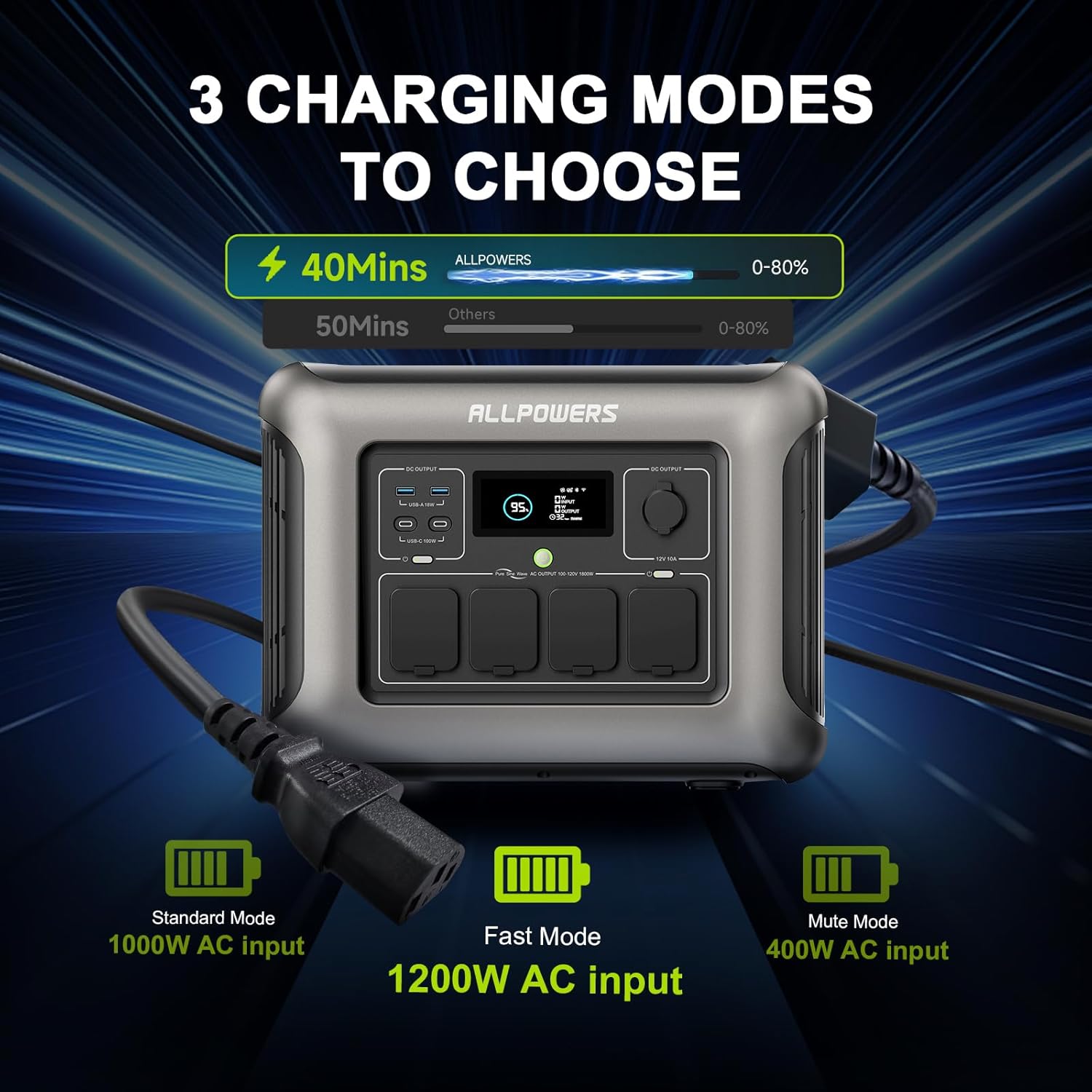
Figure 4: Visual representation of the three charging modes for the R1500 LITE: Standard, Fast, and Mute.
5.4 Uninterruptible Power Supply (UPS) Function
The R1500 LITE features a UPS function to protect sensitive electronics during power outages.
- Connect the R1500 LITE to a wall outlet using the AC charging cable.
- Connect your critical devices (e.g., desktop PC, server) to the AC output ports of the R1500 LITE.
- In the event of a power failure, the R1500 LITE will automatically switch to battery power within 15ms, providing continuous power to your connected devices.

Figure 5: Diagram illustrating the R1500 LITE's UPS function, showing seamless power transition during an outage.
5.5 Mobile App Control
The ALLPOWERS R1500 LITE can be controlled via a mobile application for convenient remote management.
- Download the ALLPOWERS app from your device's app store.
- Follow the in-app instructions to pair your R1500 LITE with your smartphone.
- Through the app, you can monitor battery status, switch Hertz, change charging modes, and activate Eco Mode.

Figure 6: The mobile application interface for controlling the R1500 LITE, showing various settings and monitoring options.
6. Maintenance
6.1 Storage
When storing the R1500 LITE for extended periods, ensure the battery is charged to approximately 50-80%. Recharge every 3-6 months to maintain battery health. Store in a cool, dry place away from direct sunlight and extreme temperatures.
6.2 Battery Care
The R1500 LITE uses LiFePO4 batteries, known for their long lifespan of over 3500 cycles, which translates to approximately 10 years of use under normal conditions. To maximize battery life, avoid consistently draining the battery to 0% or charging to 100% if not immediately needed.

Figure 7: A cutaway diagram of the R1500 LITE highlighting its LiFePO4 battery technology and its extended lifespan.
6.3 Cleaning
Use a dry, soft cloth to clean the exterior of the power station and solar panel. Do not use abrasive cleaners or immerse the unit in water. Ensure all ports are free of dust and debris.
7. Troubleshooting
If you encounter issues with your ALLPOWERS R1500 LITE, refer to the following common problems and solutions:
- Unit Not Turning On: Ensure the battery is not completely depleted. Try connecting to an AC outlet for a few minutes.
- No Output from Ports: Verify that the specific output section (AC, DC, USB) is activated by pressing its respective button. Check if the device being charged is functioning correctly.
- Slow Charging: Ensure you are using the appropriate charging mode (Fast Mode for quicker AC charging). For solar charging, ensure the solar panel is in direct sunlight and properly angled, and that the cables are securely connected.
- Overload Protection: If the unit shuts down due to overload, disconnect some devices and restart the power station. Ensure the total wattage of connected devices does not exceed the R1500 LITE's 1600W output.
- Display Not Working: Try restarting the unit. If the issue persists, contact customer support.
For persistent issues or error codes not listed, please contact ALLPOWERS customer support.
8. Specifications
8.1 ALLPOWERS R1500 LITE Portable Power Station
| Feature | Specification |
|---|---|
| Brand | ALLPOWERS |
| Model Name | R1500 BUNDLE |
| Wattage | 1600 Watts (Running), 3200 Watts (Surge) |
| Capacity | 1056Wh |
| Battery Type | LiFePO4 |
| Power Source | Battery Powered, Solar |
| AC Input | Up to 1200W (Fast Mode) |
| Solar Input | MPPT 650W |
| Output Ports | 4x AC, 2x USB-C (100W), 2x USB-A, 1x Cigarette Lighter |
| Special Feature | UPS Function (15ms switching) |
| Item Weight | 36.8 Pounds |
| Product Dimensions | 16.25"L x 12.28"W x 10.43"H |
8.2 ALLPOWERS SP037 400W Solar Panel
| Feature | Specification |
|---|---|
| Rated Power | 400W |
| Cell Type | Polycrystalline Silicon |
| Efficiency | 22% |
| Open Circuit Voltage | 45.3V |
| Maximum Power Voltage | 37.4V |
| Short Circuit Current | 11.45A |
| Maximum Power Current | 10.6A |
| Unfolded Size | 105 x 266 x 0.5 cm |
| Folded Size | 105 x 53.2 x 6.5 cm |
| Net Weight | 18.5 KG |
| Water Resistance | IP67 |

Figure 8: Detailed specifications for the ALLPOWERS SP037 400W solar panel.
9. Warranty and Support
ALLPOWERS products are designed for reliability and performance. For warranty information, please refer to the warranty card included with your product or visit the official ALLPOWERS website. Customer reviews indicate that ALLPOWERS provides responsive customer service for product issues.
If you require technical assistance, have questions about your product, or need to report a defect, please contact ALLPOWERS customer support through their official channels. You can often find support contact information on the ALLPOWERS brand store page or their official website.
ALLPOWERS Brand Store: Visit ALLPOWERS Store on Amazon
10. Product Videos
No relevant official product videos from the seller were found in the provided data to embed in this manual.


